Opening the plug-in in AutoCAD
Overview#
From Platform version 4.5, the AutoCAD plug-in is now called IPA ACAD and that is how it appears in the Add-ins tab of the AutoCAD menu ribbon at the top of the AutoCAD user interface.
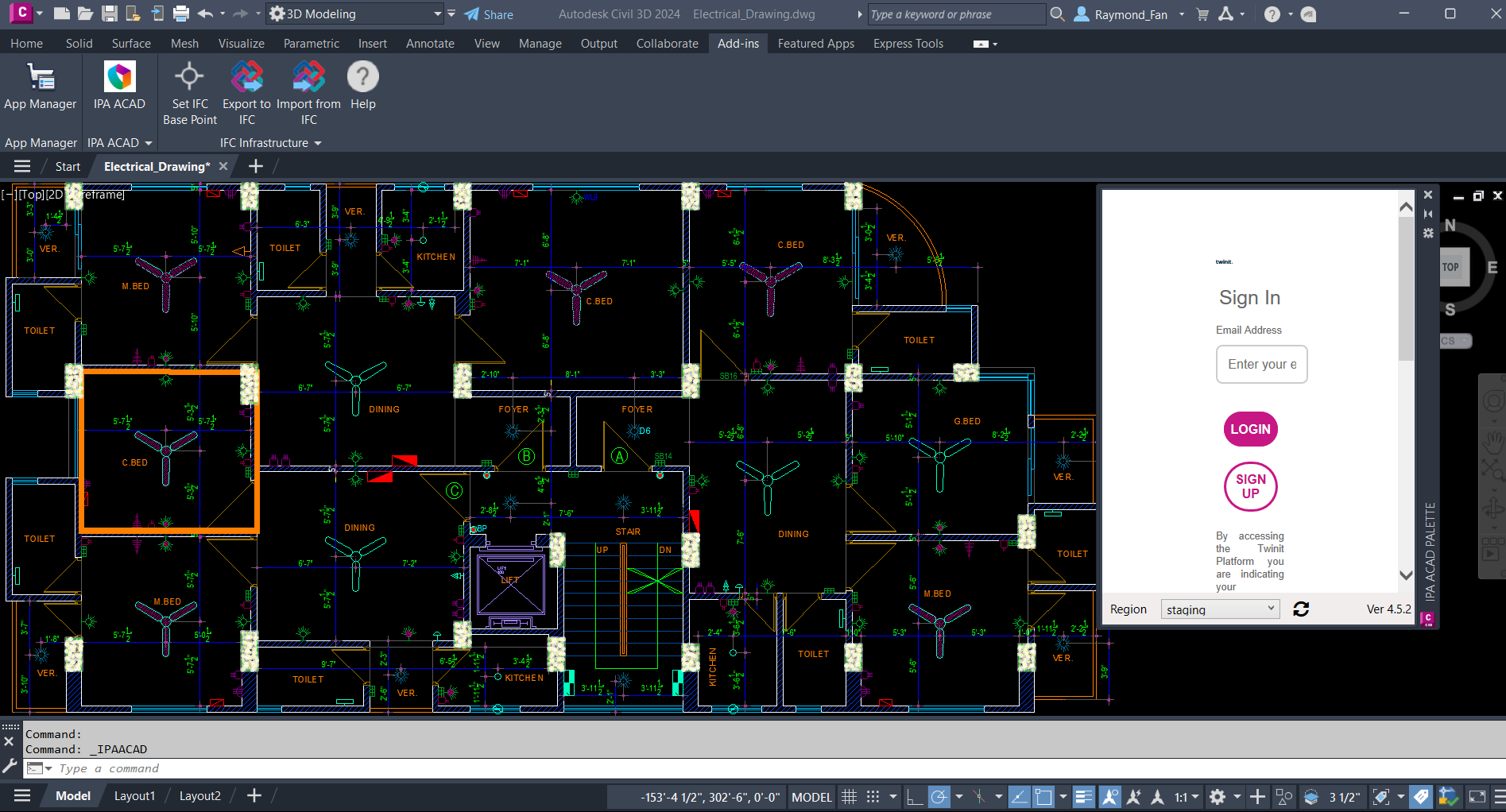
How to open the IPA ACAD plug-in#
To open the IPA ACAD plug-in in AutoCAD, do the following.
Launch the AutoCAD application.
In the AutoCAD application, in the top menu ribbon, on the Add-ins tab, verify that the IPA ACAD plug-in appears in the AutoCAD ribbon. You can also launch the plug-in by entering the command:
IPAACAD
From the ribbon, click IPA ACAD.
Note: For ease of use, you can dock the window to a pane, or undock it and float the plug-in window on your screen and resize it.
Now you can sign into the plug-in. In the plug-in Sign In window, at the bottom of the window, from the Region dropdown, select your region.

In the Email Address and Password fields, enter your email address and password.
Click LOGIN. To save your login credentials, in the dialog box that appears, click Yes. If a login attempt fails, the session may have expired. Click the Refresh icon to refresh the page.
Further information#
For more information, see Plug-in main interface.