Graphics file
Store your model's 3D geometry data in the graphics.scz file. The structure of your graphics.scz file may differ for your specific CAD application, as a result, this guide does not define a strict data structure but gives guidance on how to generate it with reference to how it applies to the Revit application.
HOOPs node tree structure#
Store model elements nodes under model file nodes.
Note: An exceptions to this rule is if an element is grouped by another element or if an element is a member or component of another element.
Use the following HOOPs model tree structure:
- Models
- Model
- Model file node
- Model element 1 node
- Model element 2 node
- ...
- Model file node
- Model
Figure: HOOPs model tree structure
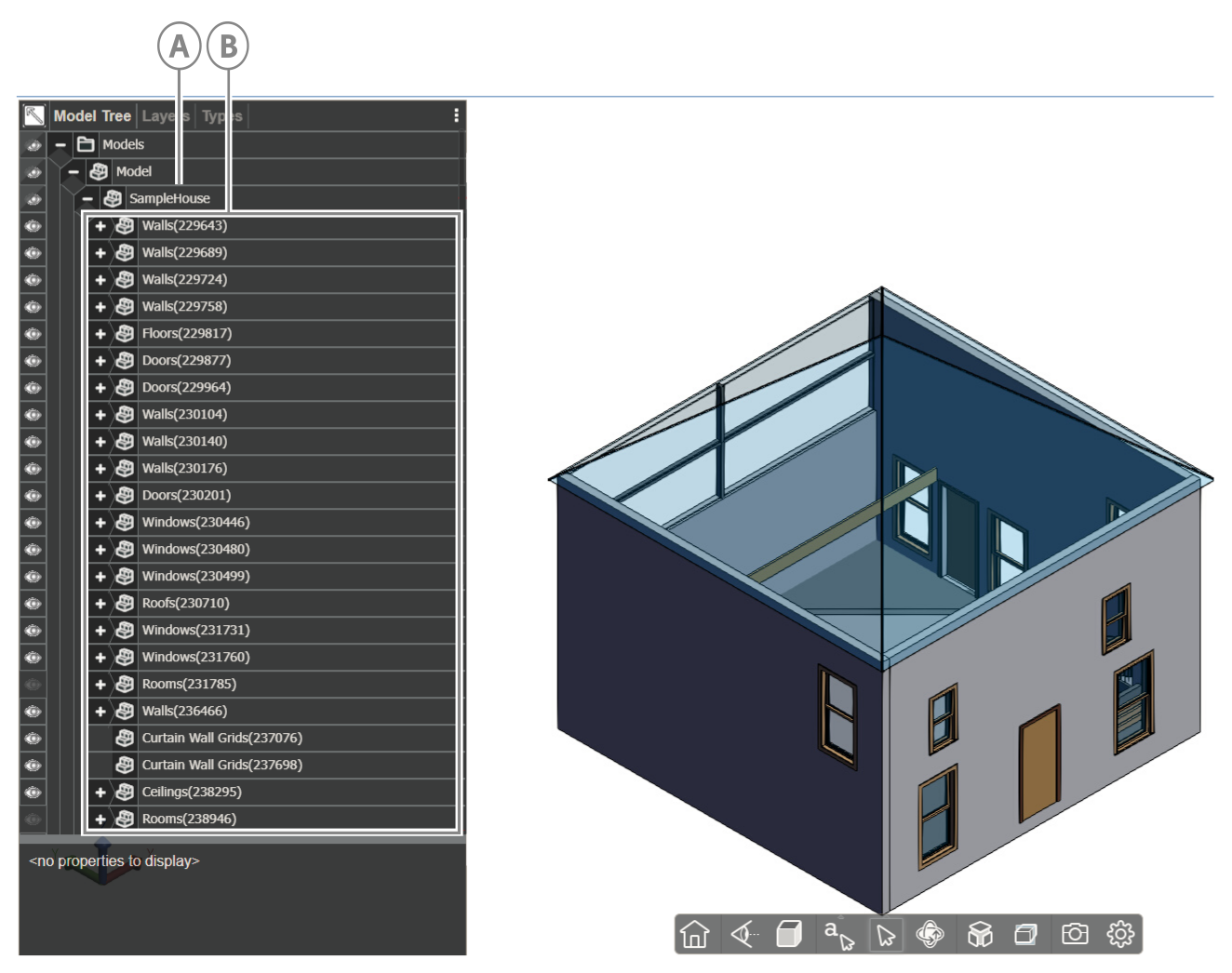
| Callout | Descriptions |
|---|---|
| A | Model file node |
| B | Model element nodes |
Element attributes#
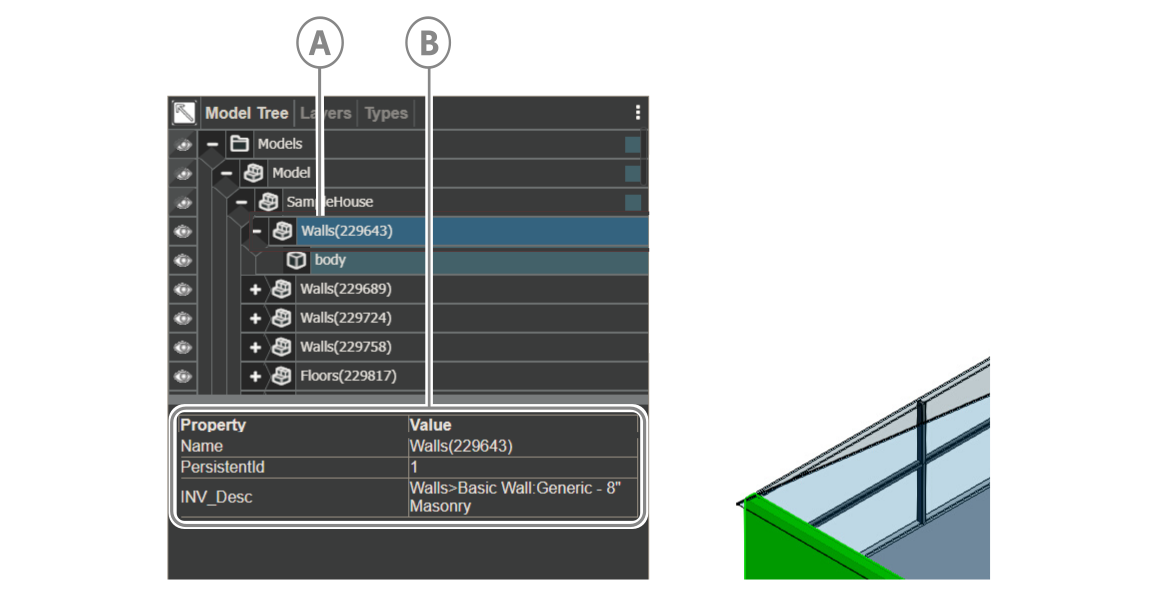
Each element node has the following properties:
- Name: To construct the element node's name, concatenate the element's category name with the element's id within parentheses:
Category(element-id). For example, a wall with a Revit ID of 12345 will have the following node name: Walls(12345) - PersistentID: The element’s BIMPK id, which is the integer id you give the object in
"objects.id"inobjects.json - INV_Desc: A description of the element, which includes the element’s Category, Family, and Type data in the following format:
Category>Family:Type
For a complete example, see the following Revit wall element attributes:
{ "Name": "Walls(67890)", "PersistentID": "44", "INV_Desc": "Walls>Wall:Interior Partition Wall"}
Figure: Node element attributes
| Callout | Descriptions |
|---|---|
| A | Node element |
| B | Node element properties |
Rooms and spaces#
Visibility#
Rooms and Spaces usually have transparent geometry and are set to hidden by default. To view them in the platform viewer, set them to visible.
GenericType#
Room and space element nodes require special handling by the platform viewer. To indicate that an element is a room or space, set GenericType of the Room/Space’s node to a value of BIM_Space.
Note:
GenericTypeis a built-in attribute of a HOOPs node and its value is empty by default.
Figure: Room invisibility
| Callout | Descriptions |
|---|---|
| A | Node element |
| B | Node element properties |
Nesting related child model elements#
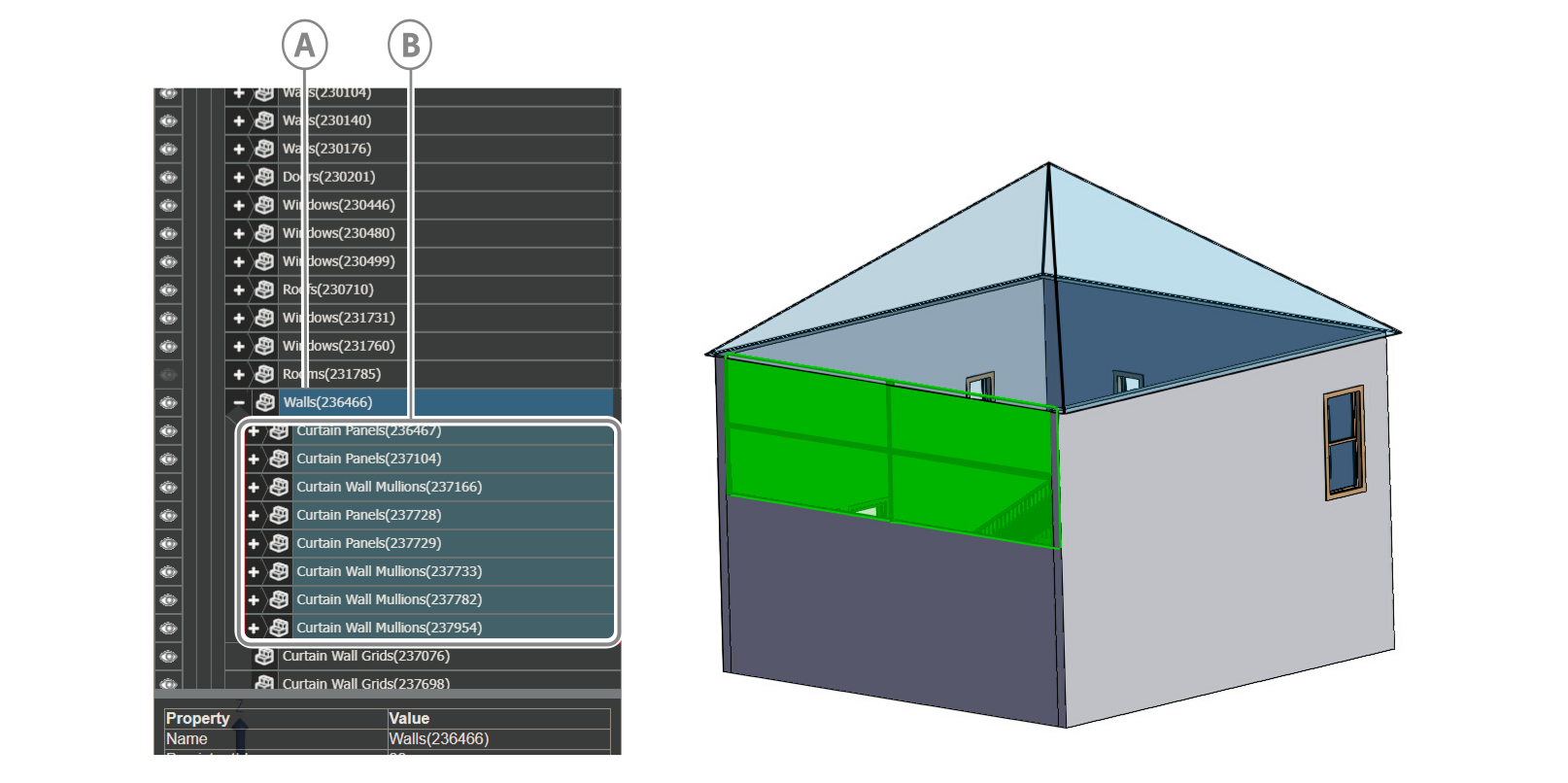
Nest related child model element nodes under the parent model group node in the node tree.
For more information, see the following node structure of a Revit wall element and its component related items:
Figure: Nested related child nodes
| Callout | Descriptions |
|---|---|
| A | Parent model group node |
| B | Nested related child nodes |
Example case#
In Revit, a Curtain Wall doesn’t have any geometry by itself so if you do not nest Panels and Mullions, when a user select the Curtain Wall element in the viewer, no geometry is highlighted.
Model file Hash Code#
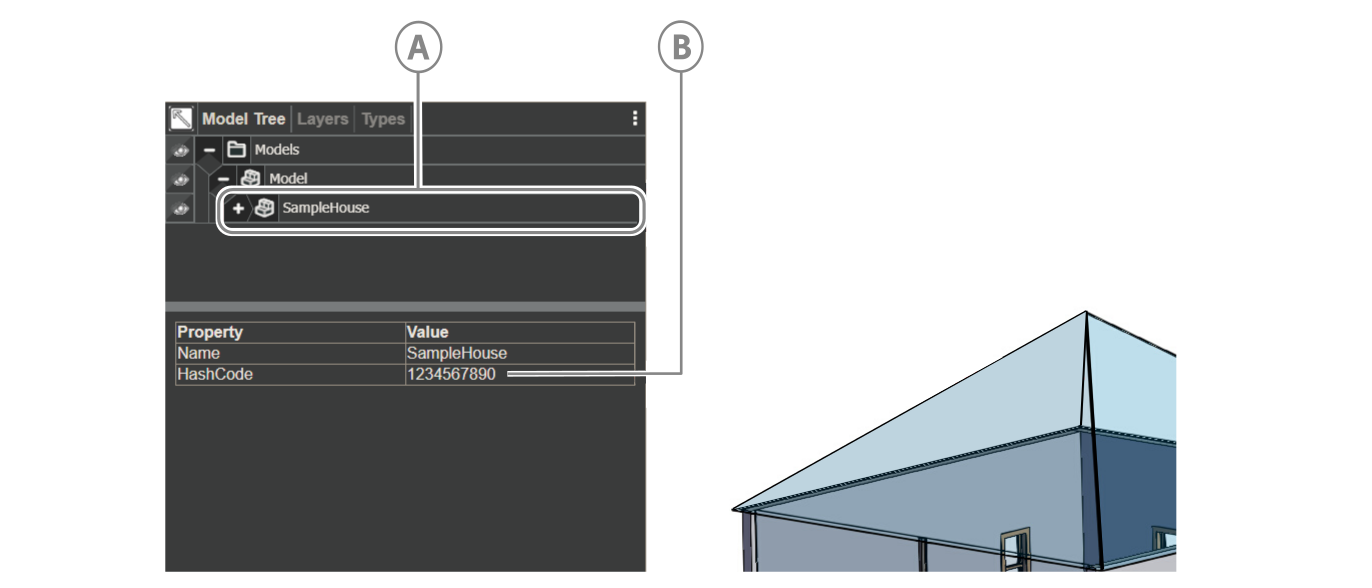
A hash code is a property that the your application generates and adds to the first Model File node to identify the HOOPs file. For now, the value sets to ‘123456780’.
Figure: Model file hash code
| Callout | Descriptions |
|---|---|
| A | Model file |
| B | Hash code |