Alignment
Alignment#
The plug-in exports the Alignment’s Base Curve (Polyline) geometry. If the alignment is on an invisible layer, it will not export.
Figure: Alignment base curve, labels, and station lines
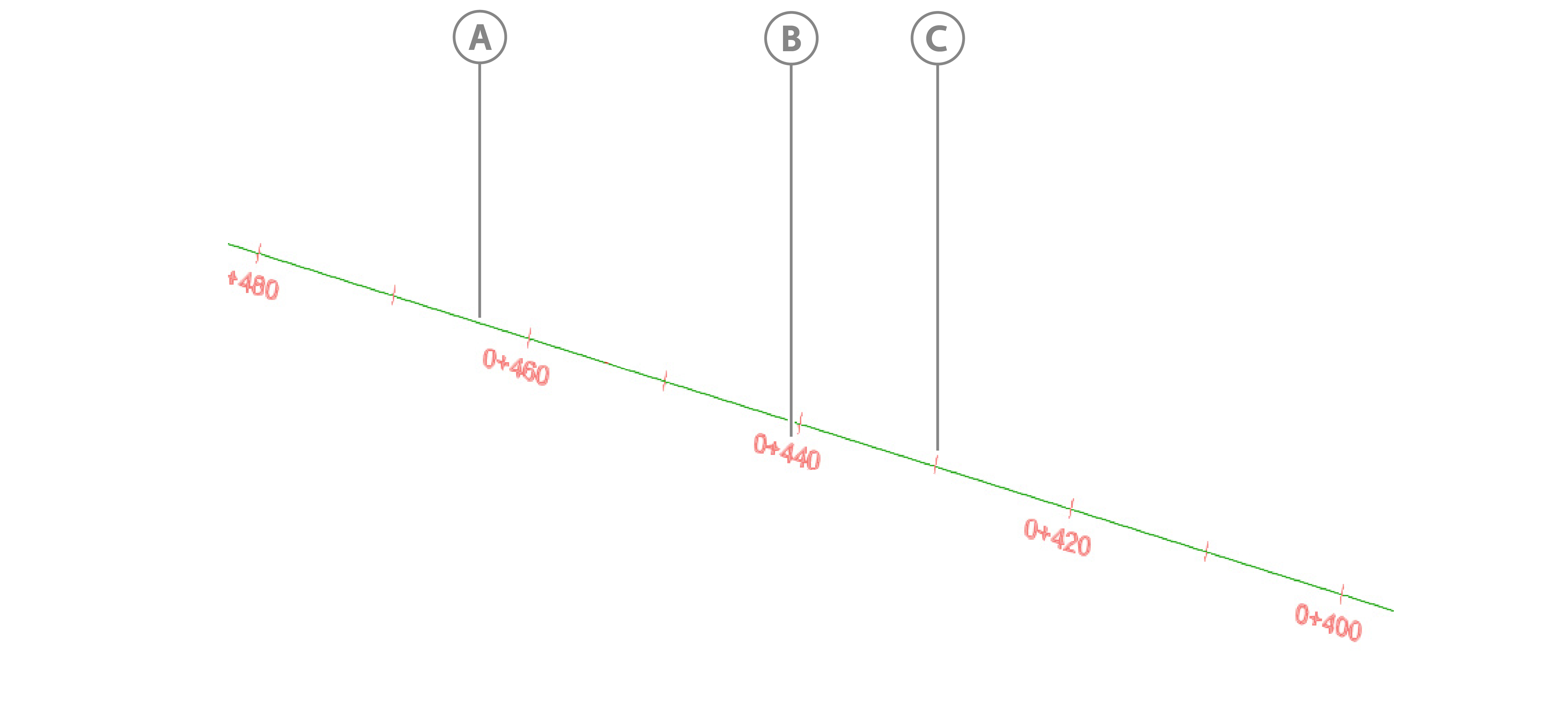
| Callout | Description |
|---|---|
| A | Base curve |
| B | Labels |
| C | Station lines |
The plug-in also exports alignment labels, including major and minor station label groups. Label text and lines export for each label group.
The plug-in also gets the alignment from the following properties in the Alignment Style window:
Alignment color: On the Display tab, from the View Direction drop-down, select Model. In the Component display table, in the Color column, click the color picker.
Note: If the alignment color is white, it exports as the default export color, green, so that the alignment is visible in the Platform viewer.
Figure: Alignment export color
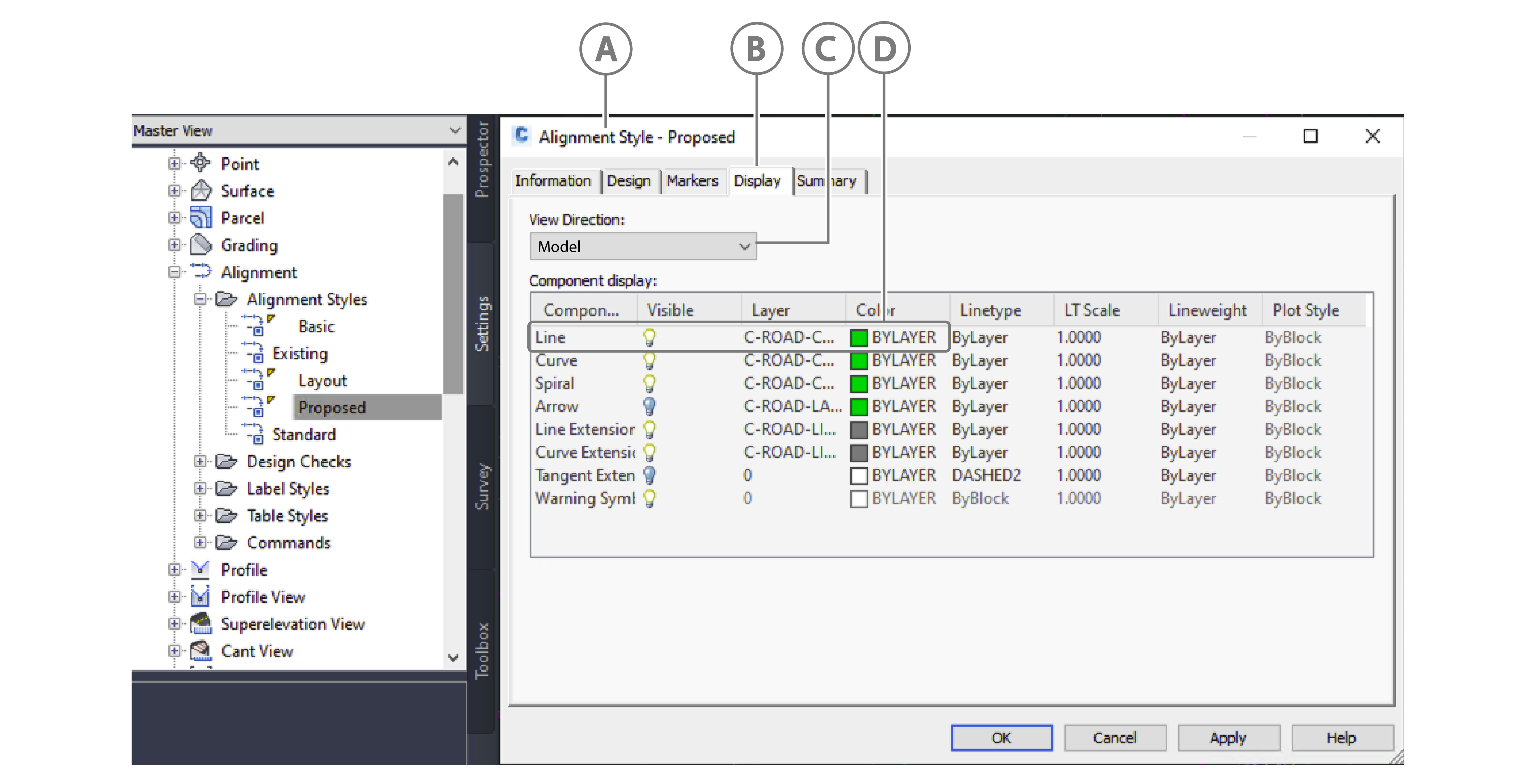
Callout Description A Alignment Style window B Display tab C Model in View Direction drop-down D Color used for alignment in export
The plug-in also gets the alignment from the following properties in the Alignment Properties window:
- Alignment Type: On the Information tab, from the Type drop-down menu, select either Centerline, Offset, Curb Return, Rail, Miscellaneous.
Figure: Alignment type
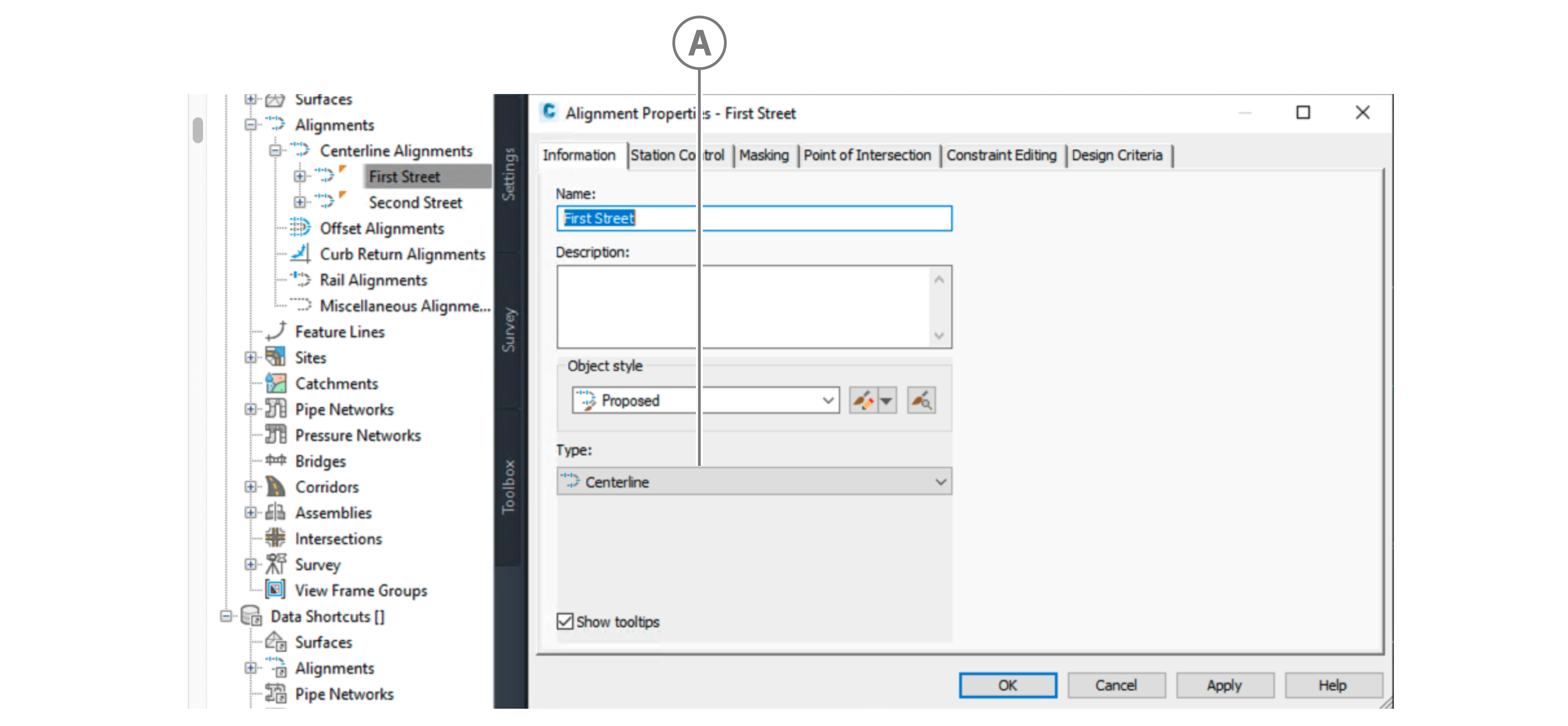
| Callout | Description |
|---|---|
| A | Alignment type |
- Station reference points: On the Station Control tab, in the Reference point area, in the X and Y fields, enter X and Y values.
- Station information: On the Station Control tab, in the Station information area, in the Start, End, and Length fields, enter Start, End, and Length values.
Figure: Reference point and station information
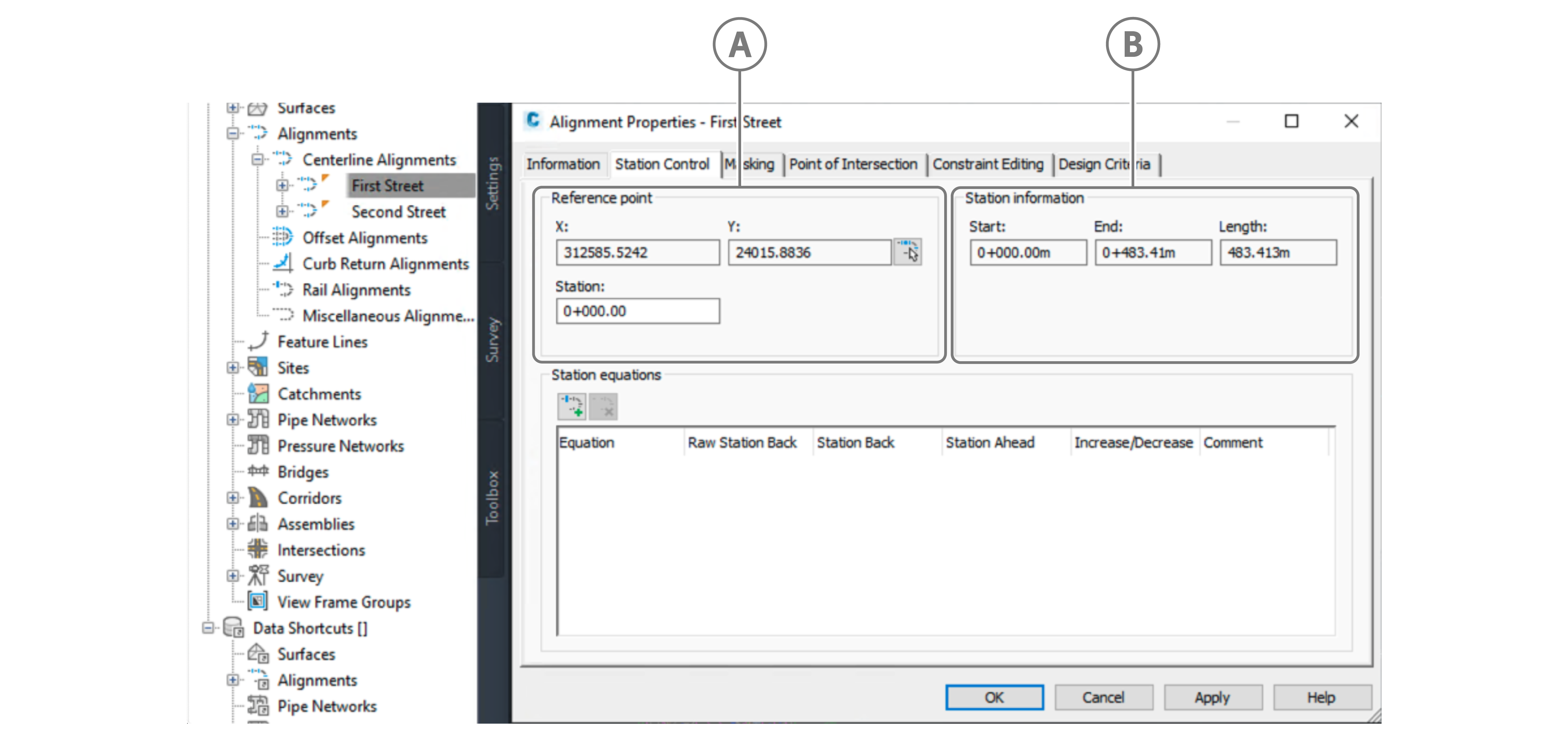
| Callout | Description |
|---|---|
| A | Reference point data |
| B | Station information data |