Export considerations
Drawing units#
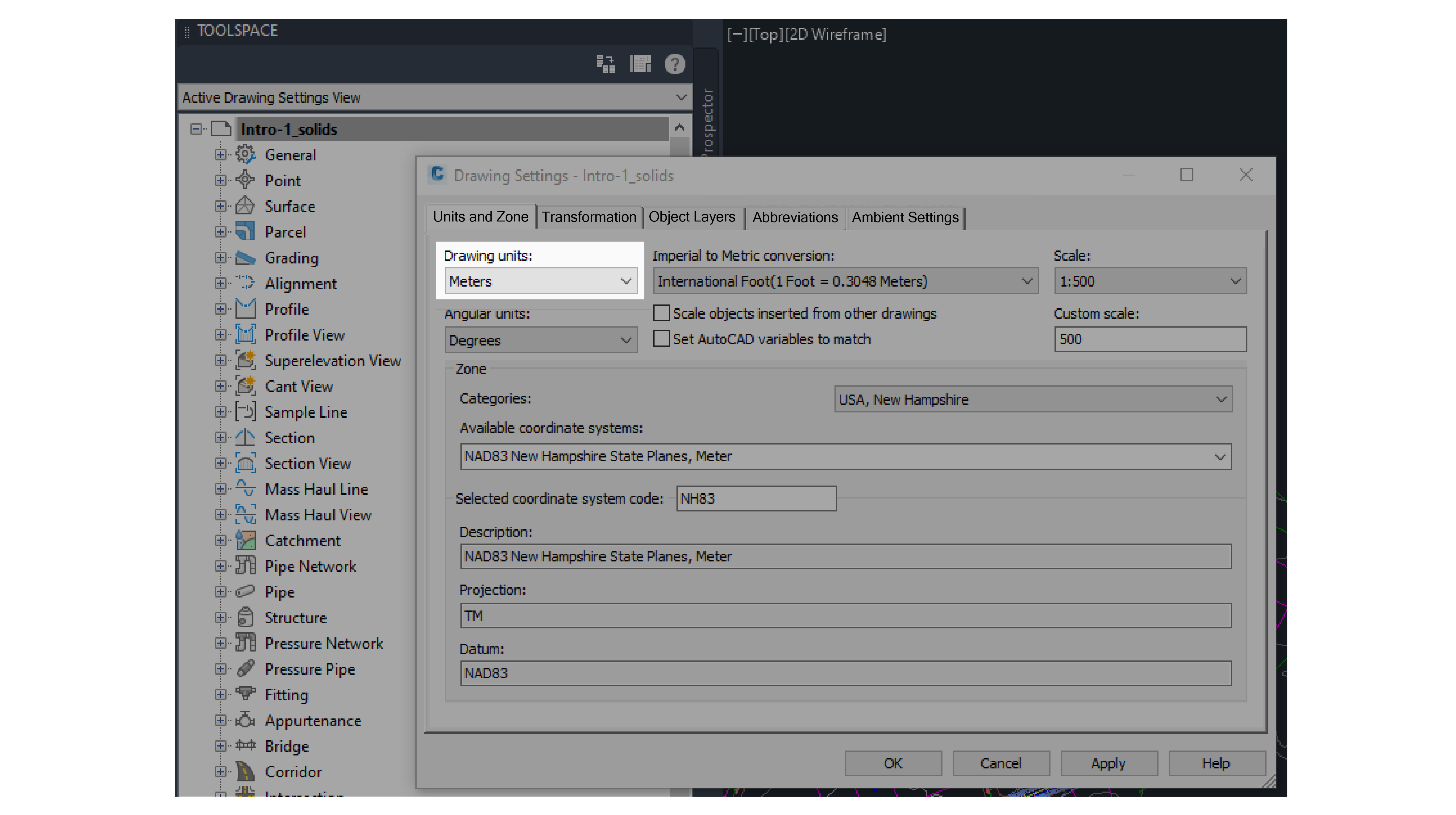
The plug-in reads the Unit and Zone tab settings in CivilDocument.Settings and uses it for the HOOPs file's units.
In the Drawing Settings dialog box, from the Drawing units dropdown, select Meters or Feet.
Figure: Drawing units in Drawing Settings window
Visibility#
The following components export or do not export, depending on their visibility:
- Civil3D entities: Visible and invisible Civil3D entities in the Model Space export
- Alignment: Does not export if the alignment is on an invisible layer
- AutoCAD entities: Do not export if they are hidden or on an invisible layer
Initial camera view#
When you export, the plug-in adjusts the model display to fit the window so that entire model displays in the platform viewer.
Zoom level#
The initial camera position in HOOPs file is your current view's camera position in Civil3D.
Civil3D entities export with the following behaviour:
- The Hex value for the ACAD Handle becomes the entity's sourceId
- As Civil3D has no Type concept, the plug-in exports a Dummy Type for each Civil3D class, for example, all Alignments belong to one Type.
- Each Dummy Type exports with a C3D_CLASS property that classifies C3D entities with values such as 'Tin Surface', ‘Alignment’, ‘Corridor’, and ‘Pipe’.
- Exports basic properties from the Object Project Manager that are useful to the user in the following format:
- Information: Name
- Information: Description
- Information: Style
- Exports PROPERTY SETS data from the Extended Data tab on the PROPERTIES pane.
Figure: PROPERTY SETS data from the Extended Data tab on the PROPERTIES pane
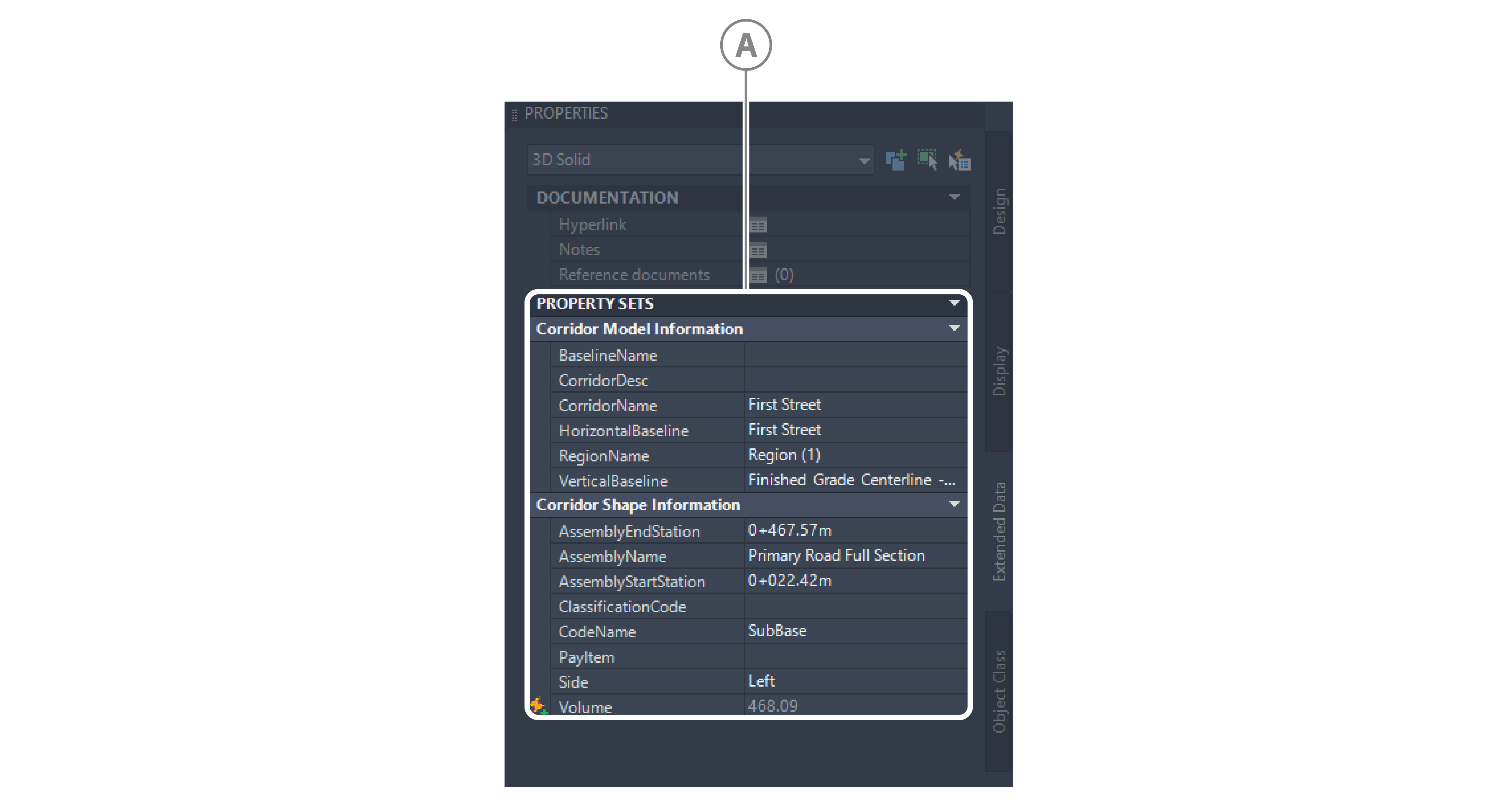
| Callout | Description |
|---|---|
| A | Corridor model and shape information property sets |
Unsupported entities and layouts#
The following entities and layouts are not supported:
- Entities:
- Point
- Point Group
- Feature Lines
- Profile
- Assembly & Subassembly
- Layouts:
- Paper layout export
Considerations for supported entities#
For more information on how the following supported entities export, see the following topics: