Parcel
Parcel#
The plug-in exports parcel boundaries if they are polyline, and their color is set to transparent. The plug-in also exports the parcel label.
Figure: Parcel boundary and label
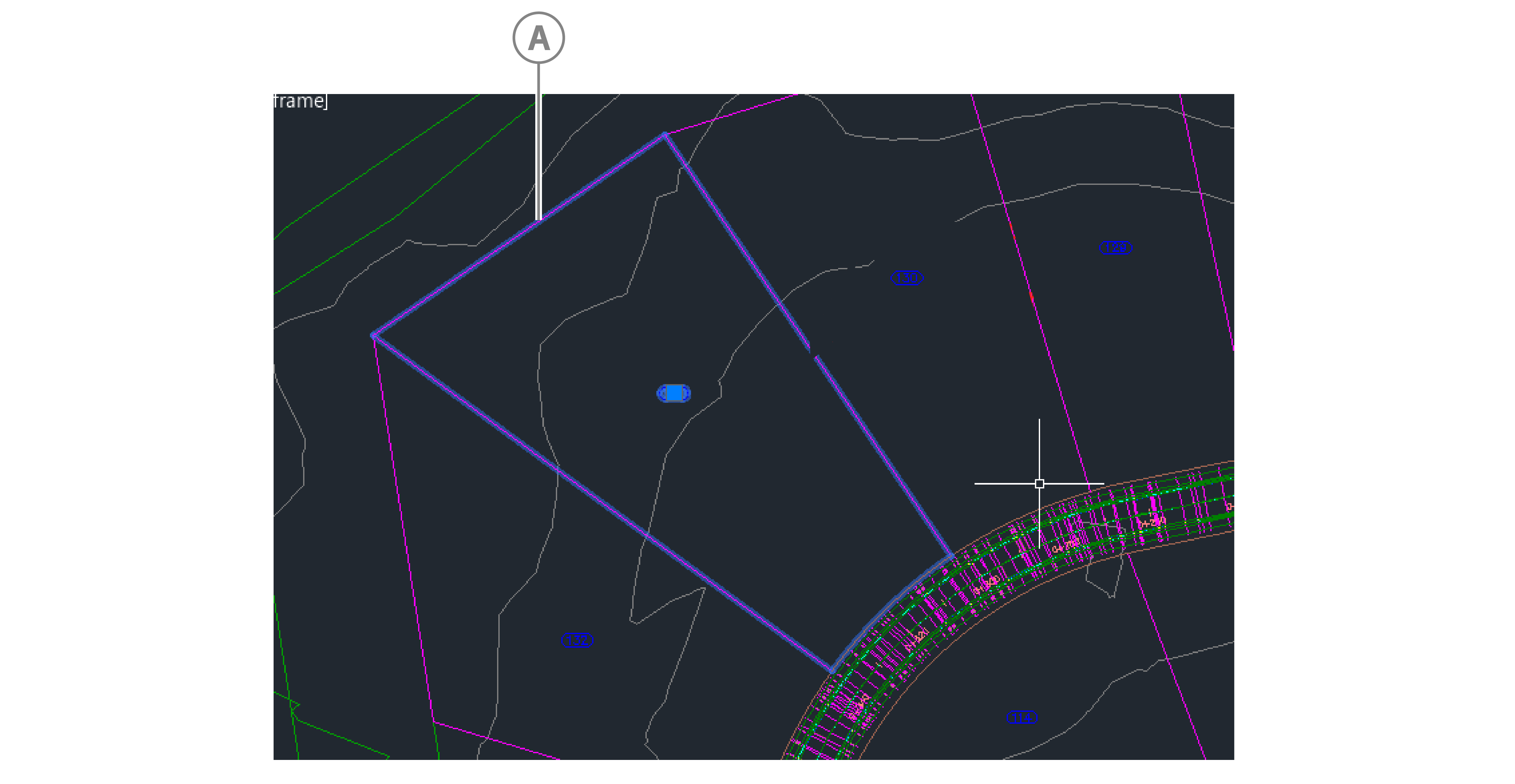
| Callout | Description |
|---|---|
| A | Parcel with boundary |
The plug-in also exports the following data in the PROPERTIES pane when you select Parcel from the drop-down:
- Data:
- Parcel Number
- Parcel Area
- Parcel Site Name
- Parcel Perimeter
- Parcel Address
- Parcel Tax ID
Figure: Export data properties
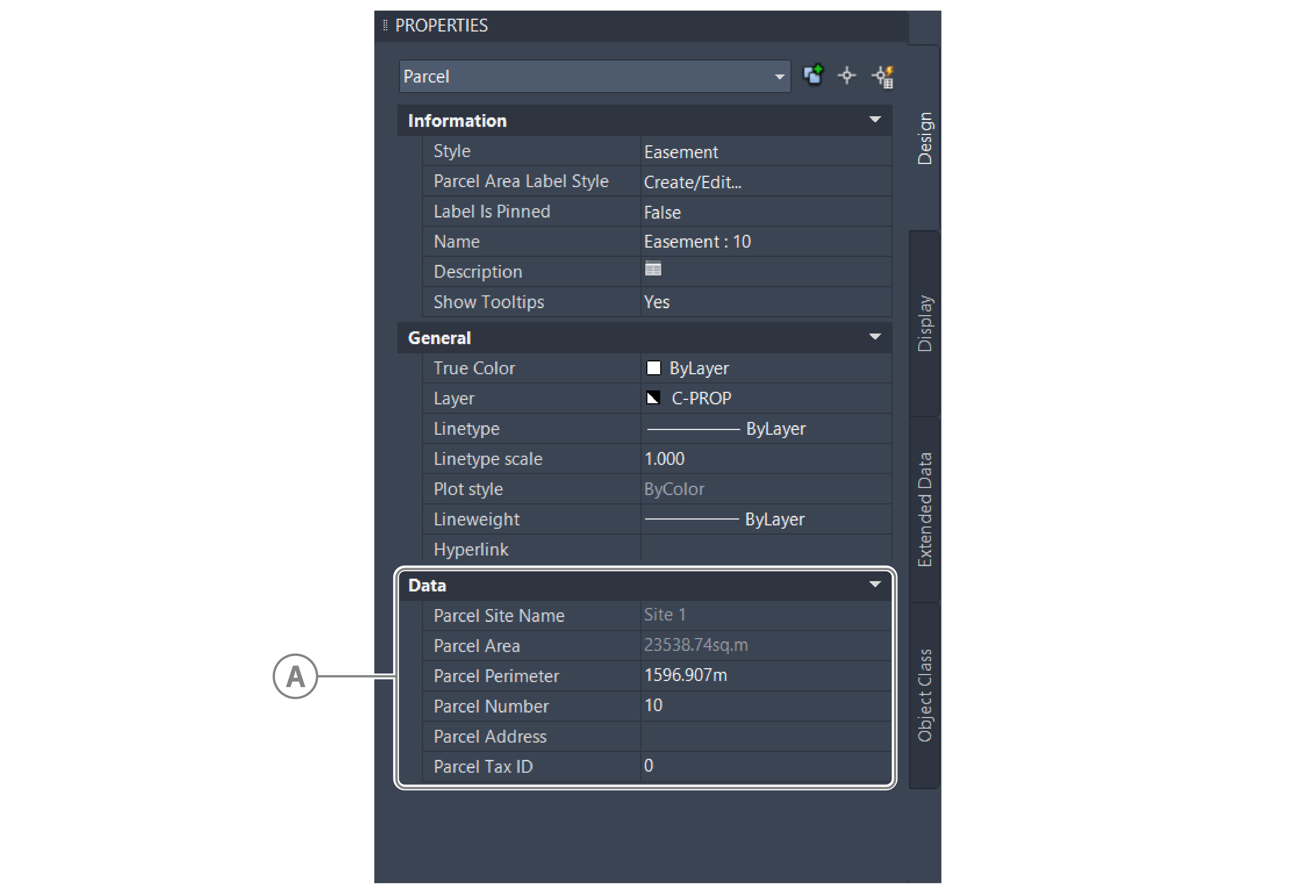
| Callout | Description |
|---|---|
| A | User Defined Properties tab |
You can also define your own classification properties and values. To do this, in the Parcel Properties window, on the User Defined Properties tab, enter the properties and values in the Property Name and Property Value columns.
Figure: Parcel properties window
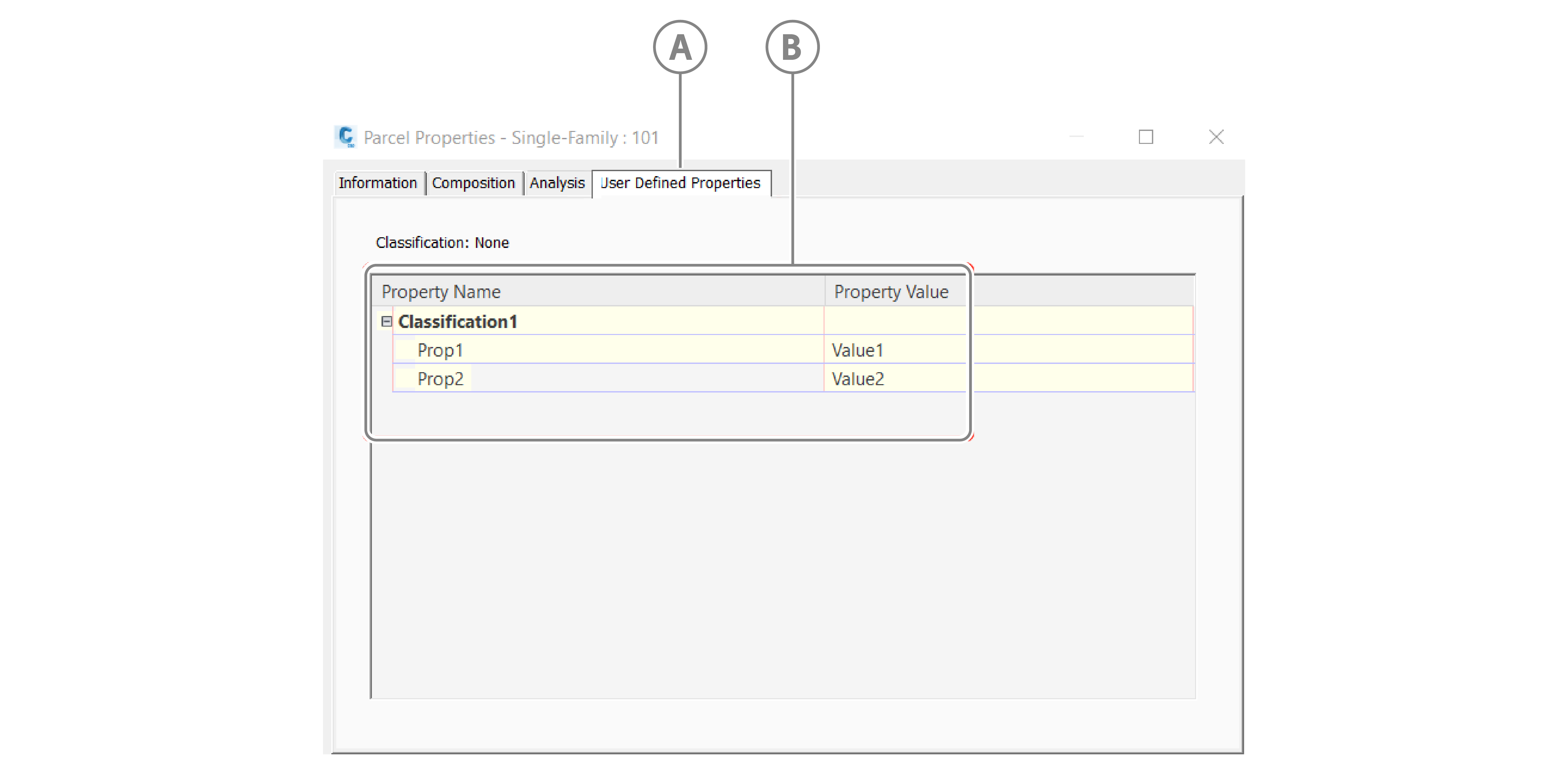
| Callout | Description |
|---|---|
| A | User Defined Properties tab |
| B | Classification property names and values |