Pressure Network
Pressure Network, Pressure Pipes and Fittings#
While a Pressure Network itself has no geometry, the pipes and the structures do have 3D Solid geometry. If a pipe or structure has any labels, they export as expected. When the plug-in exports the model to a HOOPs file, the Pressure Network is the parent node of Pipes and Structures so that entire Pipe network can be selected and highlighted.
You can select the output color of pipes and structures. To set a color, do the following:
In the Pressure Pipe Style window, on the Display tab, from the View Direction drop-down, select Model.
In the Component display table, in the Color column, click the color picker.
Select the color you want for the pipes and structures. Note: If you select the color as white, the plug-in will export the default color, blue, for visibility.
Figure: Pressure Pipe Style
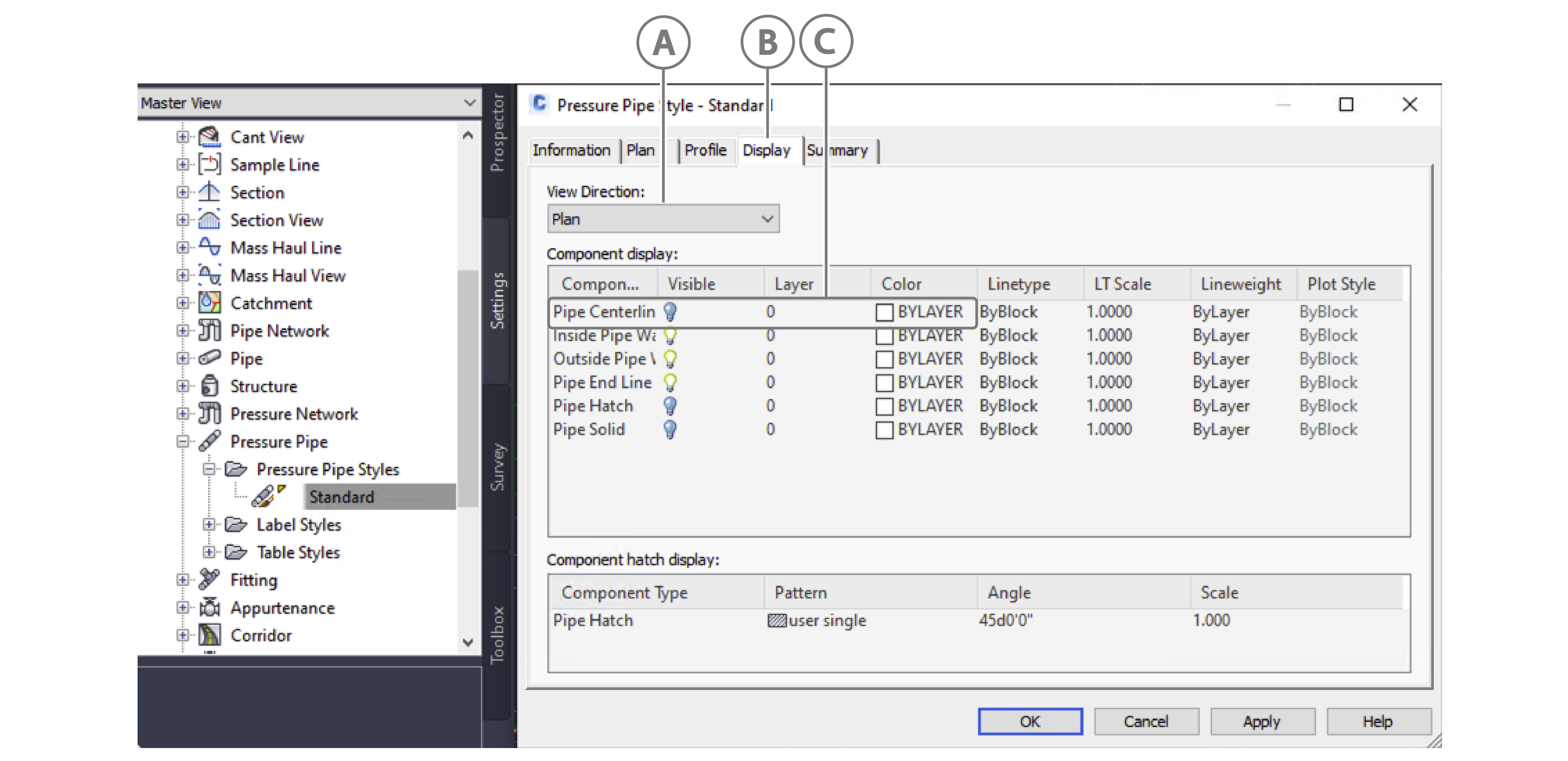
| Callout | Description |
|---|---|
| A | Model selected in View Direction drop-down |
| B | Pipe export colour |
| C | Display tab |
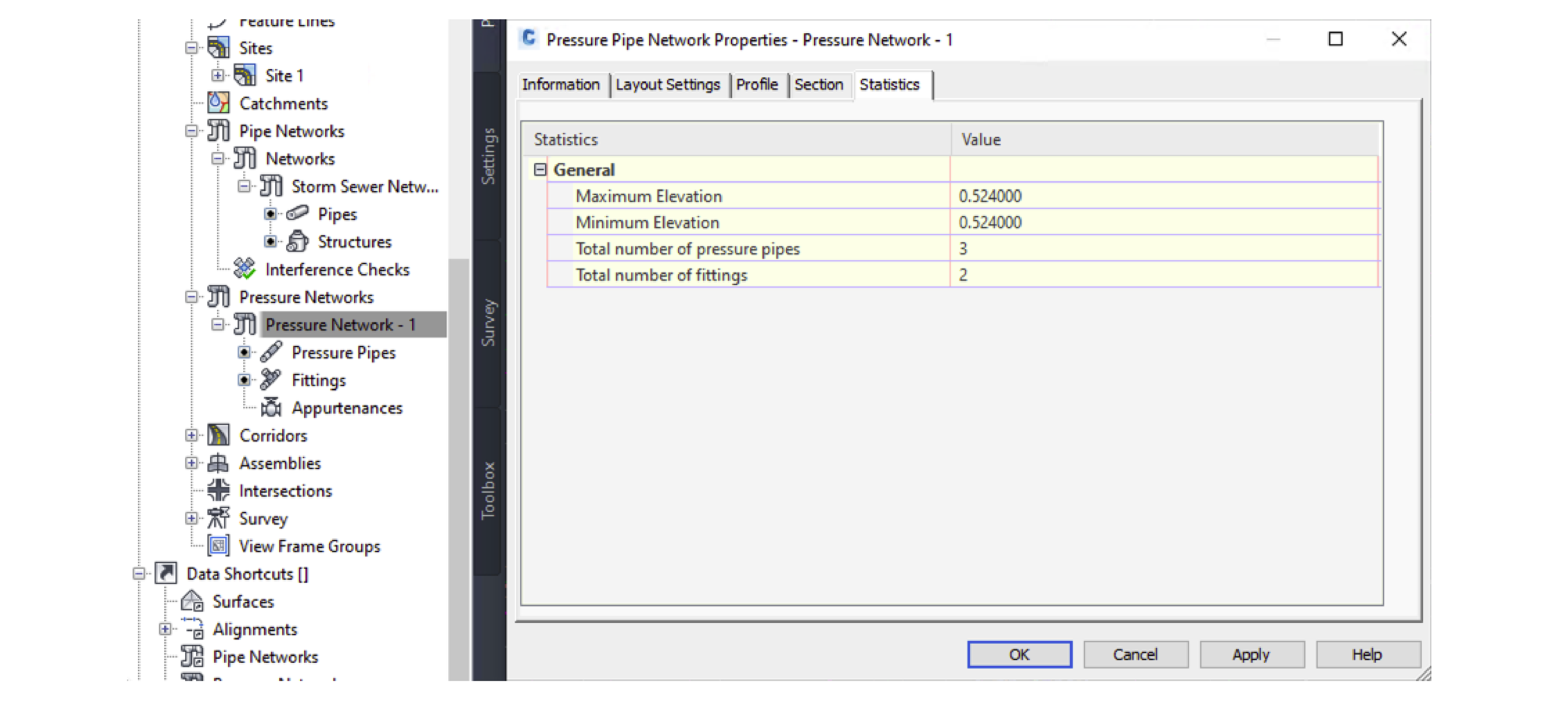
The plug-in also exports the following data in the Pressure Pipe Network Properties - Pressure Network window, on the Statistics tab:
- General
- Total number of pressure pipes
- Total number of fittings
- Maximum Elevation
- Minimum Elevation
Figure: Statistics tab in the Pressure Pipe Network Properties window
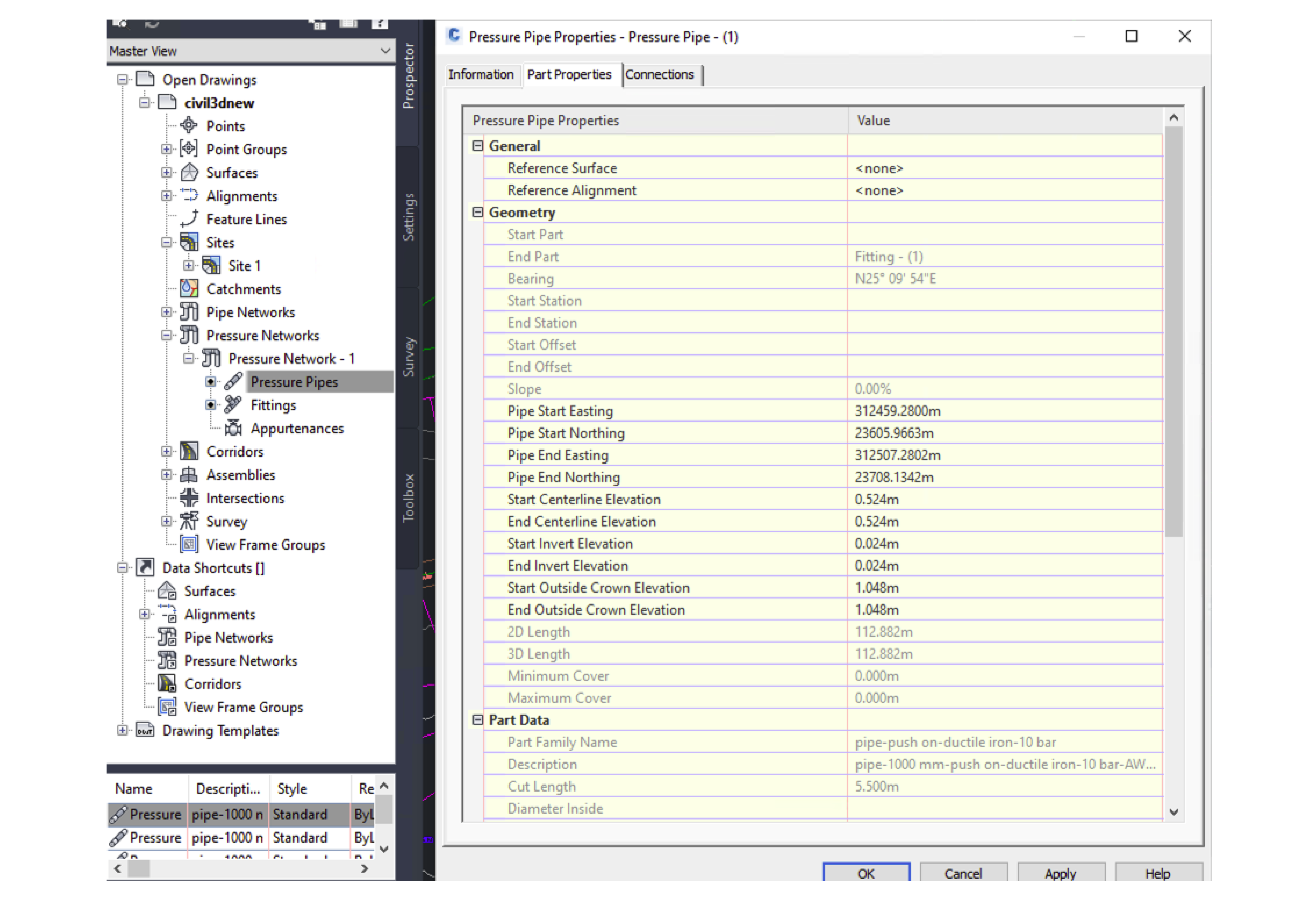
The plug-in also exports the following data in the Pressure Pipe Properties window, on the Part Properties tab:
- General
- Reference Surface: Only exports if it exists
- Reference Alignment: Only exports if it exists
- Geometry
- Start Part: Only exports if it exists
- End Part: Only exports if it exists
- Bearing: The exported value is of type double
- Start Station: Only exports if you export reference alignment
- End Station: Only exports if you export reference alignment
- Start Offset: Only exports if you export reference alignment
- End Offset: Only exports if you export reference alignment
- Slope
- Minimum Cover
- Maximum Cover
- Part Data
- Part Family Name
- Start Centerline Elevation
- End Centerline Elevation
- 2D Length
- 3D Length
- Part Description
Figure: Pressure Pipe Network Properties
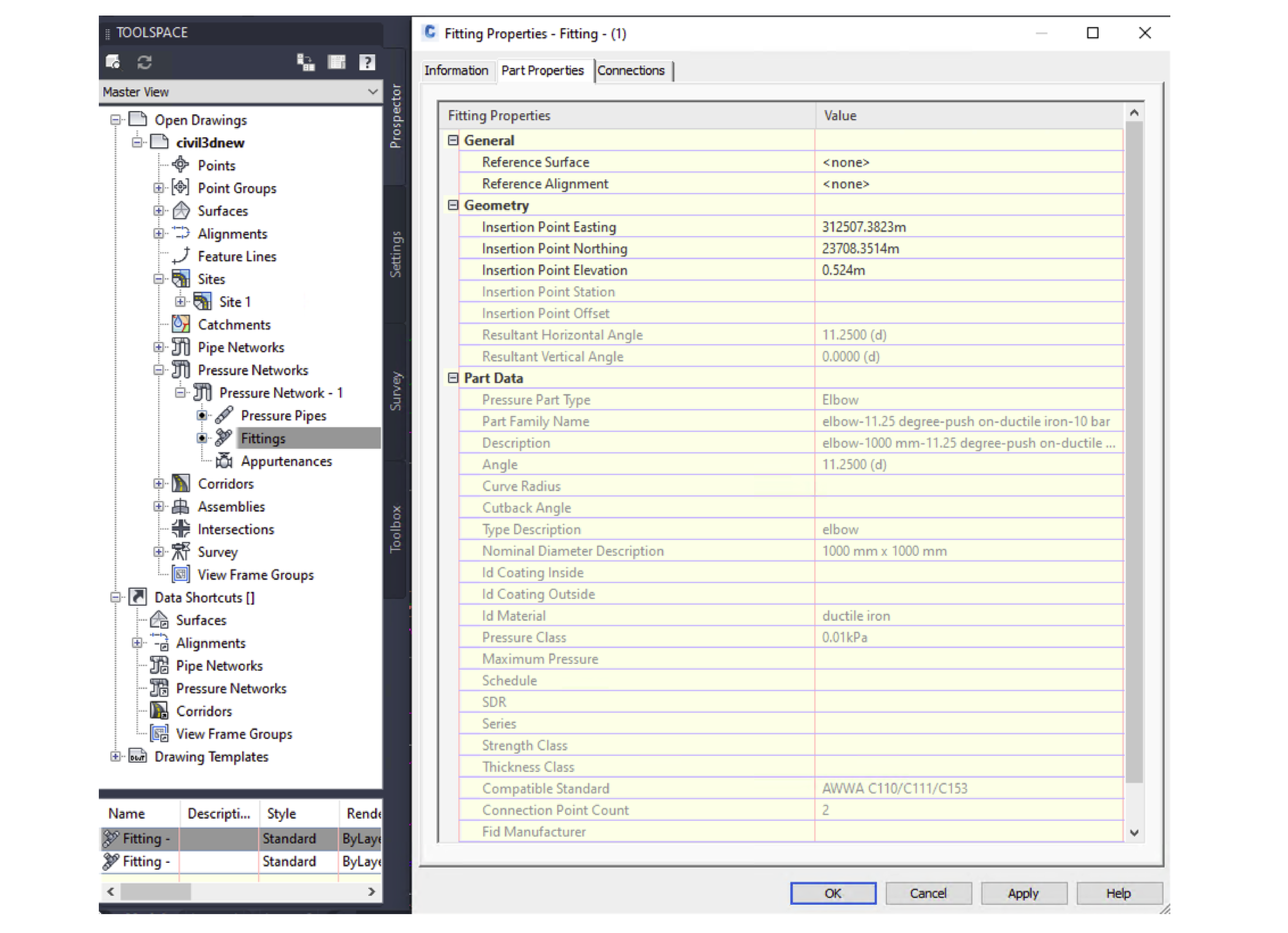
The plug-in also exports the following data in the Fitting Properties - Fitting window, on the Part Properties tab:
- General
- Reference Surface: Only exports if it exists
- Reference Alignment: Only exports if it exists
- Geometry
- Insertion Point Station: Only exports if you export reference alignment
- Insertion Point Offset: Only exports if you export reference alignment
- Resultant Horizontal Angle
- Resultant Vertical Angle
- Part Data
- Pressure Part Type
- Part Family Name
- Part Description
Figure: Part Properties tab in the Fitting Properties