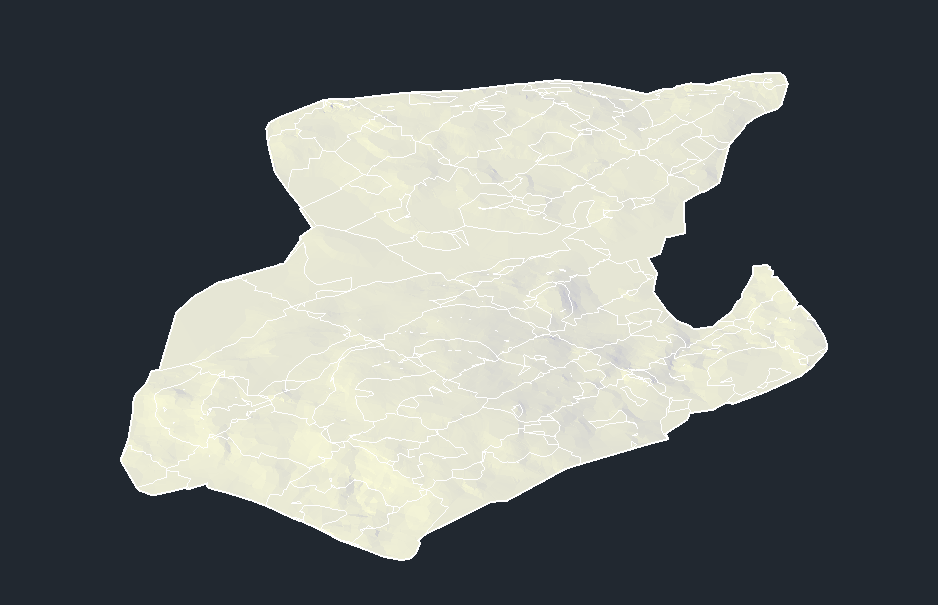
Tin-Surface
Tin-Surface#
Tin-Surface geometry exports as mesh.
Figure: Tin surface
The plug-in outputs according to the following properties in the Surface Style window:
Color: On the Display tab, from the View Direction drop-down, select Model. In the Component display table, find the Triangles row. In the Color column, click the color picker.
Note: If color value is white, plugin will use default color, peru(RGB 205, 133, 63).
Figure: Tin surface color export
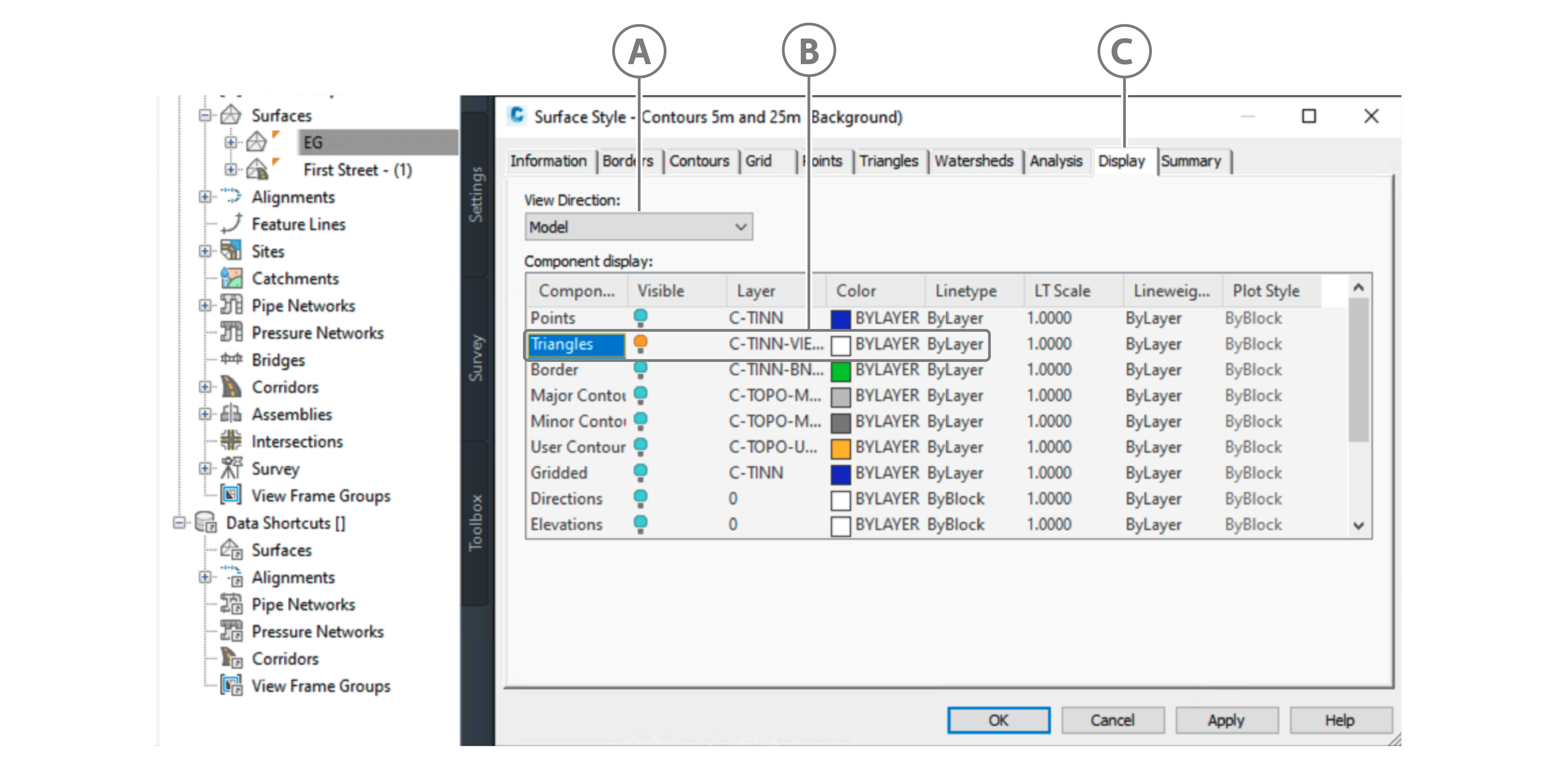
Callout Description A Model in View Direction drop-down B Color used for alignment in export C Display tab
The plug-in outputs according to the following properties in the Surface Properties window:
On the Information tab, in the Default styles area, from the Surface style dropdown, select an option that is not _No Display - this option makes the surface invisible.
Figure: No Display for Surface Style
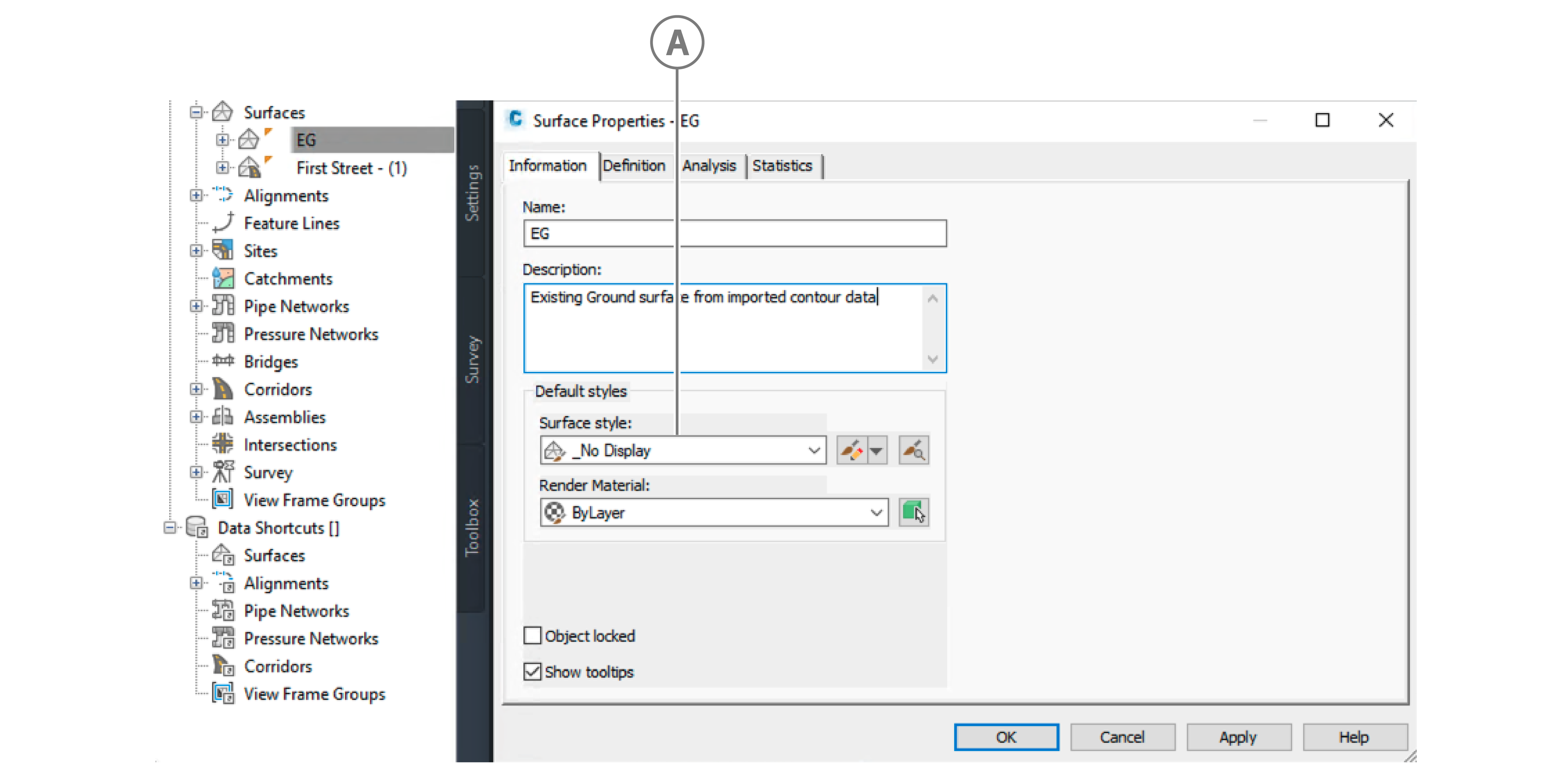
Callout Description A No Display selected for the Surface style drop-down On the Definition tab, in the Operation Type area, disable Surface from Corridor. If the Tin-Surface is a Corridor Surface, the plug-in does not export it.
Figure: Surface from Corridor Operation Type
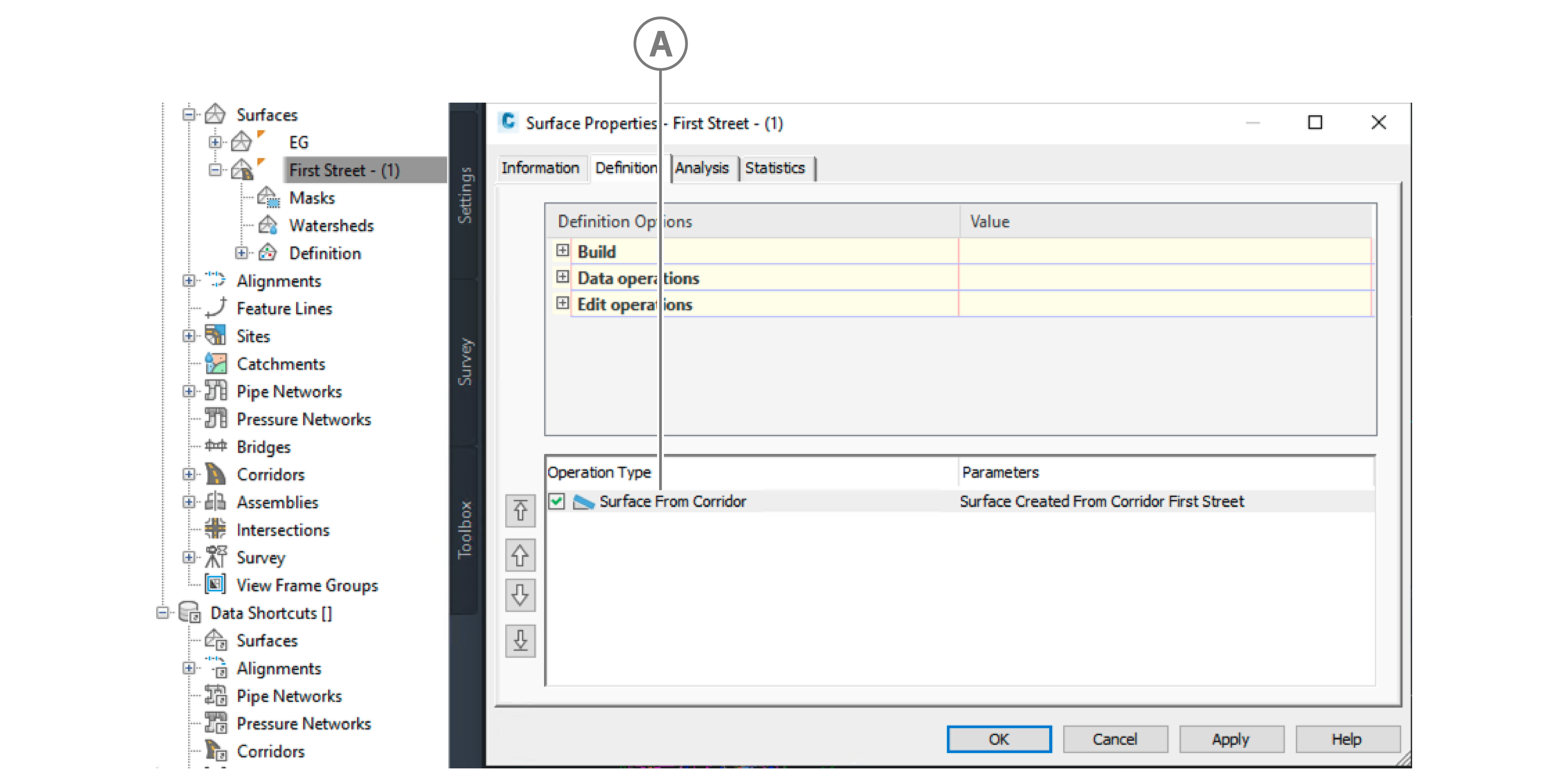
Callout Description A Surface From Corridor checkbox
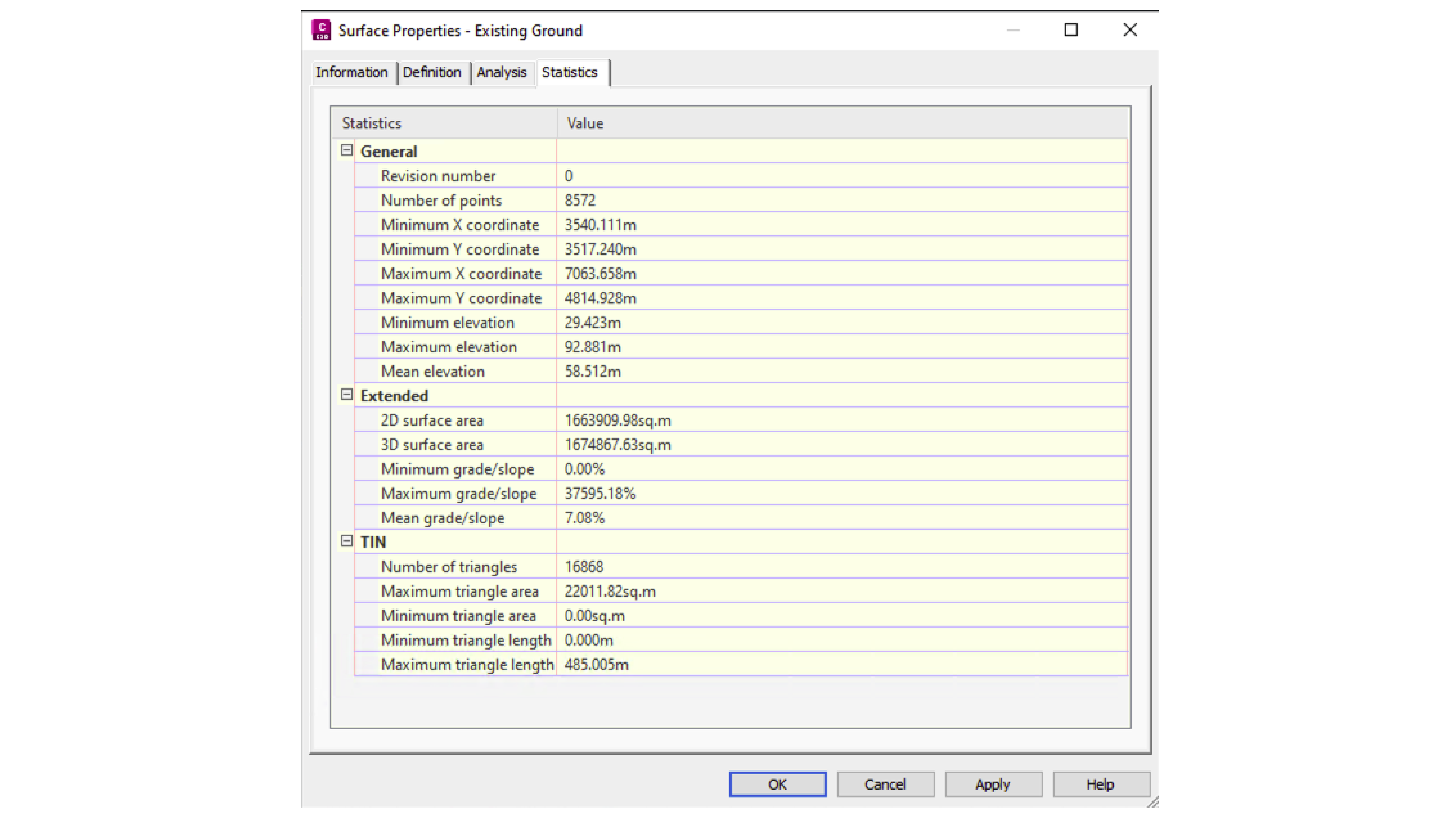
The plug-in also takes the following values in the Statistics tab:
Figure: Statistics tab in the Surface Properties window