Publishing telemetry data
When the user clicks the PUBLISH DATA button, readings are actively published from the telemetry device.
To enable the active publication of telemetry data from telemetry devices, create an orchestrator to manage the communication and data flow using ActiveMQ.
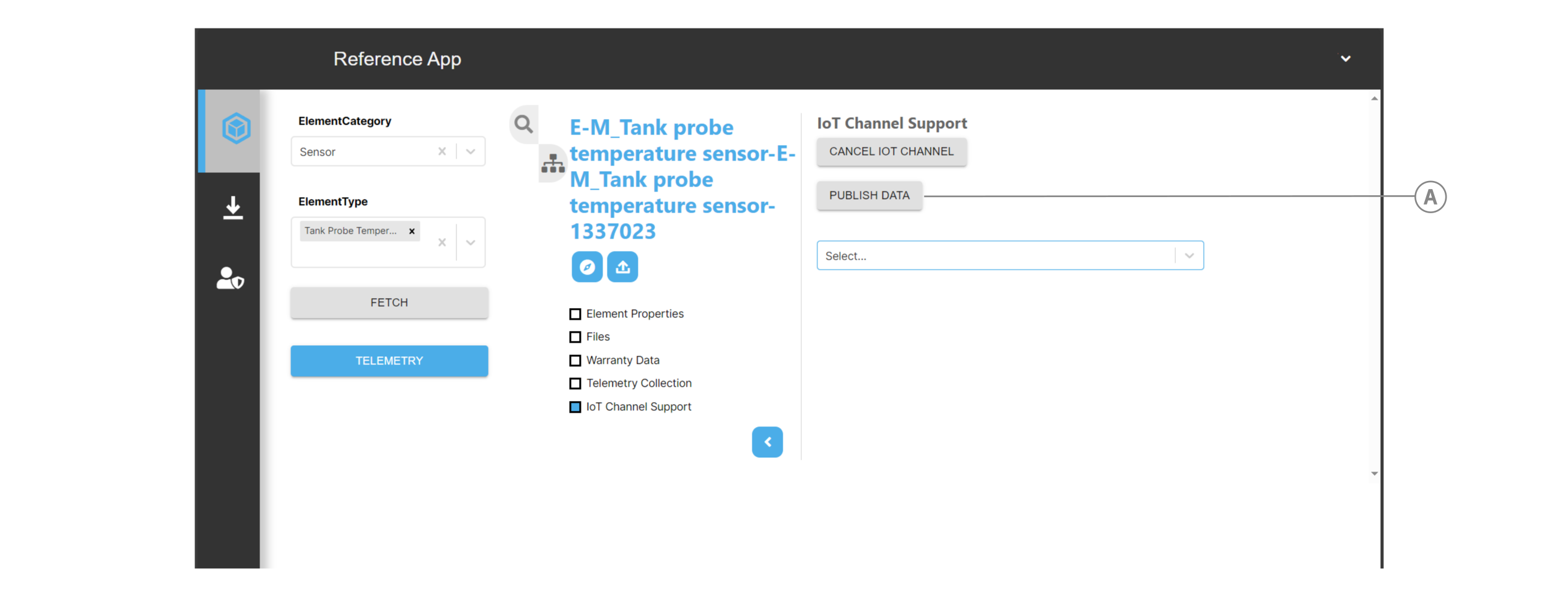
| Callout | UI element |
|---|---|
| A | PUBLISH DATA button |
Creating an orchestrator#
The following instant orchestrator in TelemetryChannel.jsx uses two steps to manage the data from ActiveMQ.
To create readings, the first task uses the IotSensorData script from scripts\NextScriptEngine\scripts\js\orchestrator.js with the target component default_script_target. Each button click instantly creates 10 new readings and stores them in the telemetry collection.
The second task uses the activemq_target target component to publish the readings to an ActiveMQ topic.
// defining the orchestratorlet IotOrchestrator = await IafScriptEngine.addDatasource({ _name: "ActiveMQ Publish Message", _description: "ActiveMQ Publish Message", _namespaces: _namespaces, _userType: "activemq_publish", _instant: true, _params: { tasks: [ { name: "default_script_target", //target component name _sequenceno: 1, TelemetryCollectionId: telCollections._id, sensorId: "e3e052f9-0156-11d5-9301-0000863f27ad-00000131", _actualparams: { userType: "orchestrator", _scriptName: "IotSensorData", //script function }, }, { name: "activemq_target", _sequenceno: 2, _actualparams: { activemq: { // Add active mq values }, topic: "VirtualTopic/" + _namespaces } } ] }});... let req = { orchestratorId: orchList[orch].id, }; //runs orchestrator let IotOrchestratorRun = await IafScriptEngine.runDatasource(req, ctx);
Constructing readings#
The first orchestrator task in Creating an orchestrator references the script IotSensorData in scripts\NextScriptEngine\scripts\js\orchestrator.js. This script constructs 10 dummy readings and is executed each time the orchestrator runs:
async IotSensorData() {  const numberOfReadings = 10;  const readings = {    "from": "BLE",    "mac": "30:ae:7b:e1:f5:28",    "to": "GATEWAY",    "time": 1689584797,    "deviceCode": "01012354-ad7d-4a0a-91db-a08435b7c9e3",    "type": "reportAttribute",    "data": {      "value": {        "device_list": []      },      "attribute": "mod.device_list",      "mac": "30:ae:7b:e1:f5:28"    },    "count": 1,    "name": "kafka-telemetry-1_sXrwGTdXah_timeseries",    "id": "1-1",    "csv": "execution7.csv"  };
  for (let i = 0; i < numberOfReadings; i++) {    readings.data.value.device_list.push({      "data": "0201061AFF5B07050305730073005E27D80085018E04AA023A079B0C000011079ECADC240EE5A9E093F3A3B50100406E09094869626F75414952",      "modelstr": "HibouAIRe",      "scan_rssi": -51,      "Board_id": "e3e052f9-0156-11d5-9301-0000863f27ad-00000131",      "ble_addr": "E8:E5:ED:BE:5E:D9",      "addr_type": 1,      "scan_time": 1684043612,      "CO2": 300 + Math.random() * 200,      "HibouType": "PM",      "dev_name": "HibouAIR",      "ALS": Math.floor(100 + Math.random() * 101),      "PM1.0": (50 + Math.random() * 20).toFixed(3),      "PM2.5": (150 + Math.random() * 50).toFixed(3),      "Pressure": (1007 + Math.random()).toFixed(3),      "PM10": (300 + Math.random() * 50).toFixed(3),      "Temperature": (20 + Math.random() * 2).toFixed(3),      "Humidity": (35 + Math.random() * 5).toFixed(3),      "VOC": Math.floor(1000 + Math.random() * 201),      "connectable": 1    });  }
  return { "message": readings };}