Asset Intelligence
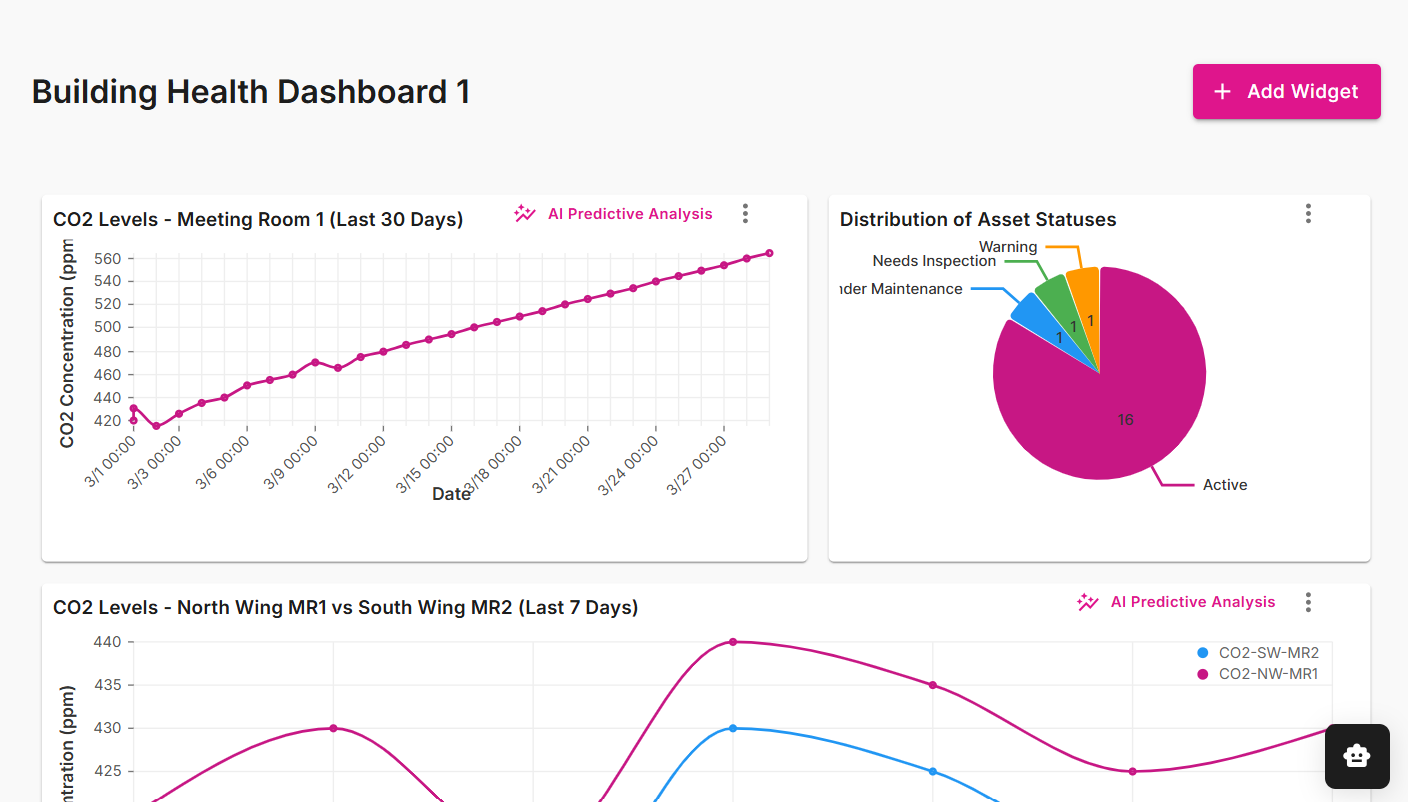
Asset Intelligence is a Twinit application template for facilities and asset teams that need more than model viewing alone. Built on the Quick Model View pipeline (manager project, Project Maker, child projects, CAD import, and optional Mapbox), it adds live or seeded BMS telemetry, an AI-assisted dashboard where operators describe the insight they want and get chart widgets on a saved, drag-and-resize grid—including predictive series that compare projected vs. actual readings—and a floating Twinit AI assistant for ad-hoc questions. When something goes wrong, alerts, an interactive knowledge graph (equipment, sensors, rules, and linked alerts), and ticketing take you from “what happened?” to “what else is affected?” and a trackable work item—so digital twins stay useful for day-to-day operations, not just design review.
The template ships a React web client, deployable template package, demo seed scripts, and Twinit AI agent/team setup so you can stand up manager and child projects with Admin/Viewer groups, model import, and the Asset Intelligence experience out of the box—then customize branding, theme, and which handlers (viewer, Mapbox, seed data) you enable.
Note: Asset Intelligence requires a valid Twinit account and the ability to run or host an ipa-core React web client. Completing the Self-Led Developer training, including the React UI courses, on Twinit Academy is recommended before you implement this template.
Learn more about the Asset Intelligence Template on GitHub