API Keys
Overview#
This page describes the process of obtaining API keys.
API keys are an authentication method which allow direct access to the API without having to first obtain an OAuth2 access token. API keys are not used to generate access tokens but they can be passed directly to any back-end service endpoint which does accept access tokens.
About API keys#
When using API keys, keep in the mind the following considerations:
API keys are comprised of an API key ID and a secret (not an Access Key and Secret Key)
Multiple API keys can be created. Creating another API key doesn’t revoke other keys like user access keys do.
API keys are restricted to a particular namespace. The namespace can be any organization, application, workspace or user group namespace. Users of the API key have access only to resources within the particular namespace.
Multiple API keys for the same namespace can be created. In fact, this is encouraged. API keys are intended to be used with third party services. If you want to give API keys to two different services, then it is recommended that you generate two different API keys and and give one to each service. Using that approach, if you want to revoke access to one of the services and not the other, you can simply revoke the API key given to a particular service and no other services will be affected.
API keys can be created with an expiry date. If so, the API key will become invalid at the date and time specified. The expiry date-time cannot be modified once the API key is created.
API keys can be revoked at any time, preventing any further use. API keys can be revoked whether or not they have an expiry date set.
A platform application is not required (like user access keys), but access to at least one namespace is required.
Obtaining API keys#
To obtain your API keys, do the following:
You need to first access your user profile page. Go directly to the user profile page using this link: .
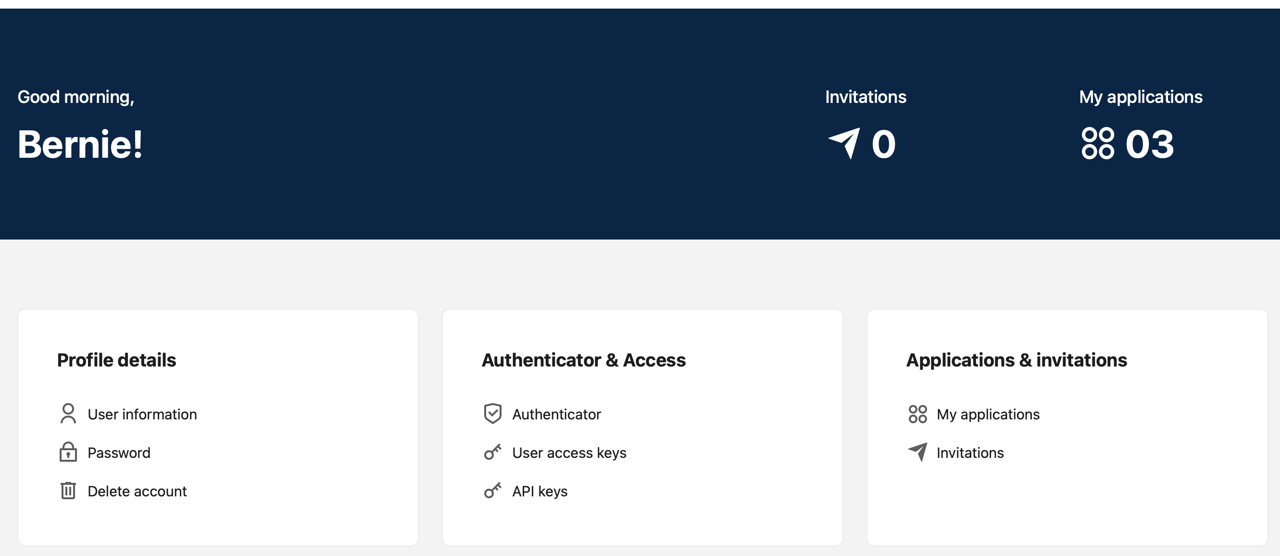
In the Authenticator & Access panel, click API keys which will take you to the Account setting page.
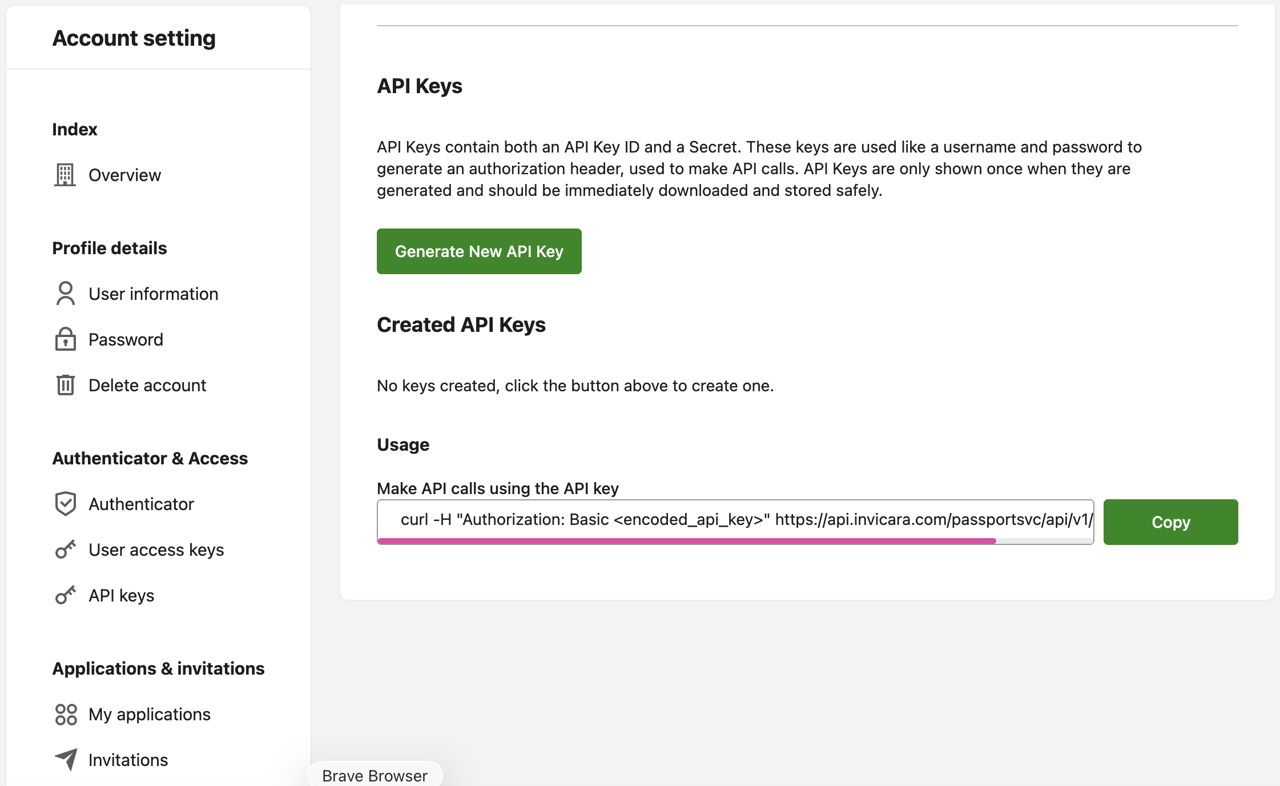
On the Account setting page, in the API Keys pane, click the button Generate New API Key. Note that previously created API keys will not be revoked.
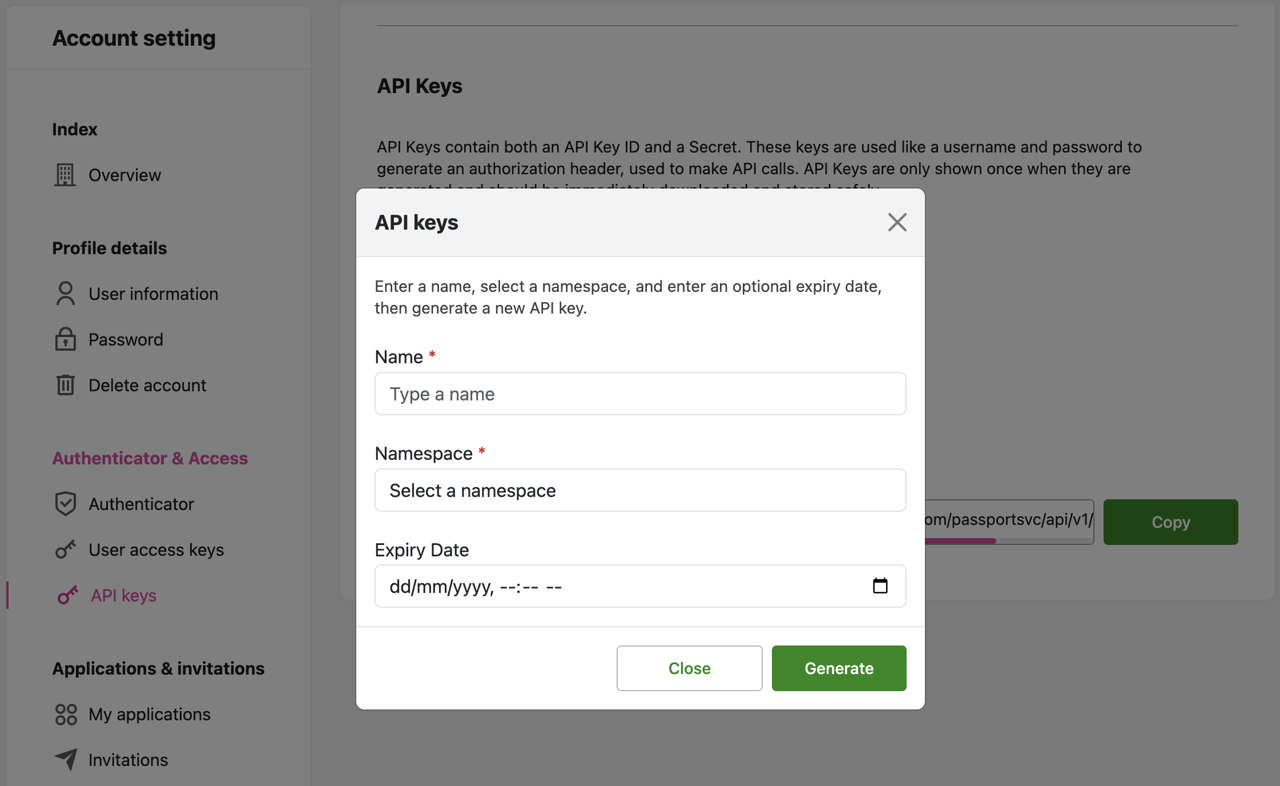
In the API keys dialog box, enter information in the Name field. In the Namespace box, select a namespace from the drop-down list. If an expiry date is required, enter that information in the Expiry Date box. When done, click Generate to produce the new API keys.
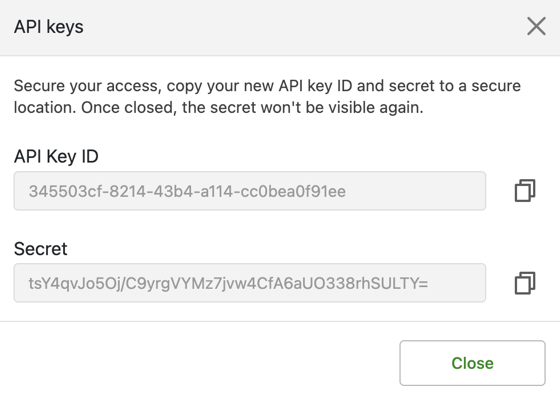
The newly generated API keys will now be displayed, listed in the API Key ID and Secret fields. Copy this information and store in a safe place.
Additional notes on API keys#
Points to consider#
API keys will only have the same level of access as the user who created the API keys. This level of access applies to the namespace for which the API key was created.
Note: Namespaces are not nested or hierarchical. For example, granting access to an application namespace does not grant access to workspace namespaces, even though the workspace is within the application.
Some Passport Service resources behave differently. The special rules for them are listed below.
In all cases, an API key’s authorization does not exceed that of the user that created the API key. For example, if you create an API key using an application namespace, it is not permitted to update a workspace if you do not have EDIT permission for that workspace.
Passport Service resources- special rules#
Workspace Namespace API Keys#
Note the following:
GET /v1/workspacesreturns only the workspace of the namespace of the API key.GET /v1/appsreturns only the application of the workspace of the namespace of the API key.GET /v1/organizationsreturns only the organization of the application of the workspace of the namespace of the API key.
User Group Namespace API Keys#
Note the following:
GET /v1/usergroups returns only the user group of the namespace of the API key.
Application User Group Namespace API Keys#
Note the following:
GET /v1/appsreturns only the application of the user group of the namespace of the API key.GET /v1/organizationsreturns only the organization of the application of the user group of the namespace of the API key.
Organization User Group Namespace API Keys#
Note the following:
GET /v1/organizations returns only the organization of the user group of the namespace of the API key.
Application Namespace API Keys#
Note the following:
GET /v1/appsreturns only the application of the namespace of the API key.GET /v1/organizationsreturns only the organization of the application of the namespace of the API key.CRUDoperations are allowed on all workspaces and application user groups within the application of the namespace of the API key.