NamedFileCollection
A NamedFileCollection is a type of NamedUserCollection: it inherits all its characteristics but instead of RelatedItems, it contains FileItems.
For an example of a NamedFileCollection definition, see the following example code:
{ _itemClass: "NamedFileCollection", // Enter NamedFileCollection _name: "Named File Collection Example", _userType: "example_named_file_col", // A short custom name to describe the collection}NamedFileCollection, FileItems, and relationships#
You can relate RelatedItems, such as building model elements, to source files, such as warranty documents, by way of FileItems, which can represent the source file in the Item Service and serve as a reference bridge to the actual file in the File Service.
You can add your own properties and values to FileItems to provide metadata, tags, and custom attributes to a file.
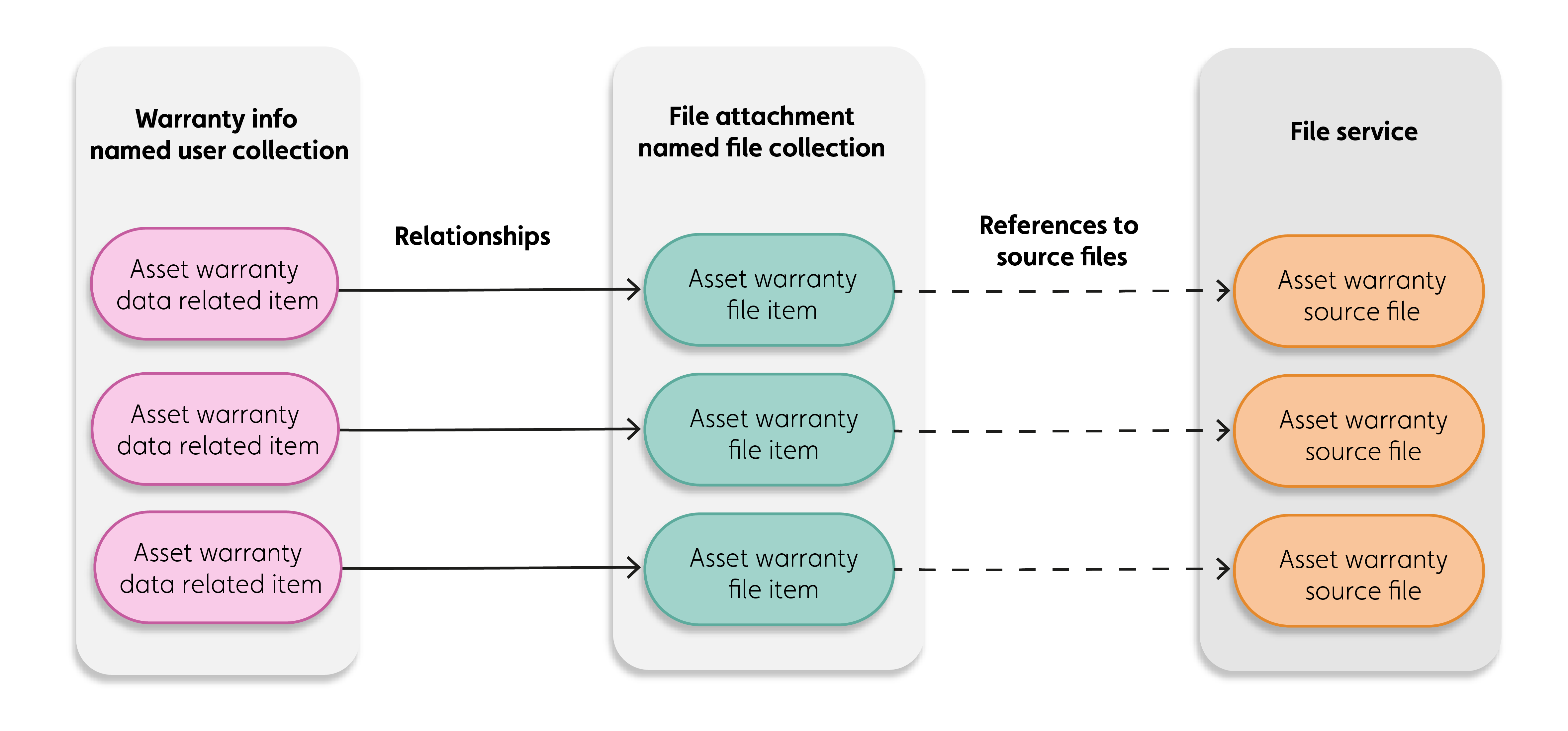
As an example, consider how the warranty information of building assets is stored and represented on the platform:
- The source warranty document file is stored in the File Service
- FileItems in the ‘File Attachments’ NamedFileCollection represent source files and contain references to them.
- The warranty data for every asset is stored as separate RelatedItems in a ‘Warranty Information’ NamedUserCollection.
- The warranty data RelatedItems are related to the warranty FileItems with relationships.
The following diagram shows this data representation:
Figure: File representation on the platform
Schema#
For more information on the NamedFileCollection type and its properties, see the NamedFileCollection schema.
API#
You can create and manage NamedFileCollections with the IafItemSvc JavaScript Platform API or the Item Service REST API.