Multi-model support
The Reference App supports the ability to upload and load more than one model.
Enable with project setup#
When you create a new project, enable multi-model support with one of the following options:
A. For a user-interface project setup, enable the Multi-model support checkbox. This uploads two pre-set models:
Figure: Enable multi-support checkbox
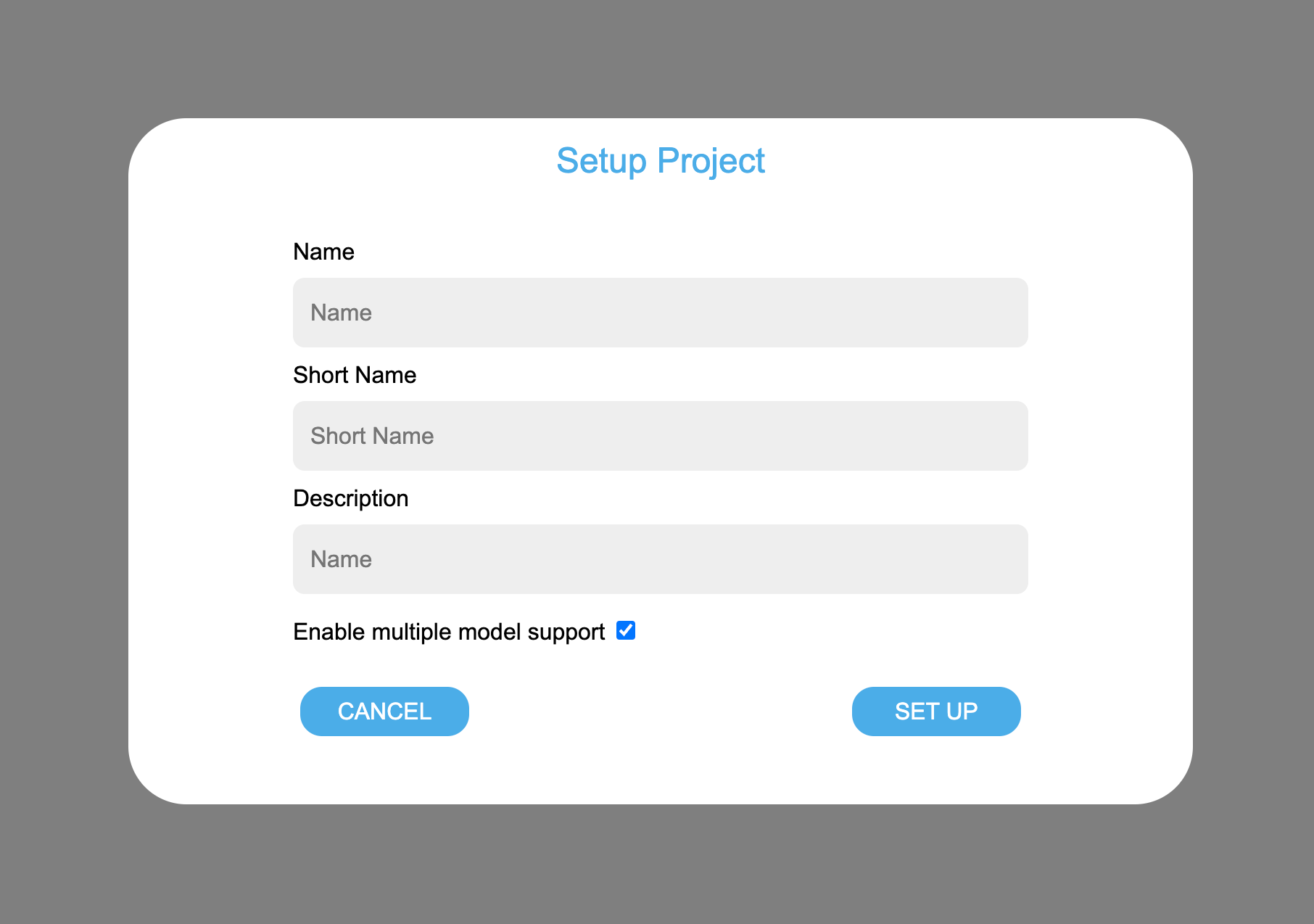
B. For a manual VS Code Extension project setup, when prompted to select a bimpk file, select up to 5 bimpk files from your local file system.
Changing models#
Change models from the Models pane, either on the Model Elements page or the Model Navigator drawer.
From the models selector, select the model, then click CHANGE MODELS.
Figure: Models pane and selector in Model Elements page
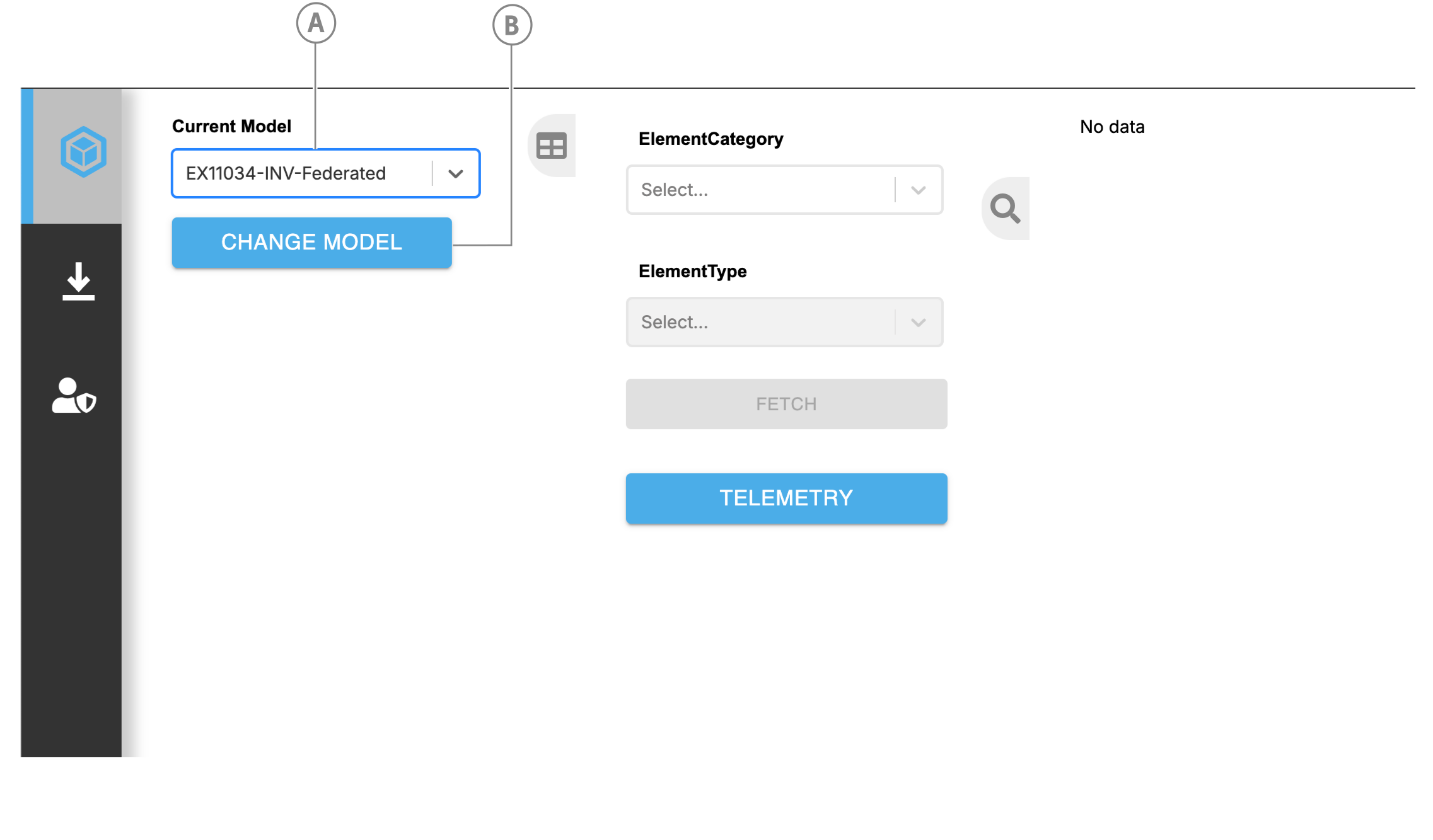
| Callout | Description |
|---|---|
| A | Model selector |
| B | CHANGE MODEL button |
Figure: Models pane and selector in Model Navigator page
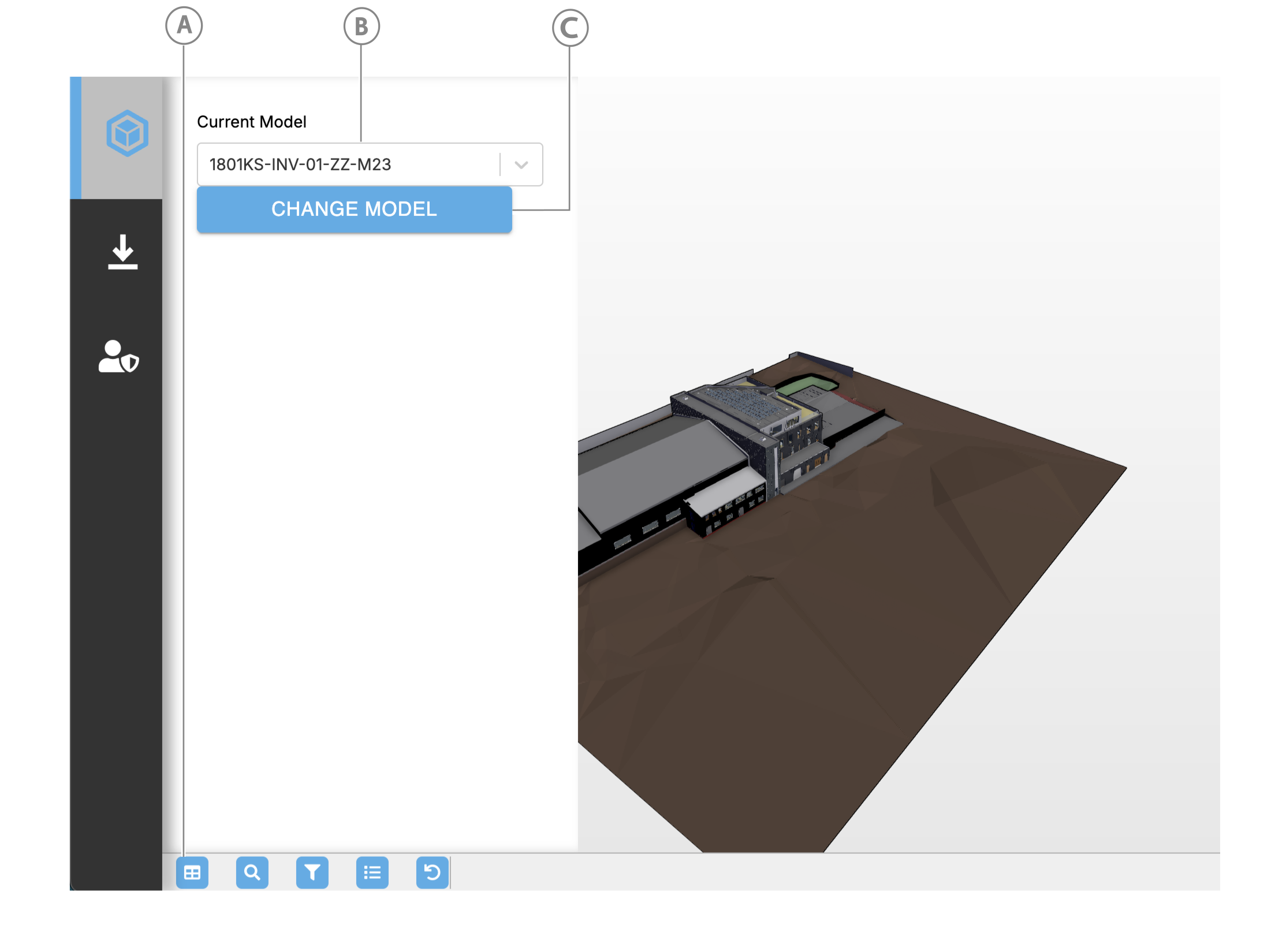
| Callout | Description |
|---|---|
| A | Models pane button |
| B | Model selector |
| C | CHANGE MODEL button |
Add more models from the Model Manager UI#
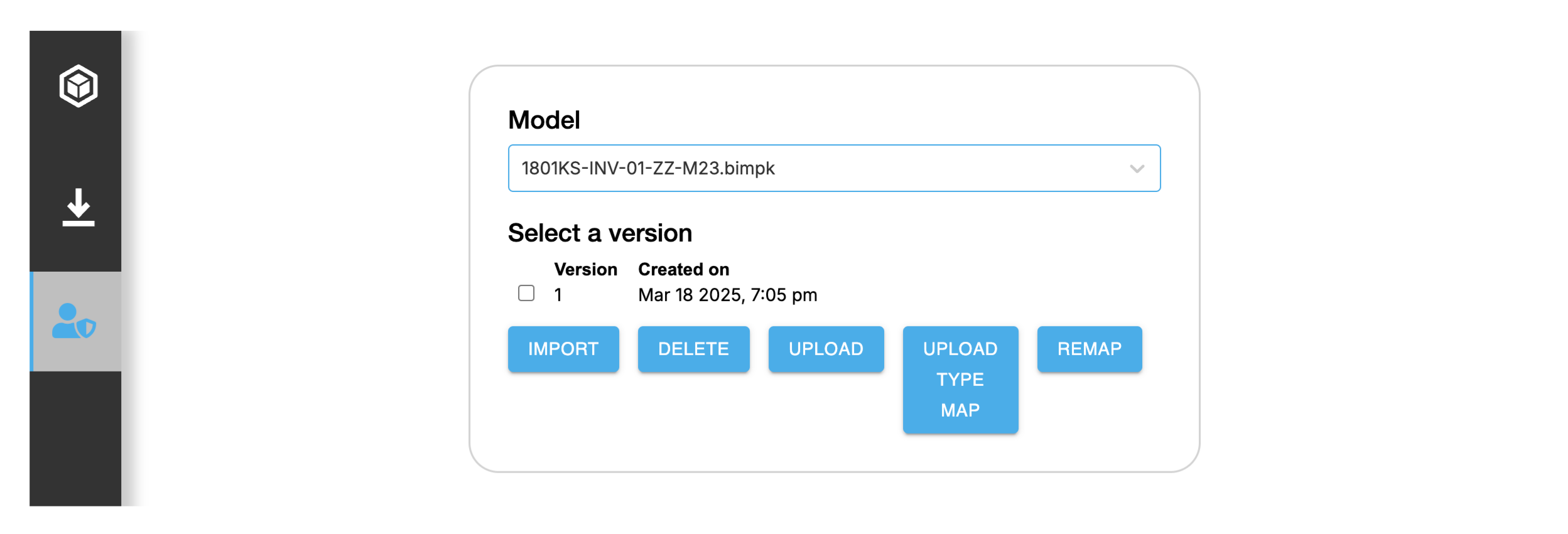
If multi-model support is enabled, you can manage multiple models from the Model Manager on the Admin/Manage Models page.
As well as adding new models, you can complete the existing functionality for multiple models:
- Upload new bimpk version
- Import bimpk as model
- Remap
- Upload new type map
- Delete model
Figure: Models manager
Adding a new model#
- From the sidebar, hover over the Admin icon, then click Manage Model.
- Click UPLOAD, then select a new
.bimpkfile. Wait for the bimpk file to upload. - Ensure the new bimpk is selected, then select the latest version. Click IMPORT. Wait for the model to import successfully.
- Click UPLOAD TYPE MAP.
- When prompted, to load the model in the app, click LOAD.
Multi-model upload#
Multiple bimpk import#
With multi-model support, the uploadBimpk loops over each selected file and uploads it to the File Service:
async function uploadBimpk() { try { for (let i = 0; i < bimpkMetadata.length; i++) { try { const uploadedFile = await uploadToFilesvc( bimpkMetadata[i].bimpkFilePath, ctx, { filename: bimpkMetadata[i].bimpkFile._name, } ); } catch (e) { throw e; } } } catch (e) { throw e; } }Multiple model import#
To run concurrent model imports, the importModels function first creates run params for each orchestrator:
async function importModels(params, libraries, ctx) {  ...  async function runOrchestrators(orchestrator, bimpkFiles) {    const task = _.find(orchestrator.orchsteps, { _sequenceno: 1 });    const seqTypeId = task._compid;
const runParams = bimpkFiles.map((file) => ({ orchestratorId: orchestrator.id, _actualparams: [{ sequence_type_id: seqTypeId, params: { _fileId: file.file_id, _fileVersionId: file.fileVersion_id } }] })); }}Next, the function runs each orchestrator with IafScriptEngine.runDatasource and returns promises for polled results:
async function importModels(params, libraries, ctx) {  ...  async function runOrchestrators(orchestrator, bimpkFiles) {  ...  const results = await Promise.all(    runParams.map(async (param, index) => {      try {        const orchResult = await IafScriptEngine.runDatasource(param, ctx);        return await pollOrchestrator(orchResult, index);      } catch (error) {        throw error;      }    })  );
return results; }}Multiple model mapping#
mapRevitTypeCollections gets the imported models:
async function mapRevitTypeCollections(params, libraries, ctx) { ... const getModels = async () => { let models = await IafScriptEngine.getCompositeCollections( { query: { _userType: "bim_model_version", _namespaces: { $in: ctx._namespaces, }, _itemClass: "NamedCompositeItem", }, }, ctx, { getLatestVersion: true } ); models = models._list; console.log( "Started createIndex.", "Create index ==== getCompositeCollection.", models ); return models; } ...}Then it creates run params for each orchestrator:
async function mapRevitTypeCollections(params, libraries, ctx) {  ...  const bimpkModels = await getModels();  let orchestrators = await IafScriptEngine.getDatasources(    { _namespaces: ctx._namespaces },    ctx  );
  orchestrators = _.filter(orchestrators, (orch) =>  orch._userType == "map_revit_type");  let orchestrator = orchestrators[0];
  const task = _.find(orchestrator.orchsteps, { _sequenceno: 1 });  const seqTypeId = task._compid;  const runParams = bimpkModels.map((bm) => ({    orchestratorId: orchestrator.id,    _actualparams: [      {        sequence_type_id: seqTypeId,        params: {          bimModel: bm        },      },    ],  }));
const orchResults = await runOrchestrators(runParams); ...}Next, the function runs each orchestrator with IafScriptEngine.runDatasource and returns promises for polled results:
async function mapRevitTypeCollections(params, libraries, ctx) { ... const results = await Promise.all( runParams.map(async (param, index) => { try { const orchResult = await IafScriptEngine.runDatasource(param, ctx); return await pollOrchestrator(orchResult, index); } catch (error) { throw error; } }) ); ...}