graphics2d.scz
2D graphics file#
Export all your 2D views to the graphics2d.scz file. The structure of your graphics2d.scz file may differ for your specific CAD application, as a result, this guide does not define a strict data structure but gives guidance on how to generate it with reference to how it applies to the Revit application.
2D views and sheets#
Export each 2D view as a single 2D sheet in the file. Name the 2D sheet in the following format:
<view-type>-<view-name>
Figure: 2D sheet views
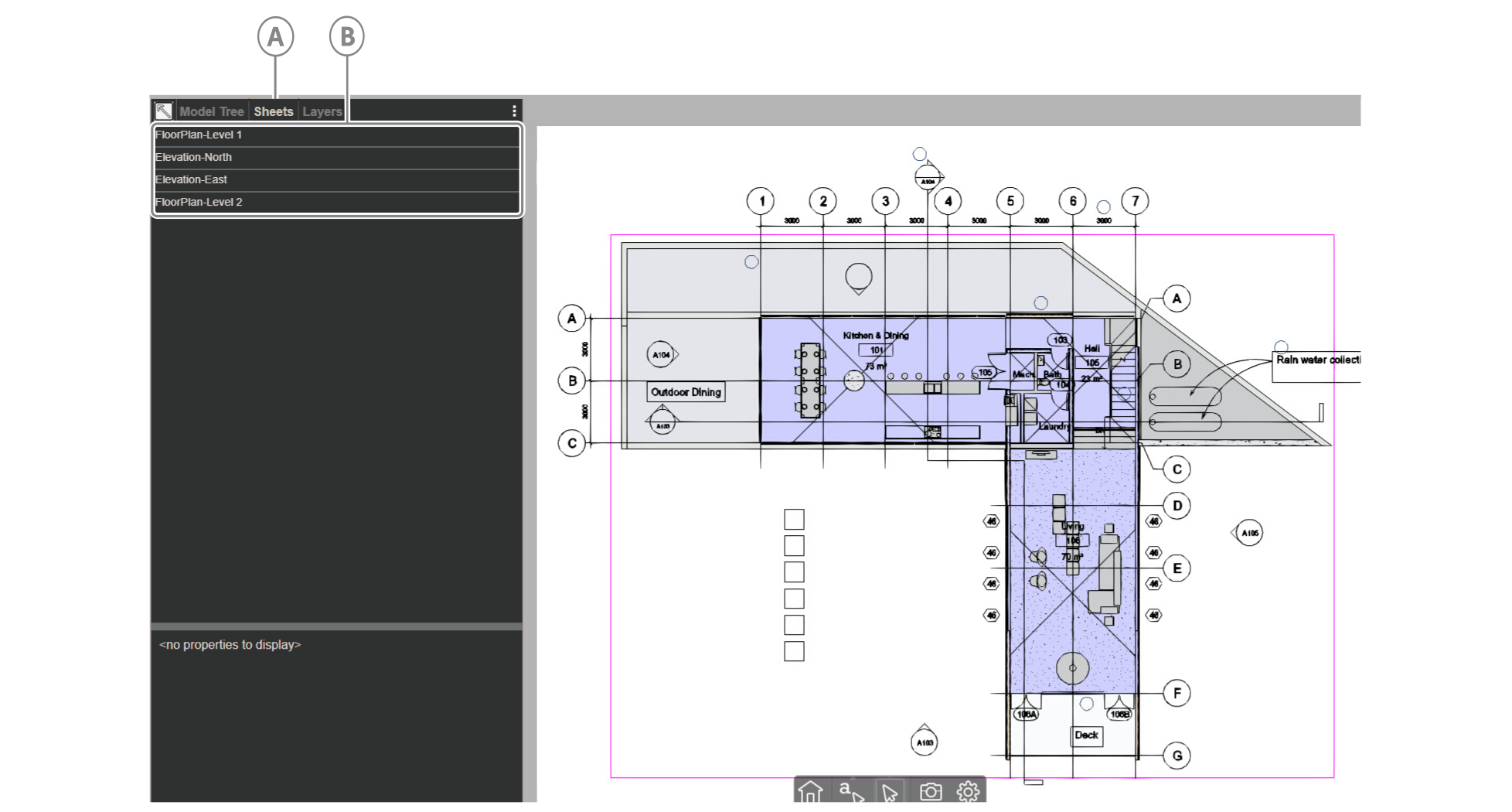
| Callout | Descriptions |
|---|---|
| A | Sheets tab |
| B | Four exported 2D views |
Example#
FloorPlan-Level 1
Hoops node tree structure for 2D view nodes#
Use the following HOOPs model tree structure:
- Models folder: Folder that contains your model files
- Model file: Each model file comprises the following:
- View: Store model element nodes. To construct An element node's name, concatenate the element's category name with the element's id within parentheses:
Category(element-id). For example, an Elevation with a Revit ID of 12345 will have the following node name: Elevations(12345) - Annotations: Store annotation geometry such as text, symbols or grid lines
- Frame: Stores the 2D view's rectangle frame
- View: Store model element nodes. To construct An element node's name, concatenate the element's category name with the element's id within parentheses:
- Model file: Each model file comprises the following:
Figure: Hoops node tree structure in user interface
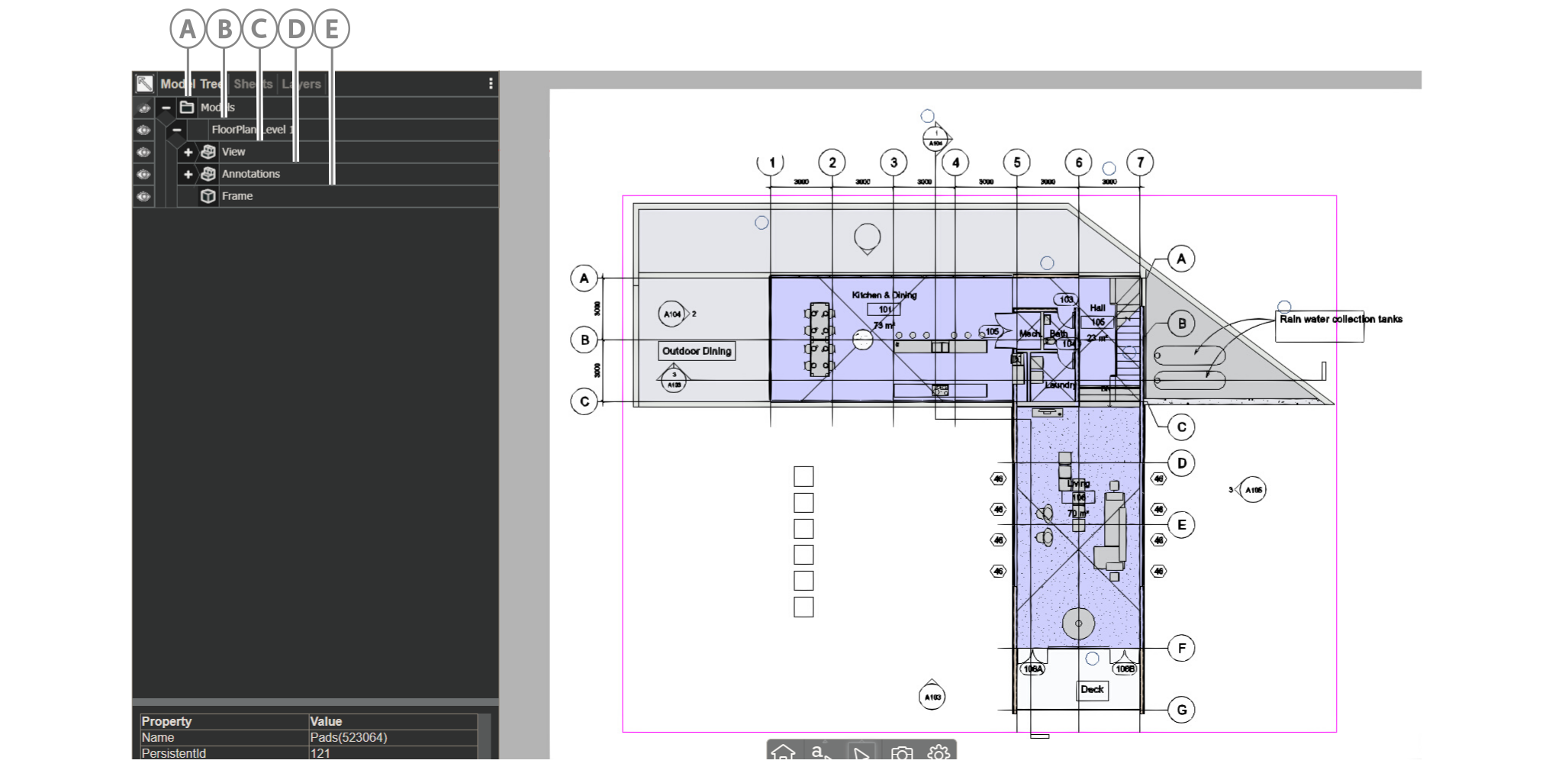
| Callout | Name |
|---|---|
| A | Models folder |
| B | Model file |
| C | View |
| D | Annotations |
| E | Frame |
Figure: Model elements nested under View node
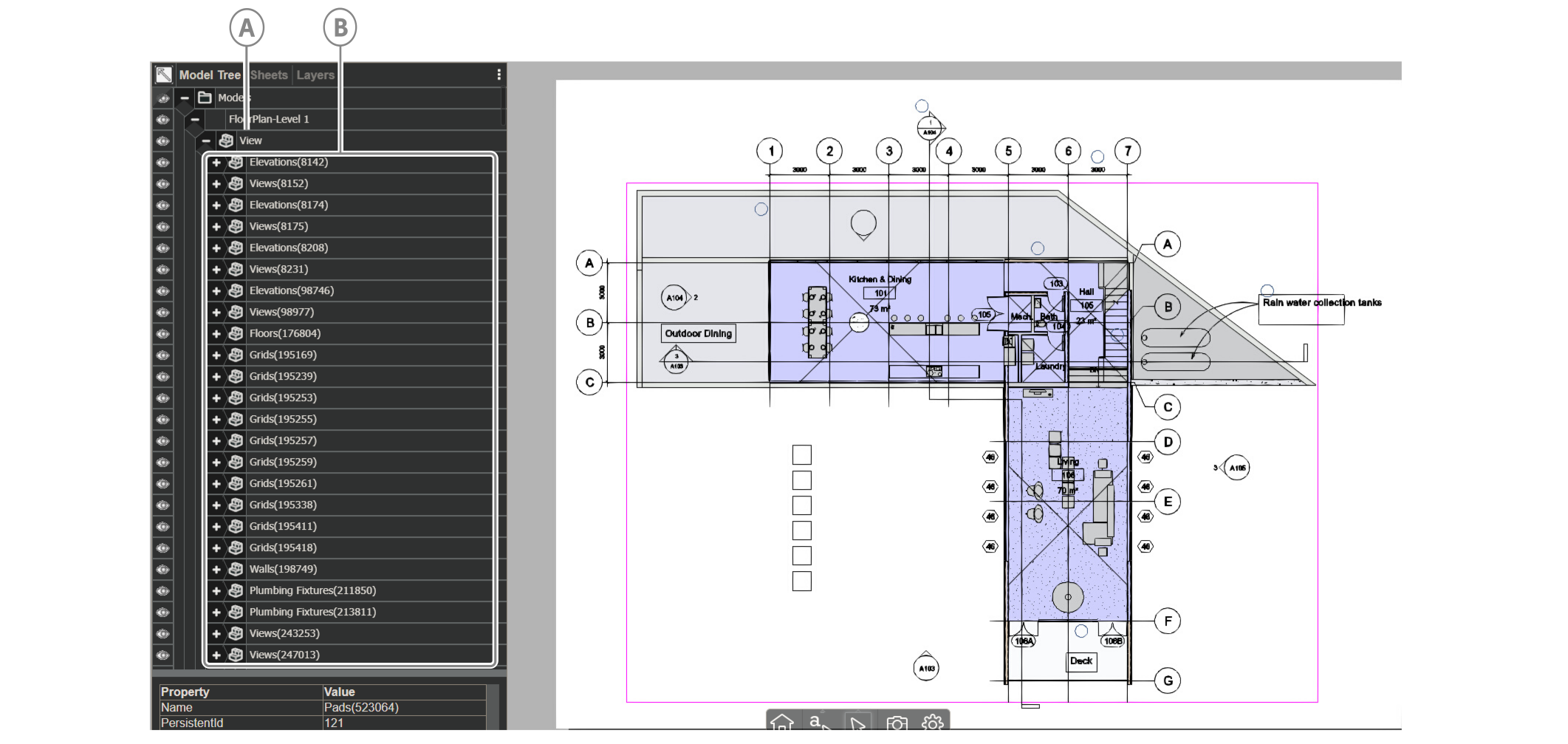
| Callout | Name |
|---|---|
| A | View node |
| B | Model elements |
Element attributes#
Each element node has the following properties:
- Name: To construct the element node's name, concatenate the element's category name with the element's id within parentheses:
Category(element-id). For example, a wall with a Revit ID of 12345 will have the following node name: Walls(12345) - PersistentID: The element’s BIMPK id, which is the integer id you give the object in
"objects.id"inobjects.jsonNote: If an element is only in a 2D view and not in the 3D model, for example, grids, set its value to
"0". - INV_Desc: A description of the element, which includes the element’s Category, Family, and Type data in the following format:
Category>Family:Type
For a complete example, see the following Revit wall element attributes:
{ "Name": "Walls(67890)", "PersistentID": "35", "INV_Desc": "Walls>Wall:Interior Partition Wall"}
The following example shows a grid element's attributes:
{ "Name": "Grids(415719)", "PersistentID": "0", "INV_Desc": "Grids>Grid:Horizontal Grid 1"}
Figure: Model elements attributes in user interface
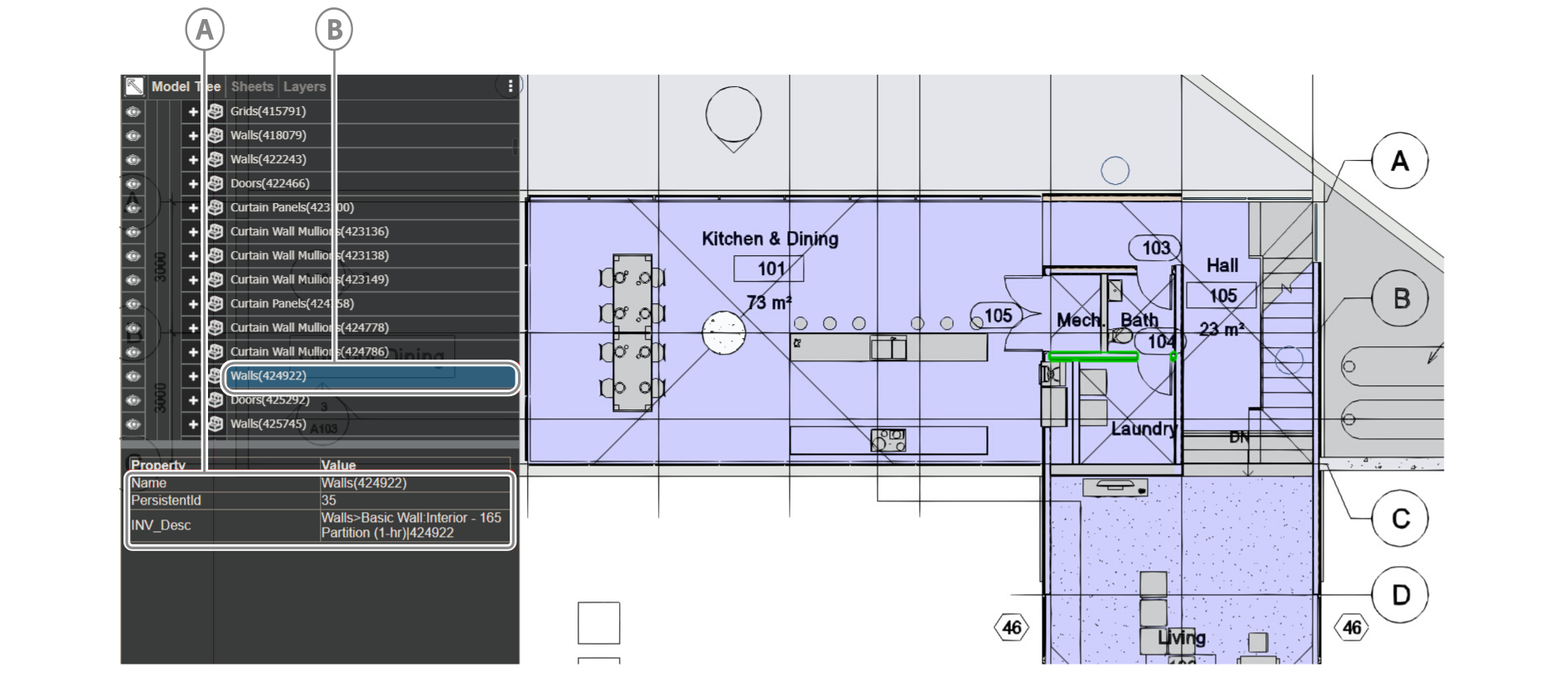
| Callout | Description |
|---|---|
| A | Model element properties |
| B | Selected element |