Orchestrator schedules

Overview
As well as manually triggering an orchestrator, you can schedule an orchestrator to run periodically, or once at a specific time.
An orchestrator schedule is a JSON object which defines the key properties which determine a schedule. It defines the ID of the orchestrator to schedule, the run interval, and any parameters you want to pass to the orchestrator during invocation, which will overwrite the default parameters.
Orchestrator schedule parameters
See example orchestrator schedule below.
{
  "_orchid":"b07990cf-c64d-4cc4-a0bc-02a4daf0510d",
  "runinterval":"* * 30",
  "_actualParams": {
    <your key-pair values to overwrite default
    component parameters during invocation>
  }
}
| Parameter | Type | Description | Required |
|---|---|---|---|
_orchid | String | The ID of the orchestrator you want to schedule. | Required |
runinterval | String | The run interval in the style of a Crontab time specification, * * *. The astericks represent seconds from 30 to 59, minutes from 1 to 59, and hours from 1 to 24. | Optional |
_actualParams | Object | An object that contains key-pair parameters that you want to overwrite the default orchestrator parameters. | Optional |
Note: If you need to run jobs with a
runIntervalof less than five minutes, it is recommended that you use the Workflow Service.
Orchestrator instance queues
You can queue one instance of a scheduled run at a time – you can only queue the next schedule run if the previous run is completed, cancelled, or stops due to an error.
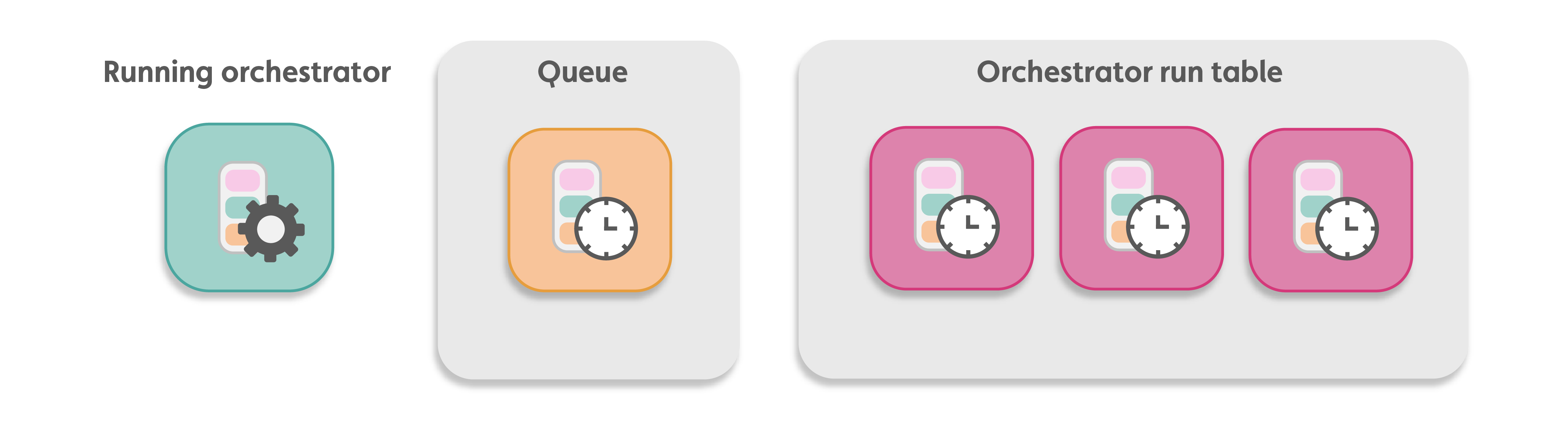
You can schedule the orchestrator when you create it or from an API call. You can also edit or delete orchestrator schedules.
Orchestrator schedule APIs
You can create, update, delete, or get orchestrator schedules with the JavaScript platform API, IafDataSource, or the Datasource Service REST API.