Orchestrators
Orchestrators are a configuration of sequenced system components that define a data pipeline that you can run and schedule. You can define your orchestrator to pass parameters to a component, execute that component, and pass the data to the next component.
Applications or users' user interface actions can trigger orchestrator runs.
Note: An orchestrator component can use the data from any previous component in the sequence.
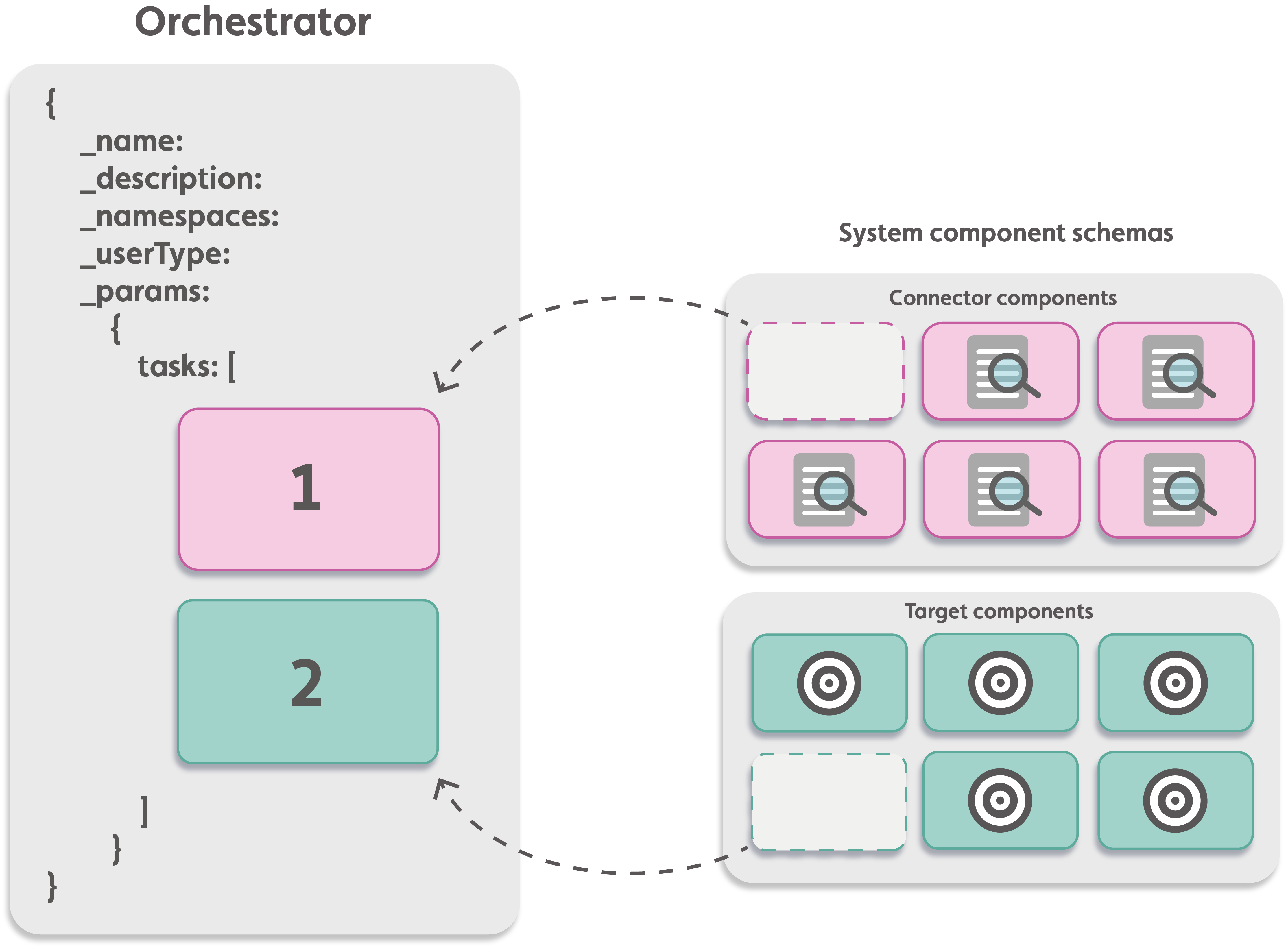
For more information on the orchestrator schema, see Orchestrator schema.
Overwriting default parameters during orchestrator execution#
You can overwrite the default parameters of the system components you reference in your orchestrator when you execute an orchestrator by passing key-pairs in the task step's _actualparams value. For more information, see _params.tasks._actualparams in Orchestrator schema.
Orchestrator classes#
Use one of the following orchestrator classes:
- Normal: Asynchronously executes a component that has a long runtime. Use for orchestrators you want to execute periodically, for example, to check for a change in an asset property. Users must trigger the execution.
- Instant: Synchronously executes a component with a time limit of 100 seconds. Use for orchestrators you want to execute instantly, for example, to fetch live sensor data.
- Scheduled: Executes a component to schedule, depending on the completion of the previous component. Define schedules in a separate table and associate it with your orchestrator. For more information on scheduling orchestrators, see Orchestrator schedules.
Orchestrator permissions#
Orchestrators execute in the permission context of the user that executes the orchestrator and their permissions. For the entire orchestrator to execute as intended, ensure that the user that executes has the correct permissions for the operations within the orchestrator’s components. Alternatively, you can create a Permissions Profile and reference it in your orchestrator.
Permissions Profile#
To allow a user group user to execute an orchestrator that contains steps that require permissions outside the user's permissions, add a permissions profile to the orchestrator. The orchestrator will execute in the permissions context of the permissions profile rather than the user's permission context.
You can create a permissions profile, add it to the system, and then reference it in your orchestrator, either during its creation or by updating an existing orchestrator. For more information, see Permission profiles.