Permission model
Use a Permission model object to define the permissions certain Users or UserGroups have for resources under a given namespace. In your Permission model object, you can define the actions that the permission permits, such as READ, EDIT, DELETE, and SHARE.
Platform services and the Passport Service
In the platform, each service manages the permissions for its own resource types but all permissions are stored in the Passport Service.
Figure: Services, permissions, and the Passport Service data model

Permission object model
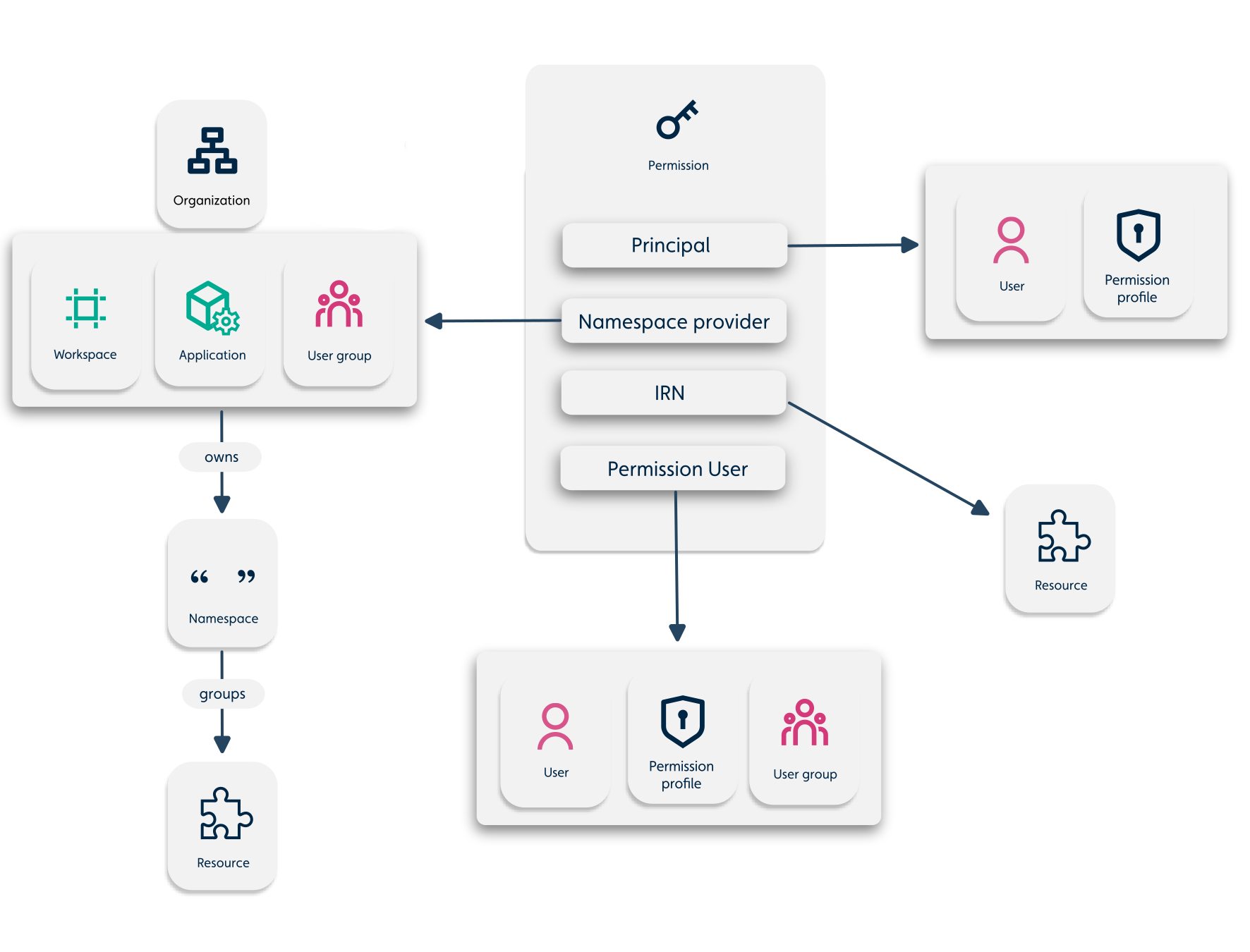
Each permission relates to the following possible platform objects:
- Principal
- Namespace provider
- IRN Resource description
- Permission user
The following model architecture demonstrates the possible objects related to a Permission.
Figure: Objects related to a permission
Creating a Permission object
To create a permission on the platform, construct a Permission object based on the Permission model schema and post it to the Passport Service with one of the following options:
- JavaScript Platform API using the IafPassSvc API or the API for the relevant service
- REST API
See detailed description of each, below.
JavaScript Platform API using the IafPassSvc API or the API for the relevant service
| Service | IafPassSvc | Service API |
|---|---|---|
| Passport Service | IafPassSvc.createPermissions() | IafPassSvc.createPermissions() |
| Item Service | createItemPermissions() | IafItemSvc.createPermissions() |
| File Service | createFilePermissions() | IafFileSvc.createPermissions() |
| Datasources Service | createDatasourcePermissions() | IafDataSource.createPermissions() |
| Object Model API Service | IafDataSource.createObjectModelPermissions() |
REST API
| Service | Service API |
|---|---|
| Passport Service | Create or Update Permissions |
| File Service | Create or Update Permissions |
| Item Service | Create or Update Permissions |
| Object Model API Service | Create or Update Permissions |
Permission lookups
You can look up permissions with the GET /passportsvc/api/v1/permissions REST API endpoint in the two following ways:
- By IRN: Gets the permissions with IRN patterns that cover the IRN you pass.
- By pattern: Get permissions that have IRNs that match a pattern you pass.
For more information, see Permission lookups.
Permission authorization
The following diagram demonstrates the data flow for a NamedUserItem request with permission authentication:
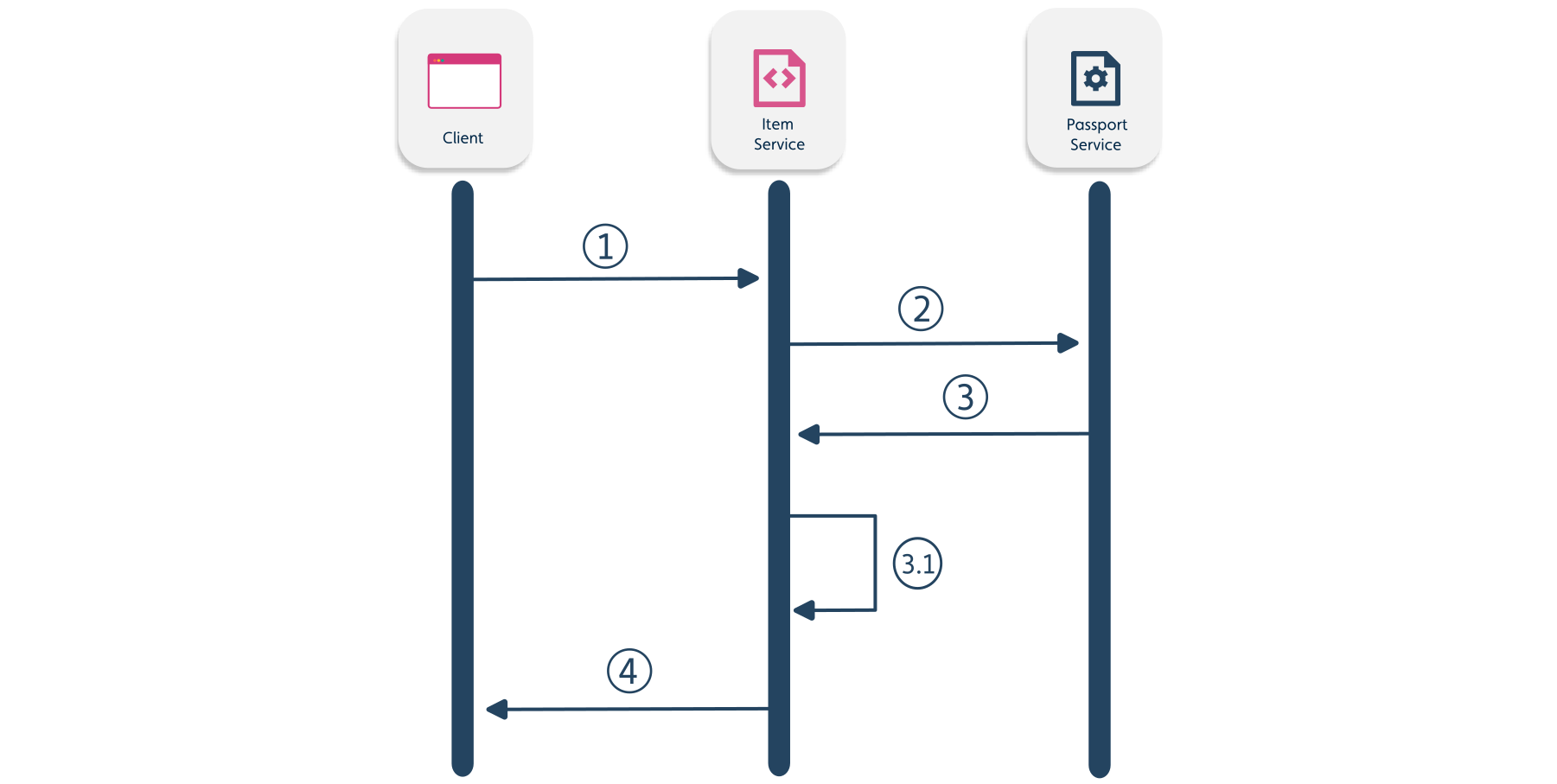
| Number | Request/respose |
|---|---|
| 1 | API request GET /nameduseritems/:id to get a NamedUserItem from the Item Service |
| 2 | The Item Service requests the permissions from the Passport Service with GET /PERMISSIONS |
| 3 | The Passport Service responds with a Permission response to the Item Service. |
| 3.1 | The Item Service authorizes based on permissions |
| 4 | The API response that contains the requested NamedUserItem |