Grid Helpers
Grid Helpers#
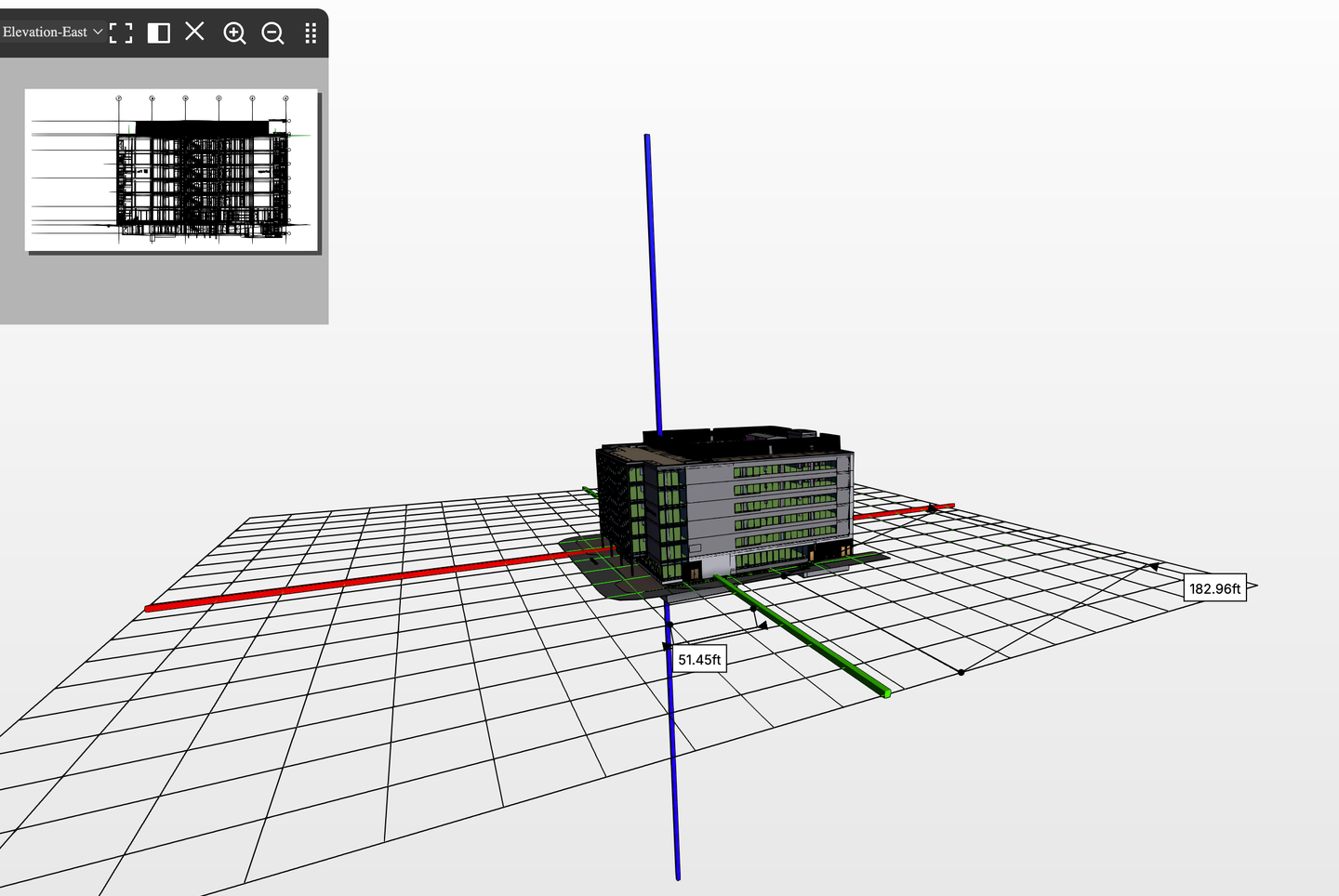
The Grid Helper feature in the IafViewer helps with spatial understanding of a 3D project layout by adding visual reference grids and axes to the scene. These visual tools help users with more effective navigating, aligning, and analyzing of 3D models.
Figure: Grid Helper visual references
Grid Helper pane#
The Grid Helper features are controlled in the Grid Helper pane which is accessed via the Settings icon.
Figure: Grid Helper pane
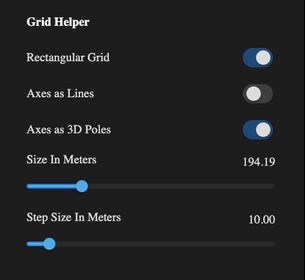
In the Grid Helper pane, use the Rectangular Grid option to toggle the display of a rectangular grid of lines on the ground plane, aiding in alignment and measurements.
The Axes as Lines option enables traditional 2D axis representation, while the Axes as 3D Poles option provides vertical references in the scene.
The Size in Meters and Step Size in Meters sliders allow customization of the grid's overall dimensions and spacing, making it adaptable to projects of different scales.