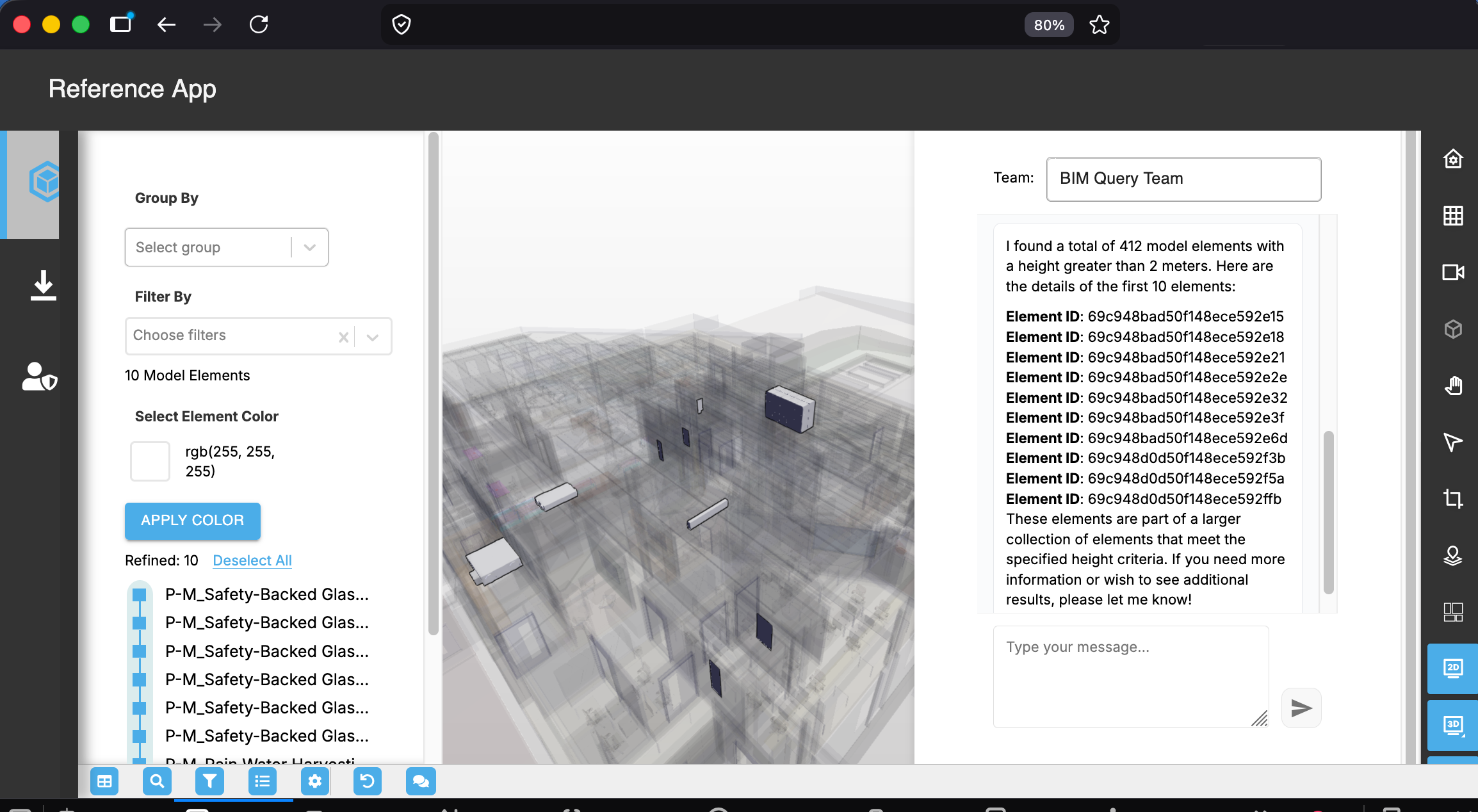
AI chat pane UI
Overview#
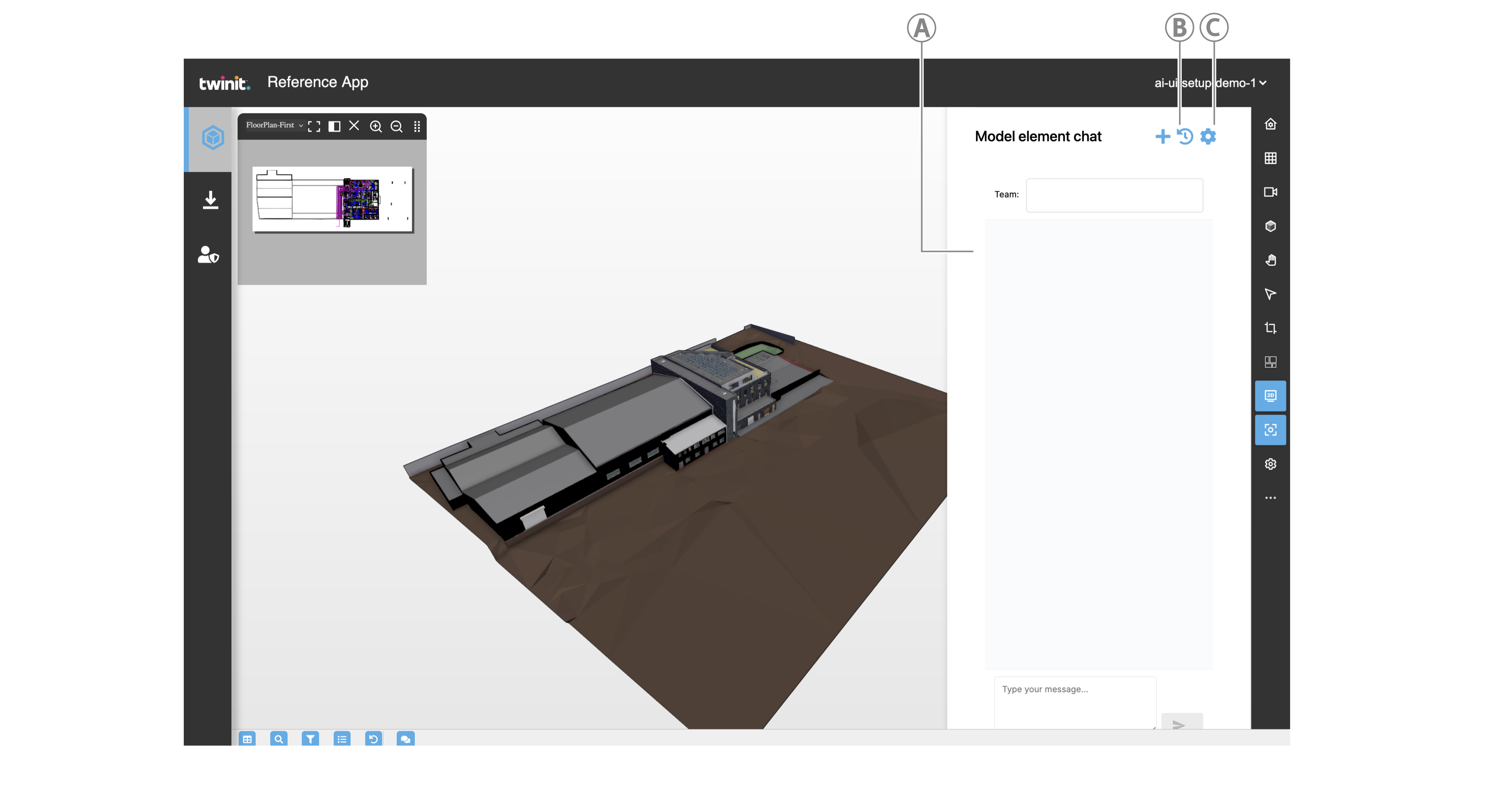
| Callout | Element | Description |
|---|---|---|
| A | AiPrompt component. For more information, see AiPrompt. | |
| B | Chat history | Click to select from a previous conversation to continue |
| C | Settings | Click to open the settings modal |
Resources setup#
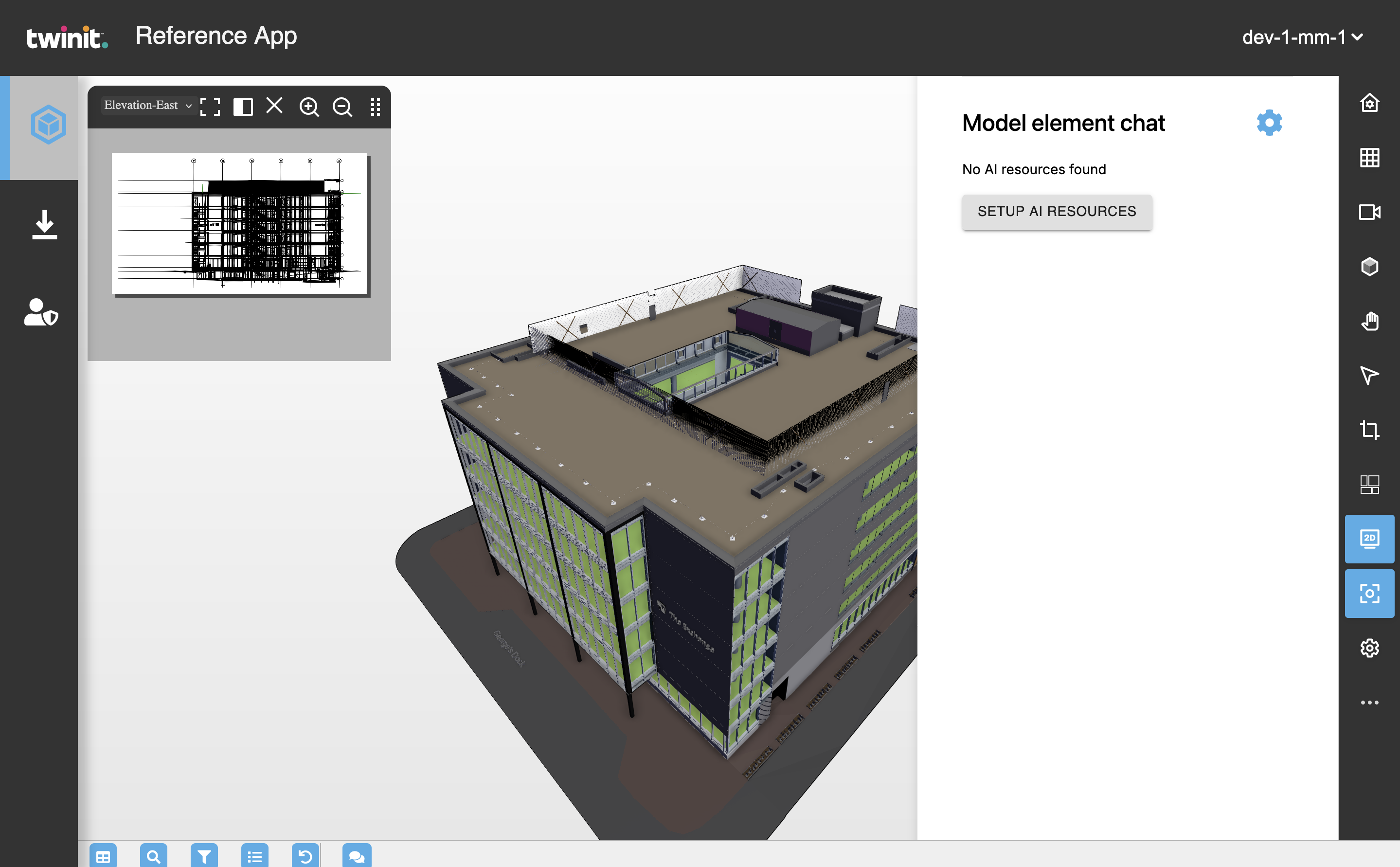
If there are no resources, click the SETUP AI RESOURCES button and wait for the setup process to complete.
If the SETUP AI RESOURCES button does not appear, add your LLM secret in the AI pane Settings.
Model element selection#
When the user enters a prompt, if there are matching elements, they are highlighted in the model.