REST Connectors
On the Admin page, project admins can run and view REST Connectors responses on the Admin page at the click of a button. REST Connectors can read data from different sources, such as model data, a BIMPK file, HAYSTACK, PostgreSQL, REST responses, and data aggregation platforms.
To view REST connectors as an admin, see Viewing REST connectors. To understand how this works in the ReferenceApp source code, see REST connector datasource.
Note: Permission profiles are assigned to orchestrators so that admins who do not have permissions for a given resource can still initiate the orchestrator. For more information, see Permission profile use case.
Figure: REST Connector on Admin page
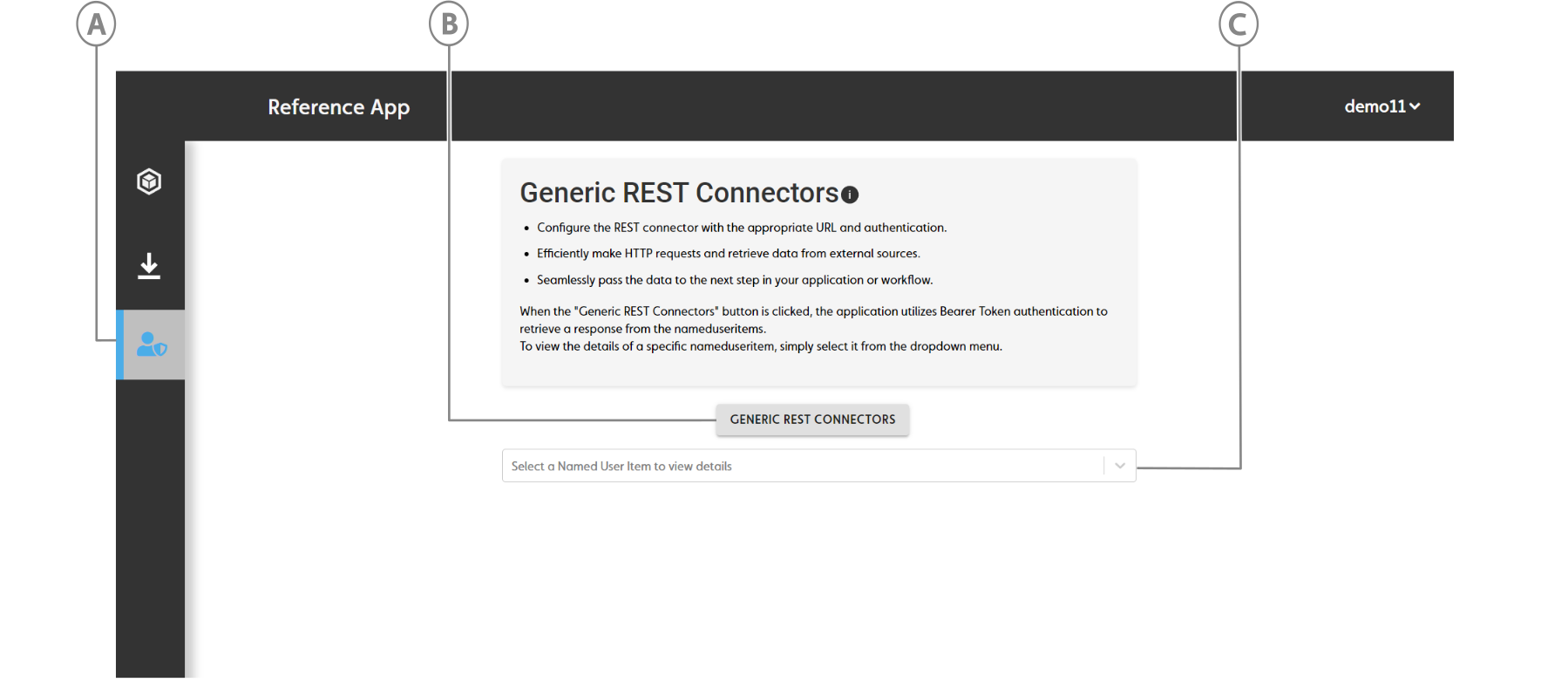
| Callout | Name | Description |
|---|---|---|
| A | Admin page | Click to open the Admin page |
| B | REST CONNECTOR button | Click to trigger an API that runs your REST connectors. |
| C | REST connectors dropdown | Select the response you want to view. |
Viewing REST connectors#
To view REST connectors, do the following:
From the sidebar, click the Admin icon.
On the Admin page, click GENERIC REST CONNECTORS. An API call triggers and the response displays below the button as a dropdown menu.
To view the REST Connector API call response, expand the dropdown menu. To expand the data structure, click EXPAND ALL; to collapse the data structure, click COLLAPSE ALL.
Figure: REST Connector response
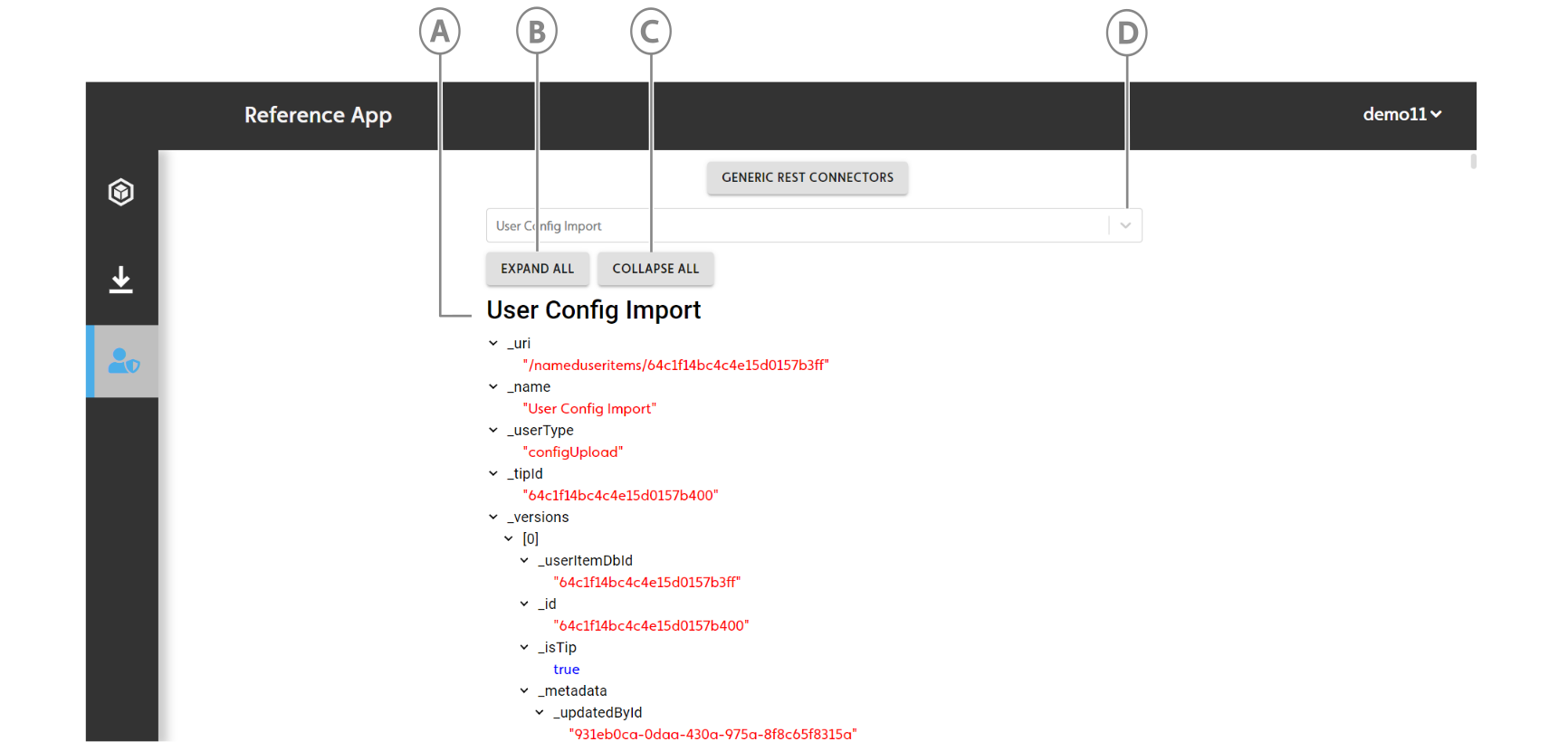
Callout Name Description A Response data structure Click to open the Admin page B EXPAND ALL button Expand the data structure to view all of the data. C COLLAPSE ALL button Collapse the data structure. D Response dropdown Select the response you want to view.
REST connector datasource#
With reference to the completed front-end, to ensure the button will trigger an API call, do the following:
The addDataSource() API call creates an orchestrator for the REST connector. For more information, see the following code example:
let restConnector = await IafScriptEngine.addDatasource({ _name: "project_rest_connector", _description: "Tester", _namespaces: [ ctx._namespaces[0], ], _userType: "PROJECT_REST_CONNECTOR", _instant: true, _params: { tasks: [ { _orchcomp: "rest_connector", _name: "Get assetts relationships from previous version", _sequenceno: 1, _actualparams: { _scriptName: "restConnectors", _url: configurl.itemServiceOrigin + "/itemsvc/api/v1/nameduseritems?nsfilter=" + ctx._namespaces[0], _auth: { _type: "BearerToken", _params: { _token: token, } } }, to: "json" }, ] }});When the user interface button clicks, the IafScriptEngine.runDatasource() API calls, which runs the datasource.
await IafScriptEngine.runDatasource({ orchestratorId: restConnector.orchestratorId})The response stores in
namedUserItemListand displays in a dropdown menu.