Workspaces tab
Use the Workspaces tab to view a list of an application's workspaces. Click a workspace to view more details about it and with the appropriate permissions, complete the following tasks:
- Create a workspace
- Edit a workspace's details
- Delete a workspace
- Add, edit or remove workspace permissions for other users
Note: With Console 3.4, you can now search for workspaces using partial names. This offers an easy way to filter the listing of workspaces and narrow your searches.
Figure: Workspaces tab elements
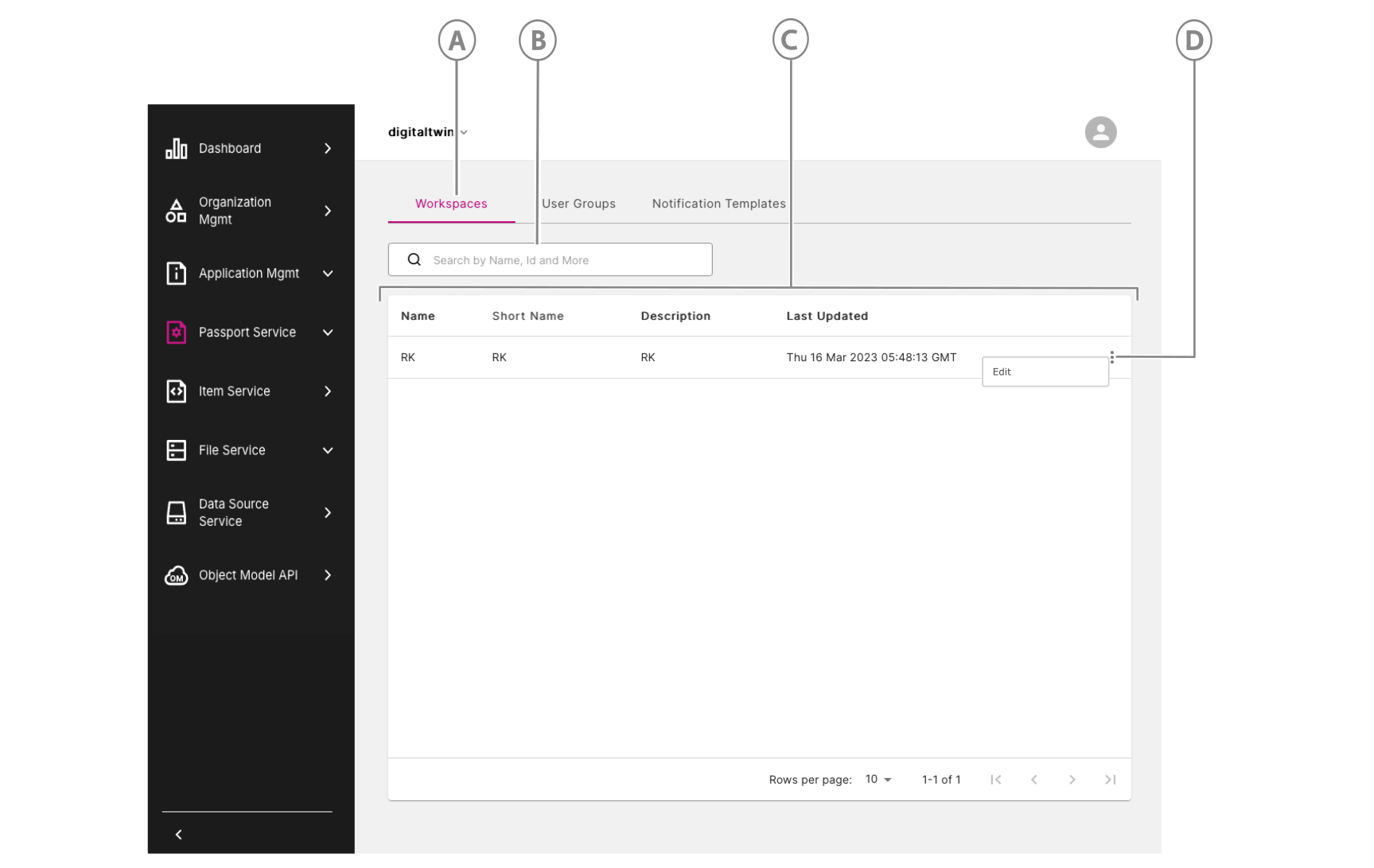
| Callout | Name | Description |
|---|---|---|
| A | Workspaces tab | Click to open the Workspaces tab. |
| B | Search workspaces | Search workspaces by name, ID, and more. You can now search using a partial name. For example, search for anyone with "developer" in their name by simply entering "dev" in the search bar. |
| C | Workspaces list | View the list of workspaces you can access. |
| D | Three-dot menu icon | Click to access other options where you can view, edit, or delete a workspace from the workspaces list, depending on your permissions. |