Deleting a file attachment from an element
To delete a file attachment from an element, do the following:
- Fetch the elements that have related element properties you want to view and click a model element. For more information, see Fetching model elements.
- On the Model Elements pane, click the element that has the file attachment you want to delete.
- On the Related Items pane, select the Files checkbox.
- On the Files pane, find the file you want to delete, then click the Delete icon.
Figure: Deleting a file
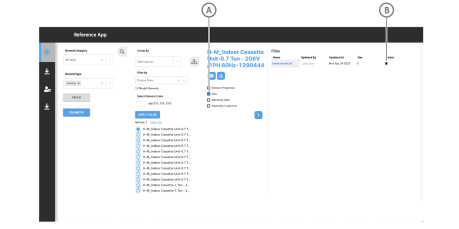
| Callout | Description |
|---|---|
| A | Files checkbox |
| B | Delete icon |