Files node
Overview#
Use the Files node to upload files.
Extended edit options#
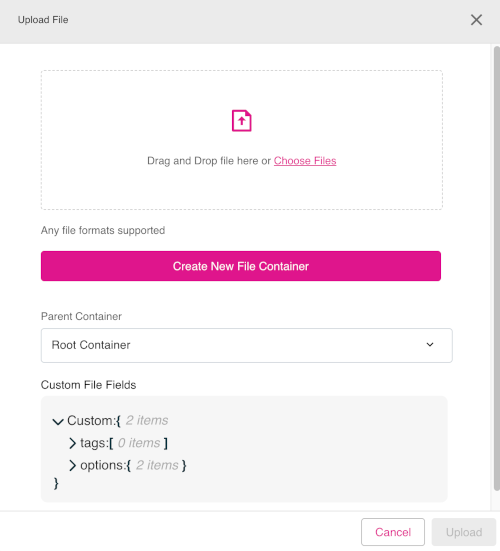
Right-click on the Files node to access these extended edit options:
- Upload File
- Show current node relationships
- Show all nodes
Figure: Files node - extended edit options
Uploading files#
To use the Files node to upload a file, do the following:
- In edit mode, right-click the Files node.
- Click the option Upload File.
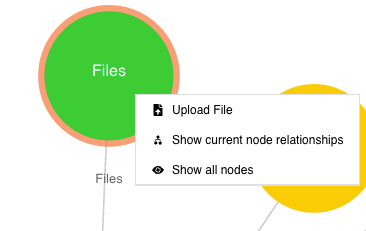
- The Upload File dialog will open. Add files by dragging and dropping files into the file upload area of the dialog. Alternatively, click Choose Files to manually add files.
- If required, click the Create New File Container button to define new file formats.
- When done, click Upload to complete the process of file uploading.
Figure: Files node - Upload File dialog