Orchestrators node
Overview#
Use the Orchestrators node to add, edit, and run orchestrators.
Extended edit options#
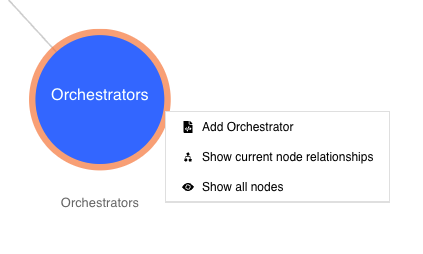
Right-click on the Orchestrators node to access these extended edit options:
- Add Orchestrator
- Show current node relationships
- Show all nodes
Figure: Orchestrators node - extended edit options
Adding a new orchestrator#
To use the Orchestrators node to add a new orchestrator, do the following:
- In edit mode, right-click the Orchestrators node.
- Click the option Add Orchestrator.
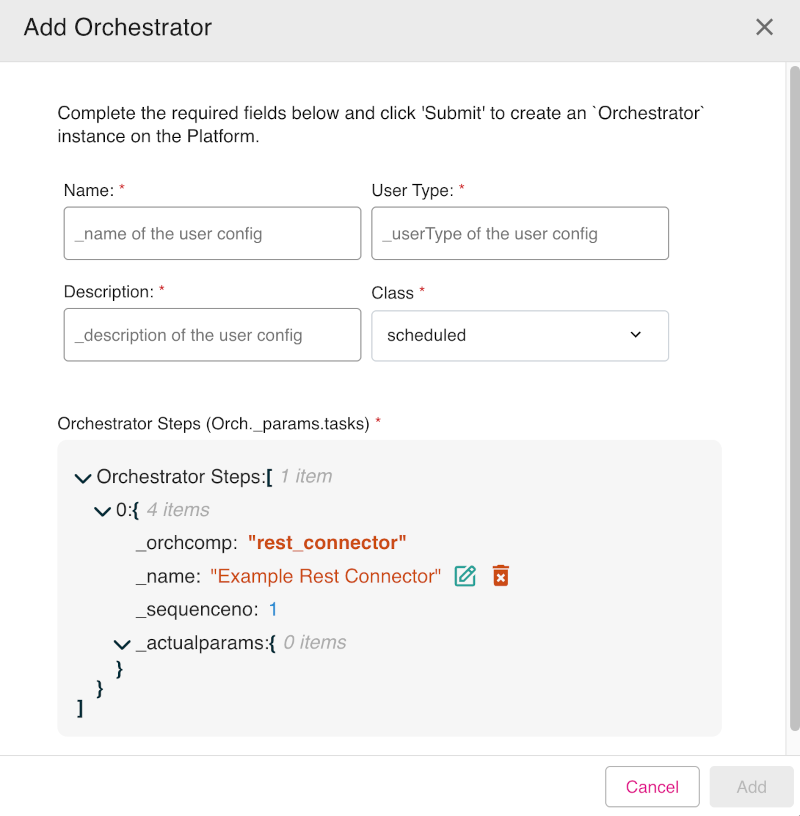
- The Add Orchestrator dialog appears. Enter the mandatory fields: Name, User Type, and Description. Set the Class drop-down option to either scheduled (default) or instant.
- In the Orchestrator Steps section you can set the details of the orchestrator parameter tasks. You can edit every line of the orchestrator steps parameters. To edit a line, click on the line and then select the edit icon (indicated by a pencil graphic) which is shown. There are also icons to delete an entry (indicated by a trash can graphic) and an icon to add a new line entry (indicated by a plus sign graphic).
- When done, click Add to add the new orchestrator.
Figure: Orchestrators node - Add Orchestrator dialog showing edit icons