Scripts node
Overview#
Use the Scripts node to create new scripts.
Extended edit options#
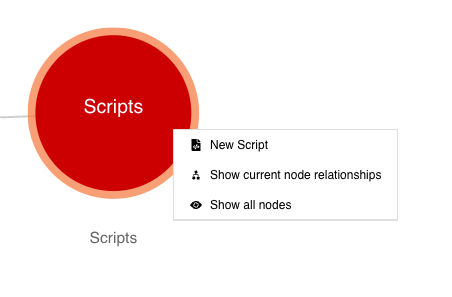
Right-click on the Scripts node to access these extended edit options:
- New Script
- Show current node relationships
- Show all nodes
Figure: Scripts node - extended edit options
Adding a new script#
To use the Scripts node to add a new platform script, do the following:
- In edit mode, right-click the Script node. Click the option New Script.
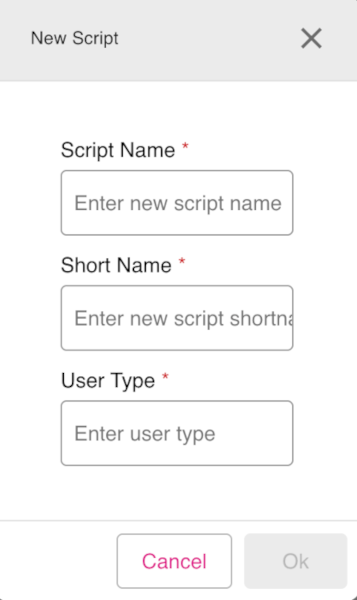
- The New Script dialog appears. Enter the mandatory fields: Script Name, Short Name, and User Type.
- When done, click OK to create the new script.
Figure: Scripts node - New Script dialog
Note: For more information about the scripts editor feature, refer to the Scripts page.