OMAPI Requests tab
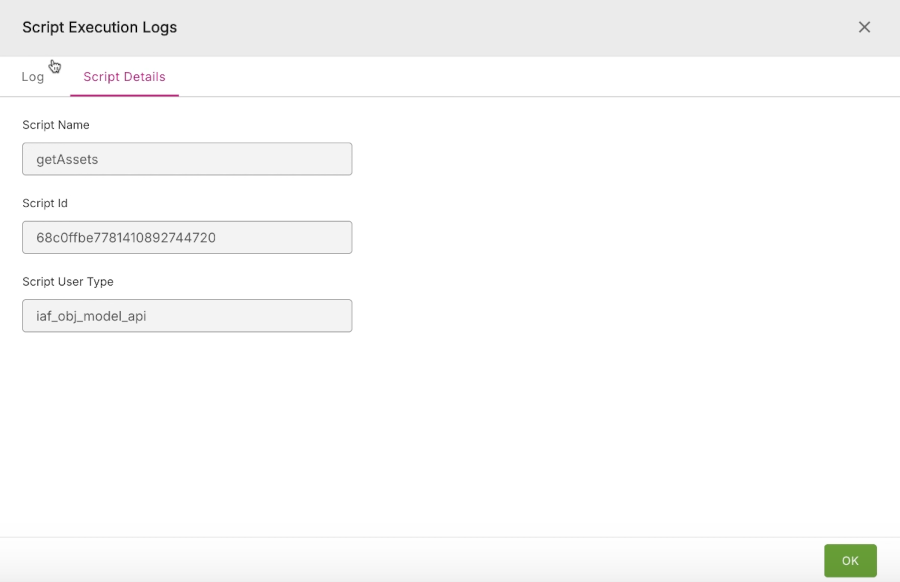
OMAPI Requests tab#
The OMAPI Requests tab lists the various requests made using the Object Model API service.
Figure: OMAPI Requests tab
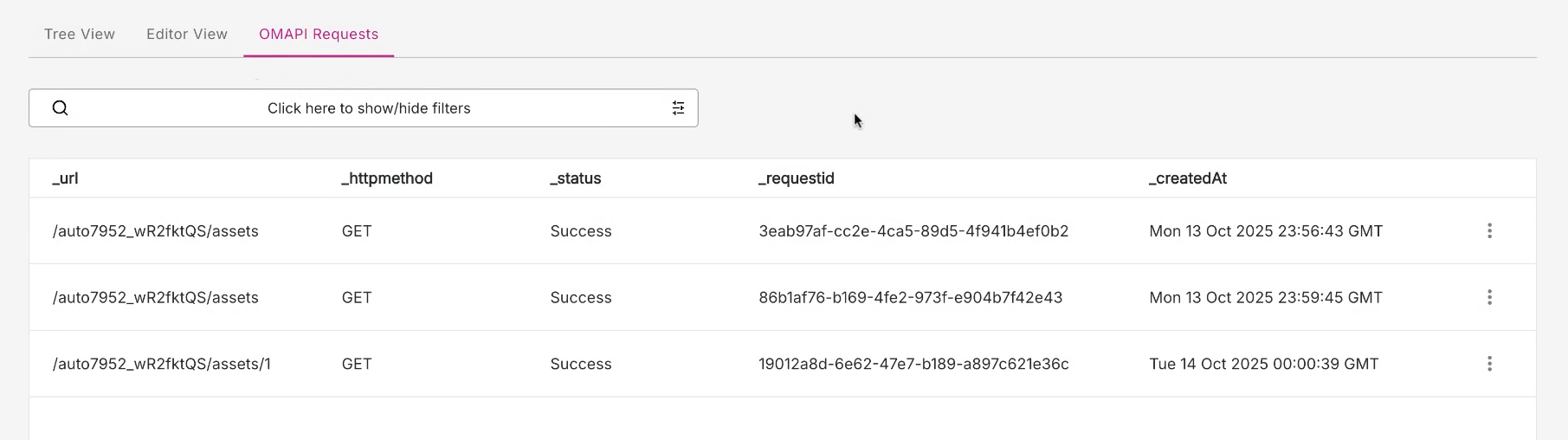
OMAPI Filtering#
The OMAPI Requests tab supports extensive filtering of requests based on a range of fields, including:
- URL
- HTTP method
- status
- createdat (time when request was created)
Figure: OMAPI Request filters
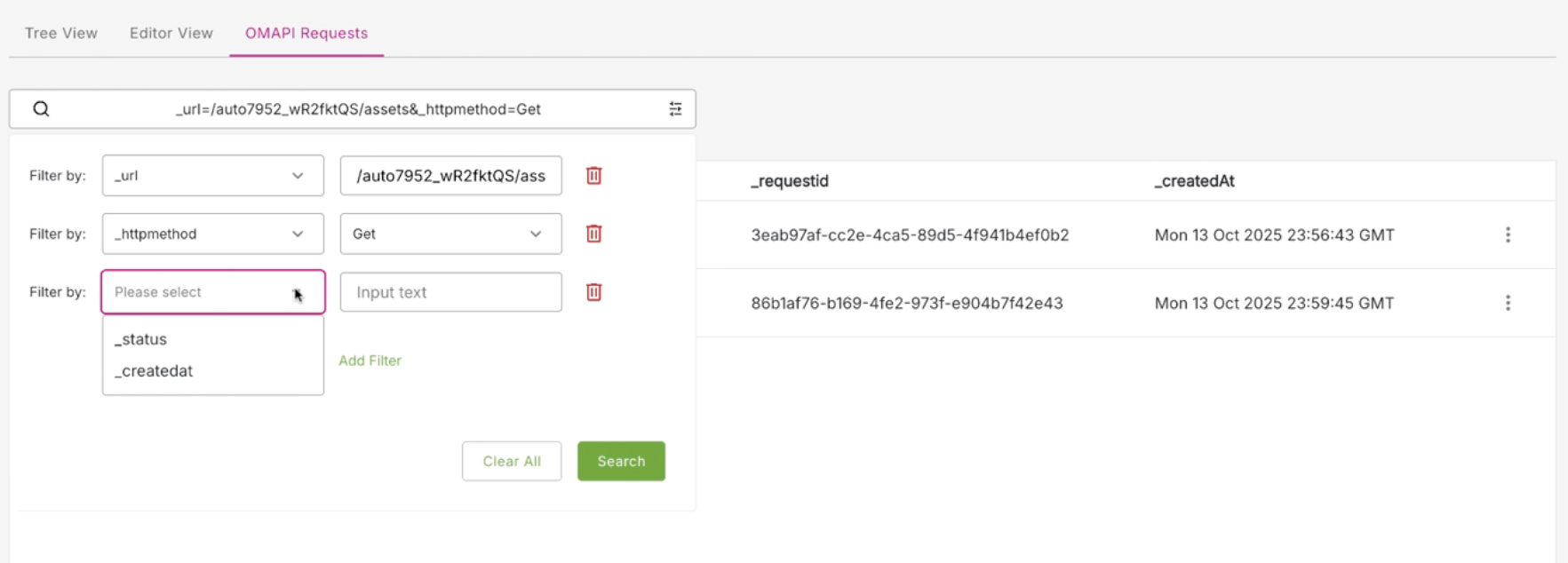
Script execution logs#
The Script Execution Logs modal displays the logs of script executions and provides detailed information on each script.
To access the Script Execution Logs modal, do the following:
- On the OMAPI Requests tab, in the listing of OMAPI requests, locate the OMAPI request you are interested in.
- At the end of the row, click the three dot menu (action menu).
- Click the Logs option to display the Script Execution Logs modal.
Figure: Logs option
Logs tab and Script Details tab#
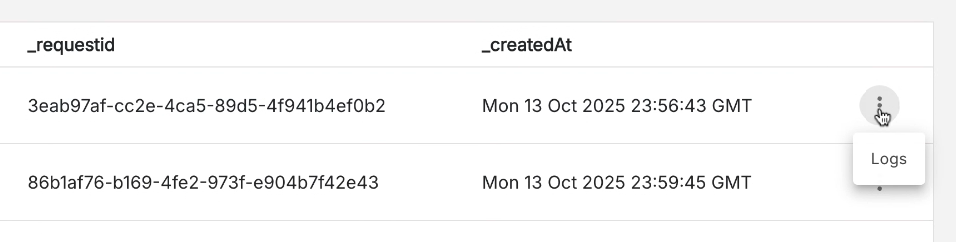
Figure: Script Execution Logs modal showing Log and Script Details tabs
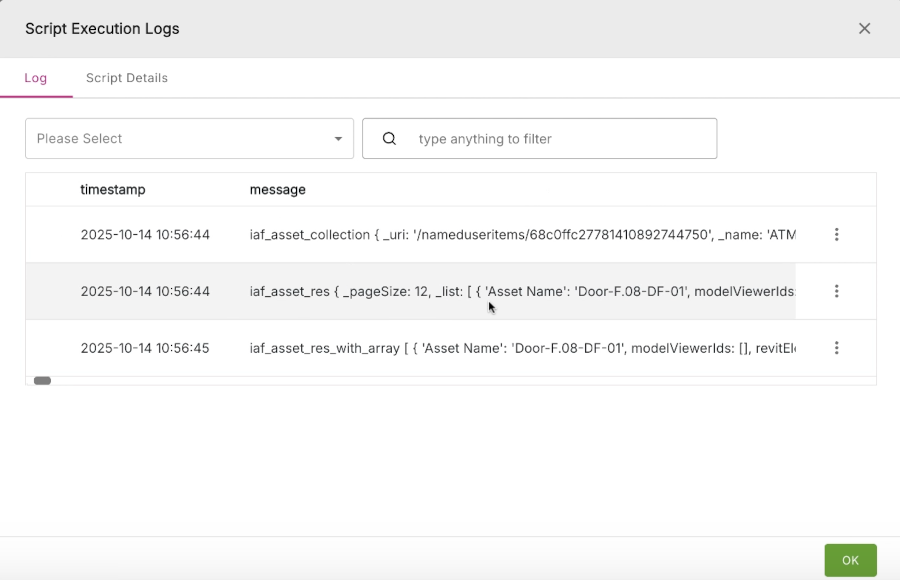
The Script Execution Logs modal displays two tabs of information:
- Log
- Script Details
Log tab#
The Log tab displays rows of detailed information about each script execution.
Note: Each row contains a considerable amount of information, so you may need to use the bottom horizontal scroll bar to scroll right and reveal all the information present in each row.
You can select a filter from filter type drop-down menu in the top right of the modal. You can select to filter the logs based on a range of script types, including:
- ALL
- TRACE
- DEBUG
- INFO
- WARNING
- ERROR
- FATAL
You can use the general filter box on the top right of the modal where you can enter any text string to use as a filter.
Note: You can copy a partial string from the message field of a script execution row and use that string to search.
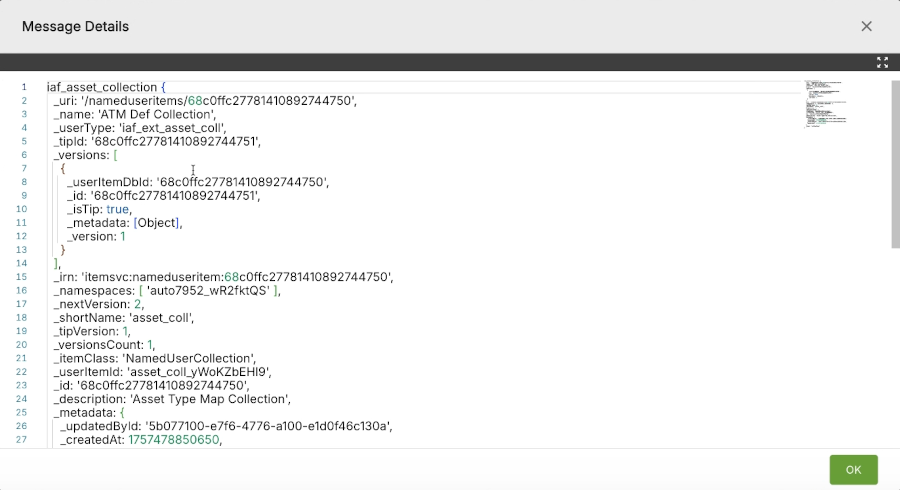
At the end of each row, the three dot menu contains one option - Message Details. Click this option to display the Message Details modal which lists detailed information about the message contained in that particular script execution.
Figure: Message Details modal
Script Details tab#
The Script Details tab lists detailed information for each script execution, namely:
- Script name
- Script ID
- Script user type
Figure: Script Details tab