Integration Patterns
These diagrams summarize common deployment patterns when configuring IafViewer from an application (Property Store / props). Start with the overview, use the basic, advanced, and design review and geo-located patterns to find the shape closest to your layout, and the instance diagrams to decide between one viewer and several.
For the building-block detail behind these patterns, see IafViewer Overview — Building blocks (UE / ArcGIS / Photosphere / APS and View3D / View2D / GIS).
Figure: Enhanced Viewing Use Cases (overview)
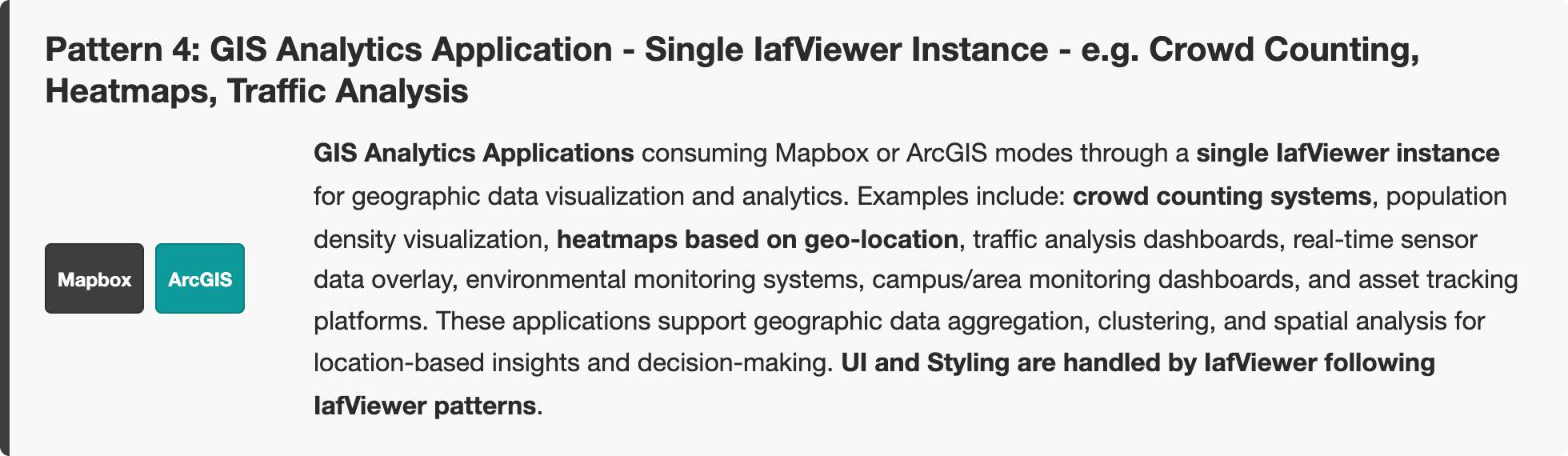
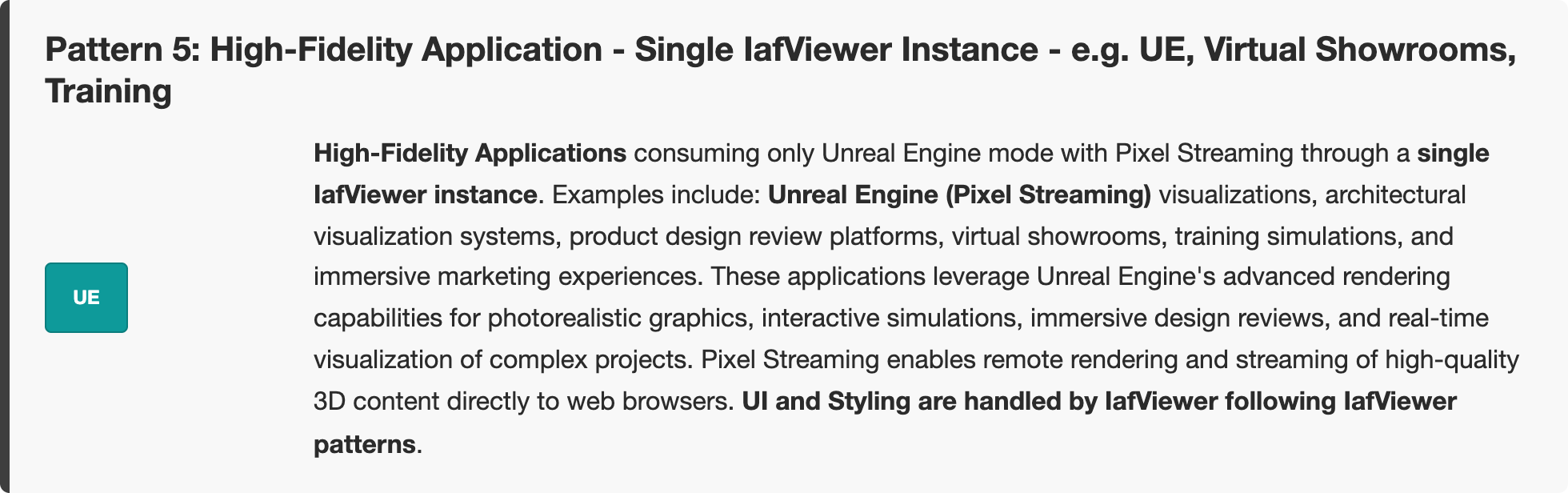
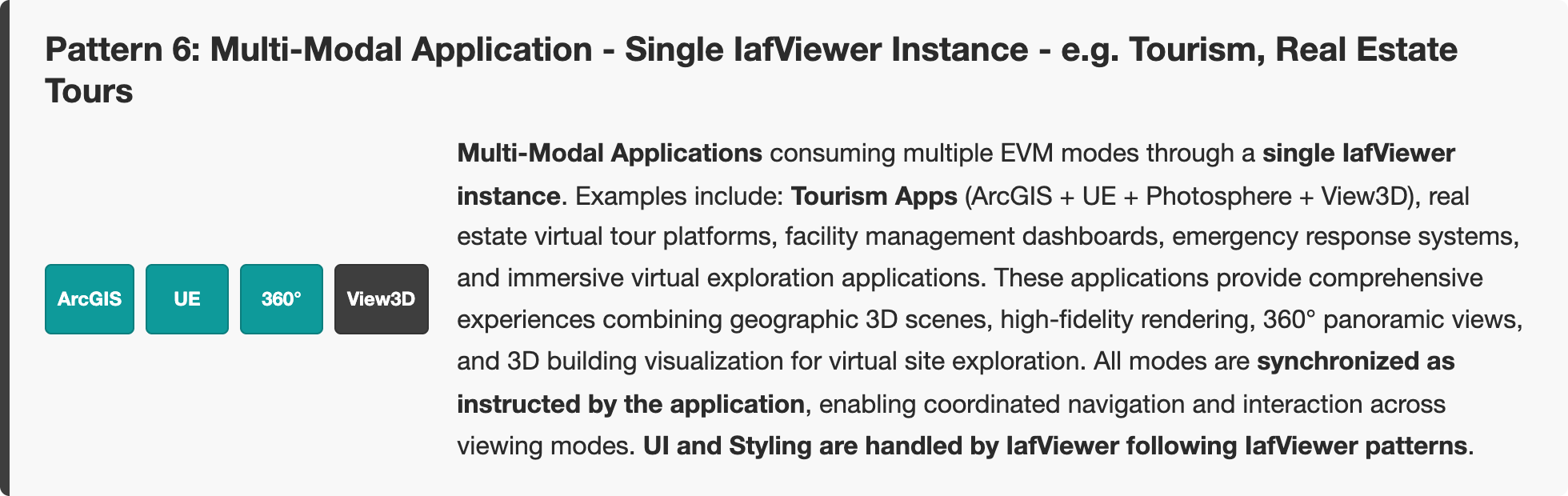
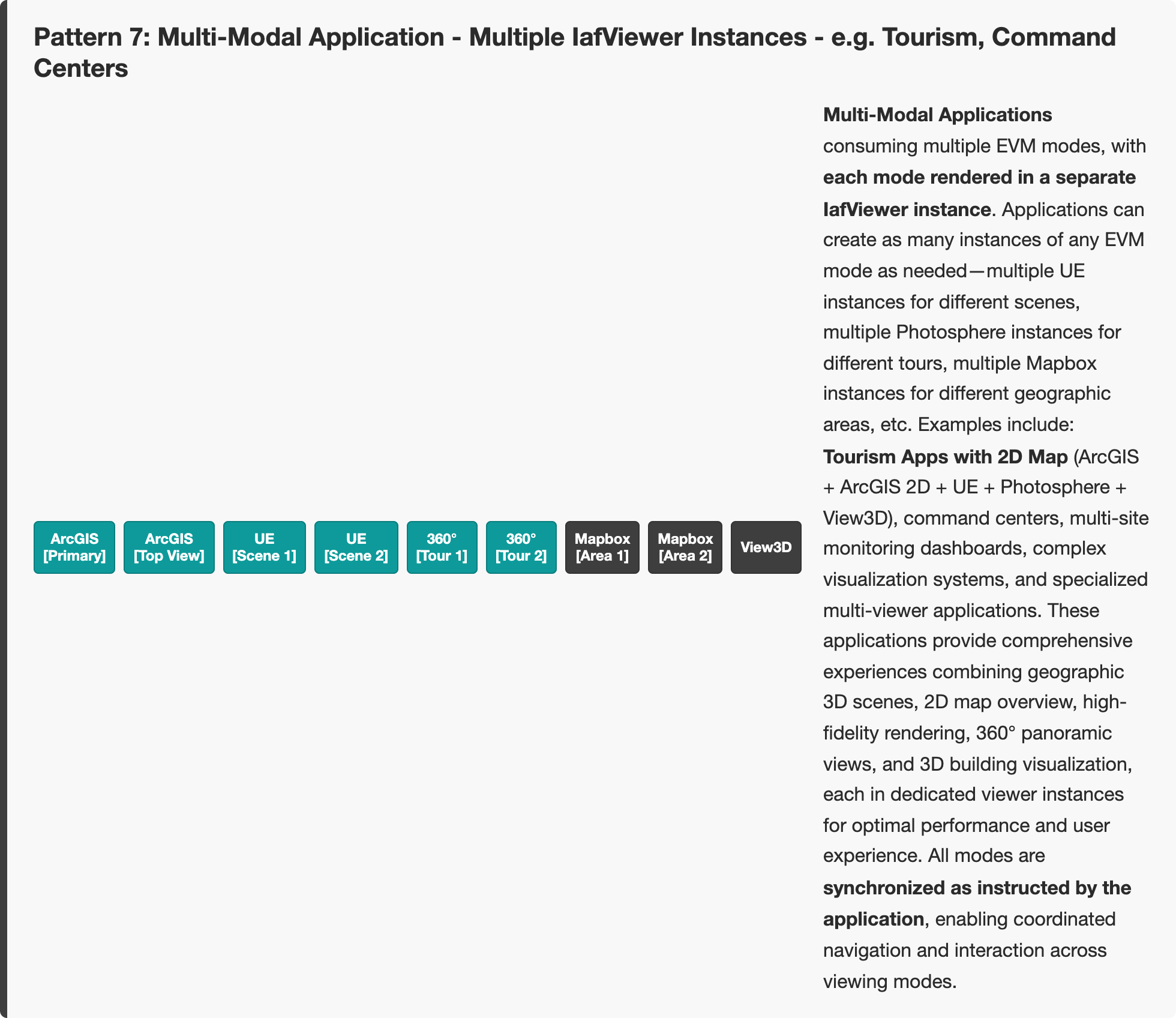
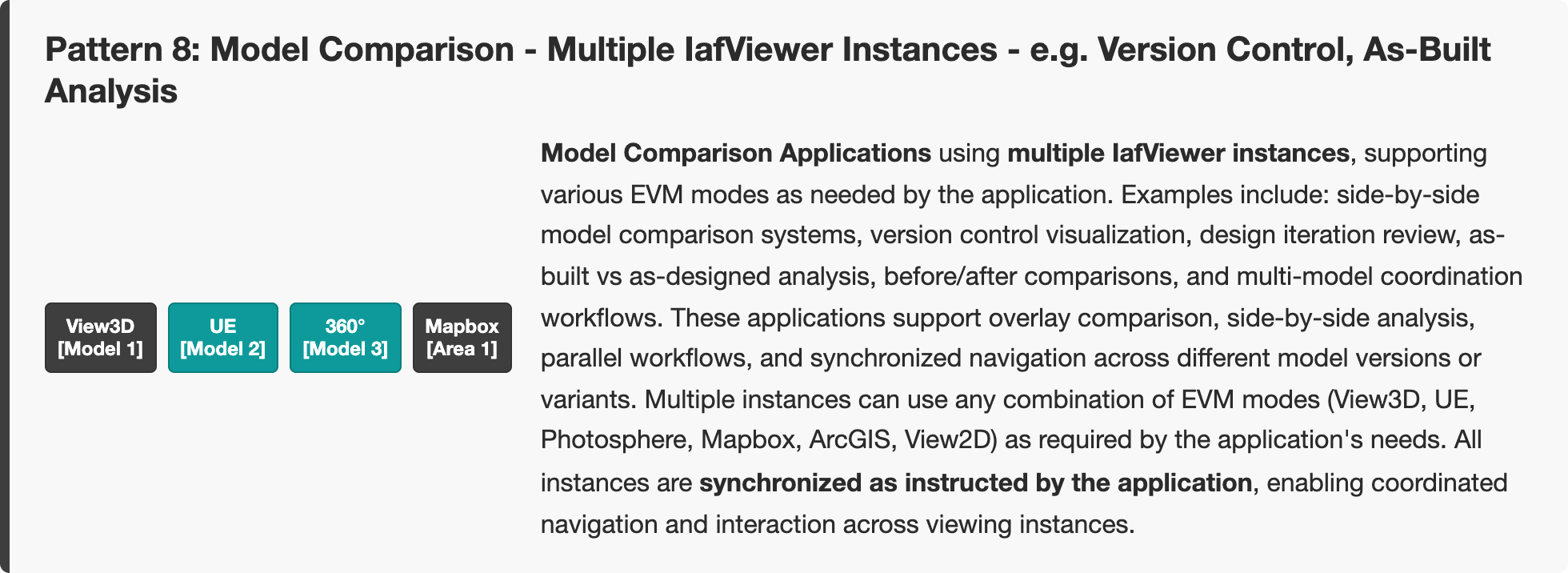
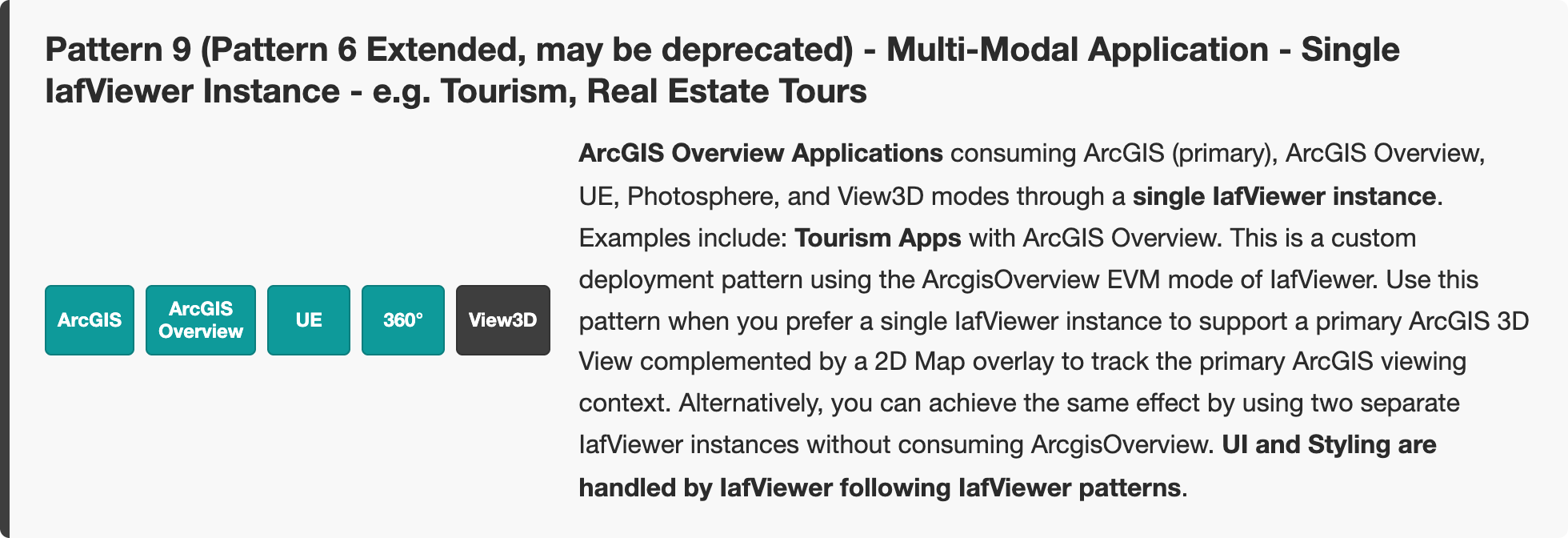
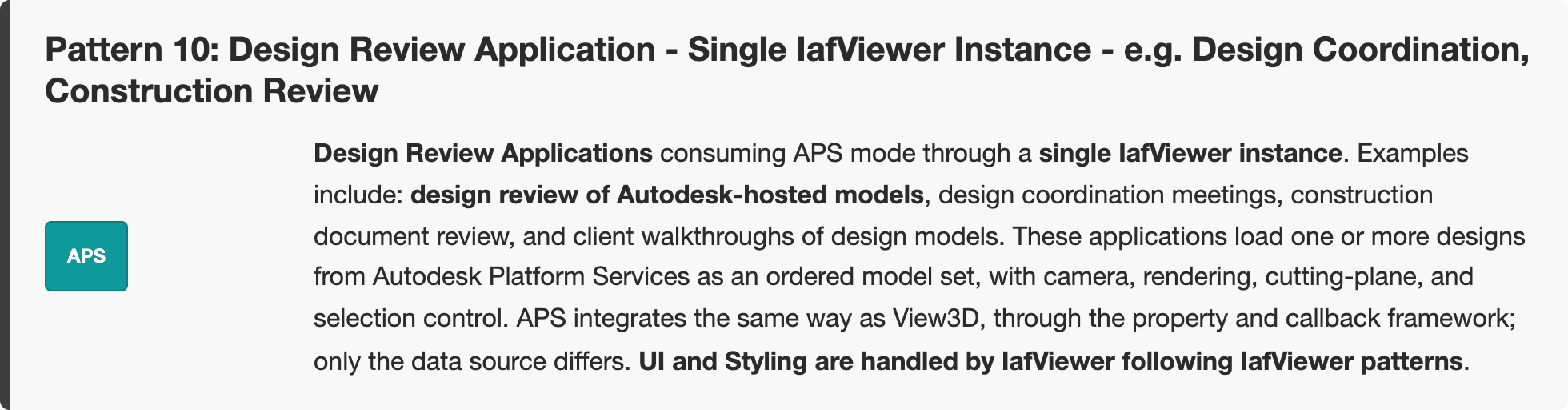
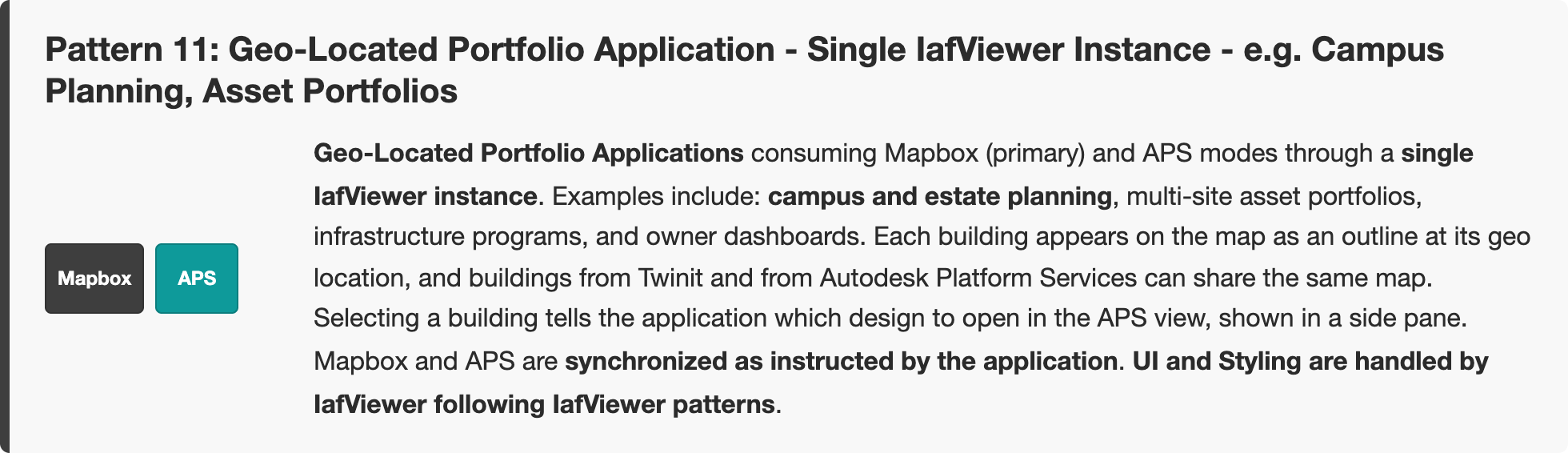
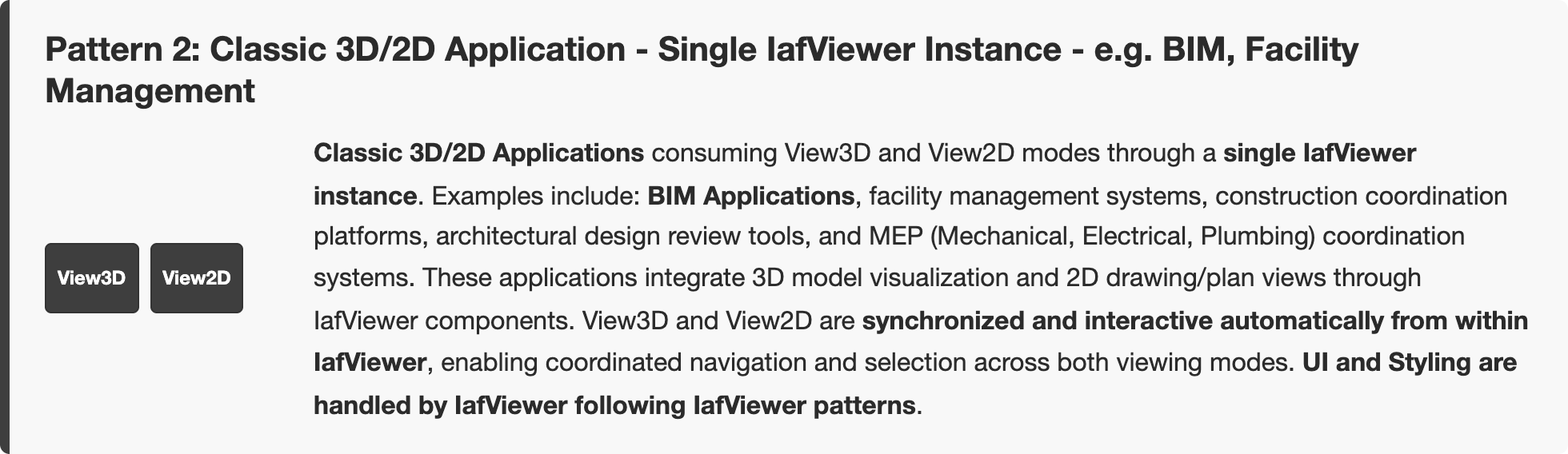
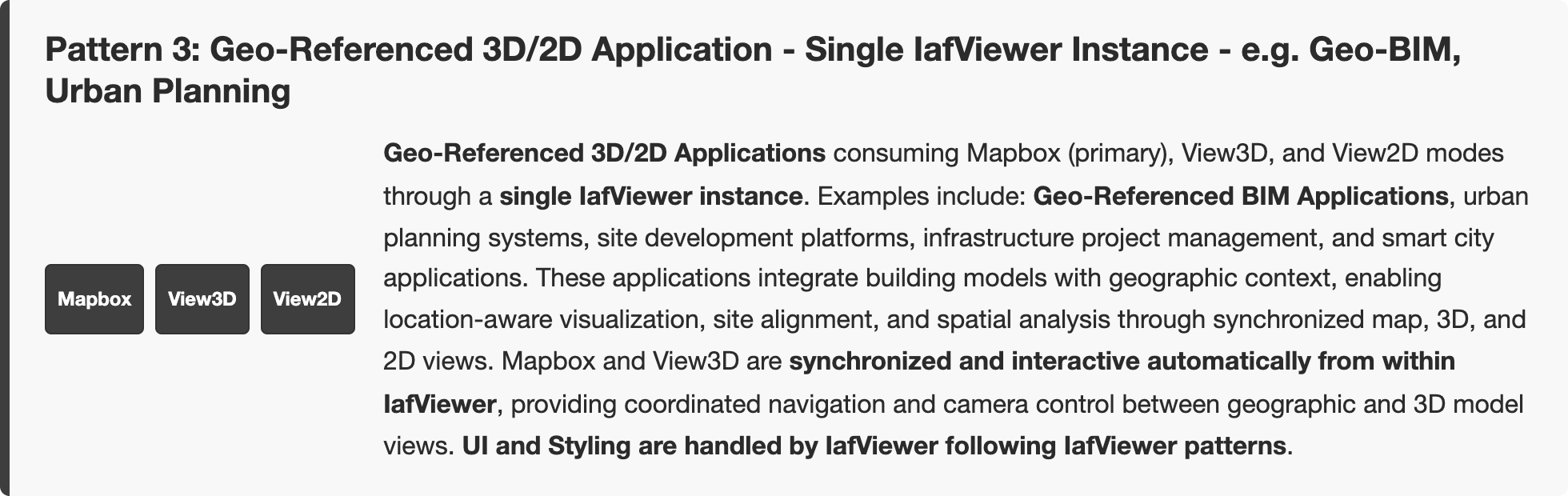
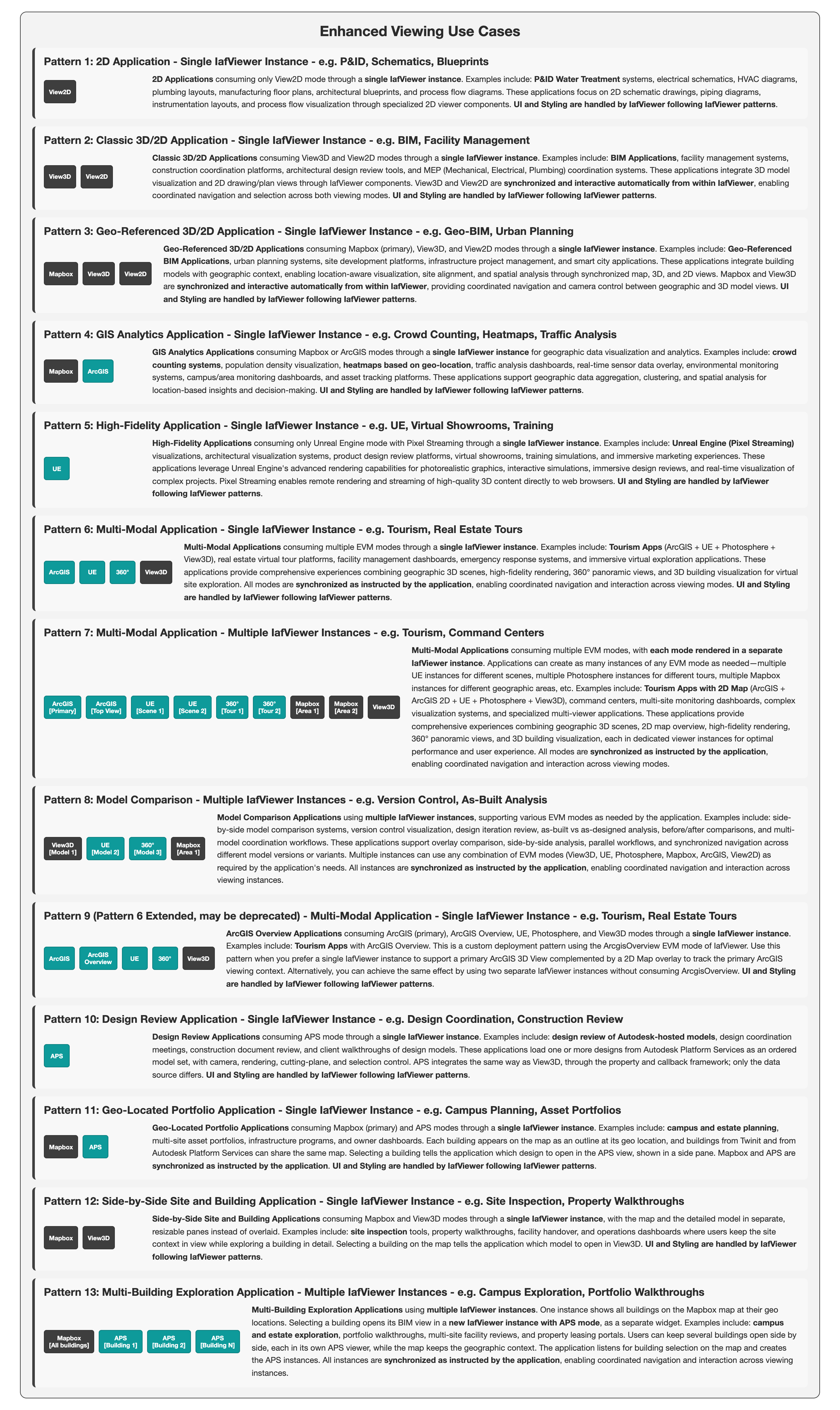 Zoom Pattern 1: 2D Application - Single IafViewer Instance - e.g. P&ID, Schematics, BlueprintsZoom Pattern 2: Classic 3D/2D Application - Single IafViewer Instance - e.g. BIM, Facility ManagementZoom Pattern 3: Geo-Referenced 3D/2D Application - Single IafViewer Instance - e.g. Geo-BIM, Urban PlanningZoom Pattern 4: GIS Analytics Application - Single IafViewer Instance - e.g. Crowd Counting, Heatmaps, Traffic AnalysisZoom Pattern 5: High-Fidelity Application - Single IafViewer Instance - e.g. UE, Virtual Showrooms, TrainingZoom Pattern 6: Multi-Modal Application - Single IafViewer Instance - e.g. Tourism, Real Estate ToursZoom Pattern 7: Multi-Modal Application - Multiple IafViewer Instances - e.g. Tourism, Command CentersZoom Pattern 8: Model Comparison - Multiple IafViewer Instances - e.g. Version Control, As-Built AnalysisZoom Pattern 9 (Pattern 6 Extended, may be deprecated) - Multi-Modal Application - Single IafViewer Instance - e.g. Tourism, Real Estate ToursZoom Pattern 10: Design Review Application - Single IafViewer Instance - e.g. Design Coordination, Construction ReviewZoom Pattern 11: Geo-Located Portfolio Application - Single IafViewer Instance - e.g. Campus Planning, Asset PortfoliosZoom Pattern 12: Side-by-Side Site and Building Application - Single IafViewer Instance - e.g. Site Inspection, Property WalkthroughsZoom Pattern 13: Multi-Building Exploration Application - Multiple IafViewer Instances - e.g. Campus Exploration, Portfolio Walkthroughs
Click a block to enlarge that region. Click the backdrop, press Esc, or × to return to the full diagram.
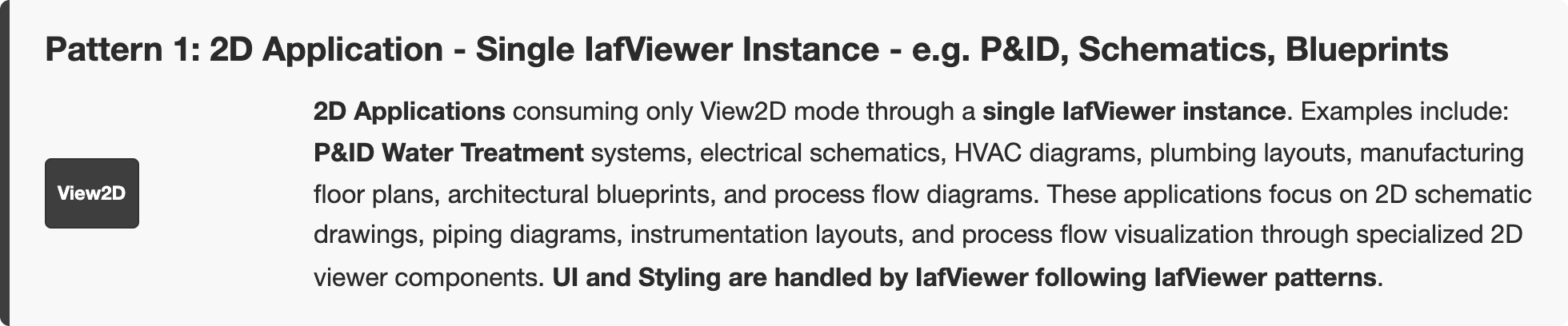
Click outside, press Esc, or × to return to the full diagram
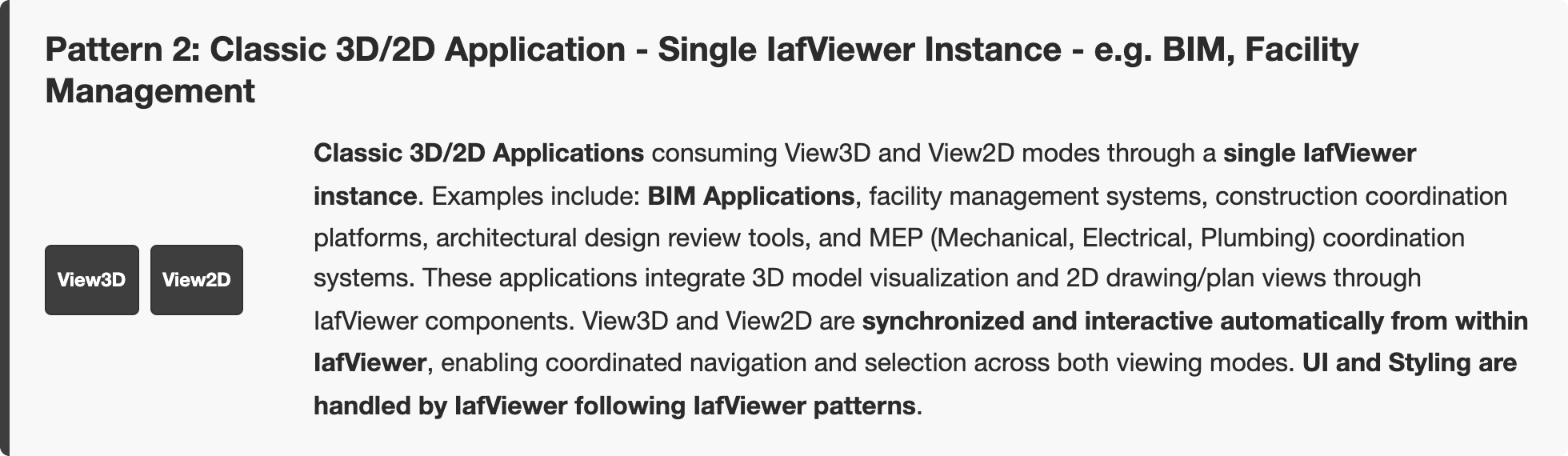
Click outside, press Esc, or × to return to the full diagram
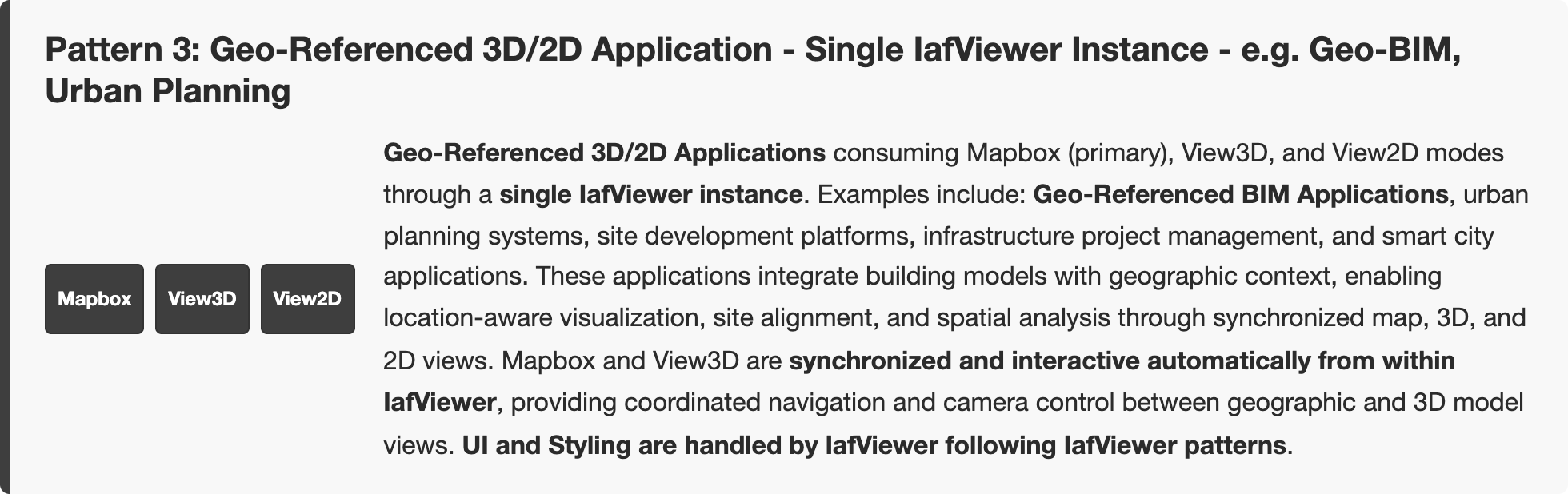
Click outside, press Esc, or × to return to the full diagram
Click outside, press Esc, or × to return to the full diagram
Click outside, press Esc, or × to return to the full diagram
Click outside, press Esc, or × to return to the full diagram
Click outside, press Esc, or × to return to the full diagram
Click outside, press Esc, or × to return to the full diagram
Click outside, press Esc, or × to return to the full diagram
Click outside, press Esc, or × to return to the full diagram
Click outside, press Esc, or × to return to the full diagram
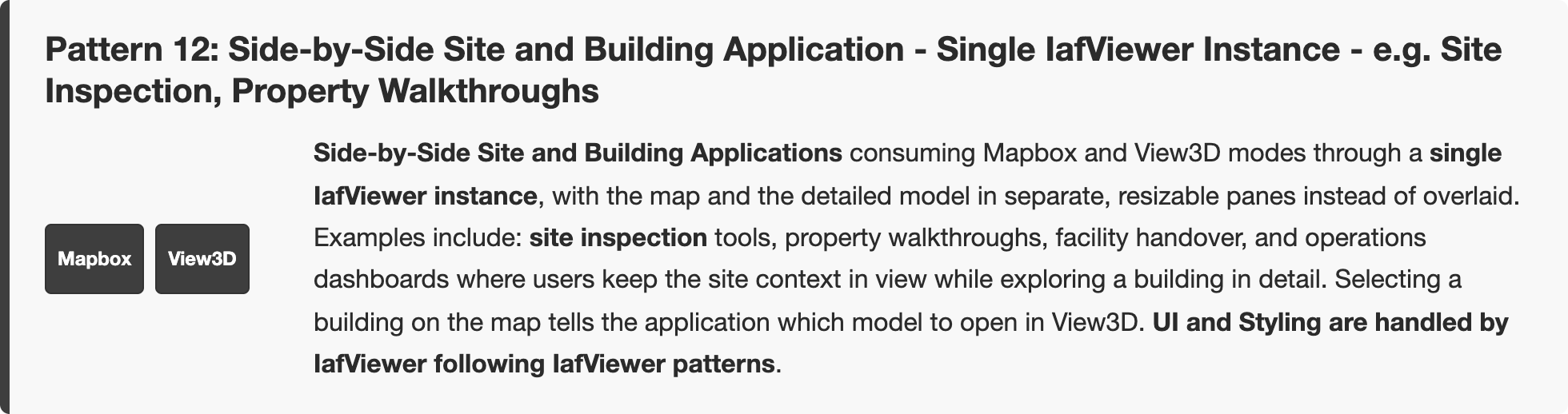
Click outside, press Esc, or × to return to the full diagram
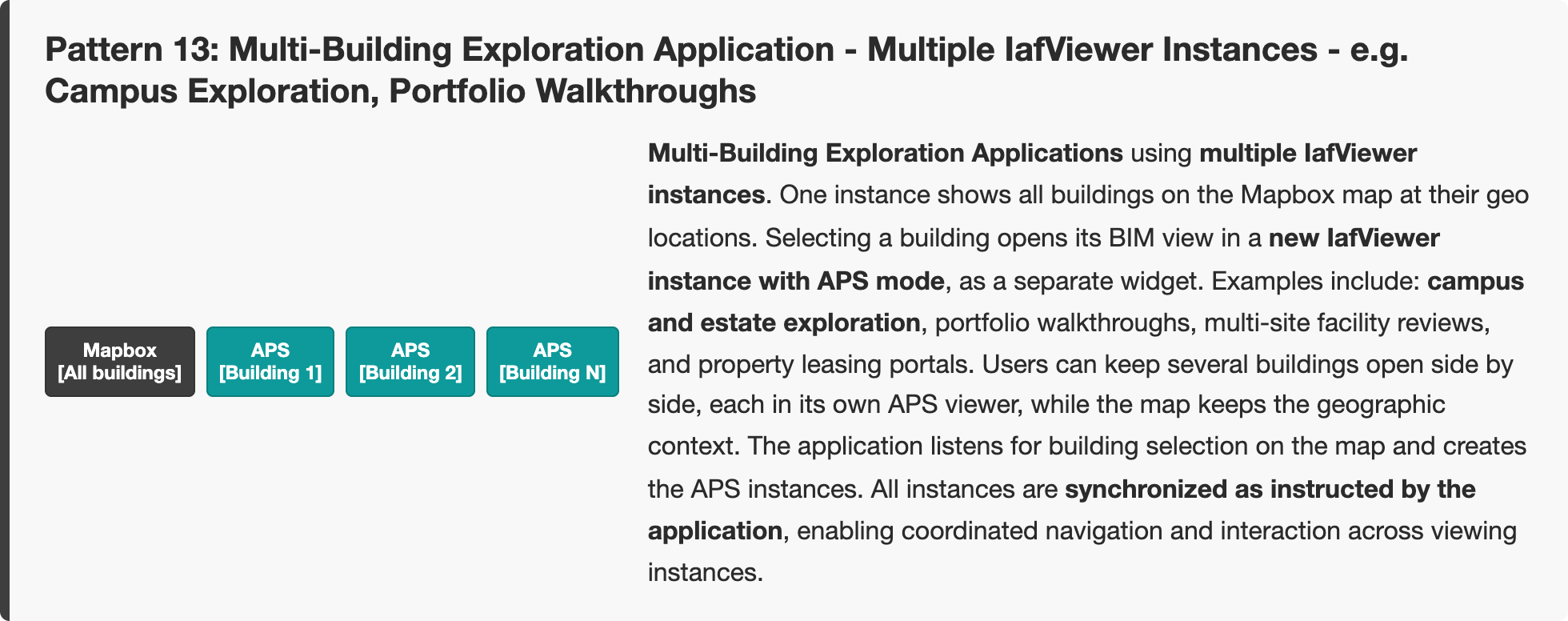
Click outside, press Esc, or × to return to the full diagram
Note: A single IafViewer instance suffices for most cases where one instance of each EVM mode fulfills the application requirement. It also lets the application rely on IafViewer for user interface needs and the other benefits of a single React component. If the application needs more than one instance of any EVM mode, such as for model comparison or several GIS windows showing different views, use multiple IafViewer instances.
Figure: Enhanced Viewing Use Cases — basic patterns
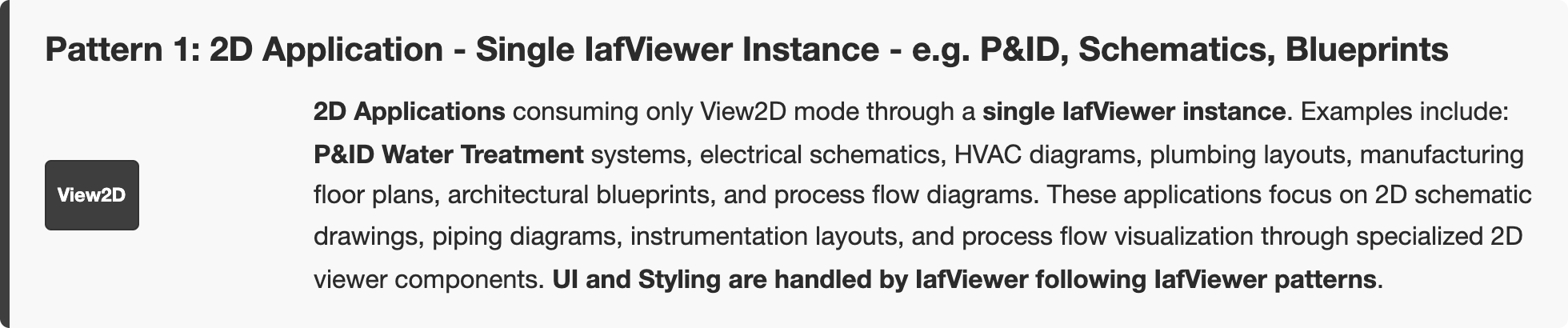
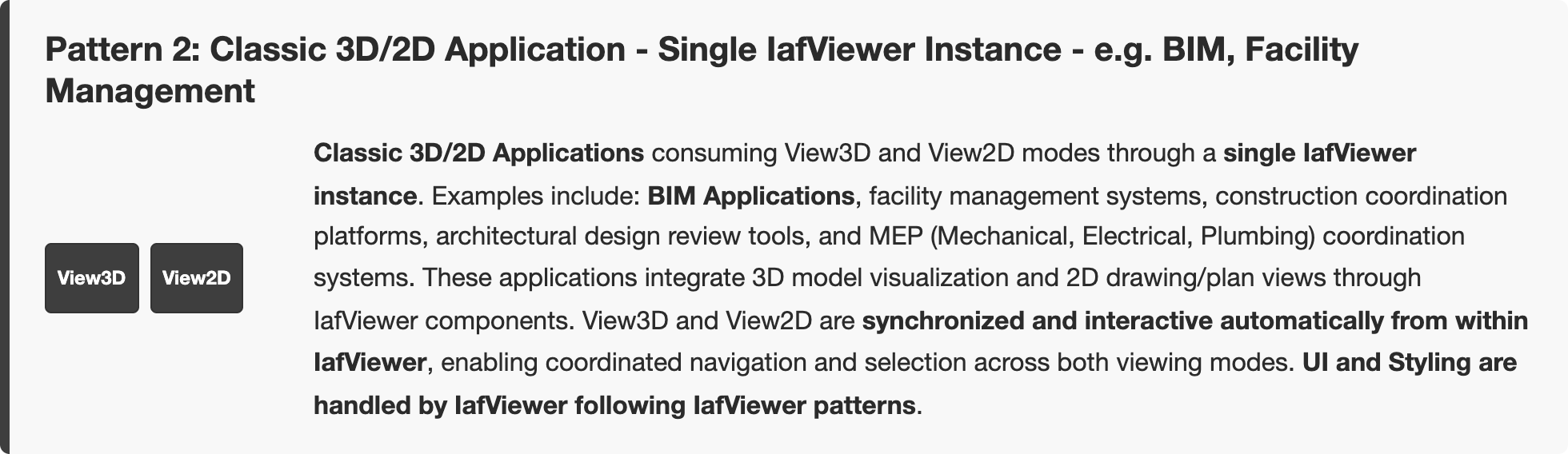
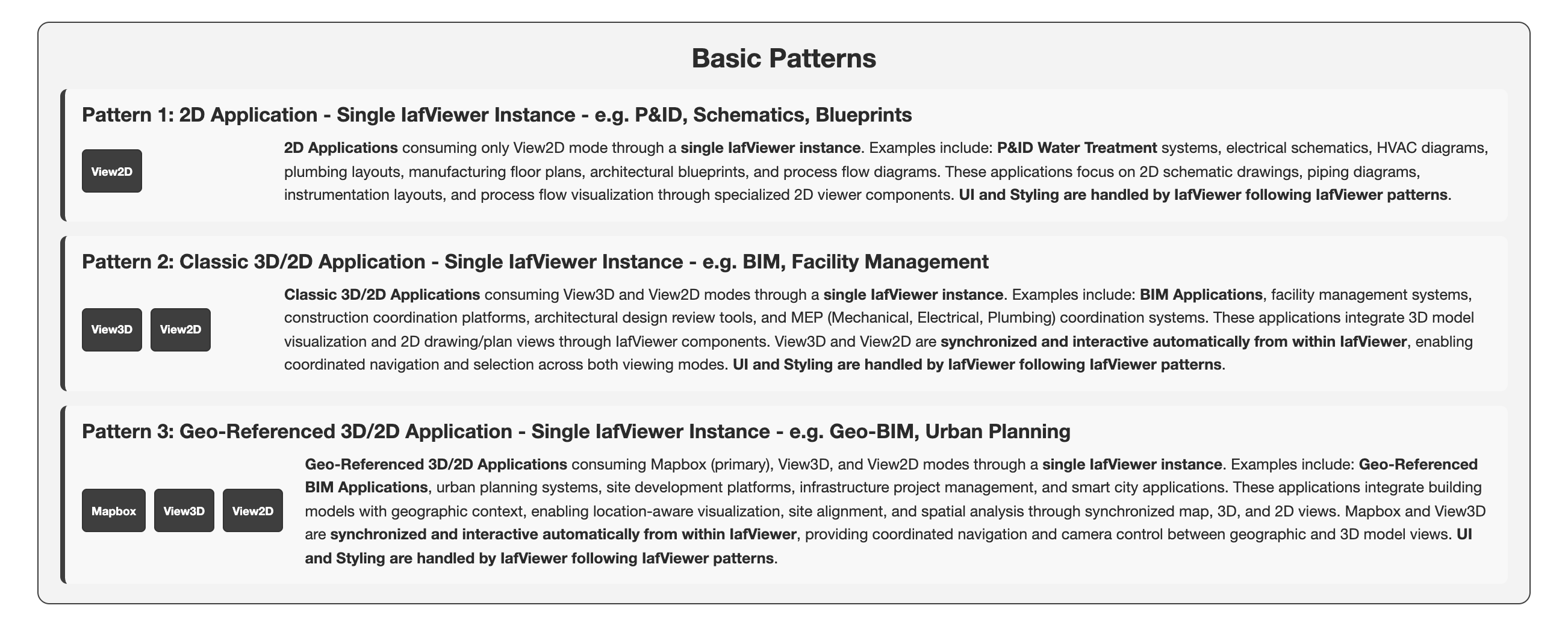 Zoom Pattern 1: 2D Application - Single IafViewer Instance - e.g. P&ID, Schematics, BlueprintsZoom Pattern 2: Classic 3D/2D Application - Single IafViewer Instance - e.g. BIM, Facility ManagementZoom Pattern 3: Geo-Referenced 3D/2D Application - Single IafViewer Instance - e.g. Geo-BIM, Urban Planning
Click a block to enlarge that region. Click the backdrop, press Esc, or × to return to the full diagram.
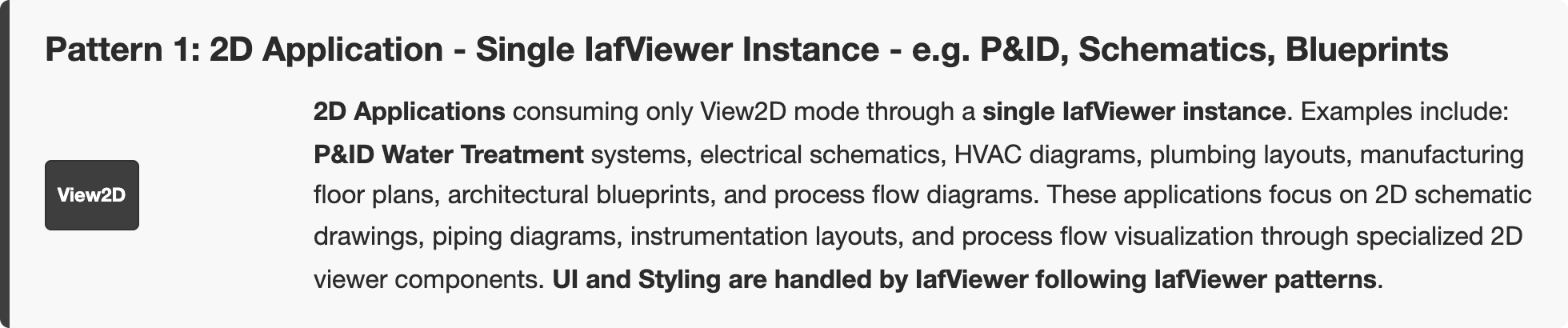
Click outside, press Esc, or × to return to the full diagram
Click outside, press Esc, or × to return to the full diagram
Click outside, press Esc, or × to return to the full diagram
Figure: Enhanced Viewing Use Cases — advanced patterns
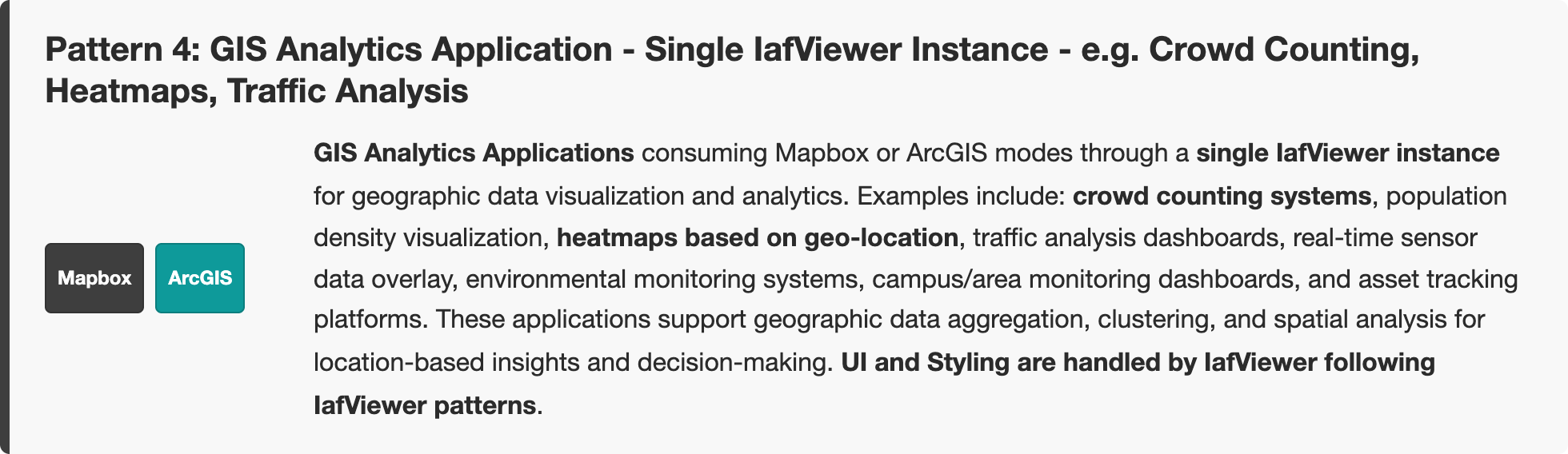
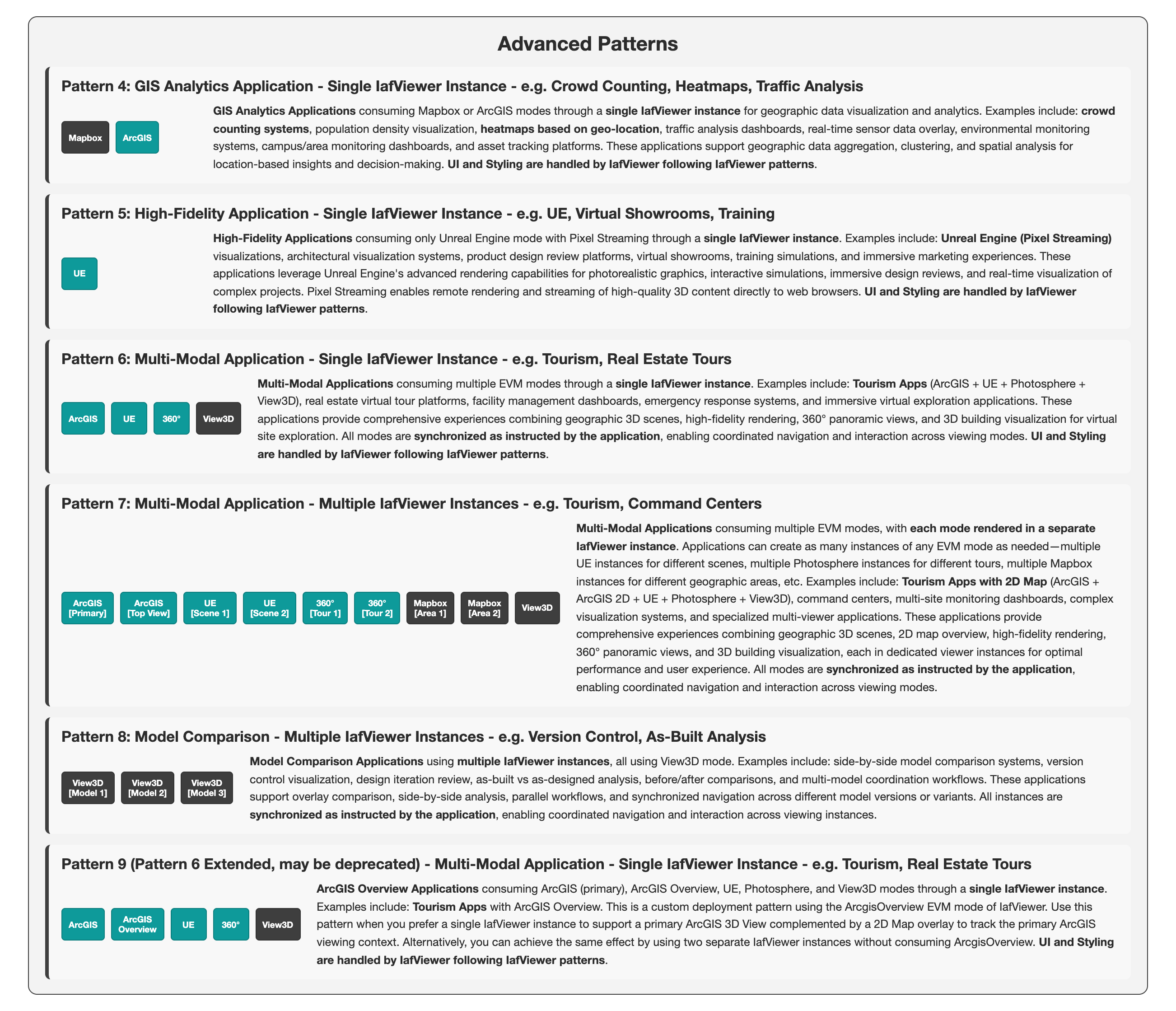 Zoom Pattern 4: GIS Analytics Application - Single IafViewer Instance - e.g. Crowd Counting, Heatmaps, Traffic AnalysisZoom Pattern 5: High-Fidelity Application - Single IafViewer Instance - e.g. UE, Virtual Showrooms, TrainingZoom Pattern 6: Multi-Modal Application - Single IafViewer Instance - e.g. Tourism, Real Estate ToursZoom Pattern 7: Multi-Modal Application - Multiple IafViewer Instances - e.g. Tourism, Command CentersZoom Pattern 8: Model Comparison - Multiple IafViewer Instances - e.g. Version Control, As-Built AnalysisZoom Pattern 9 (Pattern 6 Extended, may be deprecated) - Multi-Modal Application - Single IafViewer Instance - e.g. Tourism, Real Estate Tours
Click a block to enlarge that region. Click the backdrop, press Esc, or × to return to the full diagram.
Click outside, press Esc, or × to return to the full diagram
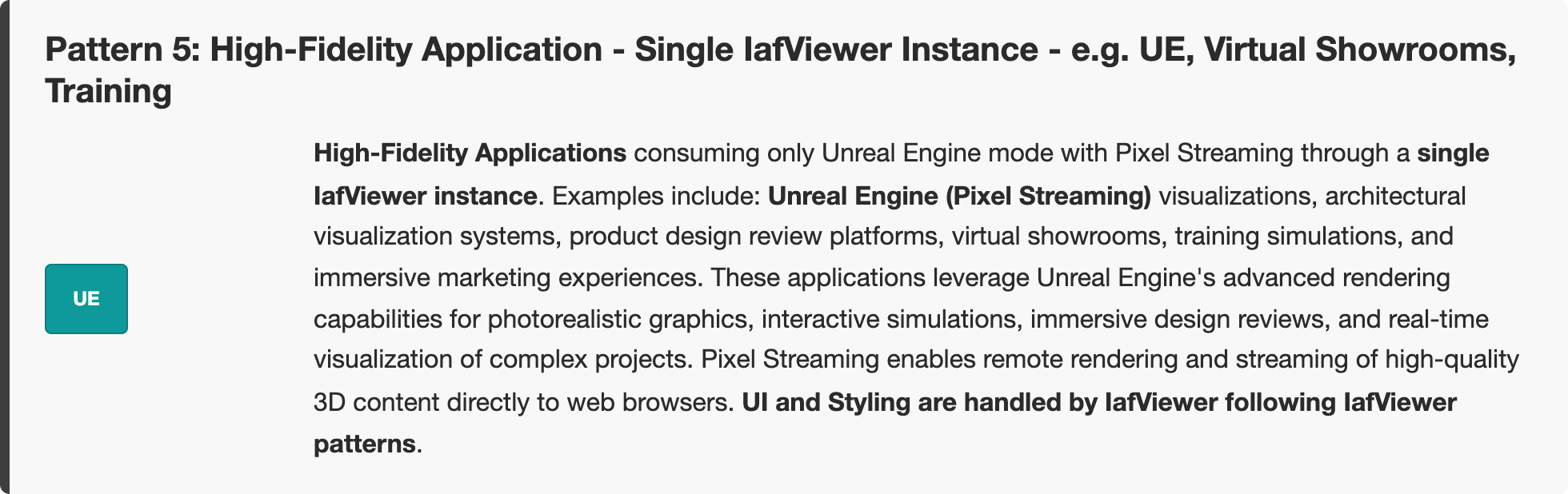
Click outside, press Esc, or × to return to the full diagram
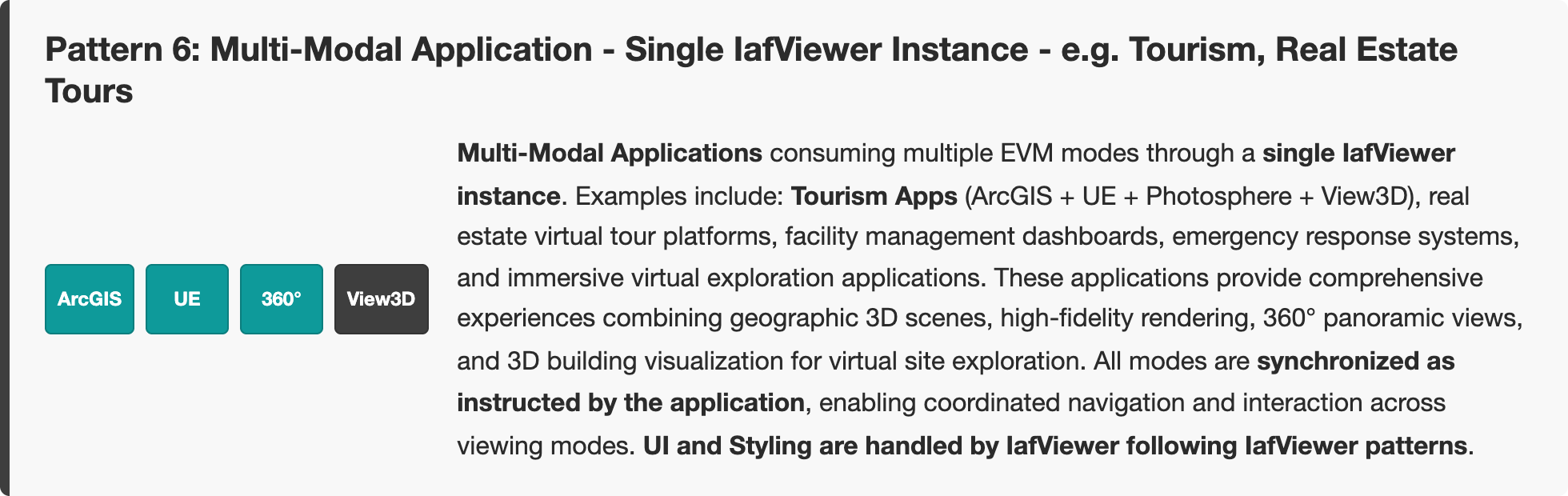
Click outside, press Esc, or × to return to the full diagram
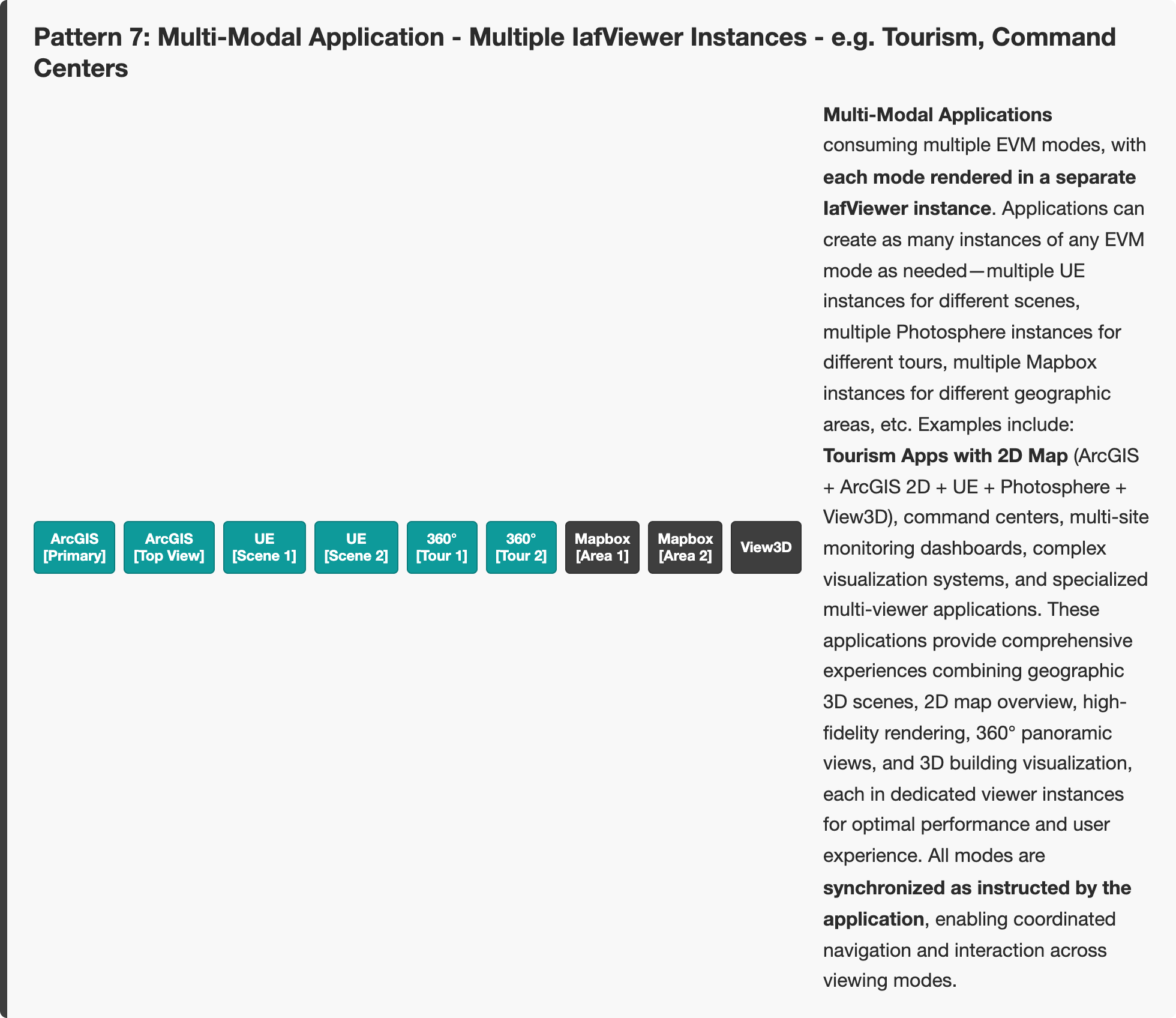
Click outside, press Esc, or × to return to the full diagram
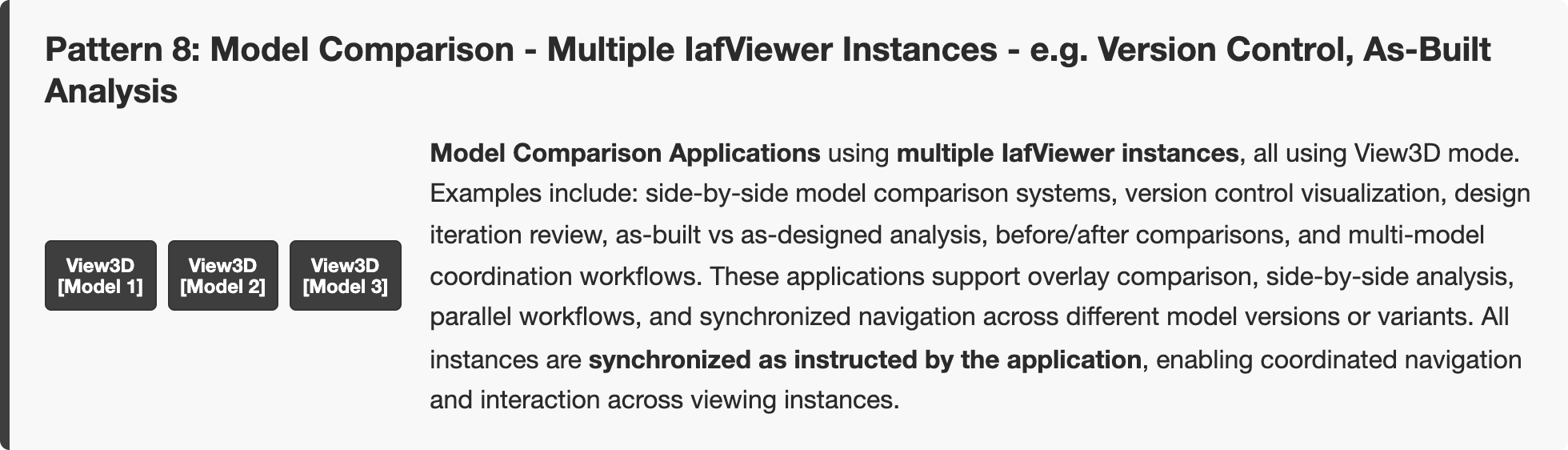
Click outside, press Esc, or × to return to the full diagram
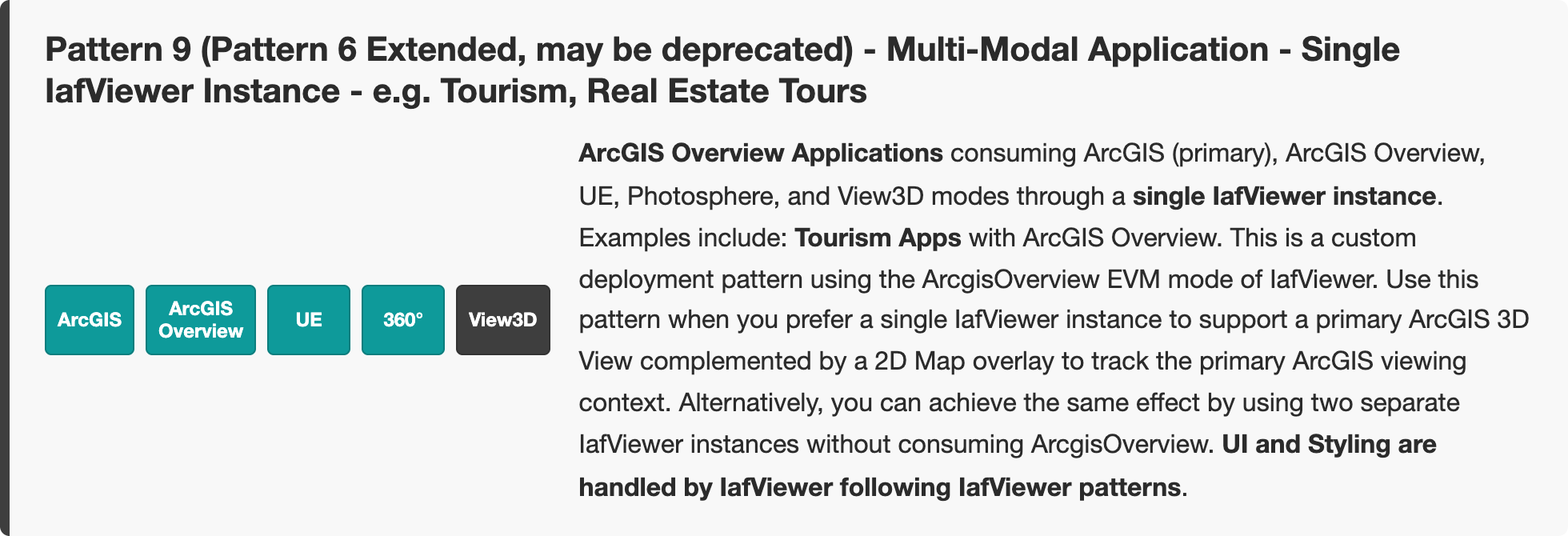
Click outside, press Esc, or × to return to the full diagram
Figure: Enhanced Viewing Use Cases — design review and geo-located patterns
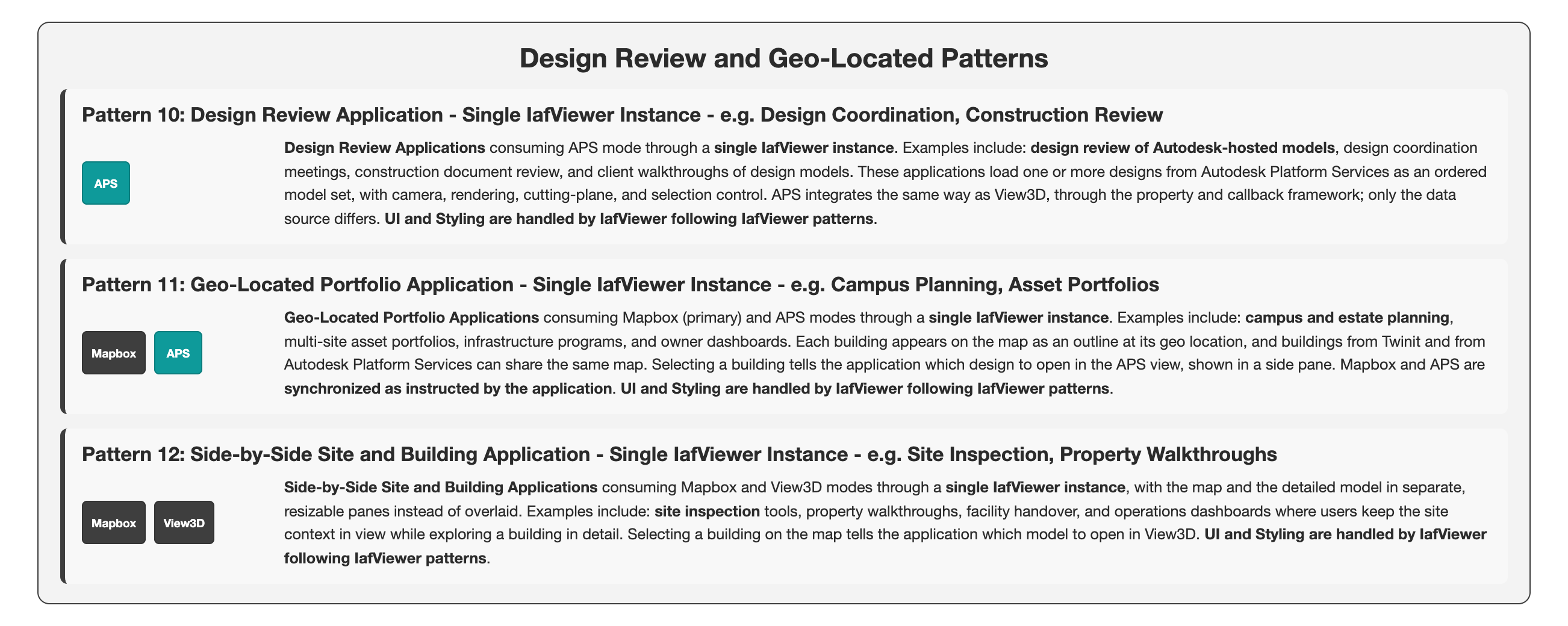 Zoom Pattern 10: Design Review Application - Single IafViewer Instance - e.g. Design Coordination, Construction ReviewZoom Pattern 11: Geo-Located Portfolio Application - Single IafViewer Instance - e.g. Campus Planning, Asset PortfoliosZoom Pattern 12: Side-by-Side Site and Building Application - Single IafViewer Instance - e.g. Site Inspection, Property Walkthroughs
Click a block to enlarge that region. Click the backdrop, press Esc, or × to return to the full diagram.
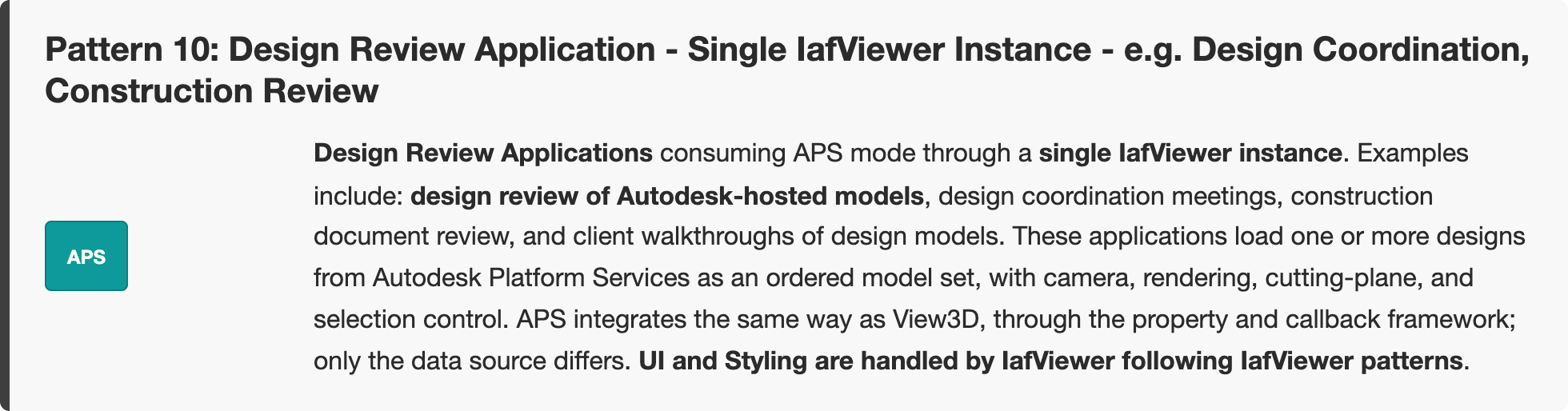
Click outside, press Esc, or × to return to the full diagram
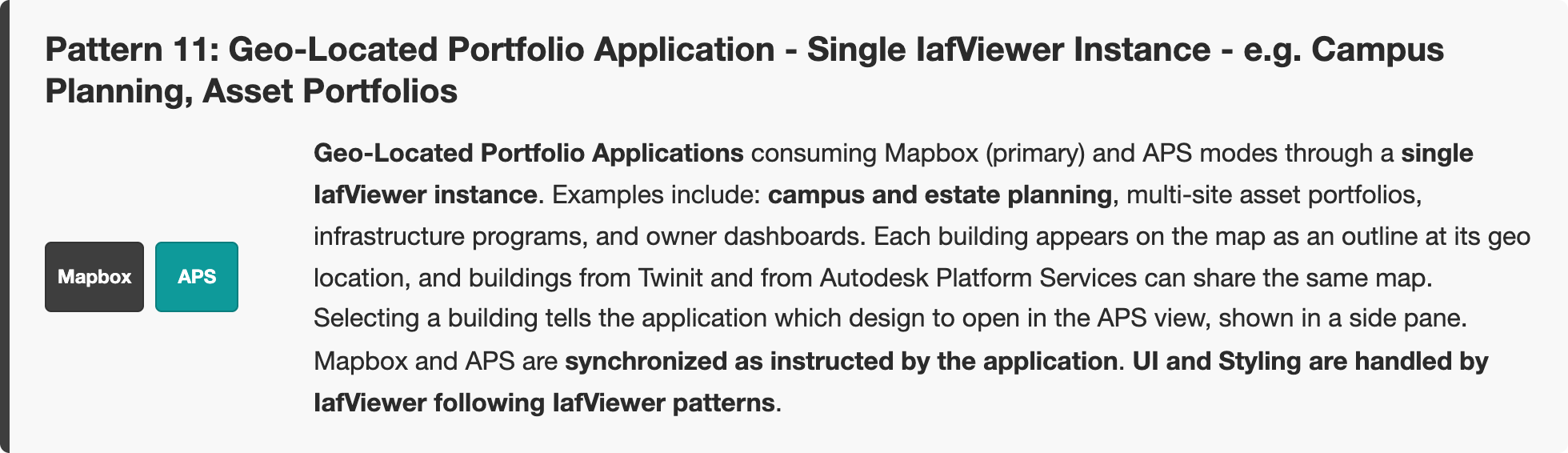
Click outside, press Esc, or × to return to the full diagram
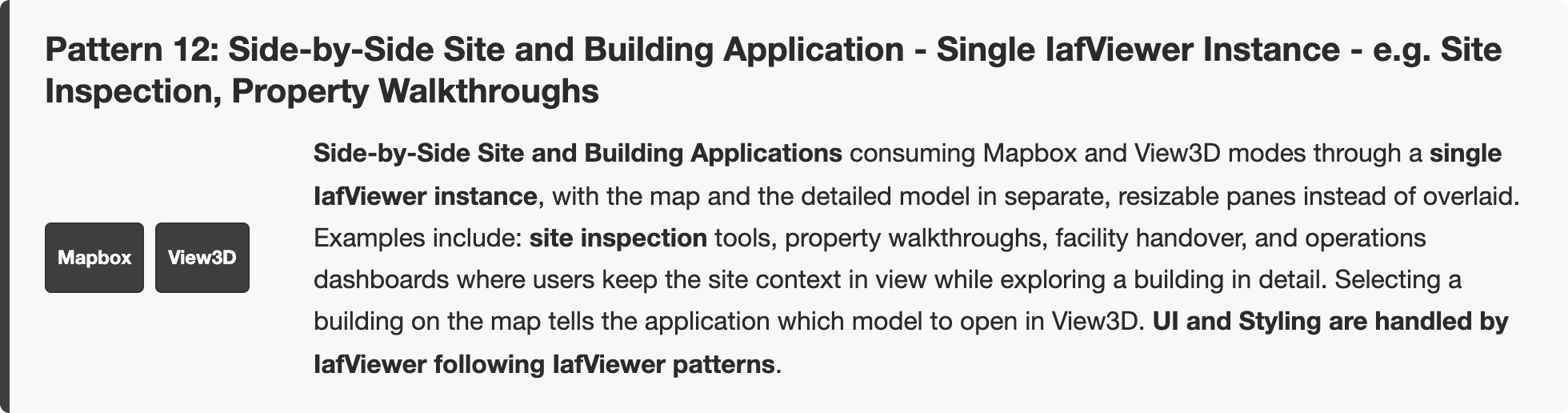
Click outside, press Esc, or × to return to the full diagram
Figure: Enhanced Viewing Use Cases — single IafViewer instance
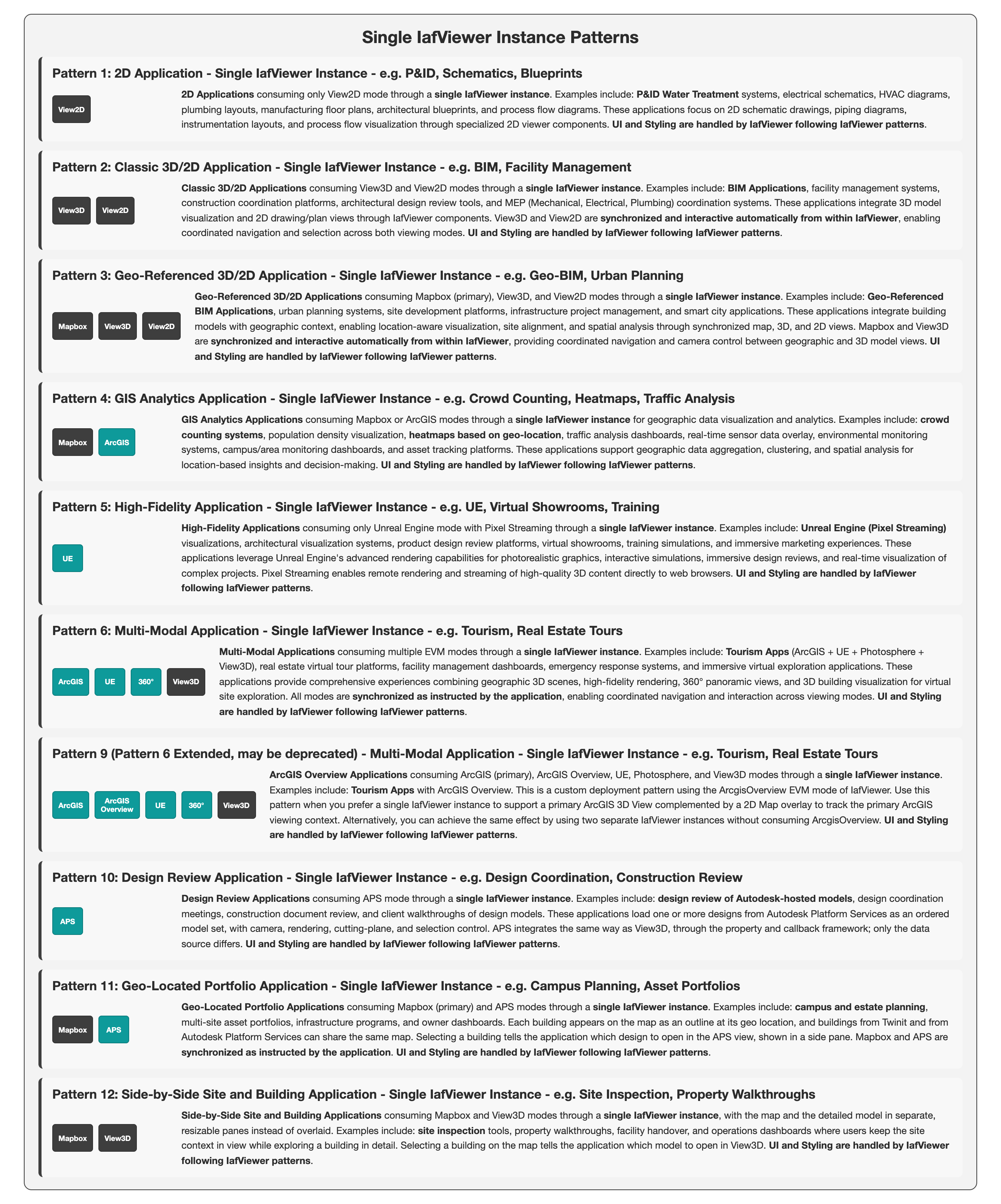 Zoom Pattern 1: 2D Application - Single IafViewer Instance - e.g. P&ID, Schematics, BlueprintsZoom Pattern 2: Classic 3D/2D Application - Single IafViewer Instance - e.g. BIM, Facility ManagementZoom Pattern 3: Geo-Referenced 3D/2D Application - Single IafViewer Instance - e.g. Geo-BIM, Urban PlanningZoom Pattern 4: GIS Analytics Application - Single IafViewer Instance - e.g. Crowd Counting, Heatmaps, Traffic AnalysisZoom Pattern 5: High-Fidelity Application - Single IafViewer Instance - e.g. UE, Virtual Showrooms, TrainingZoom Pattern 6: Multi-Modal Application - Single IafViewer Instance - e.g. Tourism, Real Estate ToursZoom Pattern 9 (Pattern 6 Extended, may be deprecated) - Multi-Modal Application - Single IafViewer Instance - e.g. Tourism, Real Estate ToursZoom Pattern 10: Design Review Application - Single IafViewer Instance - e.g. Design Coordination, Construction ReviewZoom Pattern 11: Geo-Located Portfolio Application - Single IafViewer Instance - e.g. Campus Planning, Asset PortfoliosZoom Pattern 12: Side-by-Side Site and Building Application - Single IafViewer Instance - e.g. Site Inspection, Property Walkthroughs
Click a block to enlarge that region. Click the backdrop, press Esc, or × to return to the full diagram.
Click outside, press Esc, or × to return to the full diagram
Click outside, press Esc, or × to return to the full diagram
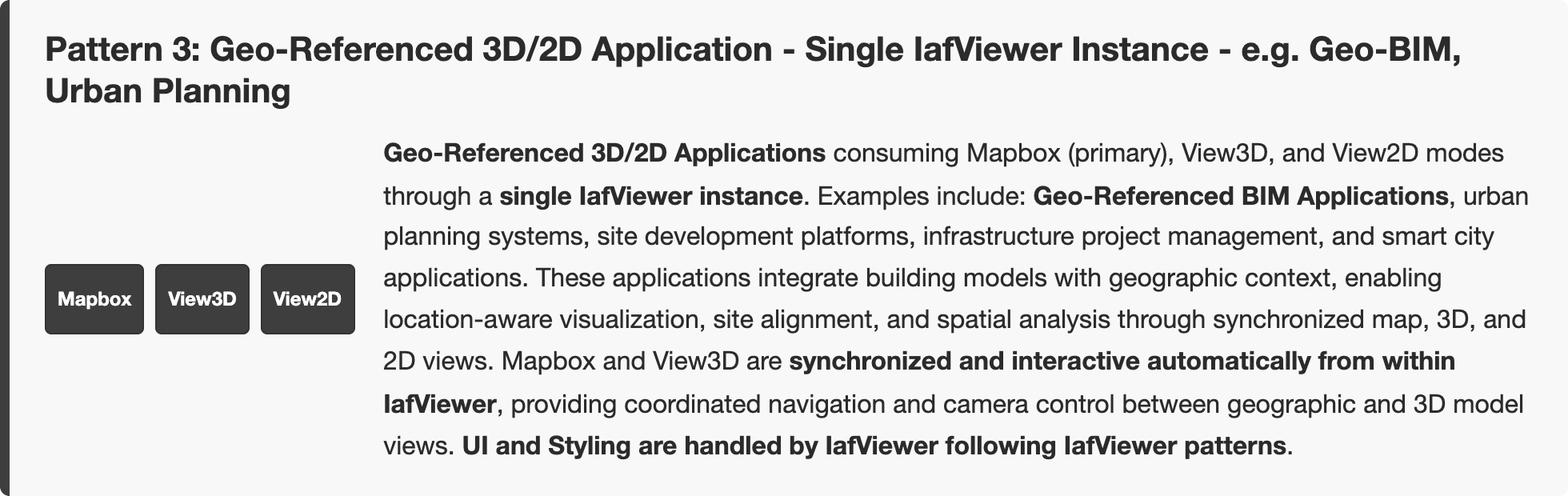
Click outside, press Esc, or × to return to the full diagram
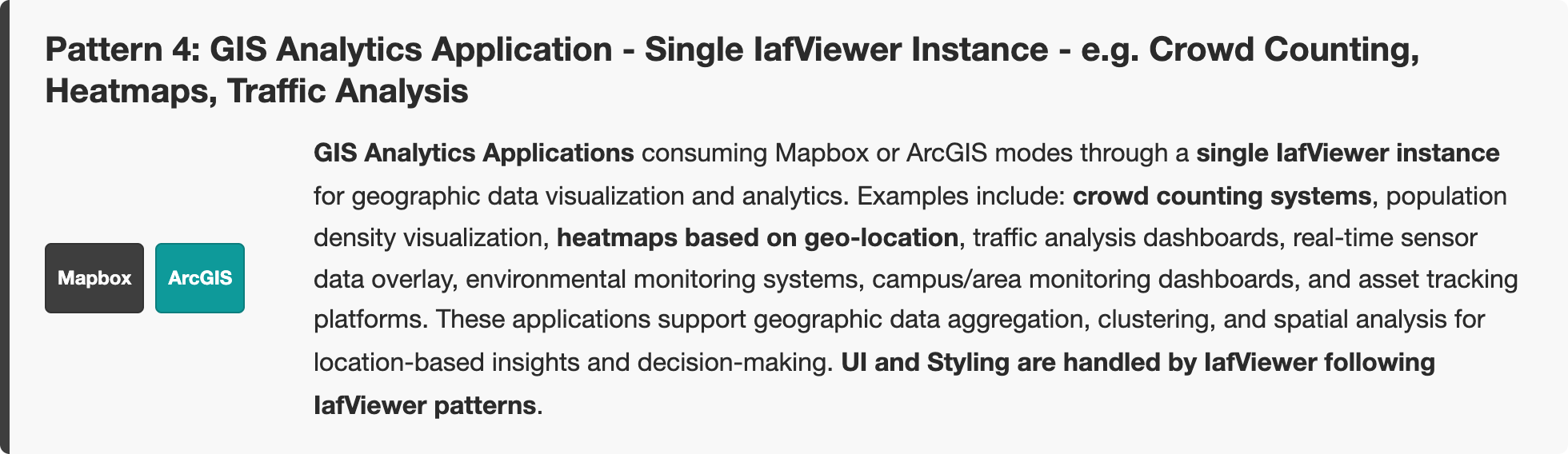
Click outside, press Esc, or × to return to the full diagram
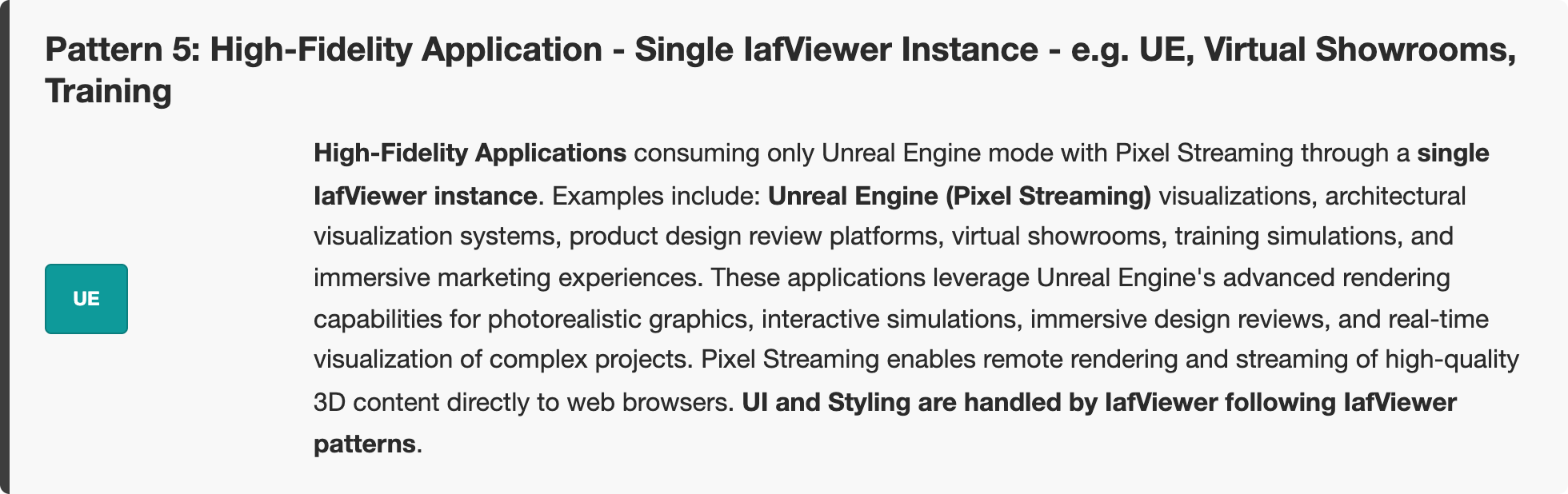
Click outside, press Esc, or × to return to the full diagram
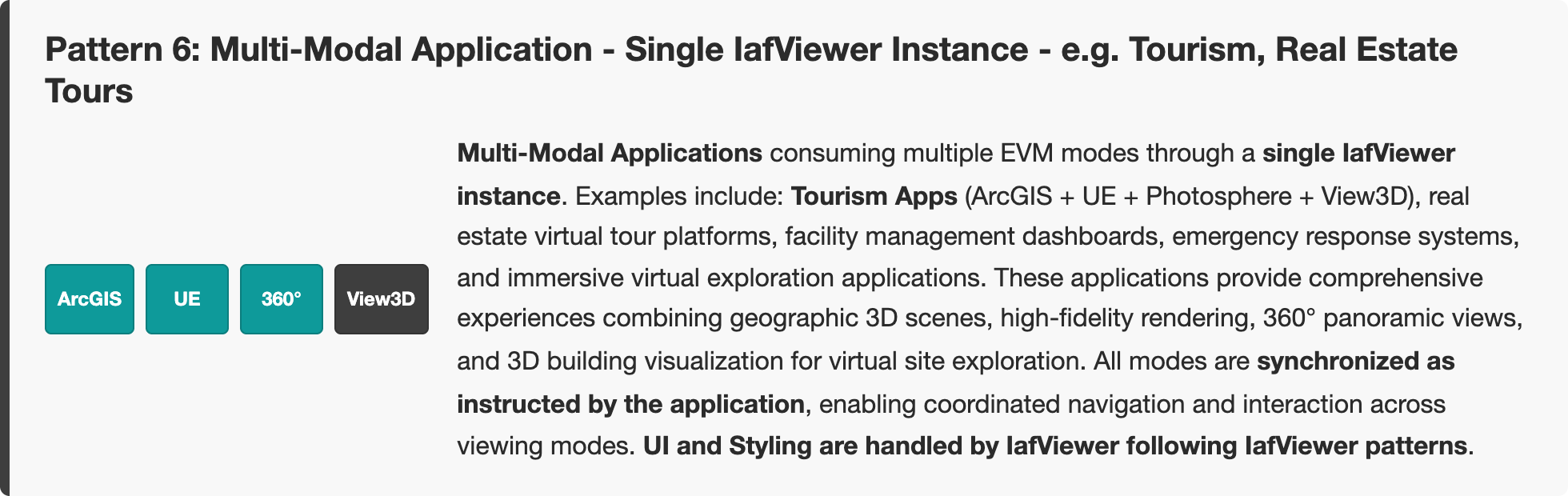
Click outside, press Esc, or × to return to the full diagram
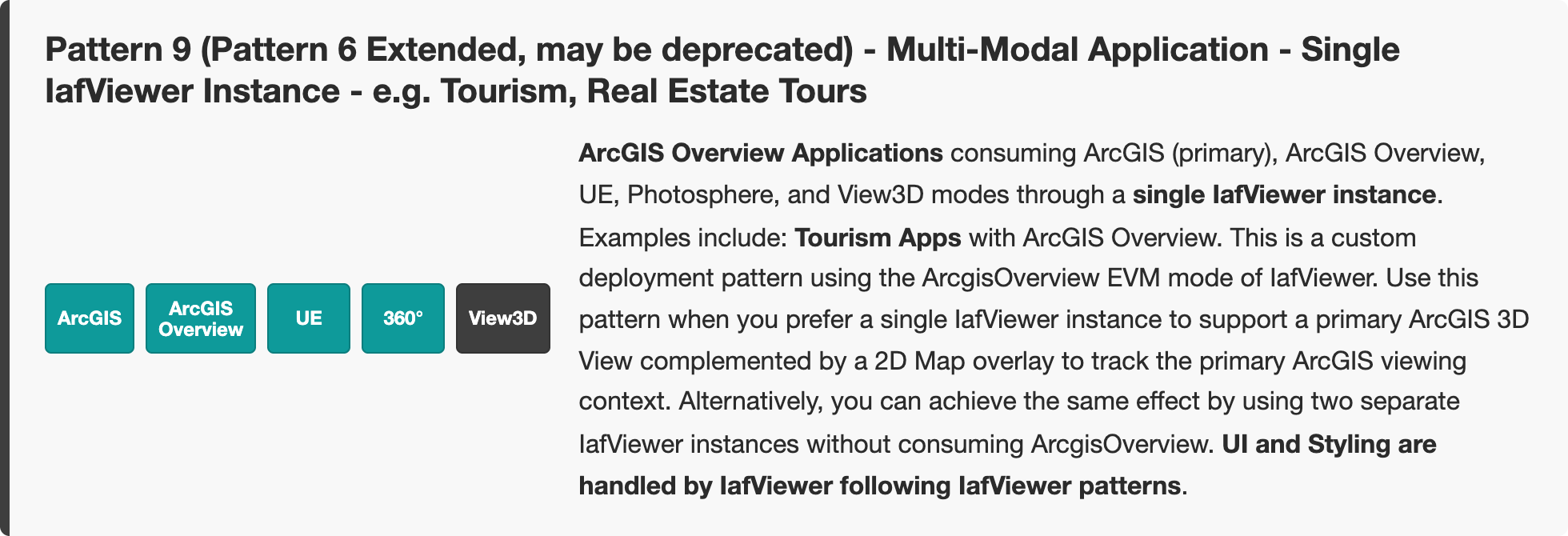
Click outside, press Esc, or × to return to the full diagram
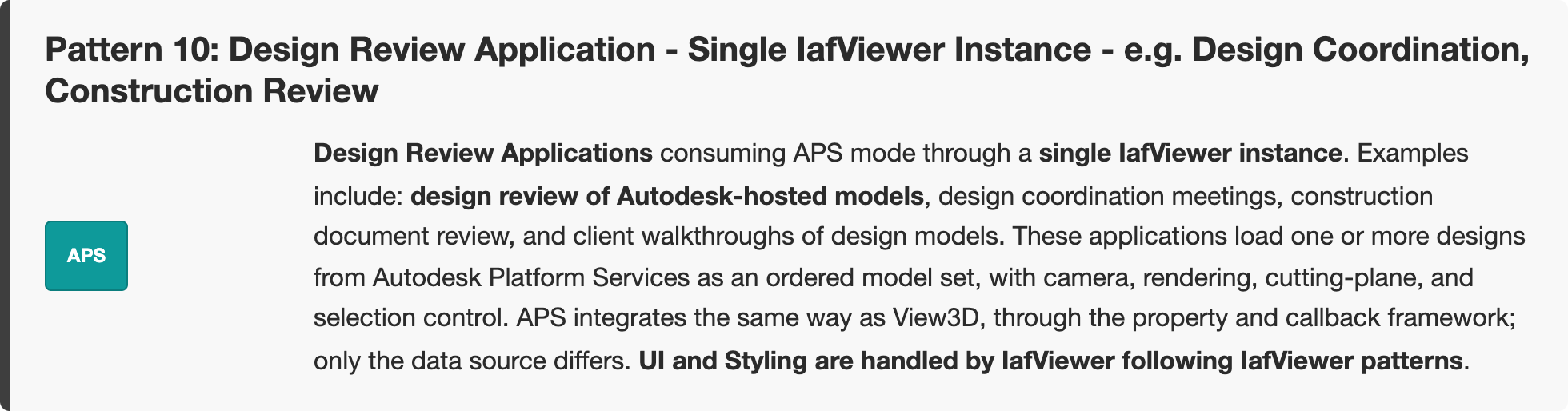
Click outside, press Esc, or × to return to the full diagram
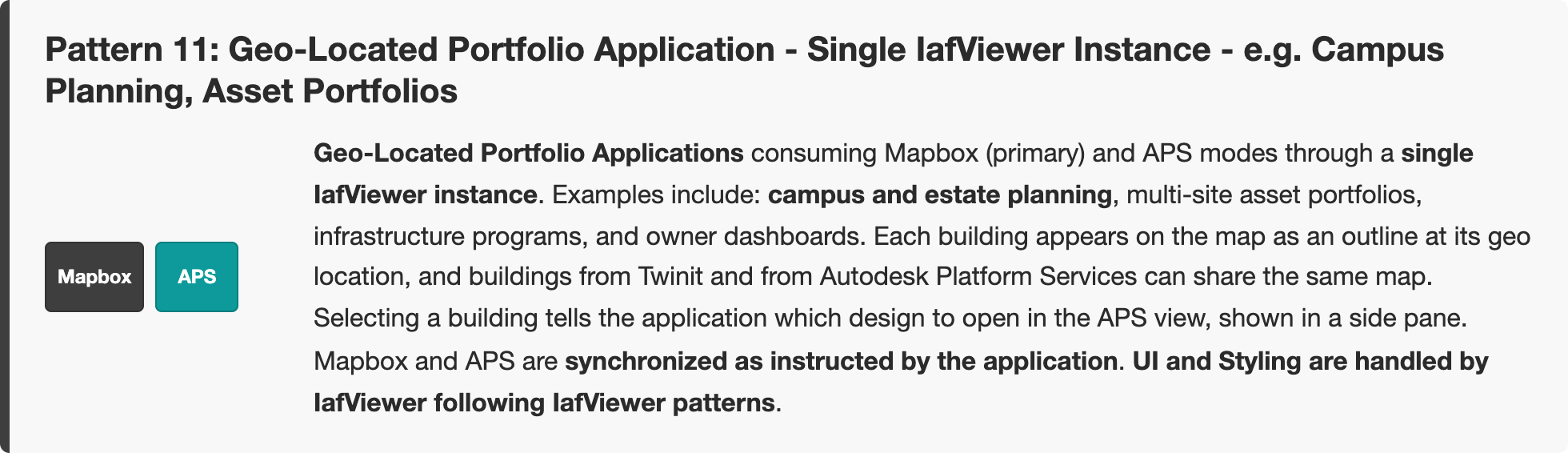
Click outside, press Esc, or × to return to the full diagram
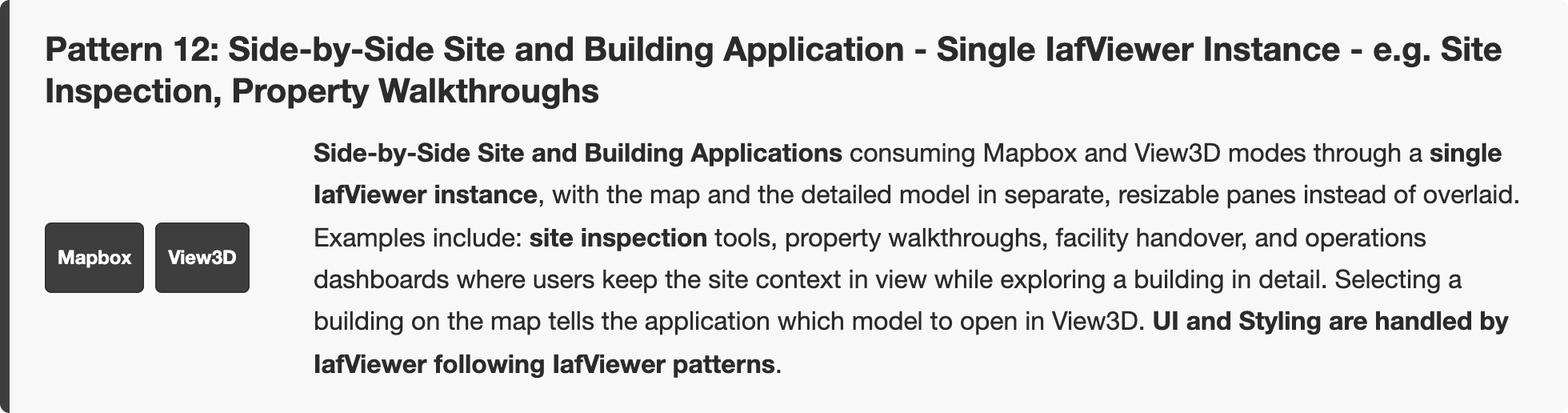
Click outside, press Esc, or × to return to the full diagram
Note: A single IafViewer instance simplifies application architecture, reduces complexity, and uses IafViewer's built-in UI patterns and styling.
Figure: Enhanced Viewing Use Cases — multiple IafViewer instances
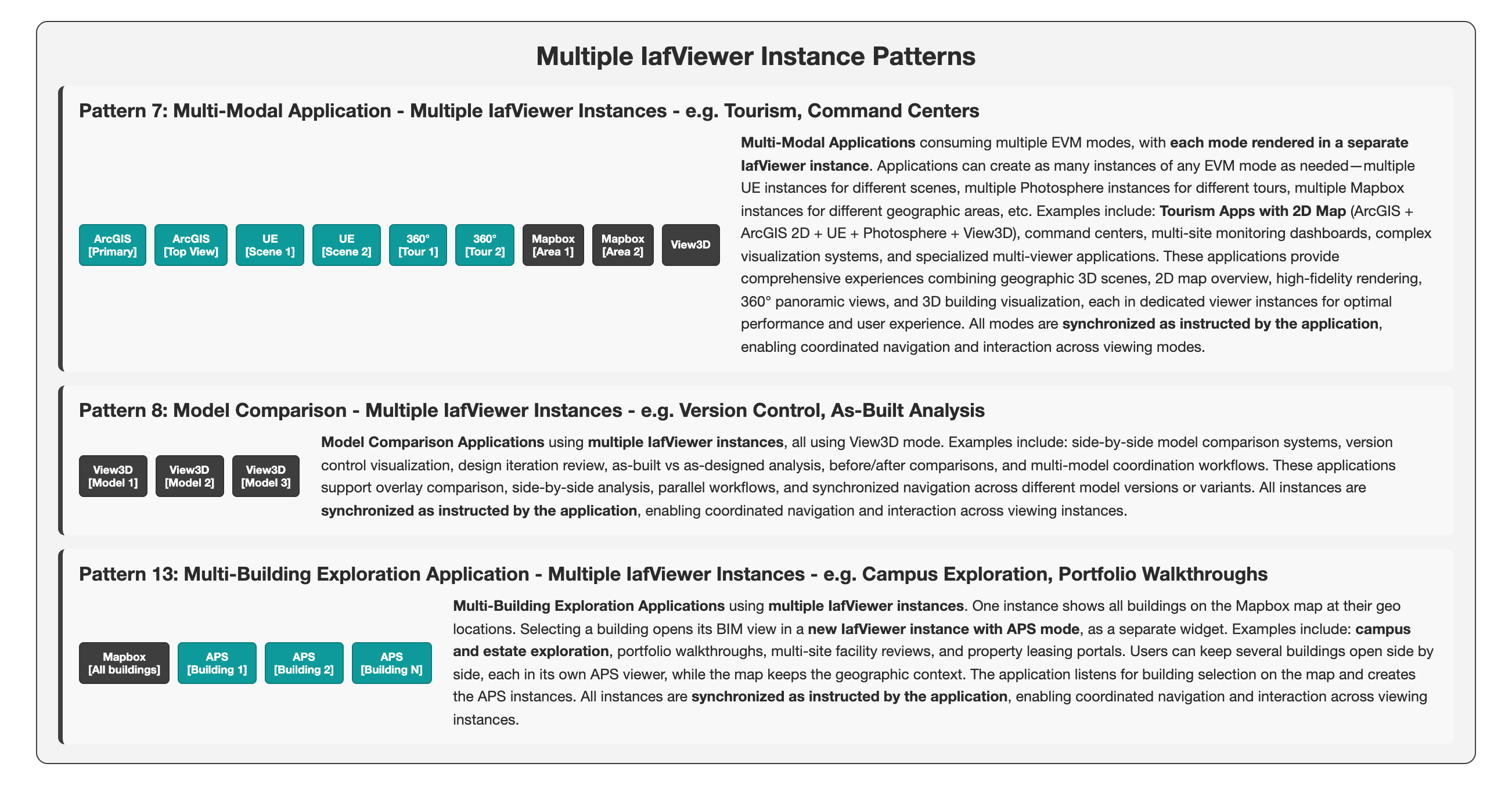 Zoom Pattern 7: Multi-Modal Application - Multiple IafViewer Instances - e.g. Tourism, Command CentersZoom Pattern 8: Model Comparison - Multiple IafViewer Instances - e.g. Version Control, As-Built AnalysisZoom Pattern 13: Multi-Building Exploration Application - Multiple IafViewer Instances - e.g. Campus Exploration, Portfolio Walkthroughs
Click a block to enlarge that region. Click the backdrop, press Esc, or × to return to the full diagram.
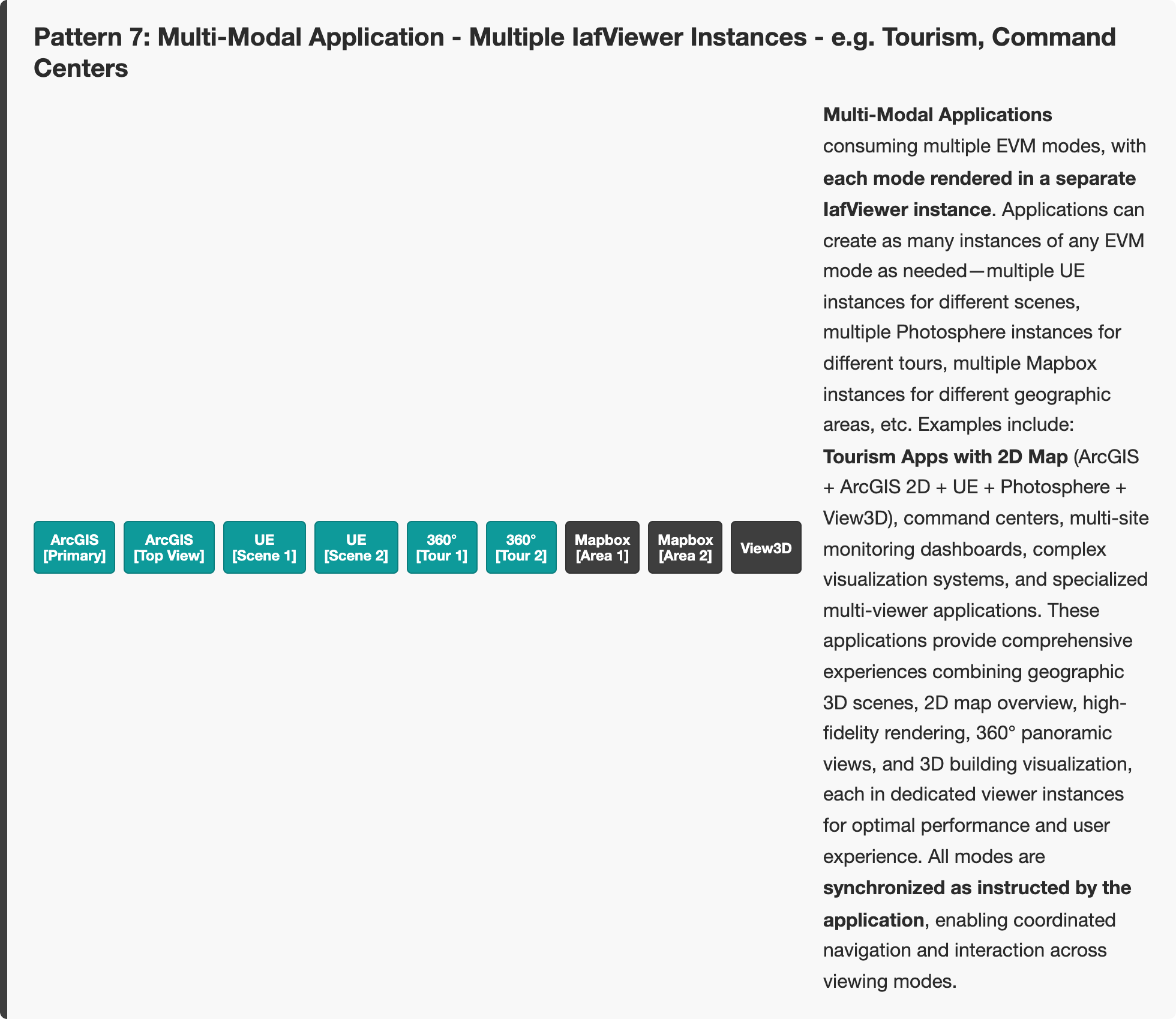
Click outside, press Esc, or × to return to the full diagram
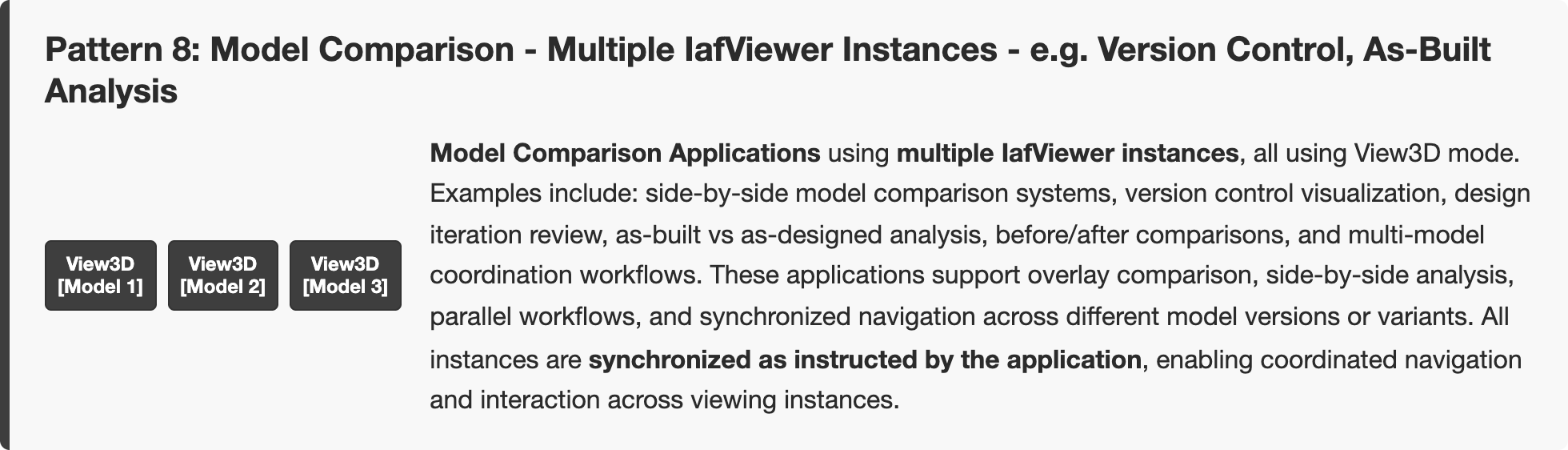
Click outside, press Esc, or × to return to the full diagram
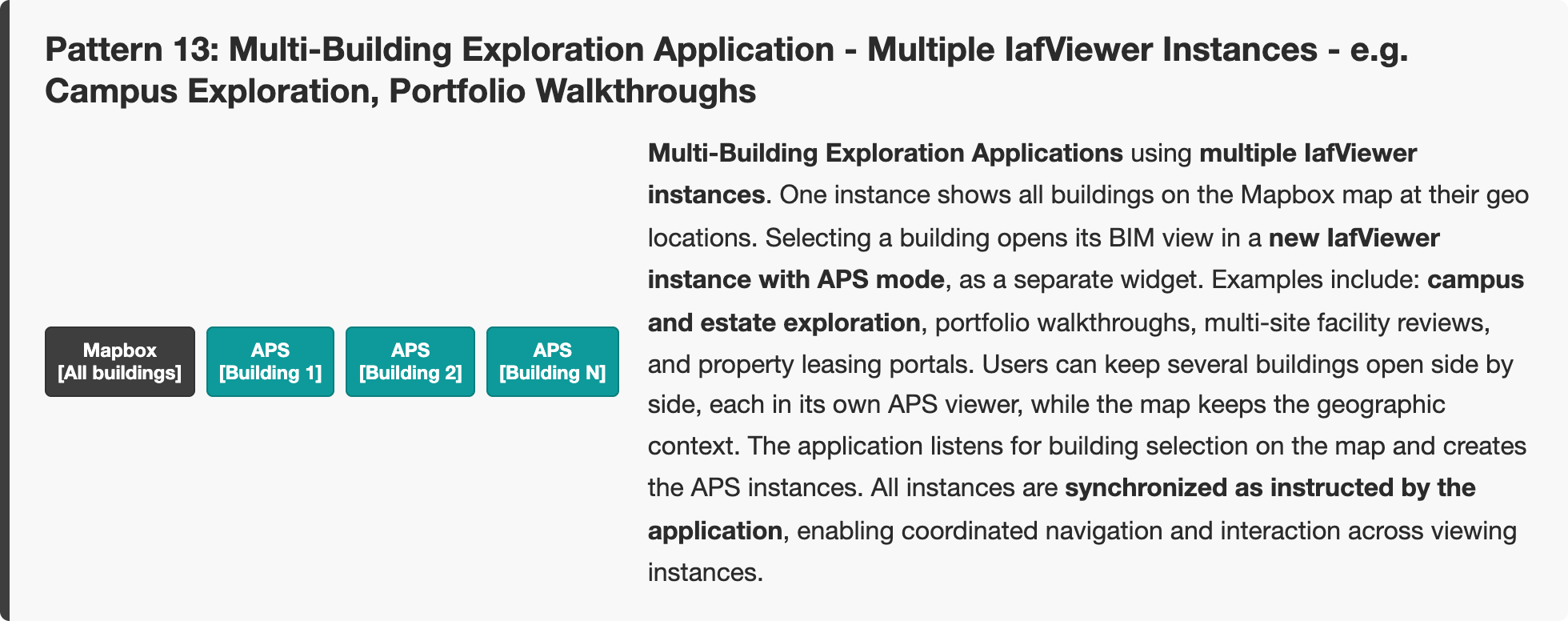
Click outside, press Esc, or × to return to the full diagram
Note: Multiple IafViewer instances give complex applications more flexibility, but the application has to manage several React components and coordinate synchronization between instances.
Related
- IafViewer Overview — introduction, viewing modes, and building-block diagrams
- IafViewer APS — APS viewer mode used by Patterns 10 and 11
- Model Comparison Using View3D — side-by-side comparison with two instances
- UE with ArcGIS, Overview Map, and Photosphere — full EVM stack in one instance
- Multiple Selection with IafViewerDBM — app-owned multi-select
- IafViewer Performance Tips — cost of running several modes at once
- IafViewer — mode object prop tables
- IafViewerDBM