File Service overview
The File Service is a back-end service which manages source files and file versions, and provides facilities for file uploads and system metrics.
How the File Service works
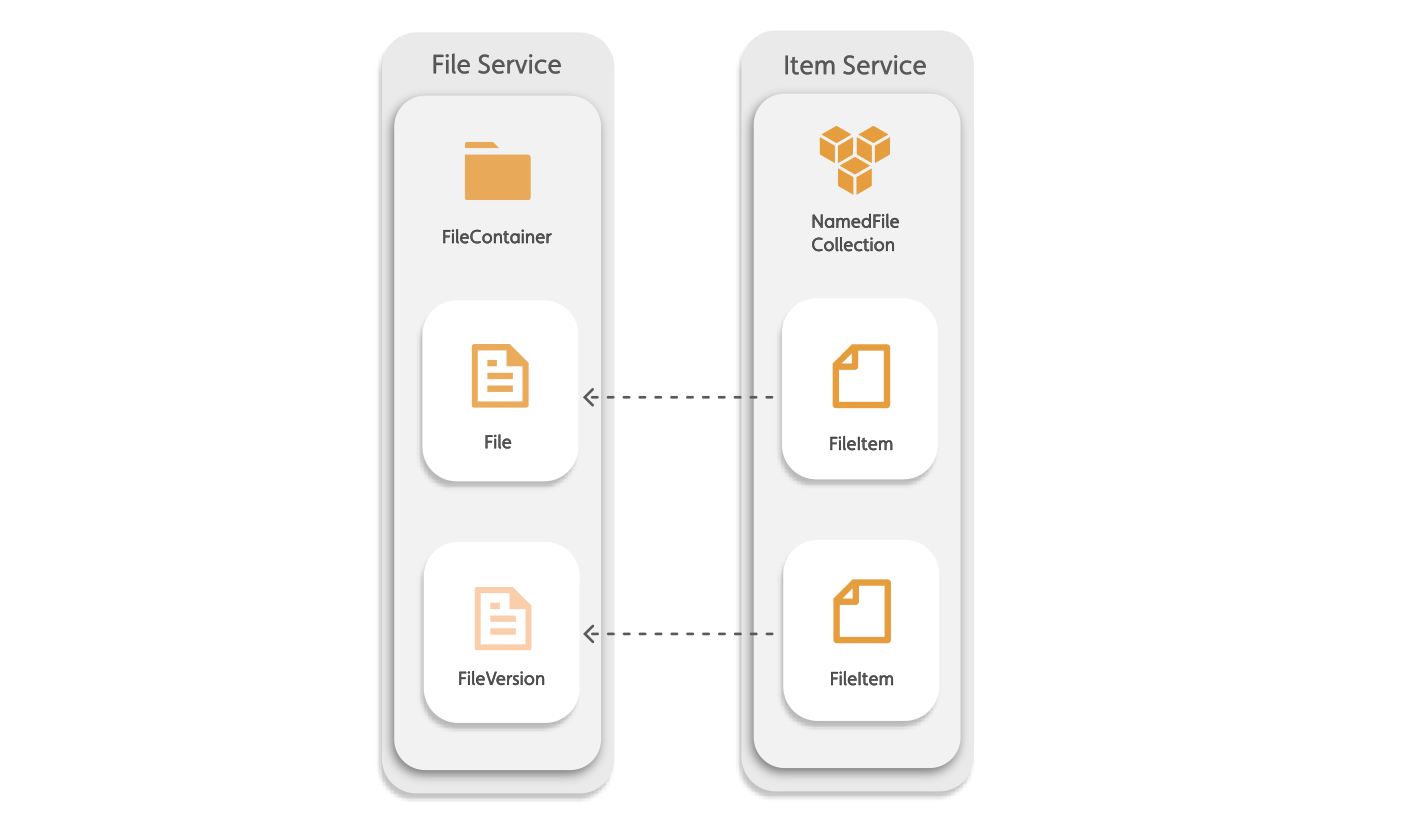
In the File Service, source files are stored as File types in a FileContainer and file versions are saved as FileVersion types.
Figure: File Service components

A FileItem in the Item Service references a source File in the File Service. Source files are stored as a File type in the File Service.
Figure: File item and source file reference
File Service relationships
FileContainers have a parent-child relationship with File types and Files have a parent-child relationship with FileVersion types. FileContainers can also parent other FileContainers. A File can have one parent FileContainer.If a File is not attributed a parent FileContainer then the root folder becomes its parent FileContainer.
Figure: File Service parent-child hierarchy
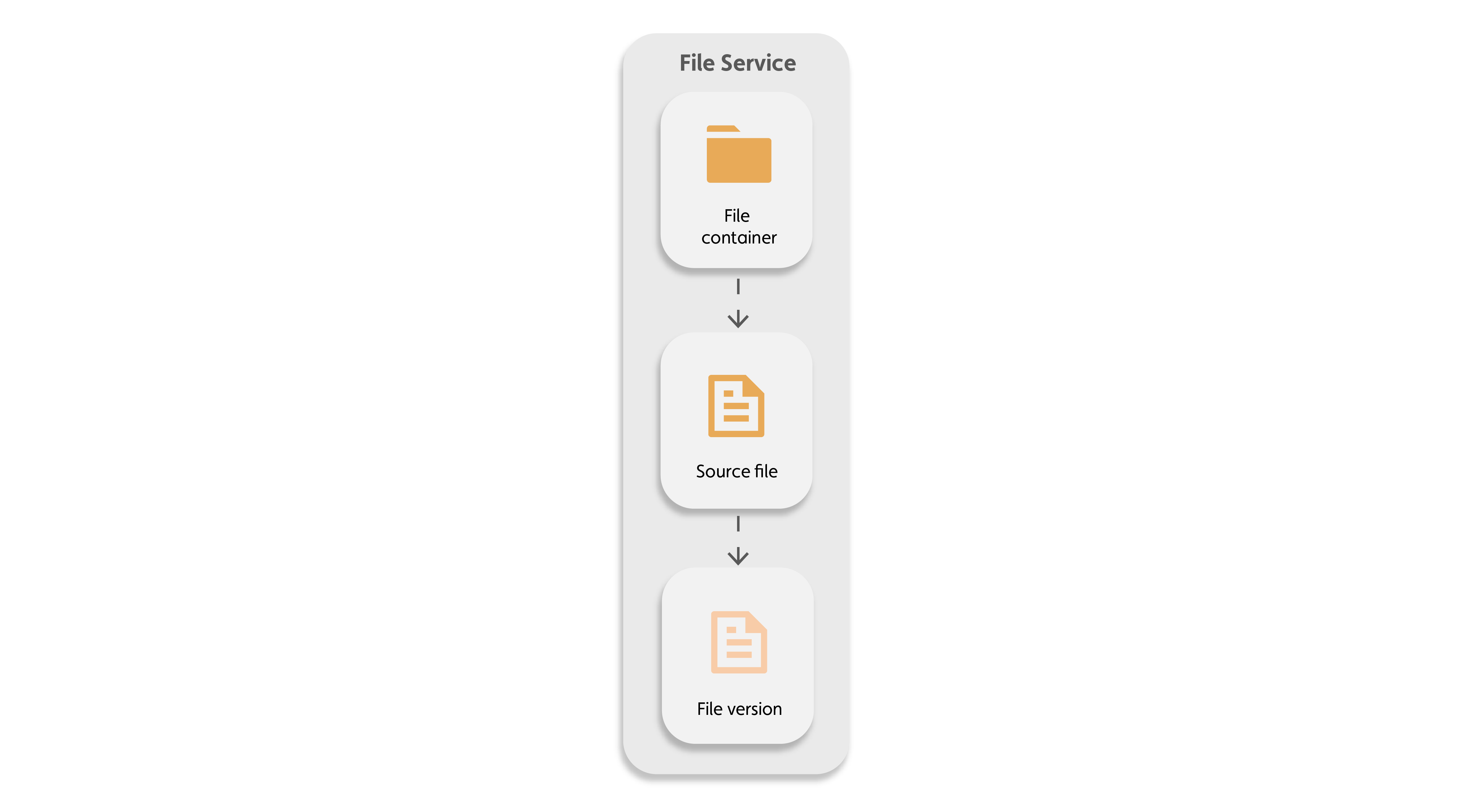
| Parent | Child |
|---|---|
| Folder | File |
| Folder | Folder |
| File | File version |
Permissions
In the File Service, you can apply permissions at the FileContainer and File level. Children inherit the permissions of their parent: a File inherits the permissions of its FileContainer and a FileVersion inherits the permissions of its parent File.
Namespaces and folders and files
All FileContainers and Files must reference a namespace. When a namespace is created, it has a root FileContainer that contains any File or FileContainer you add to the namespace. If you add a File or FileContainer with no parent FileContainer, the namespace's root FileContainer by default is the parent.
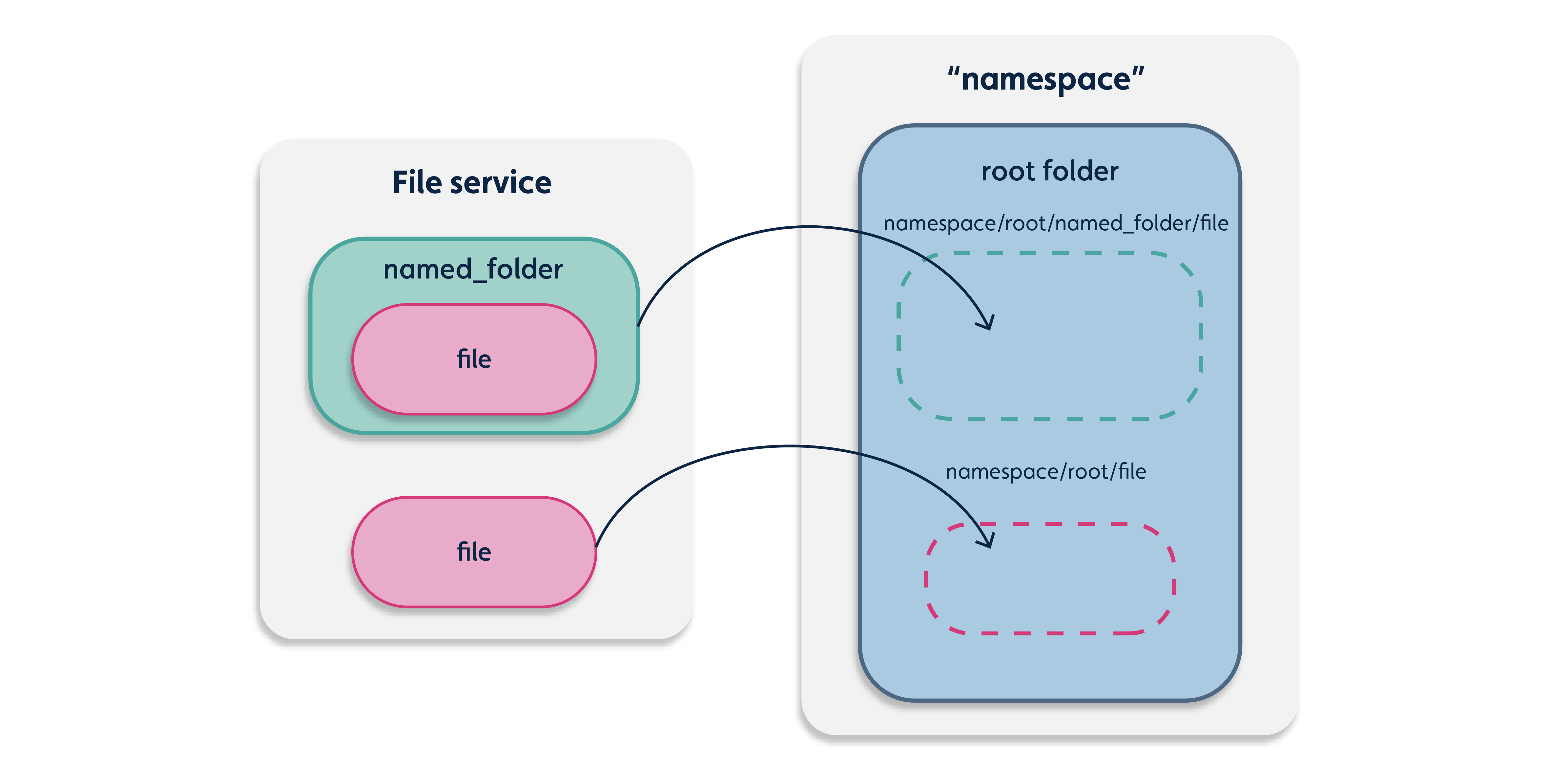
Tagging and querying files and folders
You can query Files and FileContainers by their properties as well as add custom key-value tags which can also be queried.
Resumable file uploads
To upload large files to the File Service, you can upload the files in a resumable upload so that the upload can pause and resume as required with complete, progress, and error callback functions.
For more information, refer to the following API resources:
-
Resumable File Upload in the REST API
-
Resumable File Upload in the Javascript API
Image file thumbnails
The File Service support thumbnail previews for image files.
Schema
For more information on resource schemas, see the following table:
| Resource | Schema |
|---|---|
| File | File |
| File version | FileVersion |
| FileContainer | FileContainer |
Note: A file container is a higher-level representation of a folder.
Metrics Service
The File Service now has a new Metrics Service feature which was introduced in Platform version 4.4. This feature can record system events related to the File Service and provide useful insights into the usage of a range of system resources.
To learn more about this new service, refer to Metrics Service overview.
File Service APIs
Depending on the actions you want to complete, use the following APIs:
- File Service REST API
- Use the following JavaScript platform APIs:
- To manage source files and folders at the File Service level, see IafFileSvc
- To manage file items, collections, and folders in the item service at the file level, see the IafFile API.
Note: For additional file collection actions, see Named user collection and Named user item in the IafItemSvc.
- To manage folders and files at the folder level, see the IafFileContainer API.
Note: A file container is a higher level representation of a folder.