Using NamedUserCollections and RelatedItems
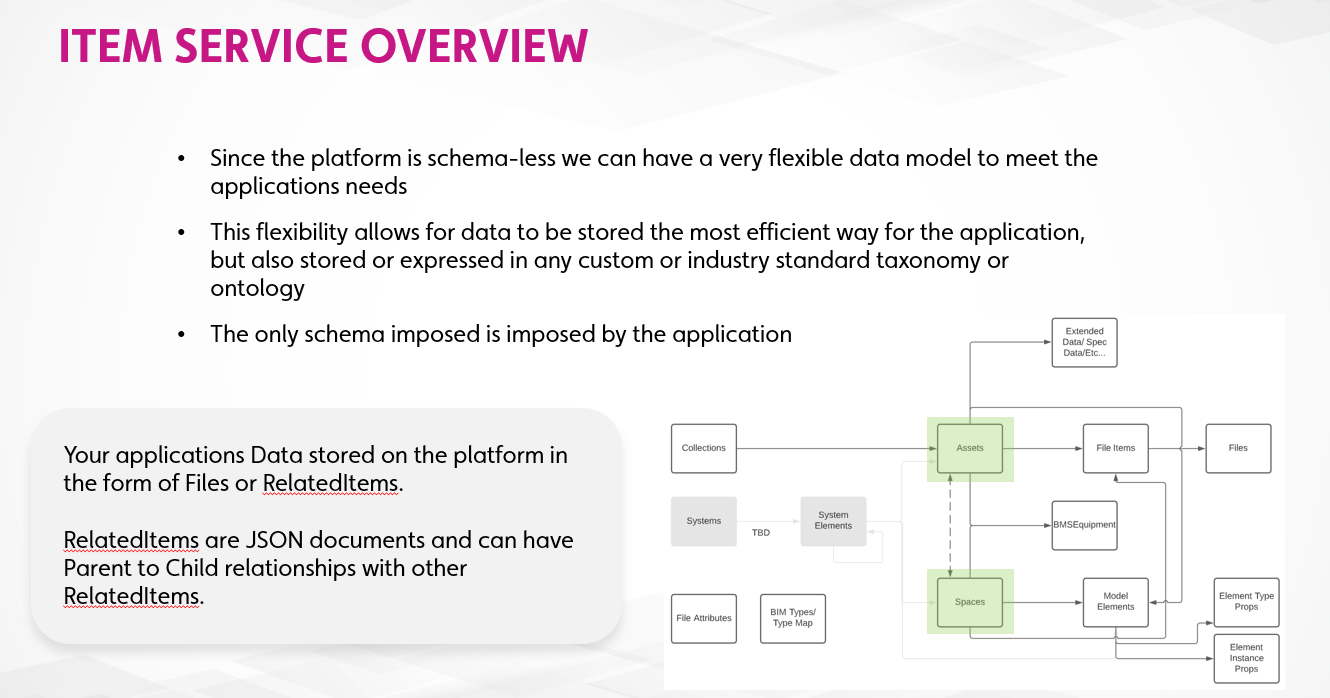
In this module you will be introduced to NamedUserCollections and RelatedItems in the Item Service. By using NamedUserCollections and RelatedItems you can leverage Twinit's schemaless datastore to create your own data models.
You will create multiple NamedUserCollections and populate them with RelatedItems of different data types, and then learn how to relate and query those items.
NamedUserItems
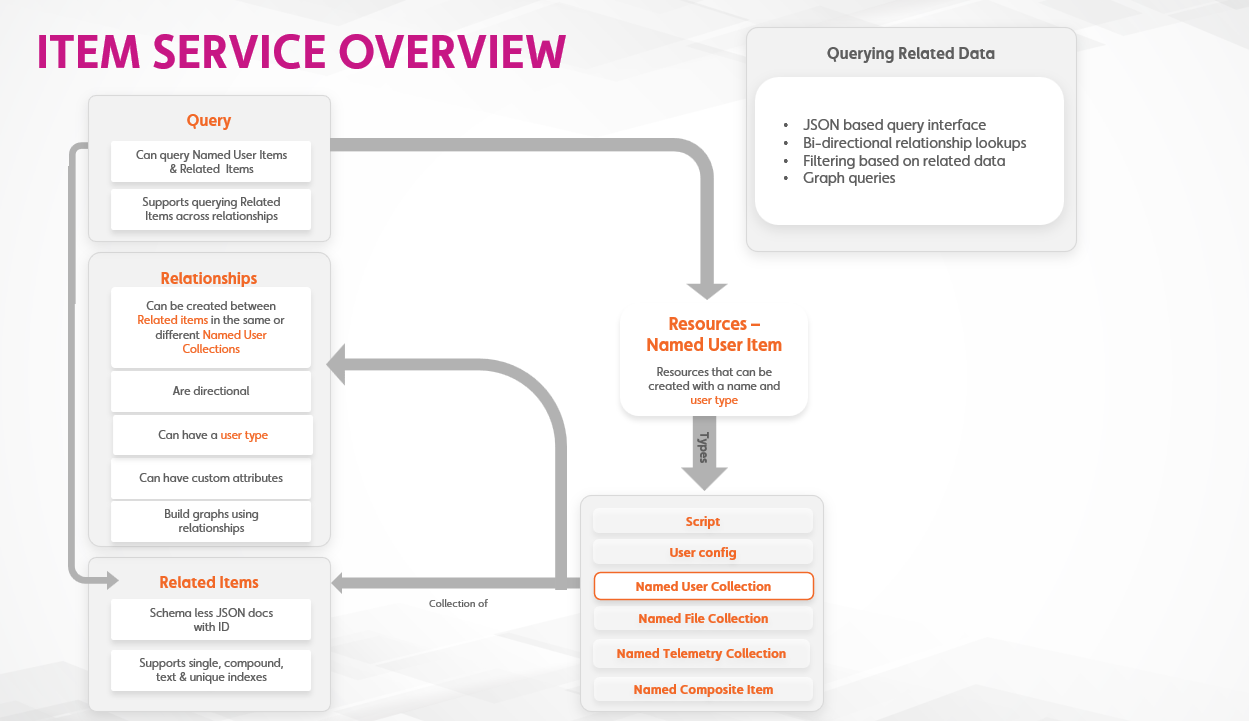
The Item Service manages resources called NamedUserItems. One of the NamedUserItems you have already used without even knowing it: Scripts. Scripts are one type of NamedUserItem that the Item Service allows you to create, edit, and version.
Another type of NamedUserItem is a NamedUserCollection.
NamedUserCollections
NamedUserCollections are collections of schema-less JSON data documents. You can have as many NamedUserCollections as you like and you can use them to store data in any fashion. Usually, however, a NamedUserCollection will be created to store a specific type of data. For instance, in the following steps you will be creating two NamedUserCollections; one to contain the data for spaces in a building and another to contain the data about the assets located in those spaces.
RelatedItems
RelatedItems are the schema-less JSON documents contained in a NamedUserCollection. What a RelatedItem looks like and the data it contains is entirely up to you to define.
You can also relate RelatedItems to other RelatedItems and query those items based on their relationships to each other. In the following steps you will relate the assets to the spaces in which they are contained and then query all the assets in a given space.
Relationships
RelatedItems can be related to each other.
Each relation you create between Related items is directional, with one item being the Parent in the relation and the other being the Child.
RelatedItems can be related to other items in the same NamedUserCollection or in other NamedUserCollections.
The relationships you create can be used when querying data.
An Example
You can have one NamedUserCollection which contains the Rooms in a building.
Another NamedUserCollection can contain the Assets (the things) in those Rooms.
You can create relationships between the Rooms (as the parents) and the Assets (as the children).
This would enable you to then create queries to fetch a Room's data along with any Assets contained in that Room. "Get me the Main Conference Room and all Assets located within it."
Hands On
- Download the B03 - Item Service Basics.zip and extract the file
- Open the file in your IDE
- Follow the steps in the file