Schemas
What is a Schema?
Twinit Schemas are an optional but powerful way to add structure and clarity to your RelatedItems. Although RelatedItems remain schema-less by default, Schemas provide a lightweight framework that improves data consistency and enables the Twinit AI Service to understand the expected shape of your data. Each namespace can contain a single SchemaDefinition, which stores all Schemas for that namespace. Collections can reference an existing _itemType via its _typeName or define a new one during creation. Once linked, RelatedItems within those collections can follow the defined structure, giving both your data and your AI tools a clearer foundation to work from.
Schemas serve two primary purposes:
- AI Integration: They give the Twinit AI Service the context it needs to generate accurate, structured queries using tools such as the RelatedQueryTool and GraphQueryTool.
- Data Consistency: They describe the expected shape of RelatedItem objects, improving reliability without enforcing strict validation rules.
A SchemaDefinition is mandatory when using advanced AI-powered query tools, including:
- RelatedQueryTool
- GraphQueryTool
Schemas give your data structure, your queries meaning, and your AI tools the clarity they need to produce powerful, precise results.
A Schema has two sections: _itemTypes and _readingTypes.
Item Types
_itemTypes are definitions for types of RelatedItems in NamedUserCollections, NamedFileCollections, and NamedTelemetryCollections.
_itemTypes define the name of a type of item, what properties those items have, the data type of the properties, and a description of what each property represents. _itemTypes can also include a definition of the relationships that exist between items of its type and items of the same or other _itemTypes.
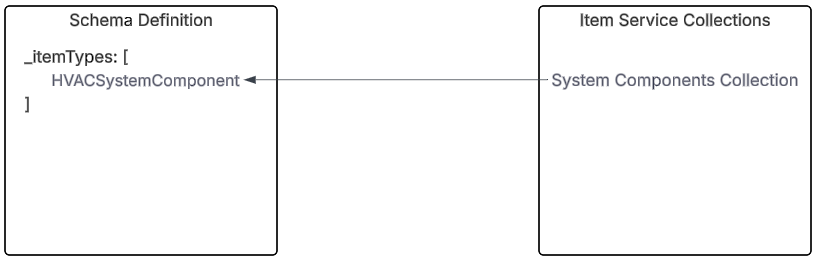
After defining an _itemType, you associate that _itemType to one or more NamedUserCollections to indicate that the collection contains RelatedItems of that _itemType.
Here's an example of an HVACSystemComponent _itemType:
{
   "_typeName": "HVACSystemComponent",
   "_type": "object",
   "_properties": {
      "componentProperties": {
         "_type": "object",
         "_properties": {
         "coolingCapacityTons": {
            "_type": "number",
            "_description": "Cooling capacity in refrigeration tons."
         },
         "efficiency": {
            "_type": "number",
            "_description": "Efficiency as a decimal (e.g., 0.85 = 85%)."
         },
         "pressureSensorType": {
            "_type": "string",
            "_description": "Type of pressure sensor, e.g., Strain Gauge or Capacitive."
         }
         }
      },
      "componentType": {
         "_type": "string",
         "_enum": [
         "AirHandlingUnit",
         "HeatingCoil",
         "CoolingCoil",
         "Fan",
         "Damper",
         "TemperatureSensor",
         "Chiller",
         "Boiler",
         "PressureSensor"
         ],
         "_description": "The componentType property for a HVAC System Component can have the values in the enum with their description provided here. 1) AirHandlingUnit: Central mechanical unit responsible for conditioning and circulating air through the building. 2) HeatingCoil: Heat exchanger used to warm the air, typically using hot water or electric resistance. 3) CoolingCoil: Component that cools and dehumidifies air, typically using chilled water or refrigerant. 4) Fan: Moves conditioned air from the AHU to the building's ductwork or Draws air from building zones back to the AHU. 5) Damper: Regulates the intake of outside (fresh) air into the AHU. 6) TemperatureSensor: Measures the temperature of supply air leaving the AHU. 7) Chiller: Provides chilled water to the cooling coil via a closed loop. 8) Boiler: Provides hot water to the heating coil for air heating. 9) PressureSensor: Measures the pressure in the condensor post-compression"
      },
      "componentId": {
         "_type": "string"
      }
   },
   "_description": "A schema for all HVAC system components. These system components will have an inverse relationship with the HVAC systems in the system collection and will have relationships which show different types of connections with other HVAC system components.",
   "_relationshipTypes": [
      {
         "_isInverse": true,
         "_userType": "hasSystemComponent",
         "_ref": {
            "_relatedTypeName": "System",
            "_relatedUserType": "system_collection"
         },
         "_description": "This relationship is an inverse relationship between a System component item in this collection and System  item in the System collection. The semantics of this relationship are defined by the _userType on this relationship"
      }
  ]
}
And here's an example of a NamedUserCollection associated with the HVACSystemComponent _itemType:
{
   "_uri": "/nameduseritems/685b74152ea2a97a54135d3d",
   "_name": "System Components Collection",
   "_userType": "system_component_collection",
   "_tipId": "685b74152ea2a97a54135d3e",
   "_irn": "itemsvc:nameduseritem:685b74152ea2a97a54135d3d",
   "_itemTypes": [
      "HVACSystemComponent"
   ],
   "_namespaces": [
      "Amoghtestworkspace_m8NrvPU3"
   ],
   "_nextVersion": 2,
   "_shortName": "syscompcoll",
   "_tipVersion": 1,
   "_versionsCount": 1,
   "_itemClass": "NamedUserCollection",
   "_userItemId": "syscompcoll_v6CLcEWRWF",
   "_id": "685b74152ea2a97a54135d3d",
   "_description": "this collection contains all the system components. The system components in this collection have inverse relationships with a system in the System Collection. In addition, the components within the same system are connected to each other with relationships",
   "_metadata": {
      "_updatedById": "3fd24bb0-c795-47c0-a61e-33986088edc0",
      "_createdAt": 1750823957612,
      "_createdById": "3fd24bb0-c795-47c0-a61e-33986088edc0",
      "_updatedAt": 1751515978544
   },
   "_kind": "collection"
}
Reading Types
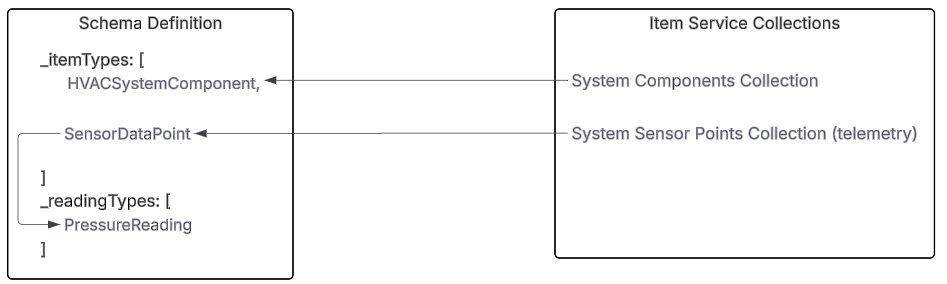
_readingTypes are definitions for types of readings associated with RelatedItems in NamedTelemetryCollections. You associate a _readingType to another _itemType that represents a RelatedItem in a NamedTelemetryCollection.
The _readingTypes define the name of a type of reading, what properties those readings have, the data type of the properties, and a description of what each property represents. _readingTypes do not support defining relationships.
Here is an example of a PressureReading _readingType:
{
   "_typeName": "PressureReading",
   "_type": "object",
   "_properties": {
      "_tsMetadata": {
         "_type": "object",
         "_properties": {
         "_telItemId": {
            "_type": "string"
         },
         "_sourceId": {
            "_type": "string"
         }
         }
      },
      "pressure": {
         "_type": "number"
      },
      "_ts": {
         "_type": "isodate"
      }
   },
   "_description": "This reading captures the pressure measurement of the coolant for the chiller post-compression in PSI"
}
Here is an example of a SensorDataPoint _itemType in a NamedTelemetryCollection whose readings are defined by the PressureReading _readingType:
{
   "_readingTypes": [
      "PressureReading"
   ],
   "_typeName": "SensorDataPoint",
   "_type": "object",
   "_properties": {
      "unit": {
         "_type": "string",
         "_description": "Unit of measure, e.g. deg Celcius, PSI, etc"
      },
      "measurementType": {
         "_type": "string",
         "_description": "The type of measurement e.g. temperature, pressure, humidity, etc"
      },
      "_sourceId": {
         "_type": "string",
         "_description": "Id of the sensor data point"
      }
   },
   "_description": "A sensor can have more than one data points. The data points are represented in this collection as TelemetryItems. The sensors in the System Components Collection can have one to many relationships with the SensorDataPoints",
   "_relationshipTypes": [
      {
         "_isInverse": true,
         "_userType": "hasSensorDataPoint",
         "_ref": {
         "_relatedTypeName": "HVACSystemComponent",
         "_relatedUserType": "system_component_collection"
         },
         "_description": "This inverse relationship is between a sensor data point item in this collection with a sensor System Component item in the System Component collection. The semantics of this relationship are defined by the _userType on this relationship"
      }
   ]
   }
And finally here is a collection associated with the SensorDataPoint _itemType:
{
   "_uri": "/nameduseritems/685b74152ea2a97a54135d45",
   "_name": "System Sensor Points Collection",
   "_userType": "systemsensor_points_collection",
   "_tipId": "685b74152ea2a97a54135d46",
   "_irn": "itemsvc:nameduseritem:685b74152ea2a97a54135d45",
   "_itemTypes": [
      "SensorDataPoint"
   ],
   "_namespaces": [
      "Amoghtestworkspace_m8NrvPU3"
   ],
   "_nextVersion": 2,
   "_shortName": "systemsensorptscol",
   "_tipVersion": 1,
   "_versionsCount": 1,
   "_itemClass": "NamedTelemetryCollection",
   "_userItemId": "systemsensorptscol_BsYCWFBtJG",
   "_id": "685b74152ea2a97a54135d45",
   "_description": "this collection contains the data points for all sensors in the systems and their readings. The sensors in the System Components Collection have a relationship with the sensor data points in this collection",
   "_metadata": {
      "_updatedById": "3fd24bb0-c795-47c0-a61e-33986088edc0",
      "_createdAt": 1750823958111,
      "_createdById": "3fd24bb0-c795-47c0-a61e-33986088edc0",
      "_updatedAt": 1750823958111
   },
   "_kind": "collection"
}
How to Create a Schema
Schemas are essential for enabling AI-powered queries and ensuring consistent structure for RelatedItems. Depending on your project setup, there are two main approaches to creating Schemas in Twinit:
- Generating Schemas for existing collections
- Creating Schema definitions manually
Both approaches ensure that your RelatedItems follow the expected structure and provide context for AI tools like the RelatedQueryTool and GraphQueryTool.
Generating Schemas for Existing Collections
If you already have collections in your project, you can generate and apply Schemas using the following workflow:
- Generate SchemaDefinitions: Use
IafItemSvc.generateSchemaDefinitionsto create sample schema definitions based on existing RelatedItems. This utility retrieves all NamedUserCollection entries, selects the first RelatedItem, and constructs an initial schema. - Modify SchemaDefinitions: Manually adjust the generated schema to match your project requirements.
- Update SchemaDefinitions: Use
IafItemSvc.updateSchemaDefinitionsto apply your changes to the system. - Update NamedUserCollection: Update each collection to reference its item types using
IafItemSvc.updateNamedUserItem.
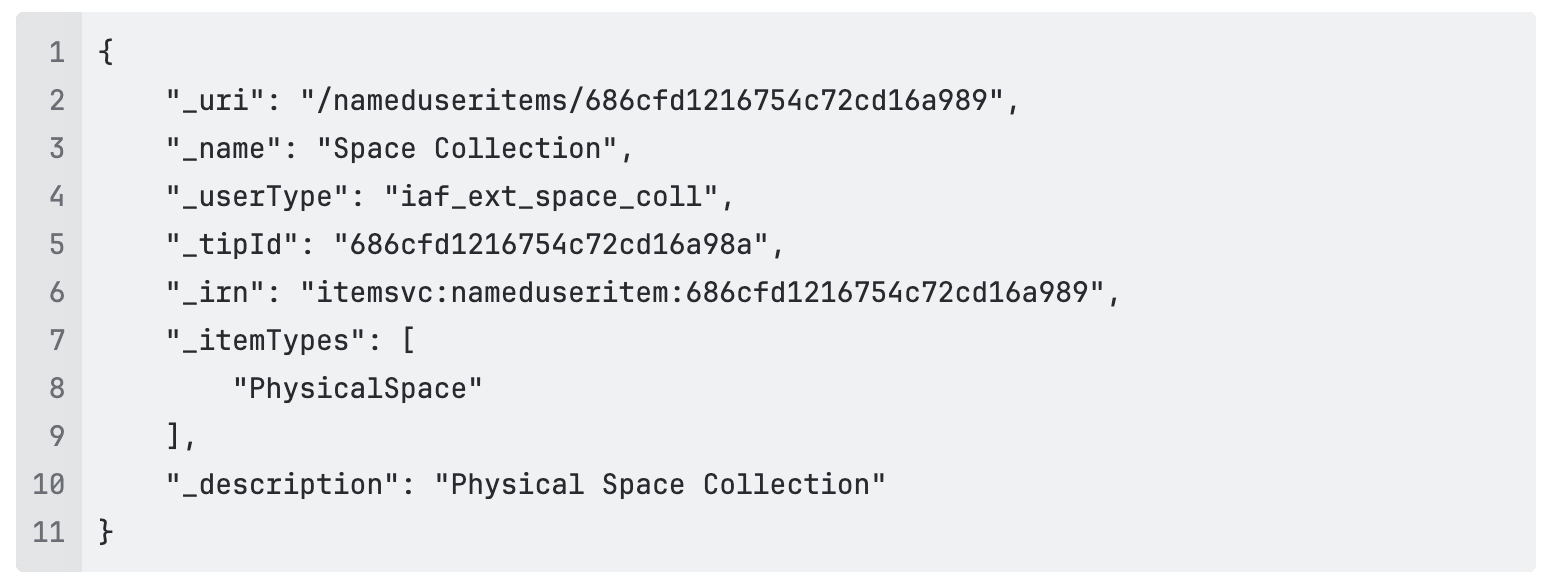
Creating New Collections with Schema Definitions
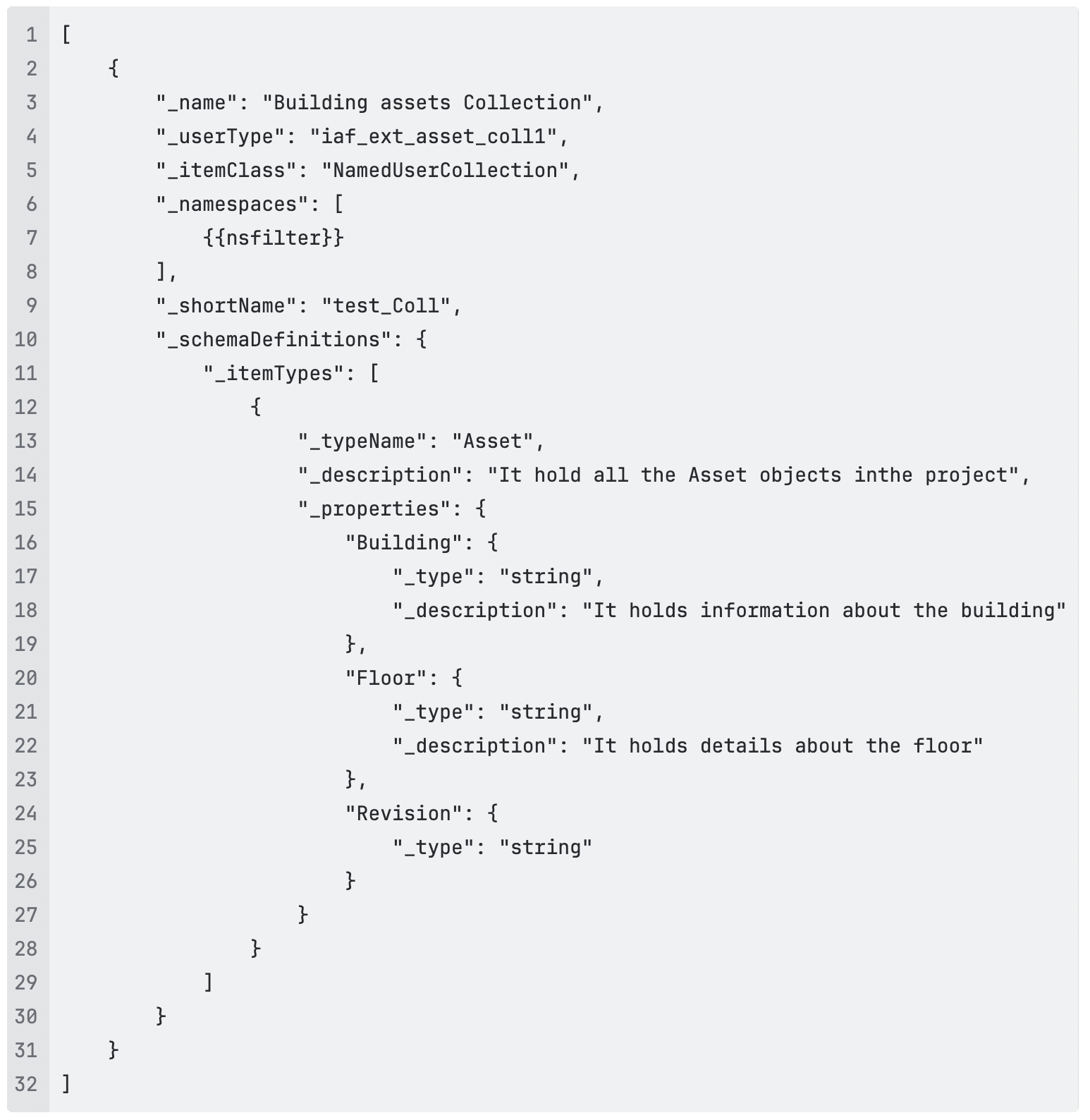
If you are creating new collections, you can define the Schema at the same time. This approach ensures that each new collection is immediately structured and AI-ready.