Sample Data and Hands On
As part of this module you will be creating and querying a data set. It is important you understand the data set in order to understand the graph queries and their results.
The data set will be both more complicated in some regards than you have yet seen in the Basics or Intermediate training, but also simpler in that we will only be creating the bare minimum of data on our items to meet our needs.
The data set is designed to mimic a simplified section of an HVAC system in a building, running from the AHU pushing air into the system all the way to sensors (and their readings) on pieces of equipment in the system.
We will use this data set to explore ways in which the graph query can help us identify issues in our user's building that may need attention.
Sample Data Set
Systems
We will create a NamedUserCollection with a _userType of 'graph_systems'. In the collection we will create an item that represents an HVAC system. This will be related as Parent to all System Elements that make up the system.
System Elements
We will create a NamedUserCollection with a _userType of 'graph_system_els'. System Elements make up a system. They can represent a Space, an Asset, or something which only exists in the system and not as another type of item, like ducts. Each System Element will be related to the System Element which is downstream from it in the System.
In this collection we will create elements to represent an AHU, two sets of ducts, the Gym room, a fan housed within the ductwork, a damper housed within the ductwork, and an air terminal in the Gym room.
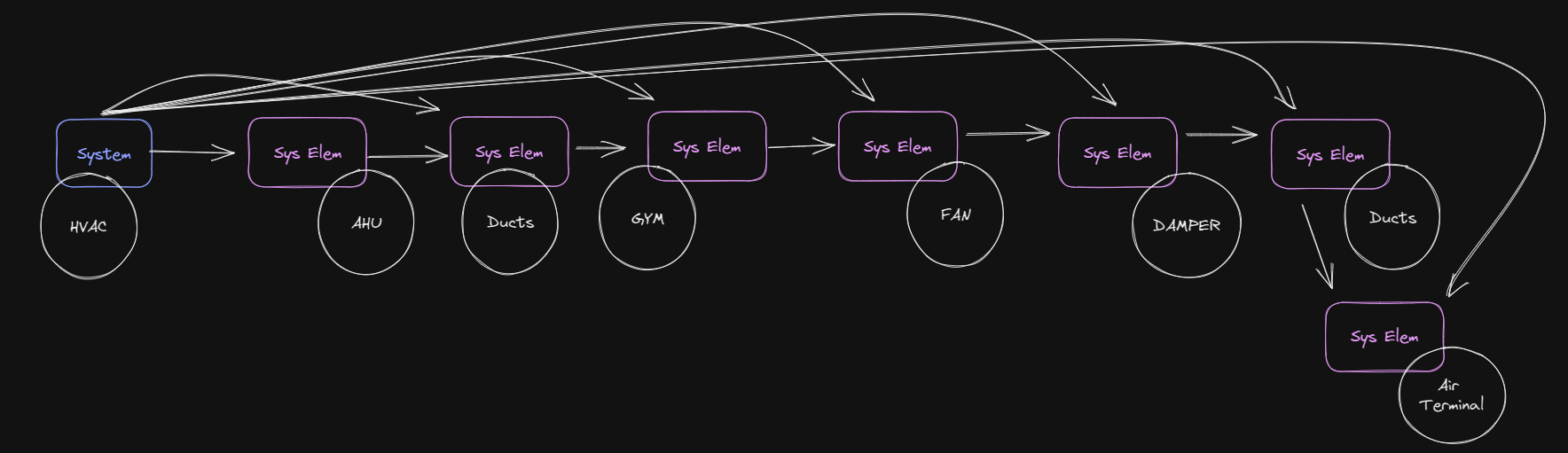 Sample data System (in blue) and SystemElements (in purple) and their relations.
Spaces
We will create a NamedUserCollection with a _userType of 'graph_spaces'. Spaces will be related as children to the System Elements that represent them in the System.
In this case, we will create only the Gym Space.
Assets
We will create a NamedUserCollection with a _userType of 'graph_assets'. Assets will be related as children to the System Elements that represent them in the System. They will also be related as children to the Spaces that contain them.
In this collection we will create Assets for the AHU, the fan, the damper, and the air terminal. All but the AHU will be contained in the Gym room.
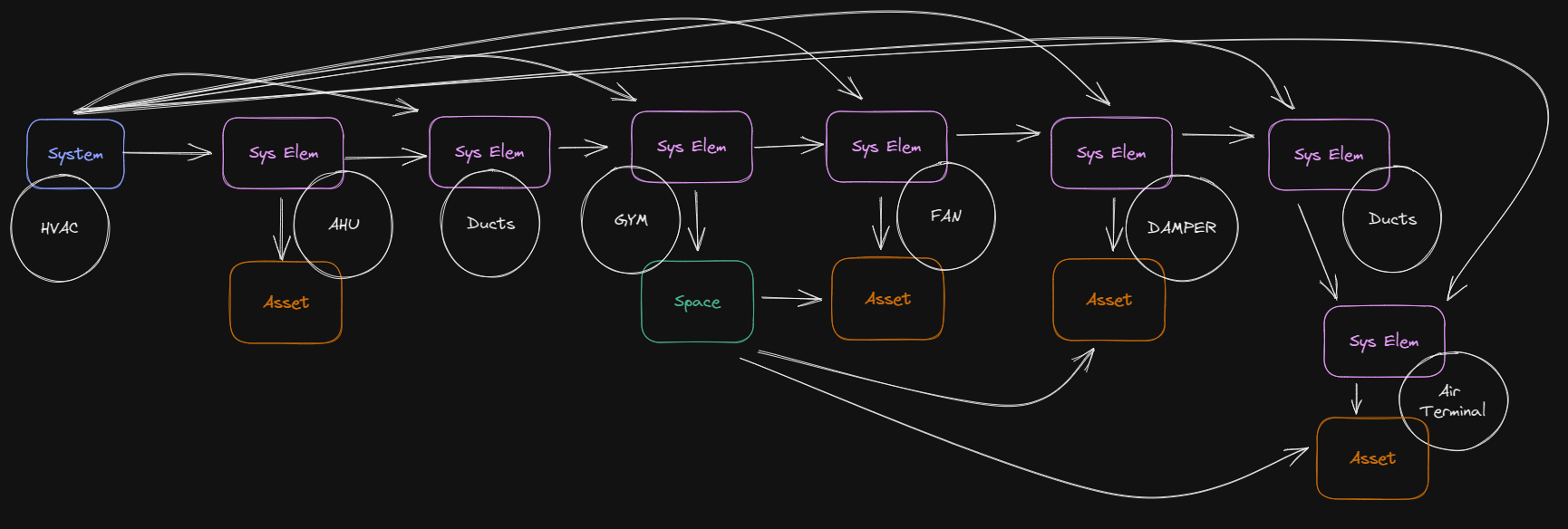 Spaces (in teal) and Assets (in orange) along with relations.
Sensors
We will create a NamedTelemetryCollection with a _userType of 'graph_sensors'. Sensors will be related as children to the Spaces or Assets on which they are attached.
We will have four sensors.
One on the AHU for the temperature of the air leaving the AHU. One on the Gym space itself for CO2 readings in the Gym. One on the Fan telling us the fan speed. One on the Damper telling us if it is open or closed.
Alerts
We will create a NamedUserCollection with a _userType of 'graph_alerts'. Alerts will be related to Sensors as a parent and will indicate that some sensor reading should be investigated.
We will create one Alert indicating that the CO2 level in the Gym has risen high enough to merit action.
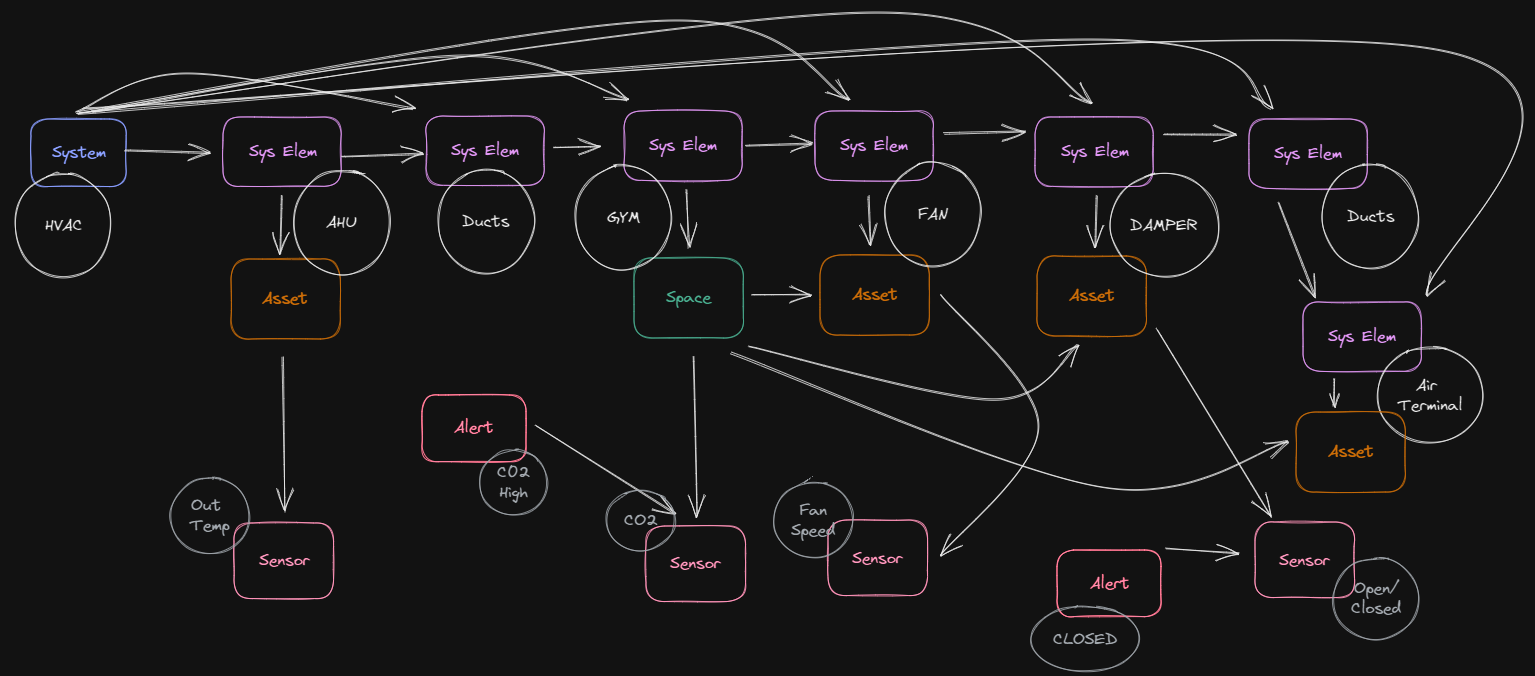 Sensors and Alerts (in pink) and their relations.
Sensor Readings
Finally we will create five sample readings for each sensor.
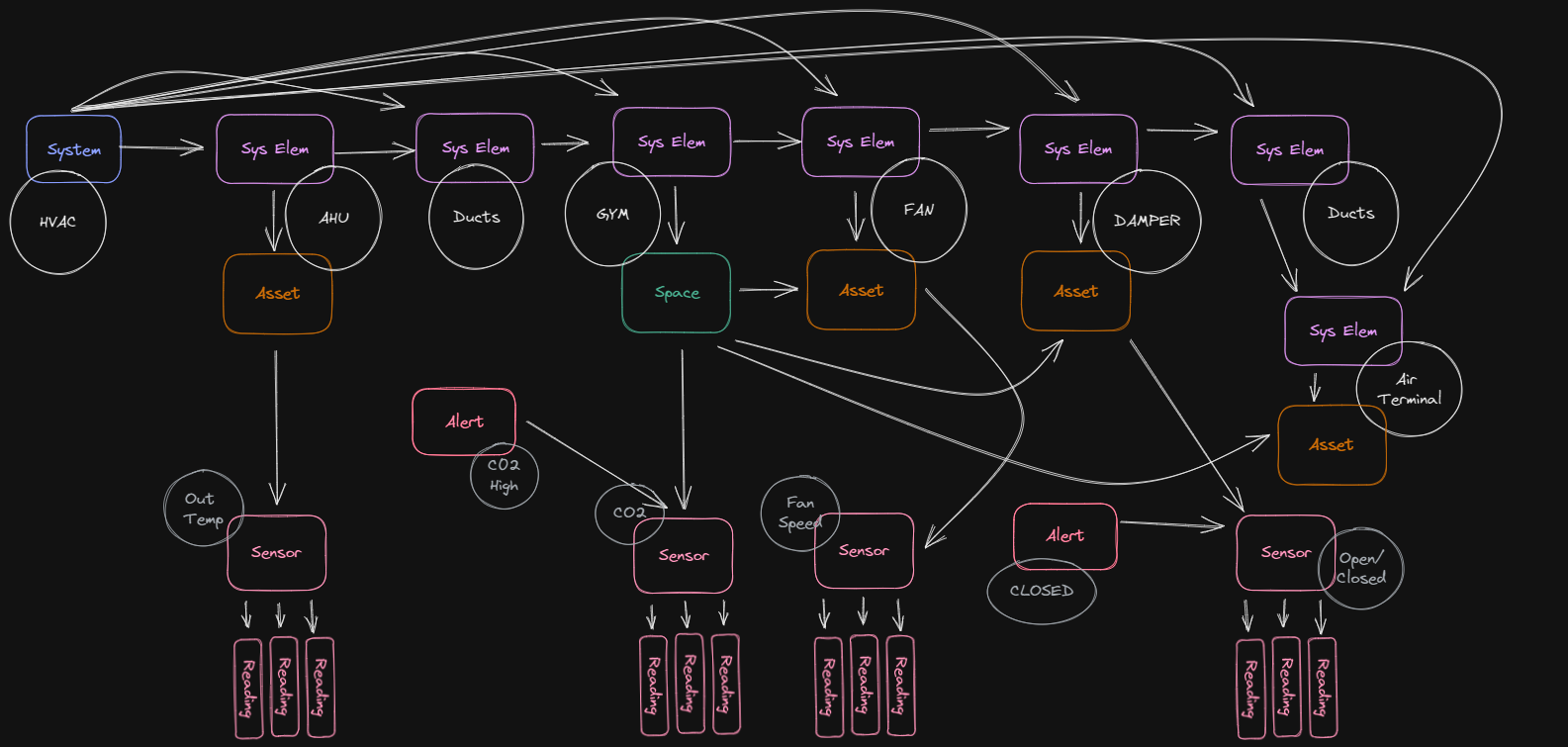 Readings for each sensor (in pink)
Hands On
- Download INT07 - GraphQueries.zip and extract it to your disk
- Open 'INT07 - Graph Queries.mjs' in your IDE
- Follow the steps in the file