Create and Run Orchestrators
In this module you learn about the Datasources Service and how to create Orchestrators that will execute code on the Twinit platform instead of on the client. You will use a multi-step orchestrator to run a potentially long running room rename process that will also produce logs for what it has done.
Datasources Orchestrators
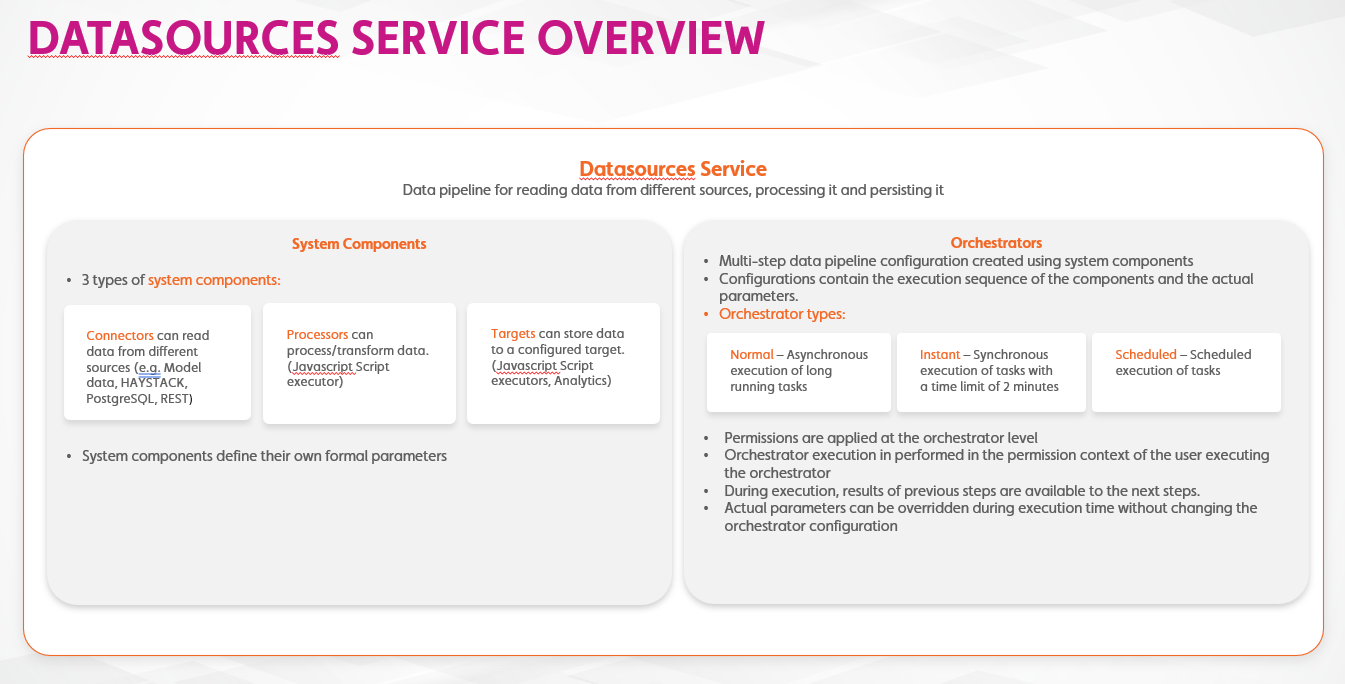
Orchestrators can be used to delegate code to run on Twinit or to connect your application to other sources of data.
We build an orchestrator from system components to create a data pipeline that can process, transform, and persist data.
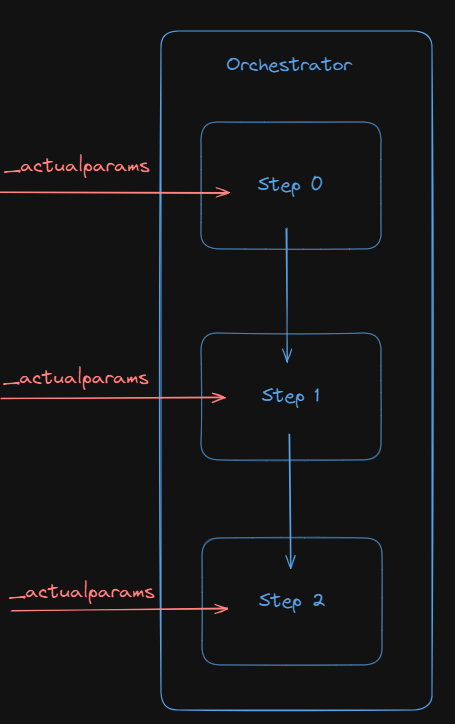
Orchestrators can have one or many steps, each accomplishing a specific task. Each step is backed by a configuration, a script, or both.
When running an orchestrator you can pass in arguments to any of the steps to provide any data the orchestrator needs to complete its task.
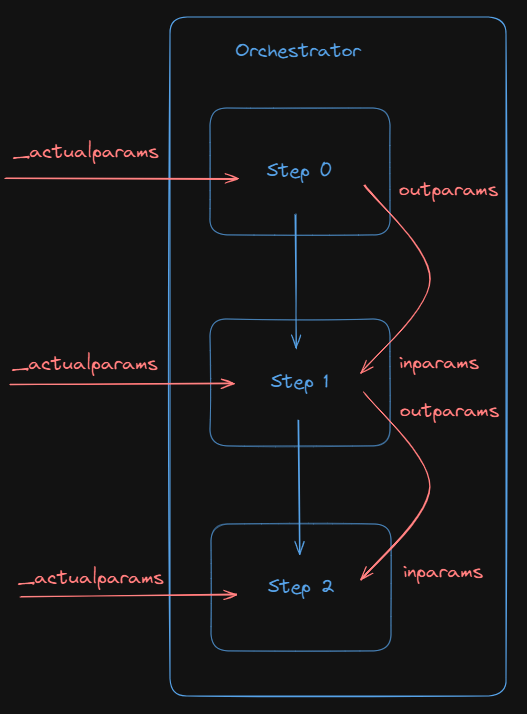
Additionally, each step of the orchestrator will pass anything it returns on to the next step in the orchestrator. When a step returns data, that data is referred to as that step's 'outparams'. Each step accepts data from the previous step. That data is referred to as that step's 'inparams'.
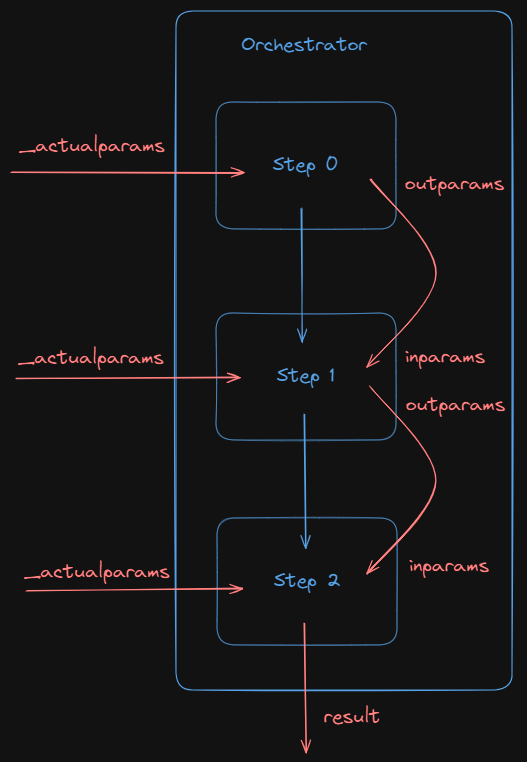
Any data returned from the final step of the orchestrator will be the 'result' of the orchestrator. A result is not required to be returned however. Many orchestrators may simply write their result into the Item Service or File Service or elsewhere.
In the following steps you will be creating orchestrators to rename a room, update any asset properties that need to be updated, and then log the changes it has made.
Hands On
- Download the B05 - Datasource Service Basics.zip and extract the file
- Open the file in your IDE
- Follow the steps in the file