How the Training Materials Work
The training materials in each course are designed to get you hands on with Twinit as quickly as possible.
Each lesson will usually include two parts:
- An 'Explanatory materials' section introducing a concept, service, or capability.
- A 'hands on' section where you will download code and configurations, deploy them to Twinit using the IDE extension, and proceed by following further steps in the code itself.
Explanatory Material
These sections will usually include text, images, and illustrations like the example below.
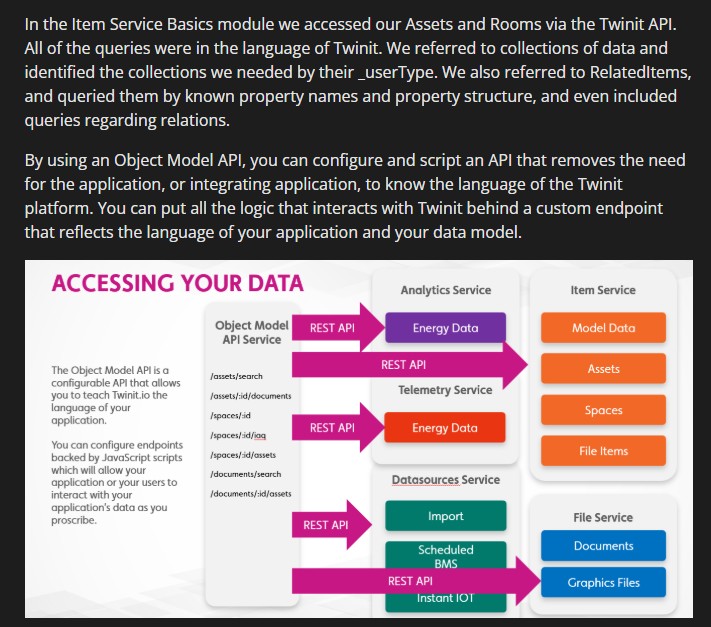
These sections will explain a Twinit concept, capability, or service. You'll use what you learn in these sections in the hands on section.
Hands On
In these sections you will download files, usually zip files, which contain code and configuration for Twinit. You'll be directed to which file to open in your IDE to continue with the training. The code file will include the steps for you to follow as shown below.
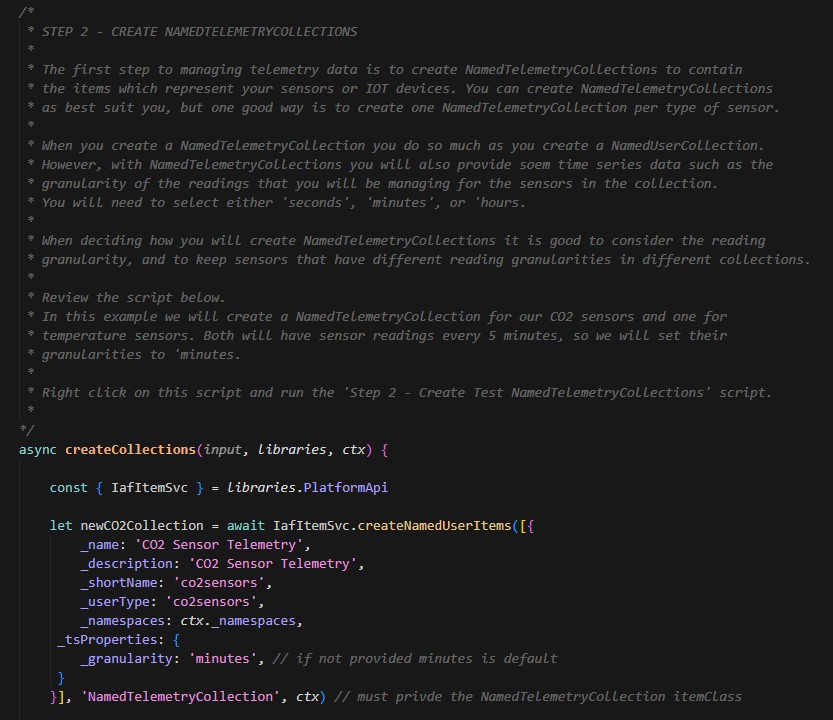
The usual workflow for hands on sections will be:
- Download a zip file
- Extract the zip file locally
- Open a file in your IDE
- Follow the steps in the file to continue
It's important to note that just as much training material, if not more, is delivered in the code comments in the hands on files as in explanatory materials preceding them. Be sure to read the code!
Follow the Courses in Order
The training is designed such that each lesson and course builds on the previous one. One Hands On lesson may add functionality to the Hands On lesson that came before it. Skipping lessons or courses, or following the lessons out of order, may result in confusion as you find you are missing data, scripts, or other configuration created in a previous lesson.