AI Service
Overview
Use the AI Service workspace to configure the project's AI resources. For more information about the AI Service, see AI Service overview.
The AI Service workspace has a tab for each of the following resource types:
- Agents
- Teams
- Knowledge Bases
- MCP Tools
- MCP Servers
- Prompt Templates
- Providers: a read-only catalog of providers. For more information, see Activating a provider.
Figure: AI Service workspace
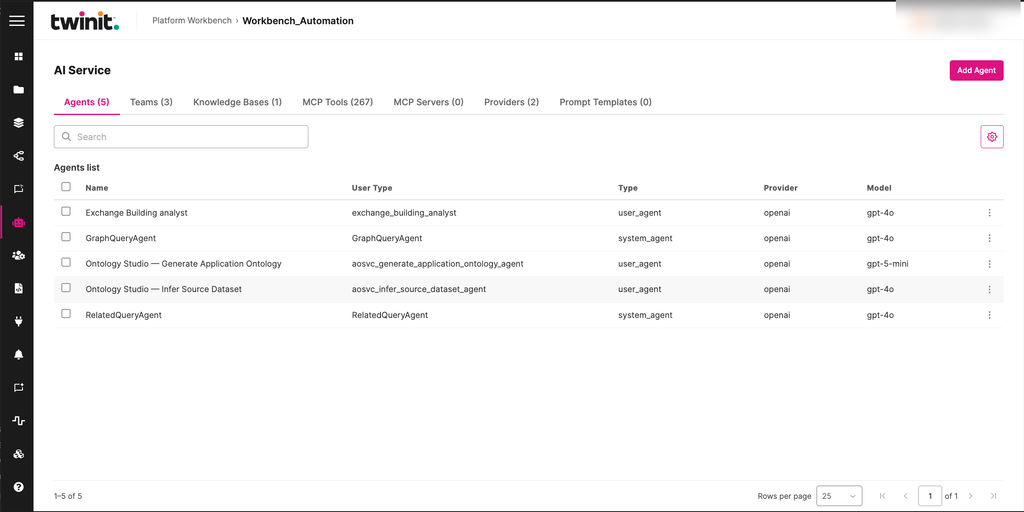
The AI Service decides which operations you can perform.
Managing AI resources
On each tab, you can create, edit, and delete resources of that type. To create a resource, select the add button for that tab, for example Add Agent. Workbench opens each resource in a drawer.
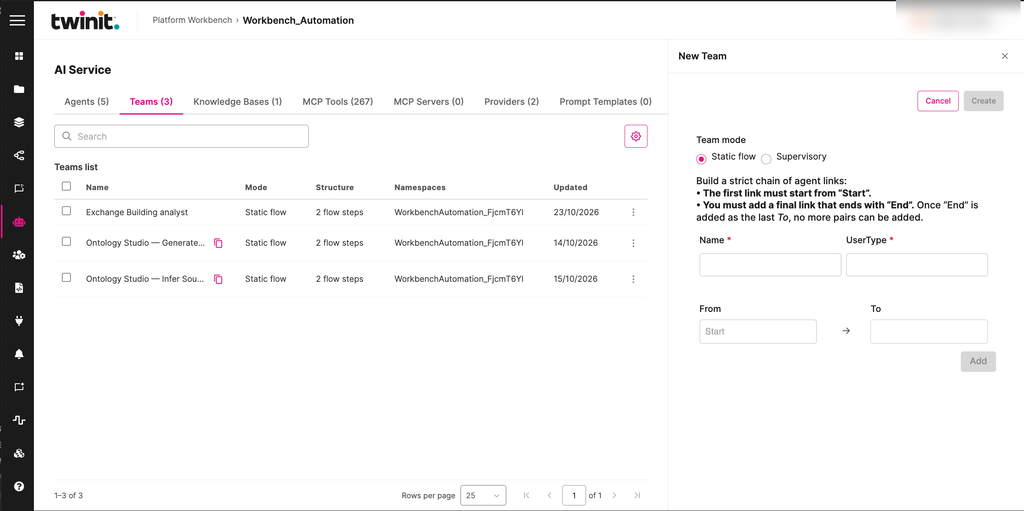
- Teams: configure the team's structure and execution mode. Teams can contain other teams. In the New Team drawer, select a Team mode:
- Static flow: build a chain of agent links. The first link must start from Start, and the last link must end with End. For more information, see Teams with fixed workflow.
- Supervisory: for more information, see Teams with supervisor agent.
- Prompt Templates: create reusable prompt templates for the project's AI workflows.
- MCP Tools: select the script that runs the tool.
- MCP Servers: select named secrets to send as request headers.
Figure: New Team drawer
Activating a provider
To activate a provider, do the following:
- Select the Providers tab.
- Open the provider's menu.
- Select Activate.
- In the drawer, register the provider's API key as a named secret.
Workbench saves the secret but never shows it again.
Each provider row shows one of the following states:
- Active
- Inactive
- Throttled
- Unavailable
For more information, see API keys and LLM providers.
AI Service limits
- Each tab shows up to 50 resources, in the order the AI Service returns them. You can't sort them.
- You can't delete resources in bulk.
- When you create a knowledge base with a file, the file upload and the knowledge base creation are separate steps. One can succeed while the other fails.
- If a long AI Service run times out in the browser, the run still continues on the server.