User configs
Overview
Use the User configs area to manage the project's user configs, user groups, users, and invitations. For more information about user configs, see User config.
The User configs area has the following tabs:
- User Configs
- User Groups
- Users & Invites
- Versions
The services decide which operations you can perform.
Managing user configs
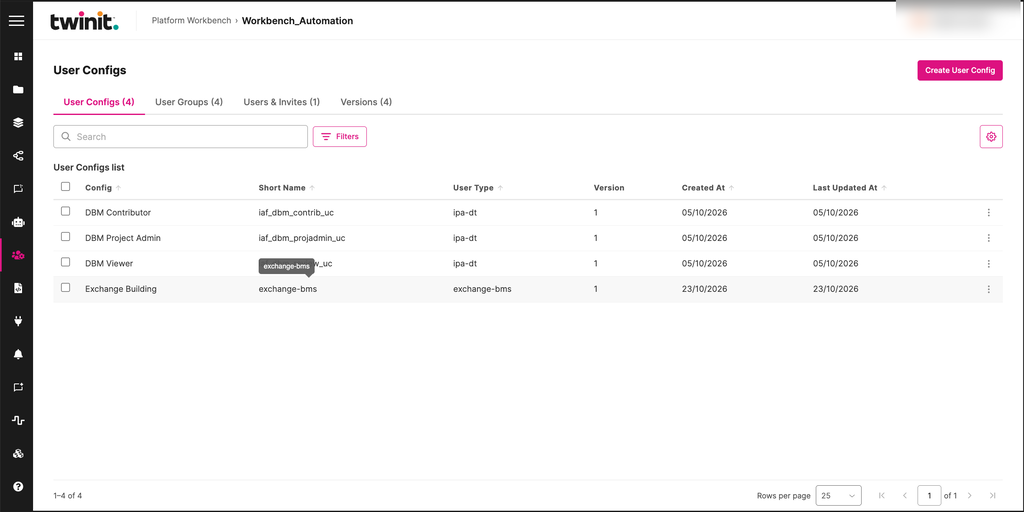
On the User Configs tab, you can do the following:
- Create a user config. Select Create User Config.
- Edit and delete user configs.
- Edit a user config's metadata.
- Edit the JSON content of a specific version.
Metadata and content save separately. One can succeed while the other fails.
Figure: User Configs tab
On the Versions tab, you can view, download, and delete versions of a user config. The tab shows up to 50 versions.
Managing user groups
On the User Groups tab, you can do the following:
- Create and edit user groups.
- Set a group's access. A group can have access to all areas or access to specific areas.
- Manage a group's members.
- Assign user configs to a group.
The member count for each group loads after the table.
For more information about permissions, see Permissions.
Reviewing users and invitations
The Users & Invites tab lists the project's users and invitations. You can do the following:
- See a summary of invitation statuses.
- Filter the list.
- Export the list as a CSV file.
- Open an invitation's details.
- See when each invitation was sent in the Invitation Date column.
Inviting users
You can invite up to 25 email addresses at a time and add them to several groups.
To invite users, do the following:
- Go to the Users & Invites tab.
- Select Invite User.
- Enter up to 25 email addresses.
- Select the groups to add the users to.
- Send the invitations.
Workbench sends the invitations one at a time. If some invitations fail, Workbench keeps the failed addresses so you can retry them. It doesn't resend the invitations that succeeded.
Managing invitations and members
You can update or cancel an existing invitation. You can also manage which users are members of the selected project.
User configs limits
- Each list shows up to 50 items per page.
- When you reassign users or configs, each change saves separately. Some changes can succeed while others fail.