Notifications
Overview
Use the Notifications area to inspect the project's notification resources and manage device registrations. For more information, see Notification Service overview.
The Notifications area has the following tabs:
The Notification Service decides which operations you can perform.
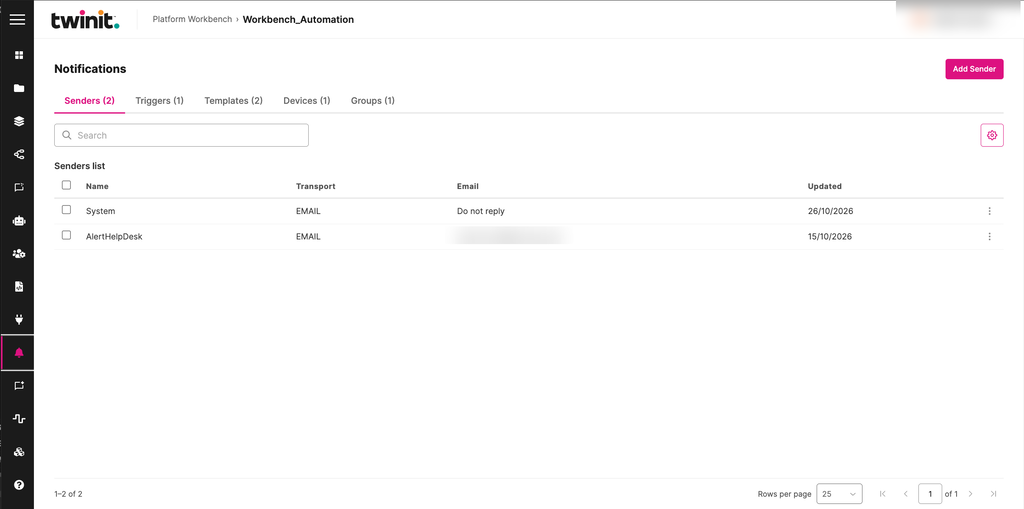
Figure: Notifications Senders tab
Creating a sender or a template
To create a sender, select Add Sender on the Senders tab.
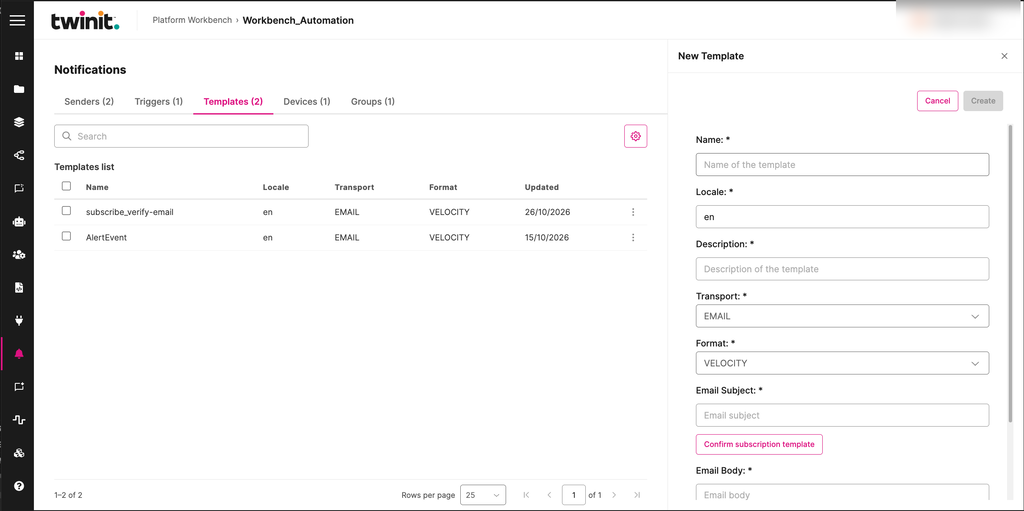
To create a template, do the following:
- Go to the Templates tab.
- Select Add Template.
- Fill in the Name, Locale, Description, Transport, Format, Email Subject, and Email Body fields.
- Select Create.
Figure: New Template drawer
Registering a device
To register a device, do the following:
- Go to the Devices tab.
- Select Add Device.
- Select the device owner. Workbench fills in the owner's email address.
- Select the transport. Only email is currently supported.
- Enter the email address.
- Select Create.
If the registration fails, the form stays open and keeps what you entered.
Note: The owner list shows a limited number of workspace users. In a large workspace, some users might not appear.
Deleting a device registration
To delete a device registration, delete it from the Devices tab, then confirm. Workbench refreshes the list.
Notifications limits
- You can't edit a device registration. The Notification Service has no device update operation.
- You can't search devices.
- You can't sort or filter lists on the server.
- Workbench has no subscriptions view.
If a tab can't load, select Retry.