Telemetry
Overview
Use the Telemetry area to manage telemetry collections and configurations, and to search telemetry readings. For more information, see IoT integration overview.
The services decide which operations you can perform.
Browsing telemetry items
The Telemetry area has a Collections tab and a Configs tab.
On Collections, select a collection's name to open it. Select Add Telemetry Collection to create a collection. Open a collection's row menu to select Import Items or Delete.
An open collection has an Items tab and a Telemetry tab.
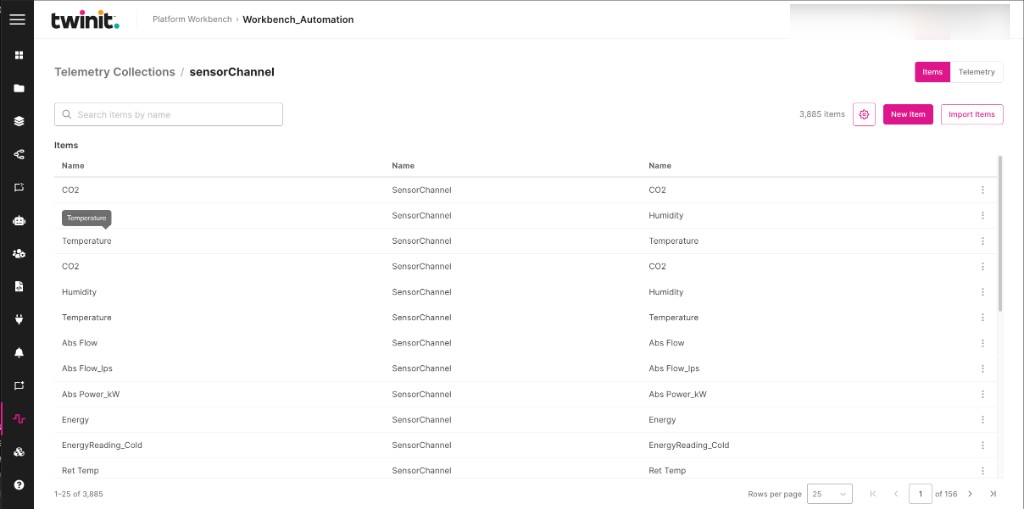
On Items, the table lists the collection's items. Enter text in Search items by name to narrow the list. The item table builds its columns from the documents currently loaded, including nested properties. The columns reflect only the loaded page, not all the telemetry data.
Select New Item to add an item. Select Import Items to import items.
Figure: Telemetry collection items
Searching telemetry readings
To search readings for a collection, do the following:
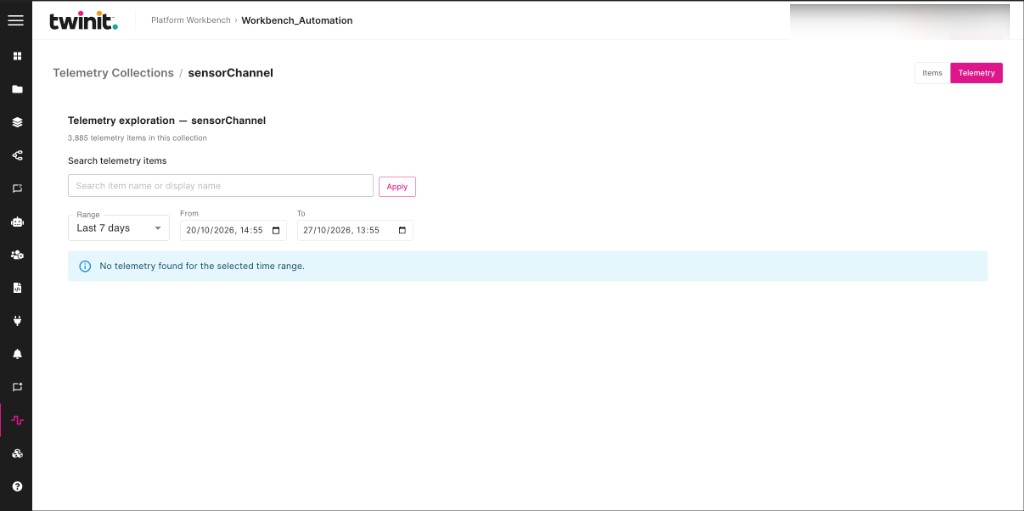
- Open the collection and select the Telemetry tab. Workbench opens Telemetry exploration.
- In Search telemetry items, enter an item name or display name.
- Select Apply.
- In Range, select Last 24 hours, Last 7 days, Last 30 days, Last 90 days, or Custom.
- For a custom range, set From and To.
If the range has no readings, Workbench shows No telemetry found for the selected time range.
To clear the search text, select Clear.
To filter and chart the readings, do the following:
- Under Filter telemetry items, select a Property.
- Select Add filter.
- Under Readings, select a Reading field.
- Select an Aggregation: Per item (no aggregation), Average (combined), Minimum (combined), or Maximum (combined).
The chart shows the selected readings.
Figure: Telemetry exploration
Telemetry configurations
The Configs tab lists telemetry configurations. Select Add Telemetry Config to open New Config. Select a configuration to view it. Open its row menu and select Edit or Delete.
Telemetry limits
- You can't create subscriptions or export telemetry data.
- Workbench limits how much data each search reads. If a search matches too many items, narrow Search telemetry items before the chart loads.