Object Explorer
Overview
Use Object Explorer to query the project's mapped individuals.
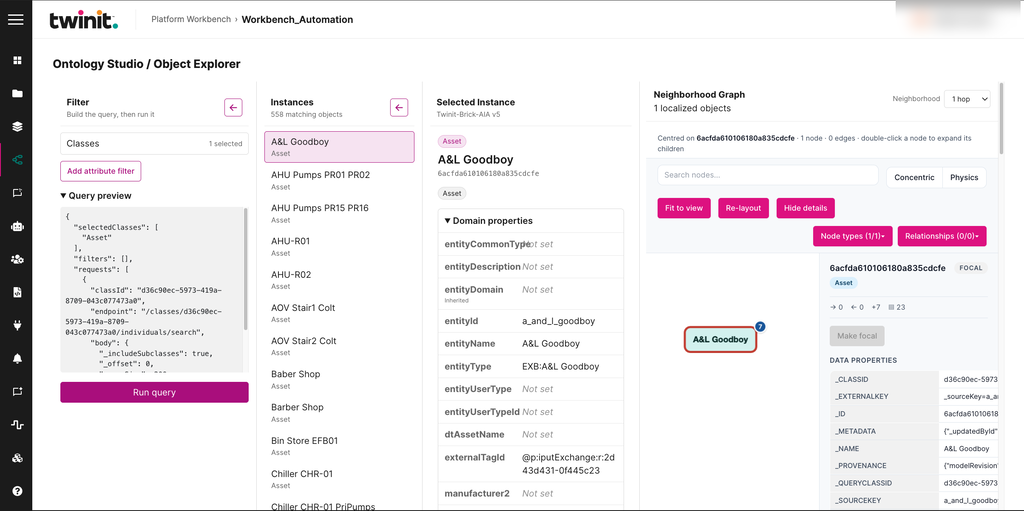
Object Explorer has the following panels:
- Filter: build and run the query.
- Instances: the individuals that match the query.
- Selected Instance: the selected individual's properties.
- Neighborhood Graph: the selected individual's neighborhood, one or two hops out.
Figure: Object Explorer
Querying individuals
To query individuals, do the following:
- In the Filter panel, select one or more Classes.
- Optionally, select Add attribute filter and define a filter.
- Review the query in Query preview.
- Select Run query.
- In the Instances panel, select an individual to see its details.
- To see more of the neighborhood, in the Neighborhood list, select 1 hop or 2 hops.