Managing ontology versions
Ontology version lifecycle
You save changes to a draft version of the ontology. Saving a draft doesn't change the live version.
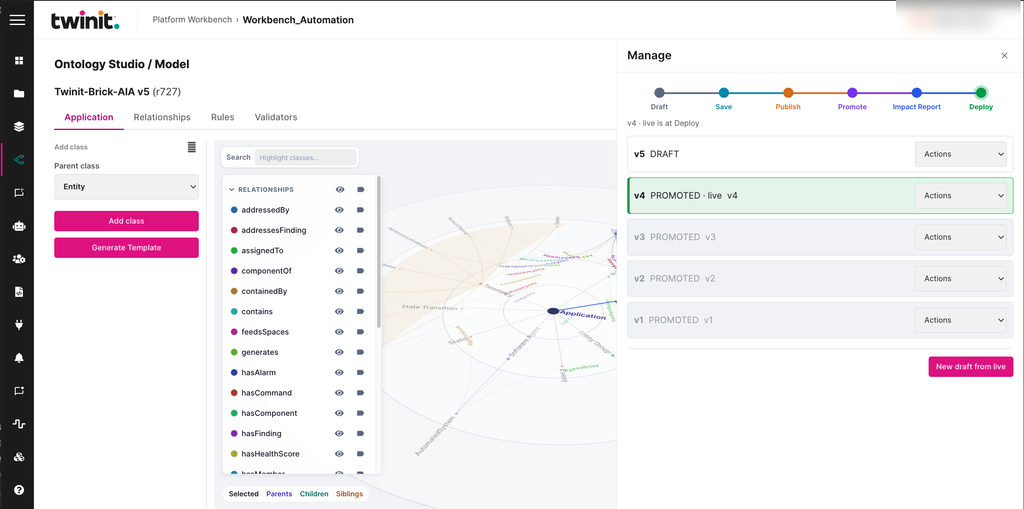
To open the Manage drawer, select Manage in the Model area. The drawer shows the version lifecycle:
Draft → Save → Publish → Promote → Impact Report → Deploy
Published and live versions are frozen. To change the schema, create or select a draft first. To create a draft from the live version, select New draft from live.
Figure: Manage drawer
Version actions
To act on a version, open the Actions list in the version's row. Each action appears only when the version's state allows it. The actions include the following:
- Manage permissions
- Edit or select a draft
- Publish
- Discard
- Generate an impact report
- Promote or deploy
- Roll back