State Machines
Overview
A state machine defines the states an application class can be in and the transitions between them. Each state machine belongs to a specific ontology version.
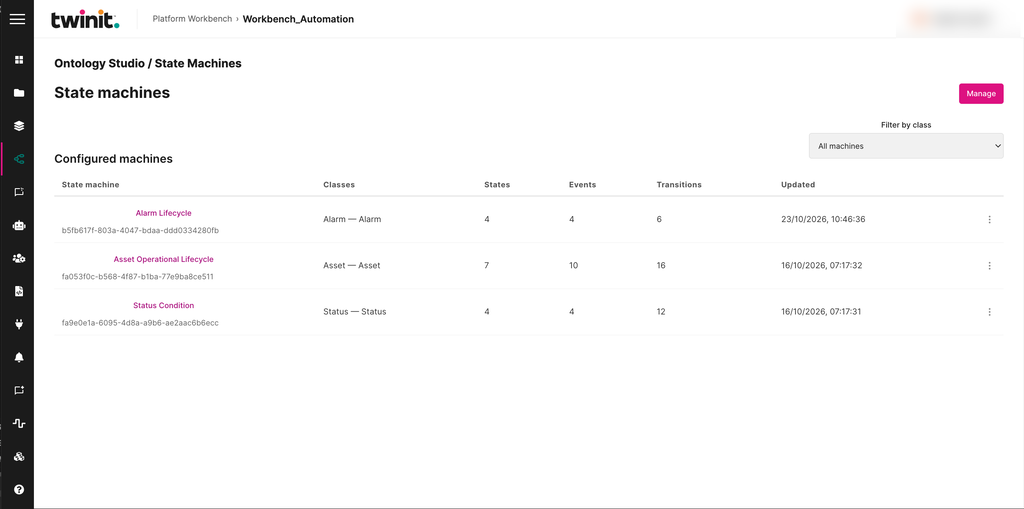
The State Machines landing page lists the configured state machines with their classes and their numbers of states, events, and transitions. To show the state machines for one class, use Filter by class.
Figure: State Machines landing page
Creating a state machine
To create a state machine, do the following:
- Select Manage, then select New.
- Bind it to one application class.
- Add states. Select Add state. Define one state as the initial state.
- Add events. Select Add event.
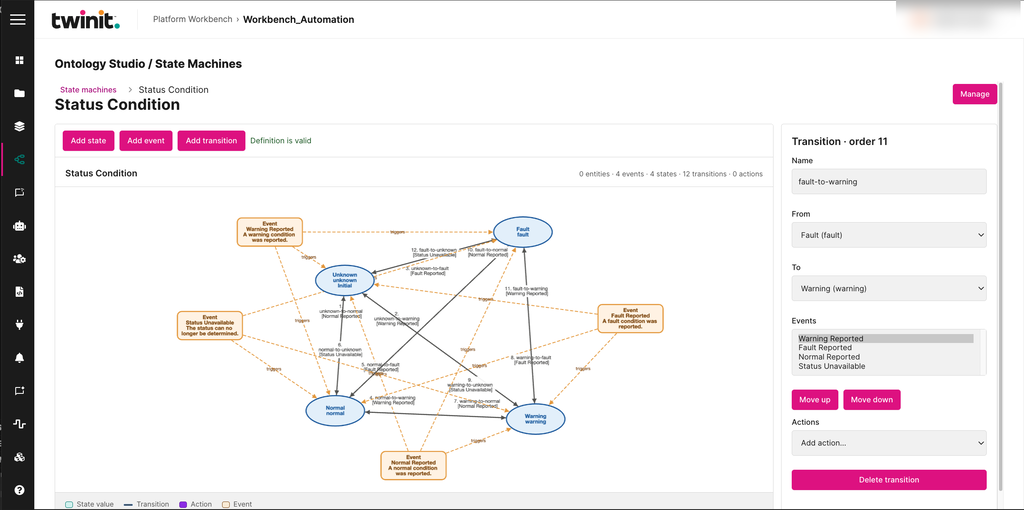
- Add transitions. Select Add transition, then select the From state, the To state, and the Events that trigger it.
- To change a transition's order, select Move up or Move down.
- To add an action to a transition, select it in the Actions list.
The editor shows the state machine as a flow diagram and checks the definition as you edit it.
Figure: State machine editor
You can also import and export state machines as JSON.
Running a state machine
You can queue events for a state machine and inspect its transition history.
State machine rules
- A state machine binds exactly one application class.
- A state machine has exactly one initial state.
- An
EVENTaction can't target its own state machine. Ontology Studio doesn't detect longer event cycles.